NVMe vs SATA SSD: Speed, Performance, and Real-World Differences
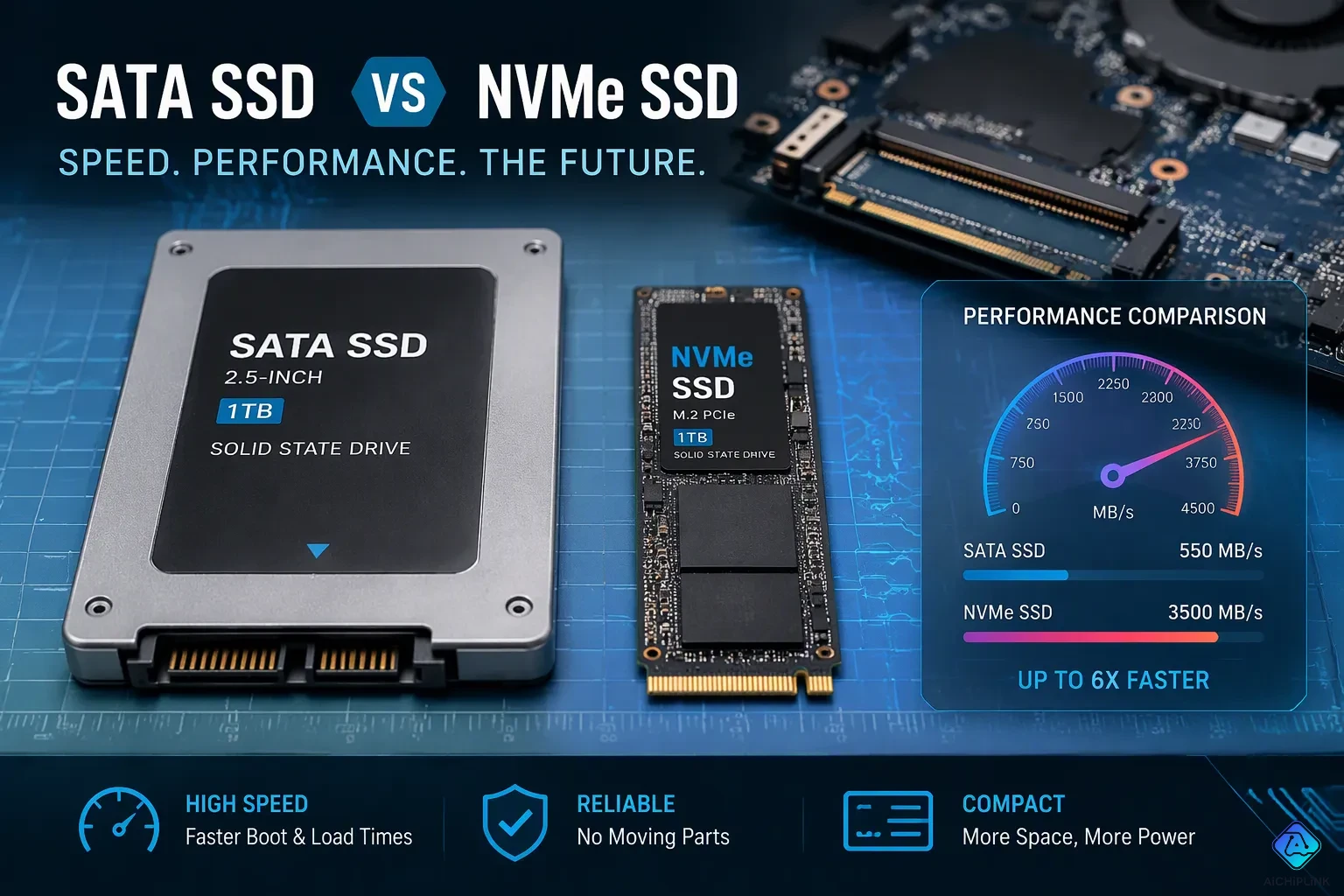
You see the numbers immediately. NVMe SSDs reach up to 3,500 MB/s on Gen3, while SATA SSDs cap around 600 MB/s. Newer NVMe generations go much higher. The gap comes down to interface and protocol. NVMe was built for SSDs. SATA inherited from the hard-drive era. The protocol matters. This article separates raw speed from real-world impact. You will learn when the difference matters. You will also get a clear buying recommendation based on workload, budget, and system age.
Here is a quick look at maximum sequential speeds:
| SSD Interface | Max Sequential Read | Max Sequential Write |
|---|---|---|
| SATA III | ~600 MB/s | ~550 MB/s |
| PCIe Gen3 NVMe | ~3,500 MB/s | ~3,500 MB/s |
| PCIe Gen4 NVMe | ~7,400 MB/s | ~7,000 MB/s |
| PCIe Gen5 NVMe | ~14,000 MB/s | ~13,000 MB/s |
NVMe offers lower latency and higher throughput. SATA remains a budget option. Your choice depends on your needs. This is the nvme vs sata ssd decision.
Key Takeaways
-
NVMe SSDs are a lot faster than SATA SSDs, but you might not see the difference in daily tasks like browsing the web or doing office work.
-
Choose NVMe for tough tasks like editing 4K video or moving big files, where its fast speed and quick response give a real edge.
-
SATA SSDs are still a smart, low-cost pick for older computers or simple tasks, giving solid speed without breaking the bank.
-
Before you buy, check your motherboard's M.2 slot and BIOS to make sure it works with NVMe, so you can avoid compatibility problems.
-
Pick the drive that fits your work and money, not just the fastest numbers, to get the best worth and speed for what you need.
NVMe vs SATA SSD: The Short Answer
The speed gap between these two storage types is big. SATA tops out around 550–600 MB/s. NVMe Gen3 reaches about 3,500 MB/s. Newer generations go even higher. This gap comes from the protocol underneath. SATA uses AHCI, a standard made for spinning hard drives. NVMe uses PCIe lanes directly, so it removes bottlenecks. You get lower latency and higher throughput with NVMe. But you might not notice this gap in everyday tasks.
How Big Is the Speed Gap?
The numbers tell a clear story. A SATA III SSD gives max sequential read speeds around 560 MB/s. An NVMe SSD on Gen3 reaches 3,500 MB/s. That is a six-fold difference in raw bandwidth. The table below shows how form factor affects SATA performance:
| Feature | 2.5-Inch SATA SSD | M.2 SATA SSD |
|---|---|---|
| Interface | SATA III | SATA III |
| Protocol | AHCI | AHCI |
| Max Sequential Speed | ~560 MB/s | ~560 MB/s |
When you use the SATA interface, both the 2.5-inch SATA SSD and the M.2 format hit the same wall. The SATA III (6 Gb/s) bus has a theoretical max bandwidth of 600 MB/s. In real-world tests, both reach sequential read/write speeds of 500-560 MB/s. The speeds between M.2 SATA and 2.5 SATA are almost the same.
This means you cannot gain speed by switching from a 2.5-inch drive to an M.2 SATA drive. The interface limits both the same way. Only NVMe breaks past this ceiling.
Does It Matter Day to Day?
For everyday computing, the answer surprises many people. Browsing the web, checking email, and streaming video work fine on either drive. Office documents open quickly on both. The speed comparison shows NVMe wins on paper, but your daily experience feels similar.
-
Is M.2 SATA faster than 2.5-inch SATA SSDs? No. The SATA III interface limits both to about 560 MB/s.
-
Does M.2 SATA give better gaming performance than 2.5-inch SATA? No. Since both share the same 560 MB/s speed limit, you won't notice any difference in game loading times or in-game performance.
The nvme vs sata ssd decision matters most for specific workloads. Large file transfers, video editing, and database operations benefit from NVMe's higher throughput. For general use, the nvme vs sata choice comes down to budget and system compatibility rather than noticeable speed differences. An NVMe SSD shines in professional environments. A SATA SSD serves perfectly well for casual users.
SATA vs NVMe SSD: The Technical Difference
The technical differences between these two storage types explain the speed gap. SATA uses AHCI, a protocol introduced in 2004. Engineers designed AHCI when mechanical hard drives ruled the market. NVMe, by contrast, was built from the ground up for flash memory. This fundamental design choice shapes everything else.
Why SATA Still Relies on AHCI
AHCI worked well for spinning platters. Those drives needed modest command queues and tolerated higher latency. But the architecture creates problems for modern SSDs. The SATA controller must receive commands from the CPU, pass them to the SSD controller, receive the information, and then retransmit. This round-trip adds latency at every step.
The command queue depth reveals the limitation. AHCI supports a single queue with up to 32 commands. That sufficed for mechanical drives with limited parallel tasks. A SATA SSD, however, can handle far more simultaneous operations. The outdated protocol throttles that potential. Even with upgraded SATA standards, a large latency bottleneck remains.
-
AHCI offloads processing to the I/O Controller Hub (PCH), increasing latency.
-
This setup was acceptable for spindle-based drives that didn't need high-performance controllers.
-
SSDs vastly outstripped what a 6Gbps SATA interface can provide.
-
Without scalability, SATA is considered a dead end for next-generation storage.
Why NVMe Uses PCIe Directly
NVMe connects through PCIe lanes directly to the CPU. This eliminates the extra translation layers that SATA requires. The result is drastically reduced I/O latency and significantly increased throughput. NVMe transfer speeds reach thousands of megabytes per second because the protocol was designed for parallel flash access.
The queue architecture shows the difference. NVMe supports up to 64K queues with 64K commands per queue. That massive parallelism unlocks the full potential of NAND flash. For demanding workloads like database operations or video editing, this matters enormously. The IOPS contrast tells the story: HDDs reach roughly 200 IOPS, SATA SSDs up to about 100,000 IOPS, and NVMe SSDs go even higher.
| Aspect | AHCI (SATA) | NVMe |
|---|---|---|
| Original design goal | Adequate when mechanical hard drives were primary storage | Built from the ground up for high-performance flash memory |
| Command queue depth | Single queue, up to 32 commands | Up to 64K queues with 64K commands per queue |
| Architecture | Serial; throttled fast NAND flash | Parallel; uses PCIe directly |
| Impact on performance | Limited queues bottleneck SSD performance | Drastically reduces latency, increases throughput |
An m.2 nvme drive takes advantage of this direct PCIe connection. A sata ssd, whether 2.5-inch or M.2 form factor, remains bound by the AHCI protocol. The difference between nvme and sata ssds comes down to this architectural choice. When you compare sata vs nvme ssd options, the protocol determines the ceiling. A sata iii ssd cannot exceed the SATA bus limit. NVMe breaks that barrier entirely. The bandwidth available through PCIe lanes far exceeds SATA's 6 Gb/s connection. This is why nvme ssd performance dominates in benchmarks. The speed difference is not marketing—it is engineering.
NVMe SSD vs. SATA SSD Performance in Real Use
The performance comparison between these two drive types changes a lot depending on what you do. Raw benchmark numbers tell one story. Your daily experience tells another. This section breaks down where the nvme vs sata ssd gap actually shows up.
Large Files, Video Editing, and Demanding Workloads
This is where NVMe leaves SATA far behind. The speed advantage becomes clear when you move huge files. A 100 GB video transfer takes about 3 minutes and 5 seconds on a SATA SSD. The same transfer finishes in roughly 30 seconds on a PCIe Gen3 NVMe SSD. A PCIe Gen4 drive cuts that to about 15 seconds. These real-world performance numbers show the gap clearly.
| Drive Type | Sequential Speed | Time to Transfer 20 GB | Estimated Time for 100 GB |
|---|---|---|---|
| SATA SSD | ~550 MB/s | ~37 seconds | ~185 seconds |
| PCIe Gen3 NVMe SSD | ~3,500 MB/s | ~6 seconds | ~30 seconds |
| PCIe Gen4 NVMe SSD | ~7,000 MB/s | ~3 seconds | ~15 seconds |
Video editors feel this difference every day. Adobe Premiere Pro suggests a fast internal SSD for software and cache, plus a separate fast drive for media. For 4K editing, the suggested setup includes two NVMe SSDs. One handles the operating system and cache. The second handles media files. This dual-drive approach keeps your workflow smooth.
Video editors working with 4K or 8K footage, photographers working with huge RAW libraries, and anyone else who regularly moves large files between drives will notice the speed difference every day. The NVMe drive's sequential write speed means faster exports and smoother timeline scrubbing in editing software.
The latency and bandwidth advantages of NVMe matter here. Timeline scrubbing through 4K footage feels instant on NVMe. A SATA drive often stutters during quick timeline movements. Multi-stream 4K playback runs smoothly on NVMe. SATA struggles with multiple 4K streams and drops frames. Real-time effects preview works on NVMe systems. SATA systems usually need rendering for those same effects. For content creators, 4K and 6K video editing requires sustained sequential writes of at least 2,500 MB/s. You also need a stable thermal design to prevent throttling during rendering.
Gaming and Everyday Tasks
Games do not bottleneck on storage speed the way video editing does. An m.2 nvme drive loads games a little faster than a SATA SSD. The difference rarely goes past a second or two. Game developers optimize loading for the slowest common hardware. This means your gaming experience stays almost the same on both drive types.
Everyday tasks show even less difference. Web browsing, email, and office documents open quickly on either drive. General multitasking feels the same. You will not notice a meaningful gap during normal computer use. The nvme vs sata decision matters most for specific professional workloads. For casual users, both drive types deliver excellent real-world performance.
The protocol and speed differences between nvme vs sata ssd options remain real. But your workload determines whether those differences matter. Choose based on what you actually do with your computer.
Heat, Compatibility, and Cost Concerns
Do NVMe Drives Overheat?
High-performance NVMe drives can run hot under sustained load. Without a heatsink, many drives throttle their speed to protect the components. Throttling means the drive slows down when temperatures climb too high. You will notice this most during long file transfers or heavy video rendering sessions.
Typical daily use rarely triggers this problem. Browsing, office work, and gaming do not push the drive hard enough for long enough to cause thermal throttling. Many modern motherboards include built-in heatsinks for M.2 slots. If your board lacks one, you can buy an aftermarket heatsink for a modest cost. Good airflow inside your case also helps. A well-ventilated system keeps temperatures in a safe range without extra hardware.
Will Your System Support NVMe?
An m.2 nvme ssd requires an M.2 slot with PCIe support. Some older motherboards only support SATA M.2 drives in that slot. Others offer no M.2 slot at all. You must verify compatibility before you buy. Check these items in order:
-
Check the motherboard documentation for the key type (B, M, or B+M) of the M.2 slot.
-
Verify the interface the socket actually supports (SATA, PCIe, or both) from the motherboard manual or product page.
-
Confirm the available PCIe lane count (for example, x2 or x4) if the slot supports PCIe.
-
Note that keying alone does not guarantee compatibility. An M-keyed Socket 3 may be wired for PCIe NVMe only, SATA only, or both.
-
Check BIOS/UEFI support. The host firmware must support NVMe to boot from an NVMe SSD. Some platforms boot only from SATA.
Look for "NVMe" or "PCIe" in your motherboard manual or product page. If the slot supports PCIe x4, you can use NVMe SSDs. SATA-only slots do not support NVMe.
If the SSD is not detected, reseat the drive and check the screw. Enter BIOS to see if the drive appears. Update your BIOS if needed. Confirm compatibility with your motherboard.
Cost also shapes the decision. A sata ssd remains cheaper per terabyte than most NVMe options. Budget builders and older systems benefit from that lower price. The protocol compatibility of your board determines what you can install. Match the drive to your hardware, and you avoid wasted money.
NVMe vs SATA: Which Should You Buy?
You now have the facts. The right drive depends on three things: your workload, your motherboard, and your budget. Peak benchmark numbers should not drive your choice. Match the drive to how you actually use your computer.
Choose NVMe for Intensive Workloads
Content creators should pick NVMe. Video editors working with 4K or 6K footage need sustained sequential writes of at least 2,500 MB/s. A SATA drive cannot reach that figure. Its ceiling sits near 550–600 MB/s. An m.2 nvme drive clears that bar with room to spare. Photographers with large RAW libraries also benefit. So do developers who compile code, run virtual machines, or move database files.
The protocol explains why. NVMe talks to the CPU through PCIe lanes. It supports up to 64K queues with 64K commands per queue. That parallelism delivers the bandwidth and low latency these jobs demand. A SATA SSD manages roughly 100,000 IOPS at best. NVMe drives go higher. For heavy multitasking, that headroom keeps your system responsive.
Future-proofing also favors NVMe. New motherboards ship with PCIe M.2 slots as standard. Prices keep falling. If you build a modern system today, an NVMe boot drive costs little more than a SATA model. You gain speed now and headroom later.
Choose SATA for Budget and Older Systems
A SATA drive still makes sense in several cases. Budget builds benefit from the lower cost per terabyte. Older systems often lack an M.2 slot with PCIe support. Some boards offer an M.2 socket wired for SATA only. Others have no M.2 slot at all. In those machines, a 2.5-inch SATA SSD is the practical upgrade.
Basic everyday computing also fits SATA well. Web browsing, email, office documents, and light multitasking feel fast on either drive. You will not notice a meaningful gap during normal use. Gaming falls into the same category. Games rarely bottleneck on storage, so load times differ by only a second or two.
Check your hardware before you buy. Confirm the slot key type, the interface it supports, and the available PCIe lane count. Verify that your BIOS supports booting from NVMe. If any of these items fall short, choose SATA and avoid wasted money.
The nvme vs sata decision comes down to fit, not fashion. Buy NVMe for demanding work and modern builds. Buy SATA for tight budgets and older machines. Either way, you get a fast, reliable ssd that beats any mechanical hard drive. That is the real win in the nvme vs sata ssd comparison.
NVMe wins on speed, latency, and IOPS. New builds now treat it as the default choice. Yet a SATA ssd still works well for basic tasks, and it costs less. Your workload, motherboard support, and budget should guide the decision. Do not chase peak benchmark numbers. The protocol you can actually use matters more than the fastest spec sheet.
Prices for NVMe drives keep falling. That trend makes the upgrade easier each year. Pick the drive that fits your system today, and you get fast, reliable storage either way.

Written by Jack Elliott from AIChipLink.
AIChipLink, one of the fastest-growing global independent electronic components distributors in the world, offers millions of products from thousands of manufacturers, and many of our in-stock parts is available to ship same day.
We mainly source and distribute integrated circuit (IC) products of brands such as Broadcom, Microchip, Texas Instruments, Infineon, NXP, Analog Devices, Qualcomm, Intel, etc., which are widely used in communication & network, telecom, industrial control, new energy and automotive electronics.
Empowered by AI, Linked to the Future. Get started on AIChipLink and submit your RFQ online today!
Frequently Asked Questions
Is NVMe always faster than SATA?
Yes, NVMe wins on raw speed every time. A SATA drive tops out near 600 MB/s. An NVMe drive on Gen3 reaches about 3,500 MB/s. Newer generations go higher still. You will only feel this gap during heavy tasks like large file transfers or video editing.
Do I need NVMe for gaming?
No. Games rarely bottleneck on storage speed. An NVMe drive loads games only a second or two faster than a SATA SSD. Game developers optimize for the slowest common hardware. Your gaming experience stays almost the same on either drive.
Can my old computer use an NVMe drive?
Maybe. You need an M.2 slot with PCIe support. Some older boards only support SATA M.2 drives. Others have no M.2 slot at all. Check your motherboard manual for "NVMe" or "PCIe" support. Your BIOS must also support booting from NVMe.
Is SATA still worth buying?
Yes, for the right user. A SATA SSD costs less per terabyte. It works well for budget builds and older systems without PCIe M.2 slots. Everyday tasks like browsing, email, and office work feel fast on either drive. Match the drive to your hardware and budget.