What Sets NOR Flash Apart from NAND Flash Memory
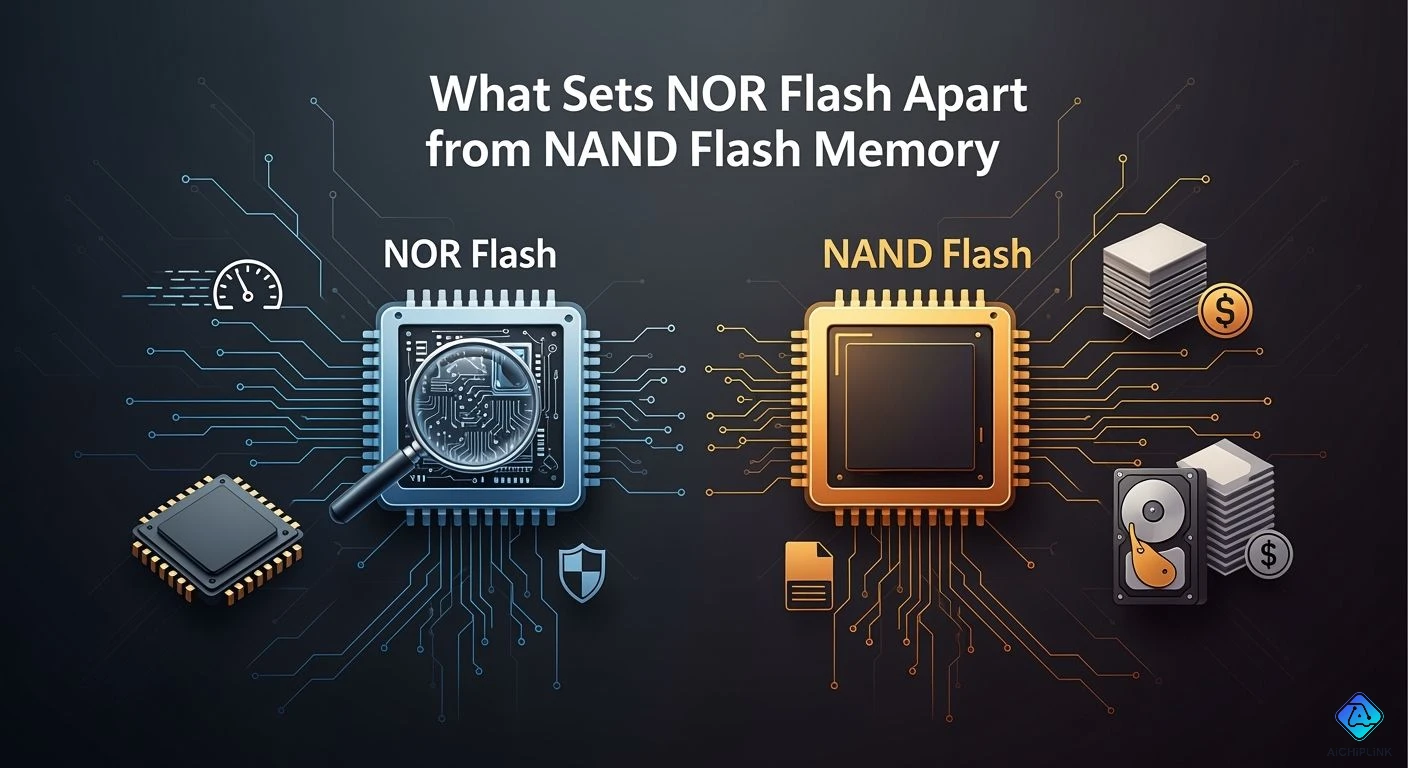
When you look at flash memory, you often pick between NOR vs NAND. Both types keep your data even when power is off, but they work in different ways. NOR flash memory has a parallel cell design, which allows it to find data quickly and start up devices rapidly. In contrast, NAND flash memory utilizes a serial cell design, enabling it to hold more data and write large files at a faster rate. While NOR flash costs more, it is better suited for running code, whereas NAND flash is cheaper per bit and excels at storing vast amounts of data.
The Asia-Pacific area is experiencing the fastest growth for both NOR vs NAND flash. Experts predict that NAND flash will increase from USD 78.2 billion in 2025 to USD 119.95 billion in 2035. Meanwhile, NOR flash is expected to grow from USD 3.23 billion in 2026 to USD 4.27 billion in 2031.
Understanding these differences is crucial, as your device’s speed, storage, and price depend on choosing the right flash memory.
| Feature | NOR Flash | NAND Flash |
|---|---|---|
| Architecture | Parallel cell | Serial cell |
| Speed | Fast random access | Slower random, faster sequential |
| Cost | Higher per bit | Lower per bit |
| Uses | Code, boot, small | High-capacity data |
| Endurance | Reliable for code | More erase cycles, bit flips |
Key Takeaways
-
NOR flash memory lets you get data very fast. It is good for running code. This makes it great for devices that must start up quickly.
-
NAND flash memory can hold a lot of data. It costs less money. It is good for saving big files like photos and videos.
-
Pick NOR flash if you need something that is fast and reliable. It works well for things like firmware and boot code.
-
Pick NAND flash if your device needs lots of storage. It is good for things like smartphones and SSDs. It also saves money.
-
Knowing how NOR and NAND flash are different helps you choose the right one. You can pick based on speed, storage, and how much you want to spend.
NOR vs NAND Flash Memory Overview
When you look at nor vs nand, you see two types of flash memory. Each one has its own strengths. Both can keep data even when the power is off. Their designs and uses make them different. You need to know how each one works. This helps you pick the right one for your device.
NOR Flash Memory Basics
You find nor flash memory in devices that need fast and steady access to small data. Its cells are connected side by side. This means you can go straight to any memory spot. This setup gives you quick random access, like RAM. You can read data almost right away. Nor flash memory is great for running code or keeping firmware.
Tip: If you want your device to start fast or run code from memory, nor flash memory is the best pick.
Here is a table that shows the main features of nor flash memory:
| Feature | Description |
|---|---|
| Cell Connection | Parallel |
| Access Type | Direct random access to each bit |
| Read Speed | Very fast (as low as 10 nanoseconds) |
| Write Speed | Slower than nand, but allows direct byte modification |
| Storage Density | Lower (usually a few megabytes to a few gigabytes) |
| Cost per Bit | Higher |
| Execution | Can execute code in place |
You can erase or write small parts, which gives you more choices. Nor flash memory costs more for each bit. But you get speed and trust for important jobs.
NAND Flash Memory Basics
Nand flash memory works in another way. Its cells are linked in a line, like a chain. You cannot reach each cell by itself. You have to read and write data in blocks. This design lets you store much more data in less space. Nand flash memory is why your phone or USB drive can hold so many things.
-
Nand flash memory gives you high storage density.
-
You get faster write and erase speeds for big files.
-
The cost for each bit is low, so it is good for lots of storage.
Here is a table that compares key features of nand flash memory:
| Feature | Description |
|---|---|
| Cell Connection | Series |
| Access Type | Block access (not direct to each bit) |
| Read Speed | Slower random access, but fast for sequential reads |
| Write Speed | Fast for large data sets, but needs block erase before writing |
| Storage Density | High (gigabytes to terabytes) |
| Cost per Bit | Lower |
| Execution | Cannot execute code in place |
Nand flash memory uses a block-based setup. You work with data in big chunks. This helps with speed for reading and writing in order. Makers can stack cells on top of each other, making 3D nand. This way, you get more space and pay less for each bit.
Note: If you need to keep lots of things, like music, videos, or papers, nand flash memory gives you the best deal.
NOR vs NAND: Key Differences
You can see the main differences between nor vs nand in how they are built and how you get to data. Nor flash memory connects cells side by side, so you get fast, direct access. Nand flash memory connects cells in a line, which means more storage and lower cost, but you must read and write in blocks.
| Feature | NOR Flash Memory | NAND Flash Memory |
|---|---|---|
| Connection Configuration | Parallel | Series |
| Access Method | Direct to individual cells | Through a chain of cells |
| Storage Density | Lower | Higher |
| Random Access Speed | Faster | Slower |
When you pick nor vs nand, think about what your device needs most. If you want speed and trust for code, nor flash memory is best. If you want lots of storage for less money, nand flash memory is the better choice.
Flash Memory Architecture Comparison
Circuit Design Differences
NOR and NAND flash memory are built in different ways. NOR flash uses a parallel cell design. Each cell connects to both the bit line and the word line. This lets you get to any byte or word quickly. You can run code right from NOR flash. This is called execute-in-place (XIP). NOR flash needs separate address and data buses. This means more pins are needed. The circuit board becomes more complex. NOR flash comes in bigger packages. These take up more space in your device.
NAND flash uses a serial cell design. The cells are linked together in a chain. They are grouped into pages and blocks. Data and addresses use the same I/O pins. This lowers the number of pins needed. It saves space on the board. NAND flash gives you more storage in less space. It costs less for each bit. You usually have to copy code to RAM before running it.
-
NOR flash: Parallel cell design, direct access, more pins, bigger size.
-
NAND flash: Serial cell design, block access, fewer pins, smaller size.
Cell Access and Data Handling
The way NOR and NAND flash are built changes how you use them. NOR flash lets you reach each memory cell directly. You can read data fast. This is good for things you need to read often. NOR flash is great for storing firmware or code.
NAND flash makes you use data in pages or blocks. You cannot read or write just one bit. You work with big chunks of data. This makes random reads slower. But writing and erasing big files is faster. NAND flash is best for storing lots of things, like photos or videos.
Here is a table to help you compare:
| Feature | NOR Flash | NAND Flash |
|---|---|---|
| Access Method | Individual cell access | Block-based access |
| Read Speed | Faster due to direct access | Slower due to page/block access |
| Write Speed | Slower due to larger cell size | Faster due to simultaneous erasure |
| Erase Speed | Slower due to complicated process | Faster due to block erasure |
These differences change how fast and reliable the memory is. NOR flash gives you quick, steady reads for running code. NAND flash is good for storing lots of data and writing big files quickly.
NOR vs NAND Performance
Read Speed and Latency
When you compare nor and nand, you notice big differences in read speed and latency. Nor flash memory gives you fast random access. You can reach any memory address almost instantly. This makes nor flash memory perfect for code execution and quick device startup. Nand flash, on the other hand, works best with large blocks of data. Its random access is slower, but it handles big files well.
Here is a table that shows the typical read speeds and latency for both types:
| Memory Type | Initial Latency | Bus Rate |
|---|---|---|
| NOR | 100 ns | 100 MHz |
| NAND | 25 µs | 50 MHz |
You see that nor offers much lower latency. This means you get faster response when you need to read small pieces of data. Nand flash trades some speed for higher data storage capacity.
Write Speed and Sequential Access
You will find that nand flash outperforms nor when you write or read large files. Nor flash is great for random access, but its speed drops with big data blocks. Nand flash is designed for sequential access. This means it can move large amounts of data quickly, which is important for things like photos and videos.
-
Nor flash is optimized for random access, so you get quick access to any memory address.
-
Nand flash is designed for sequential access, which gives you faster data transfer when reading or writing large blocks.
-
The performance gap in sequential reads grows as data size increases, with nand flash leading.
| Memory Type | Sequential Access Performance | Random Access Performance |
|---|---|---|
| NOR Flash | Slower for large data blocks | Fast (10 ns) |
| NAND Flash | Faster for large data blocks | Slower |
If you need to store lots of files or use your device for media, nand flash memory gives you better performance.
Endurance and Data Retention
Endurance and data retention matter for long-term data storage. Nand flash comes in different types, like MLC and SLC. SLC nand can handle about 100,000 program/erase cycles, while MLC nand manages around 10,000 cycles. Data retention for nand flash is usually about 10 years, but this depends on temperature and how often you write to the memory.
-
SLC nand is best for high endurance and long data retention. You should use it for critical industrial data storage.
-
MLC nand works for less demanding uses, but it has lower endurance and shorter retention.
-
SLC nand can keep data safe for over 10 years at high temperatures, making it good for calibration storage.
-
MLC nand may only keep data for 5-7 years under the same conditions, so you may need to refresh the data.
You should choose the right type of nand flash based on your data storage needs and how long you want to keep your data safe.
Cost and Storage Capacity in Flash Memory
Price per Bit: NOR vs NAND
You see a big difference in price when you compare NOR and NAND flash. NOR flash costs more for each bit. This happens because NOR flash uses a less dense design. You pay extra for fast random access and reliable code execution. NAND flash gives you a lower price per bit. You get more storage for your money. Manufacturers use NAND flash in devices that need lots of memory, like phones and SSDs.
| Flash Type | Price per Bit | Typical Use |
|---|---|---|
| NOR | Higher | Firmware, boot code |
| NAND | Lower | Data storage, media files |
If you want to save money and need lots of storage, NAND flash is the better choice.
Typical Storage Densities
You find NOR flash in devices with small storage needs. NOR flash usually holds a few megabytes to a few gigabytes. This works well for code and firmware. NAND flash can reach much higher densities. You see NAND flash in gigabytes and even terabytes. Phones, tablets, and computers use NAND flash for large memory needs.
-
NOR flash: Small storage, best for code and boot memory.
-
NAND flash: Large storage, perfect for photos, videos, and apps.
NAND flash uses vertical 3D stacking. This lets you fit more memory in a smaller space. You get more storage without making devices bigger.
Manufacturing Complexity
Manufacturing NOR flash is more complex. You need a high pin count and separate address and data buses. This makes PCB routing harder. NOR flash takes up more space and costs more to produce. NAND flash uses a simpler design. You see fewer pins and shared buses. NAND flash scales easily with 3D stacking. This lowers production costs and boosts storage density.
-
NOR flash: Less dense, higher production cost, complex integration.
-
NAND flash: High density, lower production cost, easy scaling.
You should pick NAND flash if you want high storage and low cost. NOR flash works best when you need fast access and reliable code memory.
Pros and Cons of NOR and NAND Flash
NOR Flash Advantages
Nor flash is known for being reliable and fast. It is good when you need quick access to data. Devices can run code right from nor flash. This makes reading data very fast. Nor flash uses less power, so batteries last longer. You can update firmware many times because nor flash lets you write often. It keeps your data safe even if the power goes out. Nor flash can handle lots of reading and writing.
| Advantage | Description |
|---|---|
| Durability | Nor flash lasts through many reads and writes, so it is dependable. |
| Non-Volatility | It keeps your data safe without power, great for settings and firmware. |
| Fast Read Access | You can get data quickly, which helps with fast reads. |
| Low Power Consumption | Nor flash uses less energy, so it is good for devices with batteries. |
| High Write Endurance | You can update firmware often because nor flash allows more write cycles. |
Tip: Nor flash is best for storing code, boot memory, and devices that need to start up quickly.
NOR Flash Disadvantages
Nor flash has some downsides. It holds less memory than nand flash. Nor flash costs more for each bit of storage. Writing and erasing data takes longer, so big transfers are slow. Nor flash cells are bigger, so you cannot fit as much on a chip.
-
Nor flash holds less memory than nand flash.
-
Writing and erasing takes more time.
-
Each bit costs more money.
-
Bigger cells mean less storage and harder scaling.
NAND Flash Advantages
Nand flash gives you lots of storage for less money. You can fit more data in a small space because nand flash uses tiny cells. Nand flash is used in SSDs, memory cards, and phones. It reads and writes big files quickly. Nand flash is cheaper, so you save money when you need lots of storage.
-
Nand flash uses small cells, so chips hold more data.
-
Lower cost per bit makes nand flash good for big storage.
-
High density means more data fits in less space.
-
Fast speeds help move large files quickly.
-
Nand flash is common in electronics because of these benefits.
NAND Flash Disadvantages
Nand flash has some limits. Each cell can only be written and erased so many times. This makes nand flash wear out if you write a lot. Nand flash needs special error correction to keep your data safe. Errors can happen from cell wear, charge leaks, or cells interfering with each other.
-
Nand flash can only be written and erased a certain number of times.
-
Cells wear out, so memory does not last as long.
-
Data errors can happen from wear or interference.
-
Error correction is needed to keep your data safe.
Note: Pick nand flash for big storage, but remember to watch write cycles and use error correction to keep your data safe for a long time.
Applications of NOR vs NAND Flash Memory
NOR Flash Use Cases
NOR flash is used in devices that need to run code fast and without errors. It is good for saving firmware, boot code, and small programs. You can find NOR flash in microcontrollers, medical tools, and cars. These devices must turn on quickly and use code right from the memory. NOR flash lets you get to important instructions fast. It is also in machines and smart meters. These need memory that lasts a long time and does not fail.
-
Microcontrollers keep their firmware in NOR flash.
-
Medical tools use NOR flash to stay safe and work well.
-
Cars use NOR flash to start fast and run code.
-
Machines and smart meters save settings in NOR flash.
Tip: Use NOR flash if you want fast reads, trust, and to run code from memory.
NAND Flash Use Cases
NAND flash is picked when you need lots of storage. You see NAND flash in ssds, phones, tablets, and laptops. It holds your pictures, videos, and apps. NAND flash is also in USB drives and memory cards. These things need to move big files fast and store lots of data. NAND flash does this because it can hold more and costs less.
Here is a table that shows where NAND flash is used:
| Application Type | Description |
|---|---|
| Solid-State Drives (ssds) | Main storage in laptops, desktops, and servers. |
| Mobile Devices | Keeps operating systems, apps, and user data. |
| USB Flash Drives | Lets you move files between devices. |
| SD and microSD Cards | Adds more space to cameras, phones, and games. |
| Embedded Devices | Saves firmware and data in smart TVs, routers, and car systems. |
| Gaming Consoles | Makes games load faster and run better. |
-
People want more electronics, so NAND flash is popular.
-
3D NAND flash is used a lot in ssds and other storage.
Why Choose One Over the Other
Think about what you need before you pick a flash type. NOR flash is best for small code and when you want to get to it fast. NAND flash is better if you need to store lots of things and move files quickly. NOR flash is in simple devices with small code. NAND flash is in ssds and things that need lots of space.
Here is a table to help you choose:
| Factor | NOR Flash Memory | NAND Flash Memory |
|---|---|---|
| Data Size | Small code you can run | Big files like photos and videos |
| Performance Strengths | Fast reads, good for firmware and boot | Fast writes and erases, great for ssds and media |
| Application Requirements | Simple devices, not many changes | Lots of data, quick loading of big files |
Note: Pick NOR flash for code and trust. Pick NAND flash for ssds and lots of storage.
Similarities in Flash Memory Technology
Shared Features
Both NOR and NAND flash keep your data safe when the device is off. This means your files and settings do not disappear. You can trust flash memory to protect your information. Flash memory saves data using electrical charges. There are no moving parts inside, so devices last longer and make less noise.
Flash memory is used in many things. Phones, cameras, and computers all use flash to save music, pictures, and apps. You can erase and write new data many times. This makes it good for devices that need updates. Flash memory uses less power than old storage types. Your battery lasts longer and your device does not get hot.
Here is a table that lists the main shared features:
| Feature | Description |
|---|---|
| Non-volatile | Keeps data when power is off |
| Rewritable | Allows erasing and rewriting |
| No moving parts | Makes devices more reliable |
| Low power usage | Saves battery life |
| Used in many devices | Phones, cameras, computers |
Note: Flash memory is a safe and easy way to store your data.
Common Limitations
Flash memory has some problems you should know about. You cannot write to flash memory forever. Each cell wears out after many erases. This means flash memory will not last if you use it too much. Flash memory can slow down when you erase or write a lot of data. You might notice delays if you update files often.
Flash memory also cannot be made too small or it will not work well. Sometimes, flash memory needs help to fix mistakes. If you keep data for a long time, flash memory can lose it. You need to rewrite or refresh data to keep it safe.
Here are some common problems:
-
Flash memory wears out after many writes.
-
Erasing or writing can be slower sometimes.
-
Flash chips cannot be made too small.
-
Error correction is needed to keep data safe.
-
Data can fade if stored for many years.
Tip: Think about how often you change files and how long you want to keep them. Flash memory works best if you use it the right way.
You now know that NOR flash gives you fast, reliable code access, while NAND flash offers high storage at a lower cost. Both types keep your data safe when power is off. To choose the right flash memory, think about your device’s needs:
-
Pick NOR flash for quick startup and code execution.
-
Choose NAND flash for storing lots of files and media.
Remember: Match your choice to your device’s speed, storage, and budget needs.

Written by Jack Elliott from AIChipLink.
AIChipLink, one of the fastest-growing global independent electronic components distributors in the world, offers millions of products from thousands of manufacturers, and many of our in-stock parts is available to ship same day.
We mainly source and distribute integrated circuit (IC) products of brands such as Broadcom, Microchip, Texas Instruments, Infineon, NXP, Analog Devices, Qualcomm, Intel, etc., which are widely used in communication & network, telecom, industrial control, new energy and automotive electronics.
Empowered by AI, Linked to the Future. Get started on AIChipLink and submit your RFQ online today!
Frequently Asked Questions
What is the main reason to choose NOR flash memory?
You should choose NOR flash memory if you need fast, direct access to code. NOR flash lets your device start quickly and run programs right from memory. It works best for firmware, boot code, and small applications.
Why is NAND flash memory used in SSDs and phones?
NAND flash memory stores large amounts of data at a low cost. You get high storage density and fast file transfers. This makes NAND flash perfect for SSDs, smartphones, and tablets where you need to save photos, videos, and apps.
Can you run code directly from NAND flash?
No, you cannot run code directly from NAND flash. You must copy the code to RAM first. NAND flash works best for storing data, not for executing programs.
Which type of flash memory lasts longer?
NOR flash usually lasts longer for reading and writing code. It handles more write cycles and keeps data safe for many years. NAND flash wears out faster if you write to it often.