How to Choose a Microcontroller: 8 Key Factors to Consider
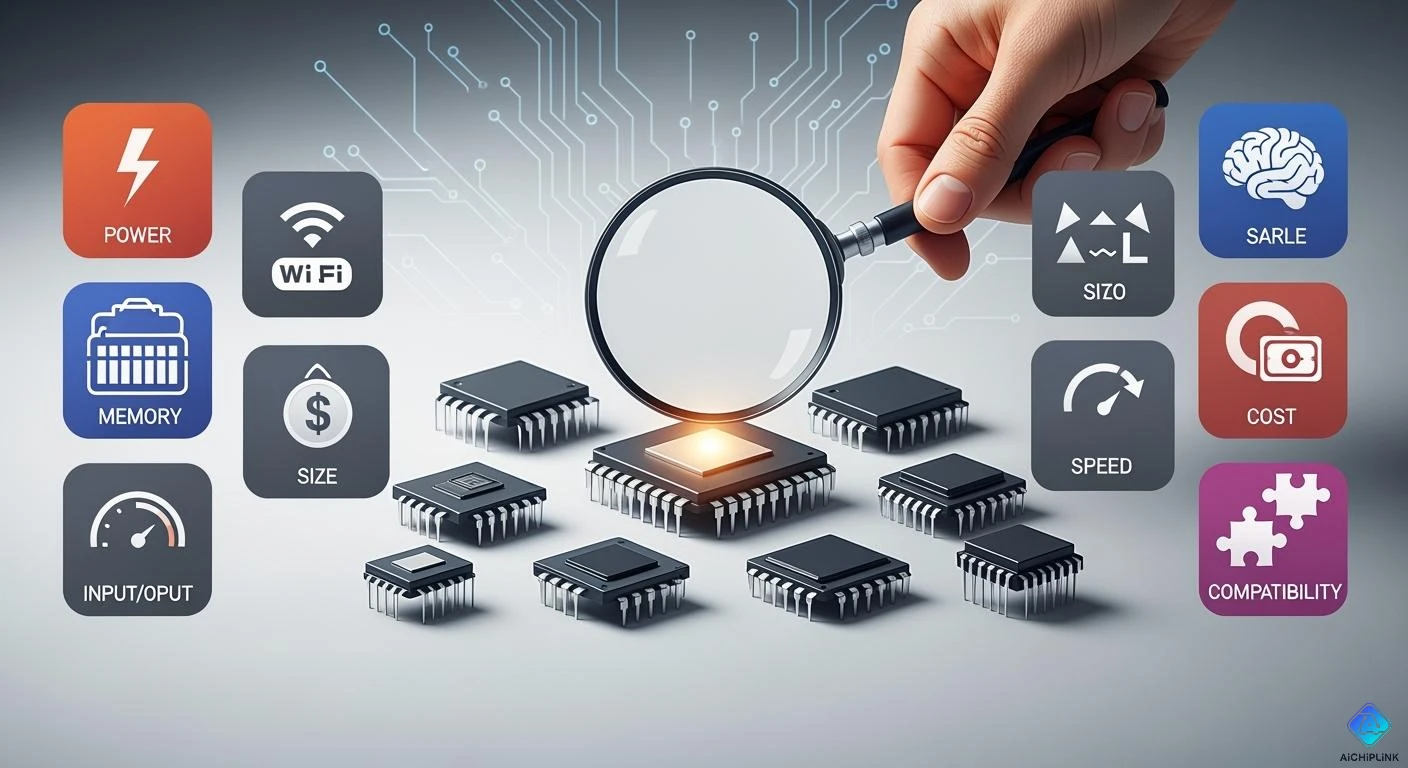
When you choose a microcontroller, there are eight important factors to consider. These include your project's requirements, the speed it needs to operate, hardware compatibility, system features, cost, available support, and options for expanding with additional components.
Keep your project's needs in mind as you review the following criteria.
| Selection Criteria | Description |
|---|---|
| Bus Width and Architecture | Ensure it aligns with the workload you require. |
| Memory Architecture | Facilitates efficient data and program access. |
| Power Efficiency | Conserves energy for devices powered by batteries. |
| Peripheral Support | Check for essential ports such as UART or SPI. |
| Development Ecosystem | Look for robust tools and supportive communities. |
| Cost and Availability | Consider the price and the ease of obtaining the microcontroller. |
| Embedded OS Compatibility | Verify its compatibility with your operating system. |
Key Takeaways
-
Think about what your project needs to do. Write down the main tasks and features. This helps you pick a microcontroller that works for you.
-
Look at how fast your project needs to be. Think about real-time work and how reliable it must be. This helps you find the right microcontroller.
-
Make sure the microcontroller works with your hardware. Check if it fits your power supply. It should run well with your systems.
-
Think about how much the microcontroller costs. Make sure it fits your budget. Pick one that is easy to buy for your project.
-
Find out if there is good help from the community and manufacturer. Good support can help you fix problems and make your project better.
Key Factors to Consider
Before picking a microcontroller, you should look at some important things. These key points help you match the microcontroller to your project. Knowing what your project needs helps you make a good choice.
Project Application
First, think about what your project will do. This shapes all your other choices. Microcontrollers are in many things we use every day. You can find them in phones, home gadgets, and medical tools. Each project needs something different:
-
Smartphones use microcontrollers to take input and show things on the screen.
-
Home appliances, like fridges and washers, use microcontrollers for smart features and saving energy.
-
Medical devices, such as pacemakers and insulin pumps, need microcontrollers for safety and control.
You need to know the main job of your project. Ask what the microcontroller will do. Will it move motors, read sensors, or talk to other devices? You also need to check what software you need. The software matters because it makes building and fixing your project easier. Microcontrollers with good community support give you more help and last longer. You must balance what you need, your budget, and your time. Cost and how fast you finish are important.
Tip: Write down your project’s main jobs and needed features. This helps you focus on what is most important.
Performance Needs
After you know your project’s job, you must pick how much power you need. Performance means speed, real-time work, and being reliable. If your project must be fast or do hard tasks, you need a strong microcontroller.
You can check how fast a microcontroller is by using tests. One test is Dhrystone MIPS. It shows how many instructions the microcontroller can do each second. This helps you see if it is strong enough for your project.
| Benchmark | Description | Notes |
|---|---|---|
| Dhrystone MIPS | Measures processing power in Millions of Instructions Per Second (MIPS). | Many people use it, but it has limits; it gives a DMIPS/MHz score to guess performance. |
Different projects need different power levels. For example, cars need microcontrollers that are very fast, can do many things at once, and are safe. IoT microcontrollers need to save power and do simple jobs. The table below shows how needs change for each type:
| Feature | Automotive Microcontrollers | IoT Microcontrollers |
|---|---|---|
| Processing Power | High, often multi-core, >1000 DMIPS for complex tasks | Low, made for simple jobs |
| Real-time Capabilities | Needed for self-driving | Not as important, can be slower |
| Safety Certifications | Needed (like ASIL certification) | Not usually needed |
| Power Consumption | Saves energy, has low-power modes | Uses very little power |
| Connectivity | Works with car systems (CAN, LIN, Ethernet) | Focuses on general connections |
You must know how fast and real-time your project needs to be. You also need to check what inputs and outputs you need, like sensors or ways to talk to other devices. Things like temperature, bit size, voltage, and power use matter too.
Picking the right microcontroller makes your project work better and saves energy. A good choice means your project works well and does not waste power. If you pick wrong, your project may be slow or cost more.
Note: Always make sure the microcontroller is fast, reliable, and can connect the way your project needs.
Hardware Compatibility
You need to make sure your microcontroller fits your hardware. If it does not fit, your project may not work well. Many people have trouble when connecting microcontrollers to old systems. Problems can happen if you add parts late or forget about firmware complexity. Not thinking about power budgets can cause issues. Testing at the edge of hardware and software is important. Skipping tests for the environment can lead to mistakes. You can stop these problems by planning early and testing in real life.
Operating Voltage & Power Supply
Your microcontroller’s voltage and power supply must match your project. Stable voltage and good power management help microcontrollers work well in battery devices. Modern lithium batteries, like lithium iron phosphate, keep voltage steady. This helps your microcontroller last longer. Old batteries lose voltage fast. This makes your device less reliable and need more charging.
The kind and quality of DC power input are important too. You should pick the right input voltage for your microcontroller. Modern DC power systems use converters to change voltage levels. This keeps your microcontroller working well.
| Microcontroller Family | Typical Operating Voltage Range |
|---|---|
| Modern MCUs | 1.8V to 3.6V |
| Older Models | Up to 5.5V |
| 8-bit AVR DB | Multi Voltage IO port available |
Number of Leads & Physical Size
Microcontrollers come in many sizes and shapes. You must check the number of leads and the size. If your project is small, you need fewer pins and a small package. If you want to connect lots of sensors, you need more pins. Always measure your space and count connections before picking.
Tip: Write down all devices you want to connect. This helps you choose the right pin count and size.
Peripheral Modules
Peripheral modules help your microcontroller talk to other devices. You should look for modules that fit your project’s needs. Some common modules are:
-
Analog-to-Digital Converters (ADCs) for reading analog signals.
-
Digital-to-Analog Converters (DACs) for making analog outputs.
-
Timers and counters for timing signals.
-
Serial communication interfaces like UART, SPI, and I²C for sending data.
-
General Purpose Input/Output (GPIO) pins for sensors and actuators.
| Peripheral Module | Description |
|---|---|
| Standard Communication Interfaces | Includes UART, SPI, I²C, and Ethernet for data exchange. |
| GPIO | General-Purpose Input/Output pins for sensors and actuators. |
| Timers and Watchdogs | Used for timing and keeping the system reliable. |
| Real-Time Clocks (RTC) | Gives timekeeping functions. |
| Specialized Interfaces | Includes CAN for cars and 1553B for airplanes. |
| Analog-to-Digital Converters (ADCs) | Changes analog signals from sensors into digital data for the microcontroller. |
You must check which modules your project needs. Picking the right peripherals makes your system easier to build and more reliable.
System Capabilities
Core & Peripheral Speed
You should check how fast the microcontroller works. Speed is important if your project must react quickly. It also matters for complex tasks. Robotics projects need high performance to control motors and sensors. They must do this in real time. Microcontrollers are fast enough for simple jobs. Microprocessors are faster and can do more types of work. The table below shows how these choices affect robotics:
| Feature | Microcontroller (MCU) | Microprocessor (MPU) |
|---|---|---|
| Integration | Has CPU, memory, and other parts together | Needs extra parts outside |
| Power Consumption | Uses less power | Uses more power |
| Processing Speed | Good for real-time control | Faster speeds |
| Cost | Costs less | Costs more |
| Ideal Use | Best for simple tasks and robotics | Good for many kinds of jobs |
If you want your project to be fast, pick microcontrollers with quick cores and peripherals. This helps your project work well and respond fast.
Memory (RAM & Flash)
Memory stores data and programs. You need to check RAM and Flash memory. RAM keeps temporary data while your project runs. Flash memory saves your program and settings when power is off. If your project uses lots of data or big programs, you need more memory. High performance microcontrollers have more memory for advanced features.
Write down how much memory your project needs. If you use sensors or keep logs, you may need extra space. Picking the right memory size stops slowdowns and mistakes.
Tip: Always look at the datasheet for RAM and Flash sizes before you choose.
Electric Reliability
Electric reliability shows how long your microcontroller will last. It also tells you how often it might fail. You can find this in datasheets. Look for MTTF and FIT values. These numbers show how reliable the parts are. Industrial devices have high MTTF values. For example, a metal film resistor can last over 570,000 years based on FIT. Makers use real-world data and adjust for tough places. They figure out MTTF at the highest supply voltage.
-
MTTF and FIT are in datasheets.
-
The Parts-Count Method helps estimate MTTF for each part.
-
Semiconductor parts use maker data and derating for harsh places.
-
MTTF is figured out at maximum supply voltage.
Pick microcontrollers with strong electric reliability for projects that must run long or in tough places.
Cost, Support, and Expansion
Budget & Supply Chain
You should think about price and how you get parts before picking a microcontroller. Price is very important for big projects. Companies want microcontrollers that save money but still work well. You need to see if the microcontroller fits your budget and does what you need. Sometimes, more memory or features make it cost more. It is smart to leave some extra space for upgrades later. Having a steady supply is important too. If you cannot get the microcontroller on time, your project might be late. Problems in other countries or new rules can make it hard to get microcontrollers. Many companies now buy from local suppliers to avoid these problems.
| Factor | Influence on Microcontroller Selection |
|---|---|
| Cost | Manufacturers pick microcontrollers that are not too expensive. |
| Supply Chain | A steady supply helps you finish your project on time. |
| Excess Capacity | Extra space lets you add new features later. |
Tip: Make sure you can buy the microcontroller for as long as you need it.
Community & Manufacturer Support
You will need help when building and fixing your project. Good support makes things easier. Many microcontroller companies have forums and guides. Online groups can help you solve problems quickly. You can ask questions and get answers from others. Here are two popular forums:
| Community Name | Description | Link |
|---|---|---|
| NXP Community | This forum is for NXP microcontrollers and their products. | NXP Community |
| Arm Community | This is a place to talk about Arm processors and development. | Arm Community |
Note: Good help from the company and the community saves you time and helps you fix problems fast.
Future Scalability
You should think about what happens if your project gets bigger. You might need more features or more devices. Growing your project can bring new problems like security, device control, and coverage. More devices can mean more security risks. You need to keep your devices safe and updated. It is hard to manage many devices without one system. Cellular coverage can also be a problem. You need to pick the right hardware and software to keep your data safe.
| Challenge | Description |
|---|---|
| Security | More devices can make your project easier to attack. Hackers can use weak spots to cause big problems. |
| Device Management | It is hard to control many devices after you set them up. You need good updates for safety and to fix bugs. It is tough to connect everything without one provider. |
| Cellular Coverage | It is not easy to get good cellular coverage everywhere. You must choose the right maker and software to keep your data safe when sending it. |
Tip: Pick microcontrollers that are easy to upgrade and have strong security. This will help your project grow and stay safe.
How to Choose a Microcontroller
Decision Checklist
When you pick a microcontroller, you should follow clear steps. This makes your choice easier and helps you not miss anything. Here are some steps you can use:
-
Write down all the hardware interfaces your project needs.
-
Look at the software setup for your project.
-
Pick the best architecture for what you want to do.
-
Figure out how much memory your project will need.
-
Search for microcontrollers that match your list.
-
Check the cost and how much power each one uses.
-
See if you can buy the parts in stores.
-
Choose a development kit that fits your project.
-
Find out what tools and compilers you need for programming.
-
Try out your microcontroller to see if it works.
You can also use a checklist like engineers do. Ask yourself these questions to help you decide:
-
What choices do you have? Write them down.
-
What good things does each microcontroller give you? Be clear.
-
What do you lose with each choice? Be honest about it.
-
Can you measure the trade-offs? Use numbers if you can.
-
Can you change your mind later? Think about the risks.
Tip: Write your answers in a notebook. This helps you see which microcontroller is best and keeps you from making mistakes.
Common Pitfalls
You might have problems if you skip important steps when picking a microcontroller. Some people forget to check power pins or connect unused inputs to a safe state. Others miss adding ESD protection on connectors. Some do not put test points in easy places for debugging. You should make sure mounting holes are in the right spots and labels are easy to read. A solid ground plane under important signals keeps your microcontroller safe.
| Pitfall | How to Avoid It |
|---|---|
| Missing decoupling capacitors | Add capacitors to all power pins |
| Unused inputs left floating | Tie them to a known state |
| No ESD protection | Place ESD parts on connectors |
| Hard-to-access test points | Make test points easy to reach |
| Incorrect mounting holes | Check hole placement before assembly |
| Poor silkscreen labels | Use clear and correct labels |
| Broken ground plane | Keep ground plane continuous |
Note: You can avoid these problems by checking your design before you build your project. When you pick a microcontroller, pay attention to these small details. This will help your project work well and last a long time.
When you choose a microcontroller, you shape your project’s success. You learned about eight key factors that guide your project from start to finish. Each project has unique needs, so match features to your project goals. Use a checklist to keep your project on track. Review your choices as your project grows or changes. A careful approach helps your project work well and last longer. Your project deserves the best chance to succeed.

Written by Jack Elliott from AIChipLink.
AIChipLink, one of the fastest-growing global independent electronic components distributors in the world, offers millions of products from thousands of manufacturers, and many of our in-stock parts is available to ship same day.
We mainly source and distribute integrated circuit (IC) products of brands such as Broadcom, Microchip, Texas Instruments, Infineon, NXP, Analog Devices, Qualcomm, Intel, etc., which are widely used in communication & network, telecom, industrial control, new energy and automotive electronics.
Empowered by AI, Linked to the Future. Get started on AIChipLink and submit your RFQ online today!
Frequently Asked Questions
What is an mcu and how does it work?
An mcu is a small computer on a chip. You use it to control devices. It reads inputs, runs programs, and sends outputs. You can make robots, smart gadgets, or toys with an mcu.
How do you choose the right mcu for your project?
You start by listing your project needs. You check the speed, memory, and pins. You look at the power supply and size. You compare different mcu options. You pick the mcu that fits your goals.
Can you use an mcu for both simple and complex tasks?
You can use an mcu for simple jobs like blinking lights. You can also use an mcu for complex tasks like reading sensors or running motors. You choose the mcu based on how much work your project needs.
What are common mistakes when picking an mcu?
You might forget to check the power pins. You may skip testing the mcu in real life. You can miss adding ESD protection. You should always check the datasheet and make sure the mcu matches your hardware.
How do you update or expand your project with a new mcu?
You write down what new features you want. You check if your mcu can handle more memory or faster speed. You look for mcu models that support upgrades. You test the new mcu before you use it in your project.