What Is a System-on-Chip (SoC)? How It Differs from an MCU
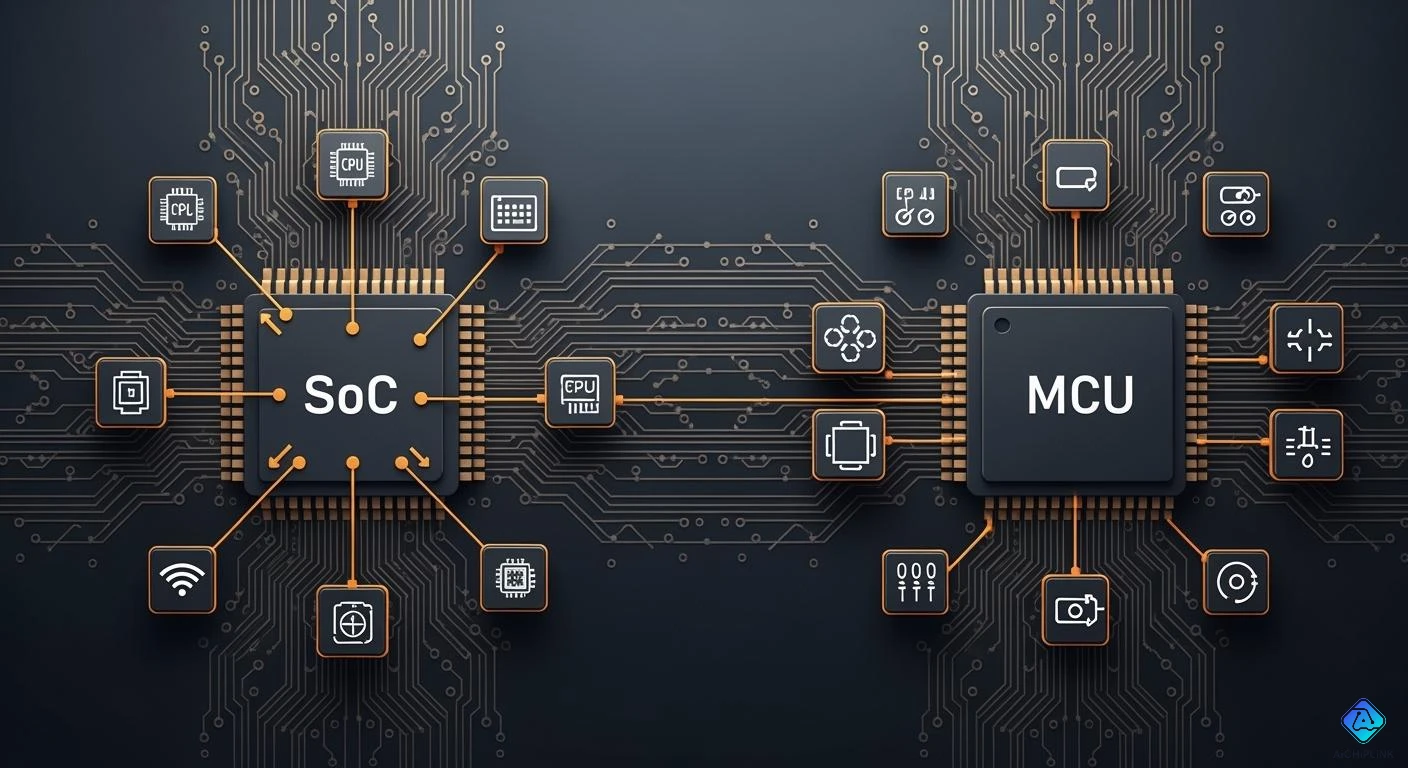
You may see the words system-on-chip and mcu in electronics. A microcontroller, or mcu, is a small computer on one chip. It helps control simple machines. A system-on-chip is different. It puts many things like processors and memory on one chip. It can run whole operating systems. These differences help you pick what you need for your project.
-
Microcontrollers make up about 12% of all chips sold.
-
System-on-chip use is rising fast in phones and cars.
Key Takeaways
-
A System-on-Chip (SoC) puts many parts like CPU, GPU, and memory on one chip. This makes devices work faster and be smaller.
-
Microcontrollers (MCUs) are best for simple jobs. They use less power and are easier to program for certain tasks.
-
Pick an SoC if your device needs to do many things at once. Devices like smartphones and smartwatches use SoCs for high performance.
-
Pick an MCU for things that need to be cheap and use little power. Home appliances and simple sensors often use MCUs.
-
Knowing how SoCs and MCUs are different helps you pick the right one for your project.
System-on-Chip Overview
Core Components
A system-on-chip has many important parts on one chip. These parts work together to make your device smart and fast. The main parts are:
-
CPU (Central Processing Unit)
-
GPU (Graphics Processing Unit)
-
Memory (RAM and ROM)
-
Connectivity modules like Wi-Fi, Bluetooth, and 5G
-
Specialized accelerators for AI, image processing, and security
-
Power management units
-
Input/Output interfaces
Each part does something special. The CPU does the main jobs. The GPU helps with pictures and videos. Memory keeps your data safe. Connectivity modules let your device connect to other devices. Accelerators help with things like voice commands.
Functionality
A system-on-chip can do lots of things at the same time. It is fast because all the parts are close together. Data moves quickly between the parts. This design saves power, so your battery lasts longer. Your device can be smaller because everything fits on one chip.
Note: With a system-on-chip, you get smooth games, fast apps, and smart features on your phone or tablet.
Here is a table that shows what each part does:
| Component | Function | Example Use |
|---|---|---|
| GPU | Makes graphics and images | Mobile gaming |
| Memory Controller | Moves data between parts | Fast app loading |
| DSP | Handles sound and sensor signals | Voice assistants |
| ISP | Makes camera images better | Smartphone photography |
| NPU / AI Engine | Runs smart tasks | Face unlock, voice commands |
| Modem | Connects to networks | 5G, Wi-Fi, Bluetooth |
| Security Module | Keeps your data safe | Secure payments, biometrics |
| Power Management Unit | Saves battery power | Wearables, smartphones |
| IO Interfaces | Connects to other devices | USB, HDMI |
Applications
You see system-on-chip in many things. Phones, tablets, and smartwatches use it for speed and battery life. Cars use it for safety and self-driving. Hospitals use it in health monitors. You also find it in smart home devices and robots.
A system-on-chip gives you these good things:
-
Uses less power, so batteries last longer.
-
Smaller size, so devices are thin and light.
-
Fewer parts, so devices break less.
If you want a device that is fast and uses little power, a system-on-chip is a good choice.
MCU Basics
Key Features
You see an mcu in things that do simple jobs. An mcu is a small chip with a processor, memory, and input/output parts. You do not need extra pieces to make it work. This makes it great for embedded systems. The micro control unit does real-time jobs like reading sensors or moving motors. It gives quick answers and works well every time.
Here are some main things you get in an mcu:
-
Central processing unit: Runs instructions and controls jobs.
-
Memory: Holds data and programs, like RAM and flash.
-
Peripherals: Has timers, converters, and ports for talking to other parts.
Tip: An mcu is good for battery devices because it uses little power.
Architecture
The way an mcu is built is simple and strong. The chip has the CPU, RAM, ROM, and I/O all together. This lets you run basic code right on the chip. The Harvard architecture lets you use program and data memory at once. This makes it faster and stops slowdowns.
| Feature | Contribution to Simplicity and Reliability |
|---|---|
| Harvard Architecture | Lets you use program and data memory at the same time |
| Rich Peripheral Set | Has many ports, timers, and interrupts for more options |
| Flexible Addressing | Makes programming easy and gives fast data access |
You can use more than one mcu in a system. Each mcu can control something different, like lights or sensors. If you need to reach far, you can use digital buses to connect mcus. This works well for big projects, like LED walls or factory machines.
Common Uses
You see mcus in many things. They run coffee makers, remotes, and smart thermostats. In cars, mcus control airbags, fuel, and music systems. Medical tools use mcus for pumps and monitors. Robots and safety systems also need mcus. Brands like Renesas, Nuvoton, Motorola, and Atmel make mcus for laptops, printers, and other electronics.
You pick an mcu when you want:
-
Cheap solutions
-
Small size for tight spots
-
Low power use
-
Easy programming for special jobs
Sometimes, the line between mcu and system-on-chip is not clear. But mcus stay simple and do one thing well. You use a micro processor unit if you need more power or want to run an operating system.
SoC vs MCU Comparison
Integration
System-on-chip and mcu put parts together in different ways. A system-on-chip has many things on one chip. You get a cpu, memory, input/output, graphics, and wireless. This makes your device smaller and faster. You do not need lots of extra chips.
An mcu has a cpu, memory, and simple input/output. It does not have as many features as a system-on-chip. You use an mcu for easy control jobs. The design is simple, so you can build things fast.
Here is a table to show the main differences:
| Feature | System-on-Chip (SoC) | Microcontroller Unit (MCU) |
|---|---|---|
| Definition | Highly integrated chip with cpu, memory, I/O, GPU, etc. | Small computer system with cpu, memory, I/O ports. |
| Application | Used in mobile devices, embedded computing, etc. | Used for control tasks in devices like appliances. |
| Performance | Handles complex tasks with high performance and resources | Focused on simple control logic and data processing. |
| Resources | More resources, diverse packaging types | Limited resources, smaller packages |
When you use a system-on-chip, things get more complex. You work with analog and digital circuits on one chip. You must manage power for each part. You also keep signals clean and test everything. This makes system-on-chip design harder, but you get more features.
Performance
Modern devices need speed and multitasking. A system-on-chip gives you high performance. The cpu in a system-on-chip runs very fast, from hundreds of MHz to several GHz. You can run many apps at once. You can play games, watch videos, and use smart features without slowdowns.
An mcu works at lower speeds, usually 1 MHz to 100 MHz. It does not run many things at the same time. You use an mcu for simple jobs, like turning on a light or reading a sensor. The cpu in an mcu does one job at a time.
Here is a table to compare:
| Feature | Microcontroller Units (MCUs) | System-on-Chip (SoCs) |
|---|---|---|
| Speed | Operates in MHz | Operates in GHz |
| Multitasking | Not designed for multitasking | Can run multiple applications simultaneously |
A system-on-chip uses a cpu like a computer. It can do hard math, graphics, and even artificial intelligence. An mcu uses a cpu for simple control. Pick a system-on-chip for lots of power. Pick an mcu for simple and steady jobs.
Peripherals
You can connect many things to your chip. Peripherals help your chip talk to other things. A system-on-chip supports many types of peripherals. You get graphics, wireless, cameras, and more. This makes your device flexible.
An mcu has basic peripherals. You get timers, counters, and simple communication like UART, SPI, or I2C. Some mcus have analog-to-digital converters, but not all. Most mcus do not have graphics or wireless.
Here is a table to compare:
| Peripheral Type | Microcontroller Units (MCUs) | System-on-Chip (SoC) Devices |
|---|---|---|
| Timers | Yes | Yes |
| Event Counters | Yes | Yes |
| PWM Generators | Yes | Yes |
| Watchdog Timers | Yes | Yes |
| Analog-to-Digital Converters (ADCs) | Often | Sometimes |
| Digital-to-Analog Converters (DACs) | Rarely | Sometimes |
| I/O Interfaces | Yes | Yes |
| Communication Protocols (UART, SPI, I2C) | Yes | Yes |
| Microprocessor | No | Yes |
| Additional Peripherals | Limited | Extensive |
A system-on-chip gives you more choices, but you cannot change much after building it. An mcu is easier to change and update. You can add new parts or change the design with less work.
Tip: If you want to add new features later, pick an mcu. If you want everything in one chip, pick a system-on-chip.
Use Cases
You pick a system-on-chip or an mcu based on what your device needs to do. A system-on-chip is best for things that need lots of power and features. You see system-on-chip in:
-
Mobile devices like tablets, smartphones, and smartwatches
-
Embedded systems that need fast data processing
-
Artificial intelligence and machine vision
-
Data collection and telemetry
-
Multimedia and gaming
-
Networking and edge computing
An mcu is best for simple devices. You see mcus in:
-
Home appliances like coffee makers and washing machines
-
Car systems for airbags and engine control
-
Medical devices like blood glucose meters
-
Industrial robots and factory machines
-
Smart home sensors and remote controls
Advantages of System on a Chip:
You can make smaller devices.
Your device uses less energy.
One chip costs less than many chips.
Fewer parts mean fewer things can break.
Signals move faster inside one chip.
Remember, a system-on-chip is harder to design and costs more at first. You cannot change much after you make it. An mcu is simple, cheap, and easy to update.
Summary Table
Here is a summary to help you choose:
| Aspect | System-on-Chip (SoC) | Microcontroller Unit (MCU) |
|---|---|---|
| Integration | High (cpu, memory, GPU, wireless, etc.) | Basic (cpu, memory, I/O) |
| Performance | High (GHz, multitasking, AI, graphics) | Low (MHz, single task) |
| Peripherals | Extensive (graphics, wireless, camera) | Limited (timers, basic comms) |
| Flexibility | Low after design | High, easy to update |
| Cost | High initial, low per unit (large scale) | Low initial, low per unit |
| Size | Very small | Small |
| Use Cases | Phones, tablets, smart devices | Appliances, sensors, simple robots |
| Resource Needs | More power, complex design | Low power, simple design |
| cpu Usage | 12 | 12 |
| mpu Usage | 8 | 8 |
Think about what your project needs. If you want high speed and many features, pick a system-on-chip. If you want something simple and easy, pick an mcu.
You can see that system-on-chip and microcontroller units are not the same. The table below shows the biggest differences:
| Distinction | System-on-Chip (SoC) | Microcontroller Unit (MCU) |
|---|---|---|
| Integration Level | Highly integrated with multiple components | Single chip with limited functions |
| Application Suitability | Complex tasks like IoT and AI | Dedicated, simpler tasks |
| Development Costs | Higher due to complexity | Lower, cost-effective for simple jobs |
| Flexibility | More flexible with various functionalities | Focused on specific tasks |
When you pick a technology, think about what your project needs. You should look at how much processing power and memory you need. Count how many I/O interfaces you want. Check which communication protocols work with your device. Make sure your choice meets industry standards and is easy to get.
You can avoid problems if you match the features to what you really need. Plan ahead so you can update your device later. If you want to learn more, read the blog post 'System-on-Module vs. System-on-Chip: What's the Difference?' or look at guides about embedded systems.

Written by Jack Elliott from AIChipLink.
AIChipLink, one of the fastest-growing global independent electronic components distributors in the world, offers millions of products from thousands of manufacturers, and many of our in-stock parts is available to ship same day.
We mainly source and distribute integrated circuit (IC) products of brands such as Broadcom, Microchip, Texas Instruments, Infineon, NXP, Analog Devices, Qualcomm, Intel, etc., which are widely used in communication & network, telecom, industrial control, new energy and automotive electronics.
Empowered by AI, Linked to the Future. Get started on AIChipLink and submit your RFQ online today!
Frequently Asked Questions
What is the main difference between an SoC and an MCU?
You get more features with an SoC. It has a CPU, GPU, memory, and wireless on one chip. An MCU gives you a CPU, memory, and basic input/output. You use MCUs for simple tasks.
Can you program an SoC like an MCU?
You can program both, but SoCs often run full operating systems like Linux or Android. You use special tools for SoCs. MCUs use simple code and run without an operating system.
Which is better for battery life?
For most simple devices, you get better battery life with an MCU. SoCs use more power because they do more things at once.
Where do you see MCUs in daily life?
You find MCUs in remote controls, microwaves, washing machines, and toys. They help these devices do simple jobs quickly and reliably.