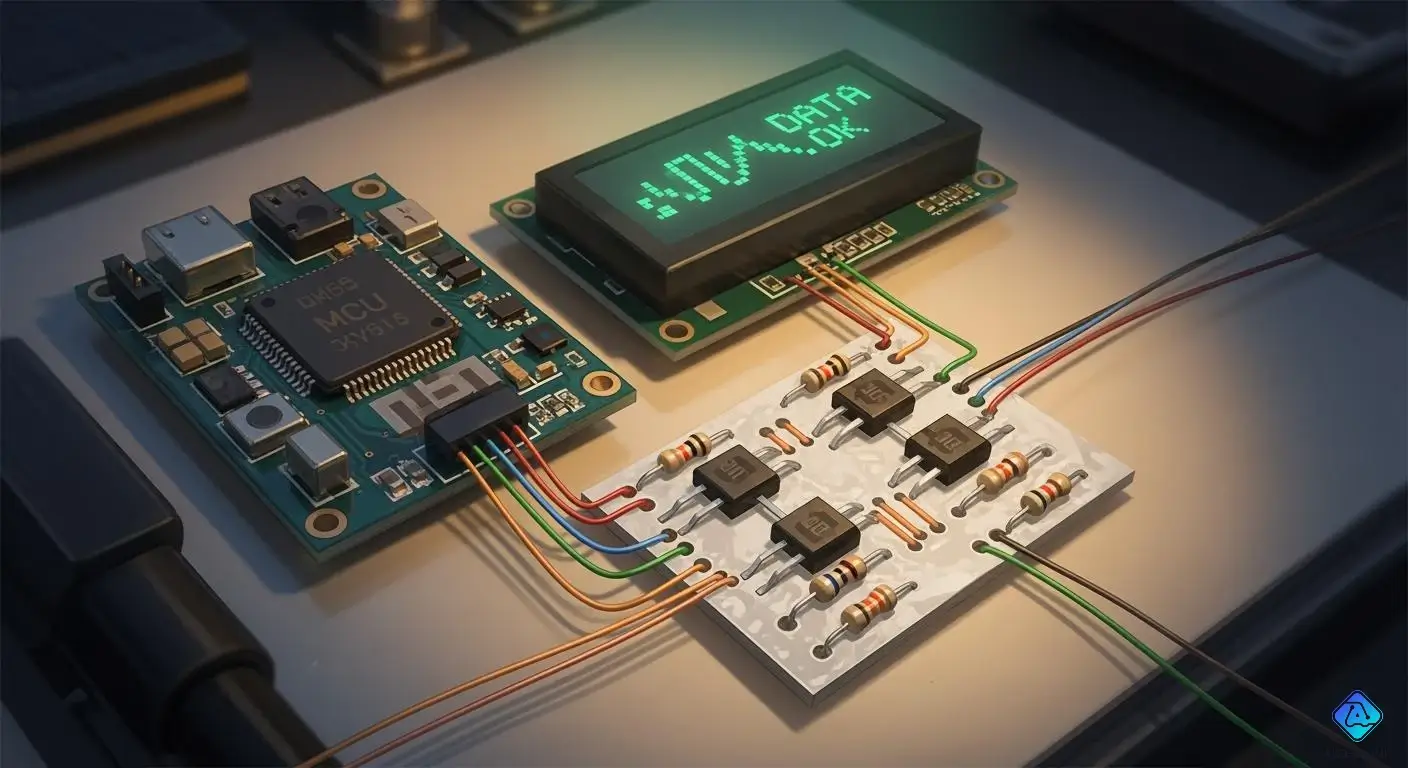
You want your arduino project to work with a cool new display, but the voltage levels just do not match. If your microcontroller sends 3.3V signals to a 1.8V device, you might end up with damaged pins and random failures. Many makers have seen their projects fail because they skipped a push-pull level shifter. Using the right circuit keeps your display safe and your setup running smoothly. Let’s make sure your connections are solid from the start!
Key Takeaways
-
Always use a voltage level shifter with devices that use different voltages. This keeps your display safe from harm and helps the devices talk to each other well.
-
Get simple parts like NMOS and PMOS transistors, resistors, and jumper wires to make your push-pull level shifter. You can find these parts in most electronics kits.
-
Follow easy steps to connect your Arduino and display using the level shifter. Check your connections twice to stop problems before you start.
-
Test your level shifter with a multimeter before you hook up your display. Make sure the output voltage is right for your display to work well.
-
Keep your wires tidy and short to lower noise and make the signal better. This stops glitches and helps your devices talk to each other smoothly.
Voltage Level Shifter Basics
Why Level Shifting Is Needed
You may think you can just connect your microcontroller to a display. But that does not always work. The reason is the voltage levels are different. Your microcontroller, or MCU, might use 3.3V. Your display might only need 1.8V. If you send too much voltage, you can break your display. That is why you need a voltage level shifter. It lets you connect devices with different voltage levels safely.
Here is a quick chart of the voltage levels you might see with MCUs and displays:
| Voltage Level | Description |
|---|---|
| 1.8V | Common minimum voltage for many MCUs |
| 1.8V to 3.6V | Operating range for some MCUs |
| 1.8V to 5.5V | Another operating range for specific devices |
A voltage level shifter works like a translator. It takes the signal from your MCU and changes it to the right voltage for your display. There are two main types of voltage level shifter circuits:
| Type | Description |
|---|---|
| Unidirectional | Changes signals one way, good for simple communication. |
| Bidirectional | Lets signals go both ways, great for displays that send data back to your MCU. |
Risks of Direct MCU-to-Display Connection
If you do not use a voltage level shifter, you can have problems. Sending the wrong voltage can ruin your display or make it act strange. Some MCUs, like the PIC18F04, can run at 1.8V. But many displays cannot handle higher voltages. You might see glitches, flickering, or even total failure.
💡 Tip: Always check the voltage levels for your MCU and your display before you connect them. Using a voltage level shifter keeps your project safe and working well.
You can find voltage level shifters in many places. They are in infotainment systems, driver assistance tech, and car telematics. If experts use them, you should too!
Push-Pull Level Shifter Circuit
Required Components and Parts List
You do not need fancy parts to build a push-pull level shifter. You can find most of these components in a basic electronics kit. Here is what you need for a simple circuit:
-
2 x NMOS transistors (like BSS138 or 2N7002)
-
2 x PMOS transistors (for complementary push-pull, such as IRLML6402)
-
4 x resistors (typically 10kΩ for pull-down and pull-up)
-
Breadboard and jumper wires
-
Power supplies for both voltage levels (for example, 3.3V and 1.8V)
-
Your MCU (like Arduino) and the low-voltage display
You can swap out the transistors for other logic-level MOSFETs if you have them. Some people use an ic level shifter module, but building your own circuit helps you learn how the shifter works.
🛠️ Tip: Always double-check the pinout for your transistors. Mixing up source and drain can make your circuit act strange or not work at all.
Schematic with NMOS/Complementary Transistors
Let’s look at how you wire up the push-pull level shifter. You use both NMOS and PMOS transistors to create a strong signal path for both high and low logic levels. This setup works great for a bi-directional level shifter, which means signals can travel both ways between your MCU and display.
Here’s a simple schematic for one channel of the circuit:
MCU (High Voltage) ----[10kΩ]----+---- Gate (PMOS)
                                 |
                             Source (PMOS)
                                 |
                             Drain (PMOS)----+---- Output to Display (Low Voltage)
                                 |           |
                             Source (NMOS)   |
                                 |           |
MCU GND ---------------------- Drain (NMOS)  |
                                 |           |
                             Gate (NMOS)-----+
You repeat this circuit for each data line you want to shift. If you want to shift four lines (like SPI or I2C), you build four of these circuits side by side. Some ic level shifter modules use the same idea but pack everything into a tiny chip.
📐 Note: The push-pull level shifter circuit gives you fast switching and strong signals. This is better than a simple resistor divider, which can slow down your data and cause errors.
How the Circuit Works
The push-pull level shifter uses both NMOS and PMOS transistors to move signals between different voltage levels. When your MCU sends a high signal, the PMOS transistor turns off, and the NMOS transistor pulls the line low if needed. When the MCU sends a low signal, the PMOS turns on and pulls the output up to the lower voltage. This push-pull action makes sure your display gets a clean, sharp signal.
You use pull-down resistors to keep the circuit stable. These resistors make sure the transistors do not float when the input is not connected. If you skip the pull-downs, your shifter might pick up noise and send random signals to your display.
Voltage matters a lot in this circuit. You want to make sure the high and low levels from your MCU match what your display expects. Here’s a table that shows what you need to check:
| Parameter | Description |
|---|---|
| VOH(min) - VIH(min) | This difference must be positive so your display sees a clear high signal. |
| VIL(max) - VOL(max) | This difference must be positive so your display sees a clear low signal. |
| Design Margins | Good margins help your shifter work even if there is noise or small voltage drops. |
If you use a bi-directional level shifter, you can send data both ways. This is perfect for displays that talk back to your MCU. The push-pull level shifter circuit works faster and more reliably than a basic resistor divider, especially when you need to shift signals quickly.
You might wonder why not just use an ic level shifter chip. Sometimes you want to see how the circuit works or you need a custom setup. Building your own shifter helps you learn and gives you more control.
⚡ Pro Tip: Always test your circuit with a multimeter before connecting your display. Make sure the output voltage matches what your display needs. If you see weird voltages, check your pull-down resistors and transistor wiring.
The push-pull level shifter circuit gives you a strong, reliable way to connect your MCU to a low-voltage display. You can use this circuit for many projects, from simple screens to more complex bi-directional level shifter setups. If you want to try an ic level shifter, you can swap out your homemade circuit for a ready-made module later.
Building with Arduino and Display
Assembly and Wiring Steps
You have your push-pull level shifter circuit ready. Now it is time to connect everything together. You want to make sure your arduino uno talks to your display without any trouble. Follow these steps to wire up your project:
-
Place your arduino uno, level shifter, and display on your breadboard.
-
Connect the arduino uno pins to the level shifter inputs. Use short jumper wires for neatness.
-
Wire the outputs of the level shifter to the display pins.
-
Connect the power lines. The arduino uno uses 5V, and your display might need 3.3V or 1.8V. Make sure you use the right voltage for each part.
-
Double-check all ground connections. Every device should share a common ground.
Here is a handy table to help you match up the pins:
| Arduino UNO | Level Shifter B | Level Shifter A | TFT Display |
|---|---|---|---|
| 13 (SCLK) | B1 | A1 | SCL |
| 11 (MOSI) | B2 | A2 | SDA |
| 8 (RST) | B3 | A3 | RES |
| 9 (DC) | B4 | A4 | DC |
| 10 (CS) | B5 | A5 | CS |
| 7 (BLK) | B6 | A6 | BL |
| 5V | VB | – | – |
| 3.3V | VA | VCC | |
| 3.3V | OE | ||
| GND | – | GND | GND |
🛠️ Tip: Always check the datasheet for your display. Some displays use different names for the same pins. If you mix up the connections, your display will not work.
When you finish wiring, look over your breadboard. Make sure there are no loose wires or crossed connections. A careful setup helps you avoid headaches later.
Breadboarding and Simulation
Before you solder anything, test your level shifting circuit on a breadboard. Breadboarding lets you fix mistakes quickly. It also helps you see if your arduino uno and display can communicate through the level shifter.
Here are some best practices for breadboarding:
| Best Practice | Description |
|---|---|
| Use a precision, current limited power supply | Set the current just above what you need. This keeps your display and arduino uno safe. |
| Keep component leads short | Short leads make your circuit tidy and easier to debug. |
| Use short jumper wires | Short wires reduce resistance and noise. |
| Color coded jumper wires | Use colors to match signals. This helps you spot mistakes fast. |
| Connect power supply strips together | This gives you steady voltage across your breadboard. |
| Use an anti-static mat | Protects your arduino uno and display from static shocks. |
| Use decoupling capacitors | These keep your power supply stable, which is important for digital circuits. |
⚡ Note: If you have access to simulation software, try building your level shifting circuit virtually first. This can help you spot problems before you even touch your breadboard.
When you test your setup, use a multimeter to check the voltage at each point. Make sure the logic levels match what your display expects. If you see something strange, stop and check your wiring.
Key Considerations for Reliable Level Shifting
You want your arduino uno and display to work together every time you power up. Here are some things to keep in mind for reliable level shifting:
-
Logic levels are not always the same. The arduino uno often uses 5V, but many displays need 3.3V or even 1.8V. Always check before you connect.
-
Sending 5V signals to a 3.3V display can cause damage. Level shifting protects your display from high voltages.
-
Some devices, like Neopixels, need level shifting even if you think the logic levels are close enough.
-
If you use a unidirectional level shifter, you might have trouble with displays that send data back to the arduino uno. For SPI or I2C, use a bidirectional level shifter.
-
High-speed signals need strong driving capability. If your level shifting circuit cannot keep up, your display might show glitches or not respond.
-
Pull-up and pull-down resistors are important. They keep your signals stable and prevent random changes, especially when the chip select line is used.
-
Always use a common ground between your arduino uno, level shifter, and display. Without this, your logic levels will not match, and communication will fail.
🚦 Safety Reminder: Before you test your level shifting circuit, check your test instrument on a known voltage. Replace old test leads, and never wrap them around your meter. If you work with high voltages, use barriers and warning signs. Always have another person nearby for safety.
Common pitfalls can trip you up. Here are a few to watch out for:
-
Using a unidirectional level shifter when you need bidirectional communication.
-
Forgetting to add pull-up or pull-down resistors.
-
Not matching the logic levels between your arduino uno and display.
-
Using long wires that pick up noise or cause voltage drops.
If you follow these tips, your arduino uno and display will communicate smoothly. Level shifting is the key to safe and reliable connections. Take your time, check your work, and enjoy seeing your project come to life!
Testing and Troubleshooting
Verifying Signal Levels
You want to make sure your level shifter works before you connect your display. Grab your multimeter and check the voltage at each output pin. When your Arduino sends a high signal, the output should match the voltage your display needs. If you see a low signal, the output should drop close to zero. Try switching the signals on your Arduino and watch the output change. If the voltage does not match what your display expects, stop and check your wiring. Sometimes a loose jumper wire or a swapped transistor pin can cause problems.
🧪 Tip: Test each channel one at a time. This helps you find mistakes faster and keeps your display safe.
Ensuring Display Communication
After you confirm the signal levels, connect your display and run a simple test program. You might use a basic sketch that sends text or colors to the display. Watch for clear images or text. If your display does not respond, check the connections again. Make sure you use the right voltage for both the display and the Arduino. Try swapping out jumper wires if you see flickering or missing pixels. Sometimes a bad wire can stop your display from working.
| Step | What to Check |
|---|---|
| 1 | Power supply voltages for display and Arduino |
| 2 | Data lines from level shifter to display |
| 3 | Ground connections for all devices |
Common Issues and Solutions
You may run into problems when testing your level shifter and display. Here are some common issues and ways to fix them:
-
Oscillations or ringing on the lines can mess up communication between your Arduino and display.
-
Long wires, even just six inches, can cause oscillation problems. Keep wires short.
-
Capacitance or inductance on signal lines may trick the level shifter and confuse your display.
-
Pull-up resistors on connected devices can make things worse. Try disabling them if you see strange behavior.
-
If your display still does not work, double-check the pinout and make sure every ground is connected.
⚡ Note: Always test your setup with the display disconnected first. This keeps your display safe if something goes wrong.
You just learned how to build and test a push-pull level shifter for your project. Start by checking the voltage levels for your project parts. Build the circuit, wire it up, and test each signal. Make sure every project connection is solid. If you see problems, check your project wiring and try again. Use your new level shifter in a bigger project. Try adding more displays or sensors to your project. If you get stuck, look for loose wires or wrong pins. Every project teaches you something new. Keep building, testing, and improving your project. You will see your project work better each time. Have fun and share your project with others!

Written by Jack Elliott from AIChipLink.
AIChipLink, one of the fastest-growing global independent electronic components distributors in the world, offers millions of products from thousands of manufacturers, and many of our in-stock parts is available to ship same day.
We mainly source and distribute integrated circuit (IC) products of brands such as Broadcom, Microchip, Texas Instruments, Infineon, NXP, Analog Devices, Qualcomm, Intel, etc., which are widely used in communication & network, telecom, industrial control, new energy and automotive electronics.
Empowered by AI, Linked to the Future. Get started on AIChipLink.com and submit your RFQ online today!
Frequently Asked Questions
What if my display uses a different voltage than 1.8V or 3.3V?
You can use a push-pull level shifter for other voltages. Match the supply voltage to your MCU and display. Always look at the datasheet for the right voltage before you connect anything.
Can I use only NMOS transistors for level shifting?
You can use just NMOS transistors for simple, one-way shifting. If you want faster and better signals, use both NMOS and PMOS transistors. This is important when you need signals to go both ways.
Why does my display show random pixels or flicker?
This means your level shifter might not be working well. Check your wires and resistor values. Make sure all grounds are connected together. Loose wires or wrong resistors can cause problems.
Do I need a level shifter for I2C or SPI communication?
Yes, you need a level shifter for I2C and SPI. These types of communication often use different voltages for each device. A level shifter keeps your signals safe and protects your display and MCU.