Top 10 Smart Sensors for Smart Homes in 2026
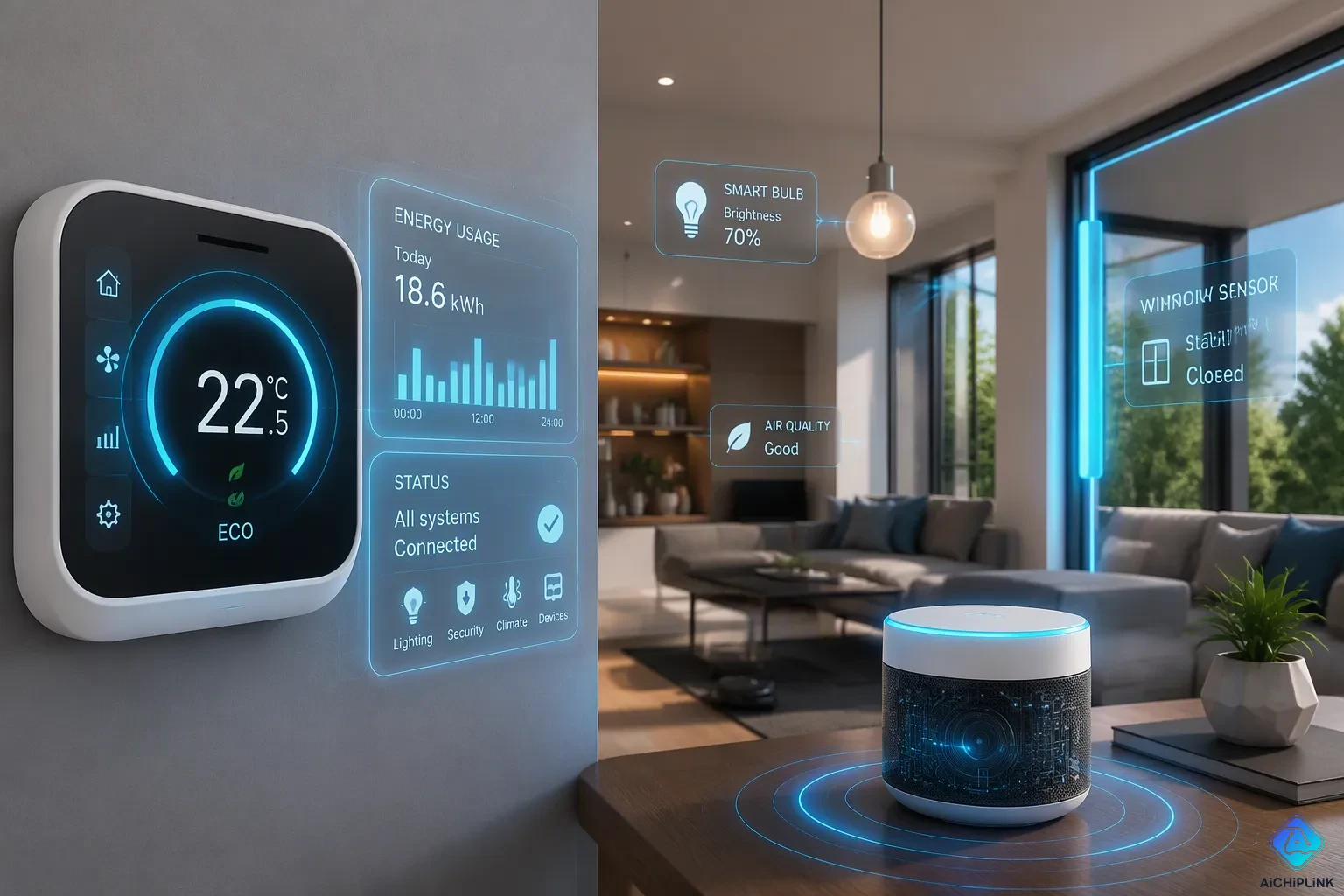
Upgrading your smart home in 2026 starts with picking the right detection devices. Smart sensors are the core of any automated living space, alerting you to movement, changes in the environment, or possible dangers before they turn into real issues.
You need dependable choices across several types. Motion detectors, entry sensors, climate monitors, and water leak alarms each do different jobs. The best picks combine accuracy with easy connection to your current setup.
This guide looks at ten top products that perform very well. You will find options from the TP-Link Tapo T100 for motion detection to the Flo by Moen for water leaks. Every choice meets strict testing standards and offers useful benefits for everyday life.
Key Takeaways
-
Smart sensors boost home security and save energy.
-
Choose sensors that match your existing smart home system.
-
Place motion sensors away from heat sources to avoid false alarms.
-
Start with one sensor that solves your biggest problem.
-
Add more sensors over time to build a complete system.
What to Consider Before Buying Smart Sensors
Before you buy any detection device, you need to know how it connects to your current system. This knowledge helps you avoid frustration and wasted money. Your choices decide whether your new gear works smoothly or causes ongoing problems.
Hub Requirements and Connectivity
Smart sensors use different wireless methods to talk to each other. The three main options are Wi-Fi, Zigbee, and Z-Wave. Each one has its own strengths and limits.
Wi-Fi sensors link straight to your router. They do not need an extra hub, so they are easy to set up. But they use more power and can slow down your network when you add lots of devices.
Zigbee and Z-Wave sensors use mesh networking. Each device passes signals to nearby devices, which widens your network's reach. These methods need a central hub or a smart speaker that supports them. The trade-off is better reliability and lower power use. Many popular systems, like those from Aqara and Aeotec, depend on these methods.
Check your current gear before buying. If you already have a hub from Samsung SmartThings or Amazon Echo devices with Zigbee support, pick sensors that work with them. This saves money and makes management easier. Mixing methods without a bridge causes confusion and weak spots in coverage.
Power Sources and Placement
Battery-powered sensors give you flexible placement since you can put them anywhere. Most new models run for one to two years on one set of batteries. Wired sensors skip battery swaps but need a professional to install them near existing wiring.
Placement decides how well your sensors perform. Research from 2025 shows several best practices for motion detectors. Keep PIR sensors 10–15 feet away from heat sources like radiators, heating vents, and sunny windows. Quick temperature shifts trigger false alarms. Put sensors at choke points like stairwells or main hallways where intruders have no other route. Place them near likely entry points—front or back doors, patio doors, or garage doors—since most burglars come in through these spots. Install sensors along walls that intruders would walk beside, such as hallways. Motion detectors work best when movement crosses their view rather than heading straight at them.
Think about your room layout when choosing sensor types. A basic motion detector works well in open areas. A door and window sensor fits entry points. For a full smart home security plan, combine both types wisely.
Test your placement after setup. Walk through each room and watch how detection works. Adjust angles and heights until you get steady coverage without annoying false alerts.
Top Motion and Presence Sensors
Motion detection is key for many smart home tasks. These sensors tell your system when someone enters a room, walks down a hall, or comes to your front door. The best pick depends on where you put it and what you want it to do.
Best Indoor Pick: TP-Link Tapo T100
In its 2025 review, Wirecutter called the TP-Link Tapo T100 the best indoor motion sensor you can buy. This small device sends quick alerts without wasting your time or money. At about $14, it works as well as sensors that cost three times more.
The T100 picks up motion over a 120-degree area. It can sense movement up to 23 feet away, so one unit covers most living rooms and entryways. You can adjust the sensitivity in the Tapo app, which cuts down on false alarms from pets or cars outside.
You can set up this motion sensor in just minutes. It connects over Wi-Fi directly to your router, so you don't need a separate hub. The Tapo app walks you through placement and setup step by step. You can create automations to turn on lights, sound alarms, or send alerts when the sensor detects movement.
Battery life is impressive for a Wi-Fi device. According to TP-Link, the T100 runs for up to 18 months on standard AAA batteries. That means fewer interruptions and less upkeep.
For renters or anyone who needs flexibility, the T100 is great. You can mount it with adhesive strips or screws, then move it easily when your needs change. Its small size blends into most room decor without drawing attention.
Best Outdoor Pick: Philips Hue Outdoor Sensor
When you need outdoor detection, the Philips Hue Outdoor Sensor is the top pick. This weatherproof device has an IP54 rating, meaning it can handle rain, dust, and temperature changes. You can mount it under an eave, on a fence post, or next to your garage door.
The outdoor sensor detects motion from up to 39 feet away. Its 160-degree field of view covers a wide approach path, and the 80-degree vertical angle reduces blind spots near the ground. A built-in daylight sensor tells apart day and night, so you can set different behaviors for each time.
Battery life lasts at least two years, so you don't have to replace it often. The sensor connects using Matter-over-Wi-Fi, so it works with Apple HomeKit, Amazon Alexa, and Google Home. This lets you add it to almost any smart home system you already own.
This device makes security lighting very effective. When it detects motion outside, you can program indoor Hue lights to turn on, blink, or change color. This acts as a visual alert that someone is near your property. You might set a soft warm glow for evening arrivals or a red flash for late-night alerts.
The Hue Outdoor Sensor also includes a temperature sensor. You can use this data to trigger actions, like turning on porch lights when it gets near freezing. You can also choose how long lights stay on after detection, from one minute up to 60 minutes.
For anyone creating a security-focused smart home, this outdoor sensor gives reliable performance in tough conditions. Its range, durability, and support for many systems make it a good buy.
Best Door and Window Sensors
Door and window sensors guard the edges of your smart home. These small devices notice when someone opens a door or window. They can set off alarms, turn on lights, or send alerts. They work with your motion sensor to give you two layers of safety. A motion sensor spots movement inside a room, while contact sensors catch someone trying to get in at the door or window itself.
Top Pick: Aeotec Door/Window Sensor 7
The Aeotec Door/Window Sensor 7 is known for its reliable Z-Wave link. Z-Wave builds a mesh network where each device boosts the signal for others nearby. This steadiness matters when you need instant alerts during an emergency.
You put this sensor together in two pieces. The bigger part goes on your door frame, and the smaller magnet part goes on the door itself. When the door opens, the space between these parts breaks the connection and sets off a response. You can set up automations to switch on hallway lights, sound a siren, or send a phone alert.
This sensor also checks temperature and vibration. You can get alerts if a window breaks or if your garage door shakes without reason. The device uses a replaceable battery that lasts up to two years with regular use. Its small white case fits in with most trim styles and does not stand out.
For renters, the sticky backing lets you install the sensor without making holes. You can take it off cleanly when you move. The Aeotec sensor works with SmartThings, Home Assistant, and other Z-Wave hubs, so you have options if you switch systems later.
Runner-Up: Ring Contact Sensor (2nd Gen)
The Ring Contact Sensor (2nd Gen) wins its spot through smooth work with Amazon Alexa. If you already use Echo devices or Ring security cameras, this sensor fits right into your current setup. You can arm and disarm your system with voice commands or through the Ring app.
Setup takes only minutes. You attach the sensor to your door or window, pair it with your Ring base station, and make routines. You can tell Alexa to announce when a certain door opens or to turn on smart plugs connected to lamps.
Some users report small problems with Alexa routines. One customer said routines did not start when the sensor opened, even though the app showed the right status. Another user had the same issue. The fix was to turn off and on the Ring skill in the Alexa app, which made things work again.
A user who bought the Ring Alarm (2nd Gen) just to use contact sensors with Alexa said that both the Ring and Alexa apps see the devices, but routines do not start when the sensor opens. The user noted that other brand contact sensors work fine with Alexa, and they are thinking about returning the system if the problem is not fixed.
This problem seems rare rather than common. Most users find the Ring sensor dependable for basic security alerts. The device also works with Ring's larger security system, including cameras and alarms. If you already use Ring products, this sensor gives you the easiest way to finish your smart home security setup.
Best Environmental and Climate Sensors
Environmental sensors check the conditions inside your home. They measure temperature, humidity, and sometimes air pressure. This data helps your heating and cooling systems react smartly. Instead of running on a set schedule, your HVAC equipment adjusts to real conditions. You stay comfortable while saving energy.
The U.S. Department of Energy says smart temperature controls can cut home energy use by over 60%. Commercial buildings see similar savings at 59%. These numbers show how useful precise climate monitoring can be. A temperature and humidity sensor gives your system the data it needs to work well.
Top Pick: Aqara Temperature and Humidity Sensor T1
The Aqara Temperature and Humidity Sensor T1 stands out for its accuracy and dependability. This small device measures temperature within 0.3 degrees Celsius. It tracks humidity changes closely, giving you a full view of your indoor environment. The sensor uses Zigbee, so you need an Aqara Hub or a compatible Zigbee coordinator.
You can put this sensor in any room you want to watch. Common spots include bedrooms, nurseries, home offices, and basements. The device runs on a CR2032 coin cell battery that lasts up to two years. Its small size lets you mount it on walls or place it on shelves without being noticeable.
The real strength of this sensor comes from automation. You can set rules that turn on your air conditioner or heater based on readings. One user shared their experience with automated climate control:
A user reported a 15% drop in their electric bill after using a smart temperature and humidity sensor with automated air conditioner control. They set rules like turning on the AC at 26°C when the bedroom hits 28°C and auto-off below 24°C.
This method works because the system reacts to real conditions instead of guesses. You set your comfort range, and the equipment handles the rest. The Aqara T1 also works with Apple HomeKit, Alexa, and Google Home. You can check readings from anywhere through the Aqara app or your chosen platform.
Runner-Up: SwitchBot Meter Pro Plus
The SwitchBot Meter Pro Plus takes a different approach. This device has a built-in display that shows current temperature and humidity at a glance. You can read the numbers without opening an app. The large screen also shows time and date, making it useful as a desk or bedside clock.
This sensor connects through Bluetooth and Matter. You can view historical data trends in the SwitchBot app to learn patterns in your home. The device runs on two AAA batteries that last about 18 months. It also includes a stand and a wall-mount bracket for flexible placement.
The SwitchBot Meter Pro Plus works well with SwitchBot's smart thermostats and humidifiers. You can create scenes that start based on readings from this device. For example, you might set a dehumidifier to turn on when humidity goes above 60 percent. The device also supports different units, so you can show Celsius or Fahrenheit.
For a similar option, look at the Ecobee Smart Thermostat Premium. This device includes a remote sensor that checks temperature in another room. The thermostat uses that data to balance heating and cooling across your whole home. Many reviewers rate it highly for temperature control.
Both the Aqara T1 and SwitchBot Meter Pro Plus give you useful insight into your indoor climate. A temperature and humidity sensor helps you stay comfortable while lowering energy costs. You can start with one device in your main living area and add more rooms over time.
Best Water Leak and Freeze Sensors
Water damage is one of the most costly home repairs you can face. A single burst pipe or an overflowing washing machine can ruin floors, damage walls, and cause mold in just a few hours. Many homeowners find out about leaks only after serious harm is done. Smart water detectors give you an early warning system that catches problems while you still have time to respond.
Top Pick: Flo by Moen Smart Water Detector
The Flo by Moen Smart Water Detector gives your home strong protection. This device spots water on your floor and sends instant alerts to your phone. You find out about a leak right when it starts, not hours later when water has spread through your house.
The detector also checks temperature. When it gets close to freezing, the device warns you before pipes can freeze and burst. This feature is very useful for homes in cold areas or for vacation houses you cannot visit often.
You place the Flo detector in high-risk spots. Good places include under sinks, near water heaters, behind toilets, and beside washing machines. The device has a sensor cable that you lay along the floor. When water touches any part of the cable, it triggers an instant alert.
The Flo app lets you choose how you want to be notified. You can set the detector to make a loud sound, send a phone alert, or both. The app tells you which detector found the water, so you know exactly where to check. This saves valuable time during an emergency.
One homeowner shared their story after a water heater broke at 2 AM. The Flo detector alerted them within seconds. They shut off the main water valve before water reached their finished basement. The repair cost a few hundred dollars instead of thousands.
Runner-Up: Aqara Water Leak Sensor
The Aqara Water Leak Sensor gives you dependable protection at a low price. This small device costs much less than many other options while still finding leaks reliably. You can buy several units and guard many areas of your home without spending too much.
The sensor works through the Aqara Hub using Zigbee. You put the device on the floor or attach it to a surface near possible leak sources. Two metal prongs on the bottom detect water. When moisture connects these prongs, the sensor sends an alert through the Aqara app.
You can also set up automations with this sensor. For example, you might program it to shut off a smart water valve when it finds a leak. You could set it to trigger your smart home alarm. The Aqara sensor works with Apple HomeKit, Alexa, and Google Home, so you have many control options.
The device runs on a CR2032 battery that lasts up to two years. Its small size lets you fit it in tight spaces behind appliances or under cabinets. The Aqara Water Leak Sensor works well with the Aqara temperature and humidity sensor T1, giving you a full environmental monitoring setup for your smart home.
Both detectors do the same job but fit different needs. The Flo by Moen offers advanced features like freeze alerts and detailed app reports. The Aqara gives you affordable, reliable coverage that you can grow across your whole home. Pick based on your budget and how much protection you want.
Best Fire and Carbon Monoxide Detectors
Smoke and carbon monoxide detectors are the most important safety devices in your home. A motion sensor turns on lights, and a climate monitor adjusts temperature. These detectors protect lives instead. IBM's research shows that smart detectors help you respond faster during emergencies. They alert you right away, even when you are not home. This early warning gives your family precious time to get out safely.
Top Pick: Google Nest Protect
The Google Nest Protect is the best smoke and CO detector you can buy. It uses two kinds of sensors to catch fast fires and slow, smoky fires. The device talks to you with a human voice. It tells you where the danger is, like saying "Heads up, there's smoke in the kitchen" instead of making a loud, confusing noise.
The Nest Protect tests itself, so you have real peace of mind. You never need a ladder or a test button. The device checks itself automatically:
-
The app-guided Safety Checkup tests the speaker, horn, and battery
-
It sends the results straight to your phone
-
You get a notice if any part needs care
-
You can fix issues quickly, so the alarm stays ready
This smart device also works with other systems. When the alarm finds danger, compatible Nest Cams start recording with no subscription needed. You can stop false alarms from your phone instead of waving a towel at the ceiling. The Nest app warns you about low batteries before the unit goes silent.
Runner-Up: First Alert Onelink Safe & Sound
The First Alert Onelink Safe & Sound has different strengths. This detector has a built-in speaker with Alexa and Google Assistant. You can play music, ask questions, or control other smart devices from the ceiling. It works with Apple HomeKit and supports AirPlay 2 for audio.
The Onelink makes an 85dB siren when it finds danger. It also sends push alerts to your phone. You can set HomeKit automations to unlock doors or adjust thermostats when the alarm goes off. This turns a simple detector into a command center for your whole safety plan.
| Feature | First Alert Onelink Safe & Sound | Google Nest Protect |
|---|---|---|
| App alerts | Push notification on smoke/CO detection | Notifications for low battery; app-based testing |
| Voice assistant | Built-in Alexa and Google Assistant | No built-in assistant |
| Smart home ecosystem | HomeKit enabled, AirPlay 2 support | Integrates with Wink, Philips Hue, Control4, and more |
| Emergency automation | Can trigger HomeKit scenes | Nest Cam starts recording upon detection |
| Alert method | 85dB siren + push notification | Human voice warning, light system, app hushing |
Both detectors are key parts of your smart home safety plan. Pair them with a motion sensor for full coverage. The Nest Protect is best for clear alerts and self-care. The Onelink gives you voice control and strong Apple support. Pick the one that fits the system you already use.
Best All-in-One and Multi-Sensor Options
Sometimes you need more than one type of sensor in a room. A single device that tracks movement, temperature, humidity, and light saves money and cuts down on clutter. You also skip the trouble of connecting many gadgets to your hub. Multi-sensors put several features into one small package, so you get wide coverage without filling your space with extra devices.
Top Pick: Aeotec MultiSensor 7
The Aeotec MultiSensor 7 packs six sensing features into one small unit. It includes a motion sensor, a temperature and humidity sensor, a light meter, a UV sensor, and a vibration detector. This one device replaces several separate gadgets, which makes your setup simpler and lowers your costs.
Expert reviews from 2025 point out that the MultiSensor 7 works well across all its features. The table below shows what testers found:
| Sensor Function | Expert Finding |
|---|---|
| Motion | Range doubled to 10 metres (32 feet) with high sensitivity, capable of detecting people at that distance. |
| Temperature & Humidity | Measurement accuracy improved over the previous model. |
| Light & UV | Reporting intervals adjustable from 240 seconds down to 60 seconds (battery) or 1 second (USB power). |
| Overall Multi-function | Six sensors in one compact package; considered very good value when all functions are needed. |
The motion sensor in the MultiSensor 7 can spot people up to 32 feet away. That range covers most living rooms and home offices. You can change how often the device sends updates to fit your needs. On battery power, it can report every 60 seconds. If you plug it in with USB, you can get updates every 1 second for live tracking.
The temperature and humidity sensor gives you reliable readings. You can set up automations that react to changes in your space. For example, you might program your smart home to switch on a dehumidifier when humidity gets too high. The light sensor checks room brightness, so you can set curtains or lamps to react to daylight changes.
This device connects to your hub using Z-Wave. It works with SmartThings, Home Assistant, and other Z-Wave controllers. The MultiSensor 7 runs on a CR123A battery that lasts up to two years with normal use. You can also power it through USB for nonstop operation.
Runner-Up: Samsung SmartThings Multipurpose Sensor
The Samsung SmartThings Multipurpose Sensor works in a different way. This device combines a door and window sensor with a temperature and humidity sensor in one unit. You put the main body on a door frame and place the small magnet on the moving part. When the door opens, the sensor notices the change and starts your automations.
Besides entry detection, this sensor tracks temperature and humidity in the room. You get two helpful features from one device. The temperature and humidity data helps keep you comfortable while the contact sensor watches your entry points. You can set rules to turn on a fan when the room gets warm or send an alert when someone opens a back door.
The SmartThings Multipurpose Sensor connects through Zigbee to your SmartThings hub. It also works with Alexa and Google Home through the SmartThings platform. The device runs on a CR2 battery that lasts up to two years. Its small design fits neatly on most door frames.
For a similar option, look at the Ecobee Smart Thermostat Premium. This device acts as a hub and also includes a remote sensor. The remote sensor checks temperature in another room and sends that data to the thermostat. You get an all-in-one climate solution that balances heating and cooling across your whole smart home.
Both multi-sensor options give you more value than single-purpose devices. The Aeotec MultiSensor 7 offers the most features, including a motion sensor, light meter, and UV detector. The Samsung SmartThings Multipurpose Sensor combines entry detection with a temperature and humidity sensor for focused coverage. Choose based on which features matter most for your space.
Our Top Picks for Different Needs
You now understand what each sensor type does best. The next step is picking the right mix for your needs. Different goals need different setups. A security-focused plan needs door sensors and motion coverage. An energy-saving plan needs climate monitoring and smart controls. Here are our suggestions for each goal.
Best for Security-First Setups
Your main goal is keeping intruders out of your home. You need sensors that spot someone early and warn you quickly. The TP-Link Tapo T100 works as your main indoor motion sensor. It can sense movement up to 23 feet away over a 120-degree range. You can change how sensitive it is, so it ignores pets but still catches people. The device hooks up straight to Wi-Fi, so you do not need a hub. You can set up automations that turn on lights or sound alarms when it senses motion.
Use the T100 with the Ring Contact Sensor (2nd Gen) for full coverage. Put the Ring sensor on your front door, back door, and ground-floor windows. When someone opens an entry point, you get an instant alert. The Ring sensor connects easily with Amazon Alexa, so you can arm or disarm your system using voice commands. You can also have Alexa tell you when a certain door opens. This setup gives you two layers of protection. The motion sensor spots movement inside your home. The contact sensors catch someone trying to get in from outside. Together, they cover the most common ways intruders enter.
Best for Energy Savings and Automation
Your goal might be cutting utility bills while staying comfortable. The Aqara Temperature and Humidity Sensor T1 gives you the information you need. This device measures temperature within 0.3 degrees Celsius. It also tracks humidity changes closely. You place it in your main living area or bedroom. The sensor uses Zigbee, so you need an Aqara Hub or a compatible coordinator.
Link the T1 to the Ecobee Smart Thermostat Premium for automated climate control. The Ecobee uses data from its own remote sensor to balance heating and cooling throughout your home. You can set rules that react to real conditions. For example, you might program the system to turn on the AC when the bedroom reaches 28°C and turn off below 24°C. One user saw a 15% drop in their electric bill using this method. The system responds to actual readings instead of following a set schedule. You stay comfortable while using less energy. Start with one sensor in your busiest room, then add more areas over time.
The TP-Link Tapo T100 delivers the best motion detection for most homes. The Aeotec MultiSensor 7 covers temperature, humidity, light, and movement in one package. You do not need every sensor right away. Pick one or two devices that solve your biggest problem first. A single smart device like the Tapo T100 can guard your entryway. It alerts you to movement quickly. Add more sensors as your needs grow. These small tools make your home more responsive. They save energy. They keep your family safe. Start with what matters most. Build a system step by step. Each sensor brings significant value. Your home becomes more efficient and secure.

Written by Jack Elliott from AIChipLink.
AIChipLink, one of the fastest-growing global independent electronic components distributors in the world, offers millions of products from thousands of manufacturers, and many of our in-stock parts is available to ship same day.
We mainly source and distribute integrated circuit (IC) products of brands such as Broadcom, Microchip, Texas Instruments, Infineon, NXP, Analog Devices, Qualcomm, Intel, etc., which are widely used in communication & network, telecom, industrial control, new energy and automotive electronics.
Empowered by AI, Linked to the Future. Get started on AIChipLink and submit your RFQ online today!
Frequently Asked Questions
Do I need a hub for smart sensors?
Wi-Fi sensors such as the TP-Link Tapo T100 hook straight into your router. Zigbee and Z-Wave devices need a hub or a smart speaker that works with them. Look at what you already have before you buy. Pick sensors that fit your current system so you avoid extra costs and connection issues.
How long do smart sensor batteries last?
Most good sensors run for one to two years on regular batteries. The Tapo T100 lasts up to 18 months on AAA batteries. The Philips Hue Outdoor Sensor and Aeotec Door/Window Sensor 7 both reach two years. How long your battery lasts depends on how often your sensor is triggered.
How can I reduce false alarms from motion sensors?
Place motion detectors 10 to 15 feet away from heat sources like radiators and sunny windows. Fast changes in temperature cause false alarms. Put sensors at choke points where movement passes across their view. Change the sensitivity settings in your app so it ignores pets but still picks up people.
Which smart sensors should I buy first?
Start with one device that fixes your biggest problem. For security, get the TP-Link Tapo T100 motion sensor. For saving energy, pick the Aqara Temperature and Humidity Sensor T1. Add more sensors as you learn which automations work best for your daily routine.