Best Gyroscope Sensors for Arduino and Raspberry Pi in 2026
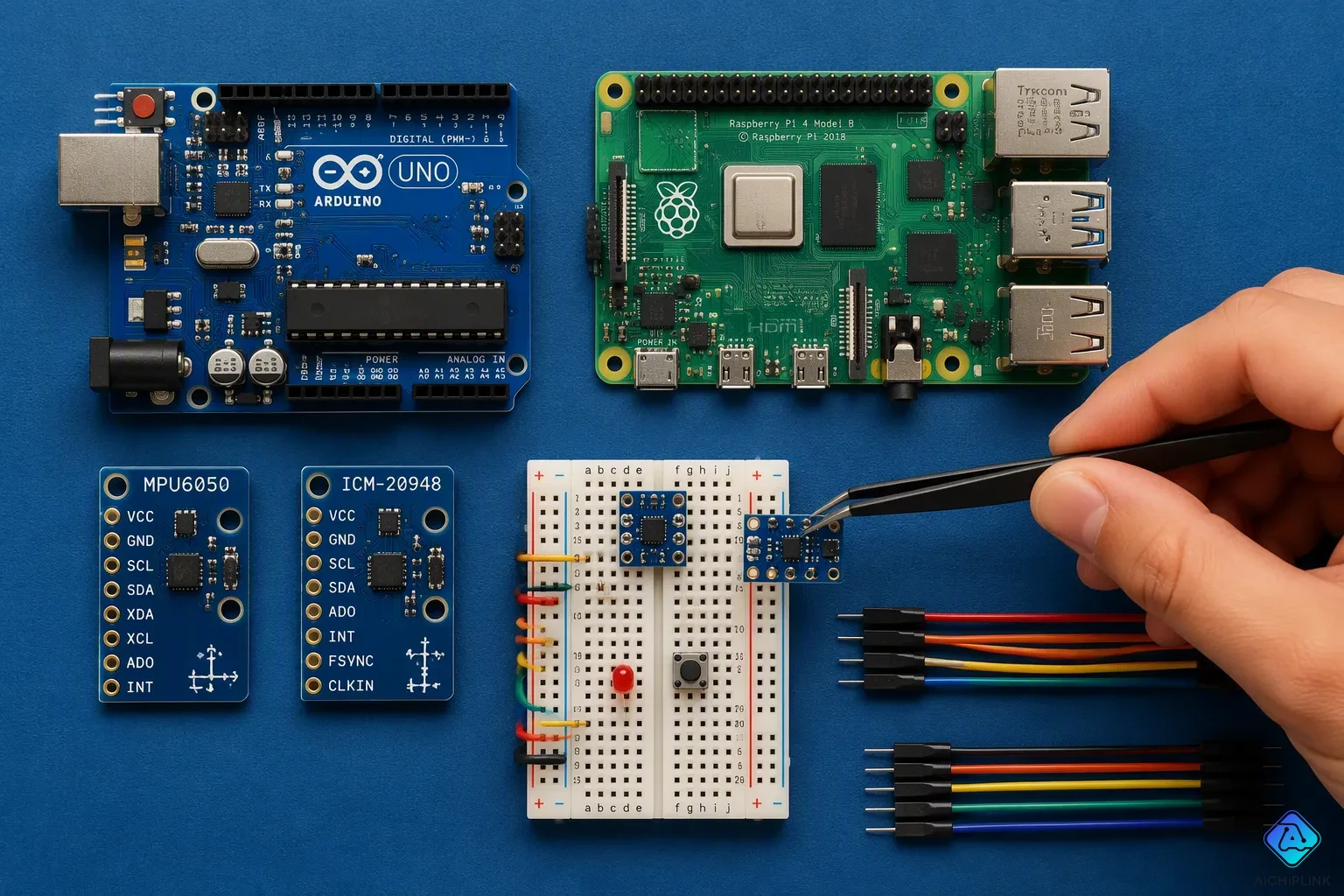
Three gyroscope sensor modules are great choices for 2026 builds: the MPU6050, the ICM-20948, and the BMI270. These parts are cheap and work with modern libraries, and you can find them almost anywhere. The MPU6050 is still the top pick for Arduino users on a budget. The MPU-6050 gives beginners good performance. The ICM-20948 adds a magnetometer for nine-axis fusion. The BMI270 gives low noise for tough projects. Each gyroscope is best in different situations. All three work with I2C and SPI interfaces. They work with both 3.3V and 5V logic levels. Good libraries are kept up for each sensor. Strong community support helps new users. These sensors fit many projects. They are easy to find online.
Key Takeaways
-
The MPU6050 is the best budget sensor for beginners. It costs little and works with Arduino and Raspberry Pi.
-
The ICM-20948 has a magnetometer for stable heading. It is best for drones and robots.
-
The BMI270 offers low noise for slow, precise motion. It works well for wearables and tilt sensing.
-
Choose a sensor based on your project needs. Drones need nine-axis fusion. Budget projects use the MPU6050.
Key Criteria for Choosing a Gyroscope Sensor
Accuracy, Noise, and Range
A gyroscope sensor gives data to track rotation and orientation. For Arduino and Raspberry Pi projects, three specs decide performance. Accuracy shows how closely the sensor matches real angular velocity. Noise affects how steady the sensor readings are. Range sets the top rotation speed the sensor can measure.
Long-term stability depends on gyroscope bias instability. This value causes orientation drift over time. A bias stability below 0.1 °/h keeps drone autopilots accurate for minutes. Short-term precision relies on Angular Random Walk (ARW). An ARW value of 0.025 °/√h or lower cuts jitter in every gyroscope reading. Projects that combine an accelerometer for measuring acceleration often need both low drift and low noise.
Range must match the application. A quadcopter needs ±250 °/s for normal flight. Sports tracking or fast robot arms need ±2000 °/s. Using a gyroscope with too little range causes clipping and lost data. A MEMS gyroscope usually offers selectable ranges from ±125 to ±2000 °/s.
Interface, Voltage, and Libraries
The I2C interface uses two wires and works with most Arduino and Raspberry Pi boards. I2C makes wiring simple but shares a bus. SPI gives higher data rates and works better for multiple fast sensors. A project using I2C must check for address conflicts. SPI needs four wires plus a chip select for each sensor.
Voltage logic matters. Many sensors work at 3.3V. Older Arduino boards use 5V logic. A 3.3V sensor on a 5V bus needs a level shifter. Raspberry Pi and modern Arduino models run at 3.3V natively.
Library availability saves development time. The MPU6050 has mature libraries for I2C communication. The ICM-20948 and BMI270 also have maintained libraries. Without good libraries, getting sensor readings becomes hard. A beginner should pick a sensor with documented library examples for measuring rotation and measuring acceleration together.
MPU6050 Module: Best Budget Pick
Specs and Pros/Cons
The MPU6050 module is still the most popular starter 6-axis IMU in 2026. This MEMS chip puts a 3-axis accelerometer and gyroscope on a single chip. The MPU-6050 accelerometer and gyroscope sensor uses I2C, so two wires carry all the data. Store prices for the MPU6050 go from $1.50 to $12.95, and bulk orders can fall to $0.19 each. No other 6-axis choice beats it on price.
The MPU6050 module gives beginners strong performance. Its accelerometer and gyroscope produce clean sensor readings for most hobby projects. The MPU-6050 handles I2C at 400 kHz and has a digital motion processor built in. Community support is very large. Thousands of tutorials show how to wire an MPU6050 module to an Arduino board or a Raspberry Pi. The biggest problem is drift over time. The MPU6050 has no magnetometer, so the yaw angle slowly wanders. The MPU-6050 also shows more noise than newer MEMS parts.
Best Use Cases
The MPU6050 works great for learning projects and motion tracking. A common example pairs an Arduino UNO with the MPU6050 to collect motion data over serial. Another example uses a Raspberry Pi 5 with the MPU-6050 for measuring rotation and measuring acceleration through Python. Self-balancing robots depend on the MPU6050 with a PID loop. Gesture-controlled robots mount the MPU6050 on a glove. A digital spirit level pairs the MPU6050 module with an OLED display.
Here is a short Arduino example code snippet for basic gyroscope readings:
#include <Wire.h>
#include <MPU6050.h>
MPU6050 mpu;
void setup() {
  Wire.begin();
  mpu.initialize();
  Serial.begin(9600);
}
void loop() {
  int16_t gx, gy, gz;
  mpu.getRotation(&gx, &gy, &gz);
  Serial.println(gx);
  delay(100);
}
A second Arduino example code block for Raspberry Pi uses the mpu6050 Python library. Both paths give new users fast results.
ICM-20948: Best 9-Axis Fusion
Specs and Pros/Cons
The ICM-20948 is a 9-axis MEMS sensor from TDK InvenSense. It combines a 3-axis gyroscope, a 3-axis accelerometer, and a 3-axis magnetometer on one chip. The magnetometer removes the yaw drift that plagues the MPU6050. All nine axes output at 16-bit resolution. The gyroscope offers four selectable full-scale ranges: ±250, ±500, ±1000, and ±2000 degrees per second. The accelerometer supports ±2g, ±4g, ±8g, and ±16g. The compass measures fields up to ±4900 µT. Communication runs over I2C or SPI.
| Sensor | Specification |
|---|---|
| 3-Axis Gyroscope | ±250, ±500, ±1000, ±2000 dps |
| 3-Axis Accelerometer | ±2g, ±4g, ±8g, ±16g |
| 3-Axis Magnetometer | Up to ±4900 µT |
| ADC Resolution | 16-bit on all 9 axes |
| Interface | I2C or SPI |
The onboard Digital Motion Processor (DMP) handles sensor fusion directly on the chip. It runs gesture recognition and activity detection without waking the host processor. This design cuts system latency and power draw, because the main processor stays in a low-power state. The ICM-20948 costs more than the MPU6050, and its library setup is more involved. The 24-pin 3x3 QFN package is not pin-to-pin compatible with the 14-pin 2.5x3 LGA packages of the ICM-42688-P and ICM-42670-P, so a PCB layout change is required for transition.
Best Use Cases
The ICM-20948 shines in projects that need stable heading data. Drone autopilots use the magnetometer to hold a fixed course. Virtual reality headsets rely on its fast rotation tracking. Robotics platforms use it for dead reckoning when GPS drops out. Wearable motion trackers benefit from the DMP's low power draw.
Here is a short arduino example code snippet for reading the gyroscope over I2C:
#include <Wire.h>
#include <ICM_20948.h>
ICM_20948_I2C myICM;
void setup() {
  Wire.begin();
  myICM.begin(Wire, 1);
  Serial.begin(115200);
}
void loop() {
  if (myICM.dataReady()) {
    myICM.getAGMT();
    Serial.println(myICM.gyrX());
  }
  delay(50);
}
This example prints raw gyroscope readings to the serial monitor. For a Raspberry Pi, the same I2C wiring works with the Python icm20948 library. Both paths give clean sensor readings for fusion work.
BMI270: Best Low-Noise Performance
Specs and Pros/Cons
The BMI270 is Bosch Sensortec's top MEMS IMU for wearables and robots. It has a 3-axis accelerometer and a 3-axis gyroscope with 16-bit precision on both. The chip is made for always-on use and has a built-in step detection engine. Its gyroscope noise density is around 0.007 dps/√Hz. This sits in the middle of the 0.005–0.010 dps/√Hz range that other cheap sensors use. That number matters because lower noise density gives steadier gyroscope readings during slow turns. The BMI270 also keeps better temperature stability across its full working range than many other chips.
| Pros | Cons |
|---|---|
| Integrated intelligent motion processor | Steeper learning curve for custom firmware |
| Best-in-class tilt accuracy | Higher standby current (2.5 µA) |
| Automotive-qualified variants available | Inconsistent wake-on-motion timing across voltage rails |
| Ease of SPI initialization | Undocumented register behavior during brown-out recovery |
| Consistent self-test results across batches | FIFO overflow handling that resets interrupt flags silently |
| Clear errata documentation |
A builder should think about these tradeoffs carefully. The motion processor handles activity detection without waking the host, and the errata guide is clear. On the other hand, custom firmware takes more effort, and the standby current of 2.5 µA is higher than some rivals. The wake-on-motion timing also changes across voltage rails.
Best Use Cases
The BMI270 is good for projects that need clean sensor readings at slow speeds. A wearable fitness band is a typical example, because the step detection engine runs all the time with low power. Robot platforms use the chip for exact tilt sensing. A drone gimbal gains from the low noise density during slow panning. An Arduino board with a BMI270 can log motion data for gesture detection.
Here is a short arduino example code snippet for reading the gyroscope over I2C:
#include <Wire.h>
#include <BMI270.h>
BMI270 imu;
void setup() {
  Wire.begin();
  imu.begin();
  Serial.begin(115200);
}
void loop() {
  imu.readSensor();
  Serial.println(imu.getGyroX());
  delay(50);
}
A Raspberry Pi build uses the same I2C wiring with a Python library. Both paths give steady gyroscope readings for fusion work. The BMI270 is best for users who need low noise and can handle a harder setup.
LSM6DSOX: Best for Easy Integration
Specs and Pros/Cons
The LSM6DSOX is a 6-axis MEMS sensor made by STMicroelectronics. It contains a 3-axis accelerometer and a 3-axis gyroscope. This MEMS chip works with a wide supply voltage from 1.71 V to 3.6 V. The gyroscope measures rotation speed across different selectable full-scale ranges.
The breakout board from Adafruit fixes the main wiring problem. It has voltage regulation and level-shifted inputs. The board works with both 3V and 5V logic devices with no extra parts. A SparkFun Qwiic-compatible STEMMA QT connector manages the I2C bus. This connector lets you plug in cables without soldering to other sensors or displays. You only need two signal wires plus power and ground for communication.
Adafruit gives out special libraries for Arduino/C++ and CircuitPython/Python. These libraries work on Raspberry Pi and other single-board computers. ST also has a full-featured library for advanced Arduino use. That library handles FIFO management and tap detection.
The main downside is price. The LSM6DSOX costs more than a basic MPU6050 module. Its machine learning core also needs some setup work.
Best Use Cases
The LSM6DSOX works well for projects that need quick build and low energy use. Its machine learning core sorts motion data by known patterns. This feature takes work off the main processor and saves power. One example is a fitness tracker that records steps and spots falls. Smart watches, smart glasses, and gaming controllers also use this chip.
Another example is a wearable health monitor. The chip manages fitness logging, wellness tracking, and personal navigation. Its high-speed I3C digital interface lets the main controller wait longer between check-ins. This design cuts connection times and saves more power. The LSM6DSOX works with Android and easily joins Android and iOS systems. Builders who want fast sensor data without soldering should choose this board. The accelerometer and gyroscope give clean sensor data for rotation tracking and gesture detection.
L3G4200D: Best 3-Axis Option
Specs and Pros/Cons
The L3G4200D is a dedicated three-axis digital gyroscope from STMicroelectronics. It measures angular rate on three axes and outputs 16-bit rate data. Builders can select full-scale ranges of ±250, ±500, or ±2000 degrees per second. The chip supports both I2C and SPI interfaces, so it fits almost any Arduino or Raspberry Pi wiring plan.
| Attribute | Value |
|---|---|
| Sensor type | Three-axis digital-output gyroscope |
| Full-scale range | ±250 / ±500 / ±2000 dps (selectable) |
| Digital interface | I2C / SPI |
| Rate data output | 16-bit |
| Supply voltage | 2.4 V to 3.6 V |
| Package | LGA, 4 x 4 x 1.1 mm |
The L3G4200D offers several practical strengths. Its zero-rate level and sensitivity stay stable across temperature and time changes. Embedded power-down and sleep modes keep power draw low. Integrated low-pass and high-pass filters let users pick the bandwidth they need. A built-in temperature sensor and FIFO cut the need for extra parts.
The main drawback is clear. This part is gyroscope-only. It does not include an accelerometer or magnetometer, and it offers no onboard sensor fusion. That means it cannot provide full 6-axis or 9-axis orientation on its own. Projects that need complete motion tracking must add other sensors.
The L3G4200D is a dedicated three-axis gyroscope with strong stability, low power, and flexible digital output, but it lacks the accelerometer, magnetometer, and onboard fusion found in full IMUs.
Best Use Cases
The L3G4200D suits projects that only need angular rate data. Gaming and VR input devices use it to track fast rotation. Motion control systems and GPS navigation units also rely on its stable readings. Robotics platforms use it for precise turning measurements.
A builder who pairs the L3G4200D with a separate accelerometer gets full 6-axis data. This setup works well on an Arduino board for custom fusion code. The I2C bus keeps wiring simple. For projects that need only a gyroscope, the L3G4200D delivers solid performance at a low cost.
Comparison Table: Gyroscope Sensor Specs
Key Specs Side-by-Side
The table below lists key specs for each gyroscope sensor. The mpu6050 and the mpu-6050 (same chip, different naming) appear first. The mpu6050 provides a baseline for any beginner. The mpu6050 measures rotation on three axes. The mpu-6050 accelerometer and gyroscope sensor costs the least of any option. The mpu-6050 lacks a magnetometer, so fusion requires a separate part. The mpu6050 module works well for learning. The mpu-6050 shows some drift over time compared to newer chips. The mpu6050 and the mpu-6050 are the same hardware.
| Sensor | Axes | Interface | Voltage | Max Sample Rate | Price Range |
|---|---|---|---|---|---|
| MPU6050 | 6-axis (gyro + accel) | i2c | 3.3V / 5V | 8 kHz | $1.50 – $12.95 |
| ICM-20948 | 9-axis (gyro + accel + magnetometer) | SPI & I²C | 3.3V | 9 kHz | $8 – $15 |
| BMI270 | 6-axis (gyro + accel) | SPI & I²C | 1.71V – 3.6V | 1.6 kHz | $5 – $10 |
| LSM6DSOX | 6-axis (gyro + accel) | SPI & I²C | 1.71V – 3.6V | 6.66 kHz | $8 – $14 |
| L3G4200D | 3-axis (gyro only) | i2c | 2.4V – 3.6V | 800 Hz | $3 – $6 |
Price and Availability
The mpu6050 module costs between $1.50 and $12.95. Bulk orders push the mpu6050 below $0.20 per chip. The mpu-6050 sells on Amazon and AliExpress. Arduino users find the most tutorials for the mpu6050. The mpu-6050 works with any arduino board. The mpu6050 also works with Raspberry Pi. The mpu-6050 measures rotation angle with acceptable accuracy. The mpu6050 accelerometer output helps with tilt detection. The mpu-6050 supports many code examples. The mpu-6050 is widely available at electronics retailers. Most distributors stock the modules for immediate shipping.
How to Choose for Arduino and Raspberry Pi
Decision Guide by Project Type
The right sensor depends on the job. A builder can follow a simple decision list for common projects.
-
Drones and fast robots: pick the ICM-20948. Its magnetometer holds a stable heading, and its 9 kHz sample rate tracks quick moves.
-
Gesture control and wearables: pick the BMI270. Its low noise density gives steady readings during slow turns.
-
Budget learning and simple tilt: pick the MPU6050. The mpu6050 costs the least, and the mpu-6050 works with any arduino board.
-
Full IMU fusion on a tight budget: pair the MPU6050 with a separate magnetometer. The mpu6050 lacks a compass, so the mpu-6050 cannot fix yaw drift alone.
-
Outdoor robotics: weigh vibration and temperature. A gyroscope sensor with high-frequency filtering separates true motion from bumps. Multi-temperature factory calibration cuts drift. A MEMS part needs frequent compensation, while a higher-grade unit holds stable readings over long periods. The mpu6050 suits mild outdoor use, and the mpu-6050 needs software filters for rough terrain.
A builder who needs measuring rotation and measuring acceleration together should check the library first. The mpu6050 has the most examples. The mpu-6050 accelerometer output helps with tilt detection. The mpu6050 module also supports measuring rotation through Python on a Raspberry Pi.
Integration Tips for Pico and Pi
Pre-soldered modules cut setup time in 2026. The Adafruit MPU-6050 6-DoF Accel and Gyro Sensor ships fully assembled and tested. Its STEMMA QT connector works with SparkFun Qwiic. No soldering is required. Wiring an mpu6050 module drops to two I2C wires plus power and ground.
| Attribute | Detail |
|---|---|
| Product | Adafruit MPU-6050 6-DoF Accel and Gyro Sensor |
| Connector | STEMMA QT, compatible with SparkFun Qwiic |
| Soldering required | No — solderless I2C hookup |
| Wiring complexity | Two I2C wires plus power and ground |
| Assembly state | Fully assembled and tested |
A Raspberry Pi Pico accepts the same Qwiic cable. The mpu6050 works over I2C at 400 kHz. An arduino board with 5V logic needs a level shifter for a 3.3V part. The mpu-6050 runs at 3.3V natively on a Pi. A builder should check the I2C address before wiring an mpu6050 module to a shared bus. The mpu6050 uses address 0x68 by default. The mpu-6050 shares that address with some displays. An arduino sketch can scan the bus to confirm the address. The mpu6050 module then reports data to the serial monitor. An arduino user can log the mpu-6050 output for later analysis. The mpu6050 gives beginners a fast start. The mpu-6050 remains the cheapest path to motion data. An arduino and a mpu6050 pair well for first projects. The mpu6050 also fits a Raspberry Pi build with Python. The mpu-6050 library handles the I2C reads. An arduino board with the mpu6050 needs only four jumper wires. The mpu6050 module keeps wiring simple for new users. The mpu-6050 works on both platforms without code changes to the sensor logic. An arduino user can move the same mpu6050 code to a Pi with small edits. The mpu-6050 stays the default choice for learning. The mpu6050 delivers solid results at the lowest cost.
The mpu6050 is the top budget pick. The mpu-6050 costs very little. Users choose the mpu6050 for learning. The mpu-6050 works on any arduino board. The mpu6050 measures rotation accurately. The mpu-6050 accelerometer provides tilt data. The mpu6050 suits beginners. The mpu-6050 has many tutorials. The mpu6050 module ships from most retailers. The mpu-6050 needs simple wiring. The mpu6050 runs on 3.3V. The mpu-6050 works with I2C. The mpu6050 gives solid gyroscope readings. The mpu-6050 measures rotation speed. The mpu6050 accelerometer helps with orientation. The mpu-6050 needs no soldering. The mpu6050 pairs with an arduino board. The mpu-6050 ships with a pin header. The mpu6050 has a voltage regulator. The mpu-6050 works with SPI. For nine-axis fusion, pick the ICM-20948. For low noise, pick the BMI270. Check your needs before buying a gyroscope sensor.

Written by Jack Elliott from AIChipLink.
AIChipLink, one of the fastest-growing global independent electronic components distributors in the world, offers millions of products from thousands of manufacturers, and many of our in-stock parts is available to ship same day.
We mainly source and distribute integrated circuit (IC) products of brands such as Broadcom, Microchip, Texas Instruments, Infineon, NXP, Analog Devices, Qualcomm, Intel, etc., which are widely used in communication & network, telecom, industrial control, new energy and automotive electronics.
Empowered by AI, Linked to the Future. Get started on AIChipLink and submit your RFQ online today!
Frequently Asked Questions
What makes the MPU6050 different from a 9-axis sensor?
The MPU6050 measures rotation and acceleration on six axes using its accelerometer and gyroscope. A 9-axis sensor adds a magnetometer for stable heading. The MPU6050 costs less but suffers yaw drift over time.
Can beginners use the MPU6050 with a Raspberry Pi?
Yes. The MPU6050 works with Raspberry Pi through Python libraries. Wiring uses four pins: power, ground, and two I2C wires. Many tutorials exist. The MPU6050 remains the cheapest path to motion data.
Which sensor works best for a drone autopilot?
The ICM-20948 works best for drones. Its magnetometer holds a stable heading. The 9 kHz sample rate tracks fast movement. The MPU6050 suits simpler projects on a tight budget.
How does a gyroscope measure rotation?
A gyroscope detects angular velocity. It reports how fast the object turns around each axis. The chip outputs 16-bit rate data. Software calculates the rotation angle from this data over time.
Do I need a level shifter for a 3.3V sensor?
Older Arduino boards use 5V logic. A 3.3V sensor like the MPU6050 needs a level shifter. Modern Arduino boards and Raspberry Pi run at 3.3V natively. Check your board voltage first.