HC-05 Bluetooth Module Specs You Need to Know This Year
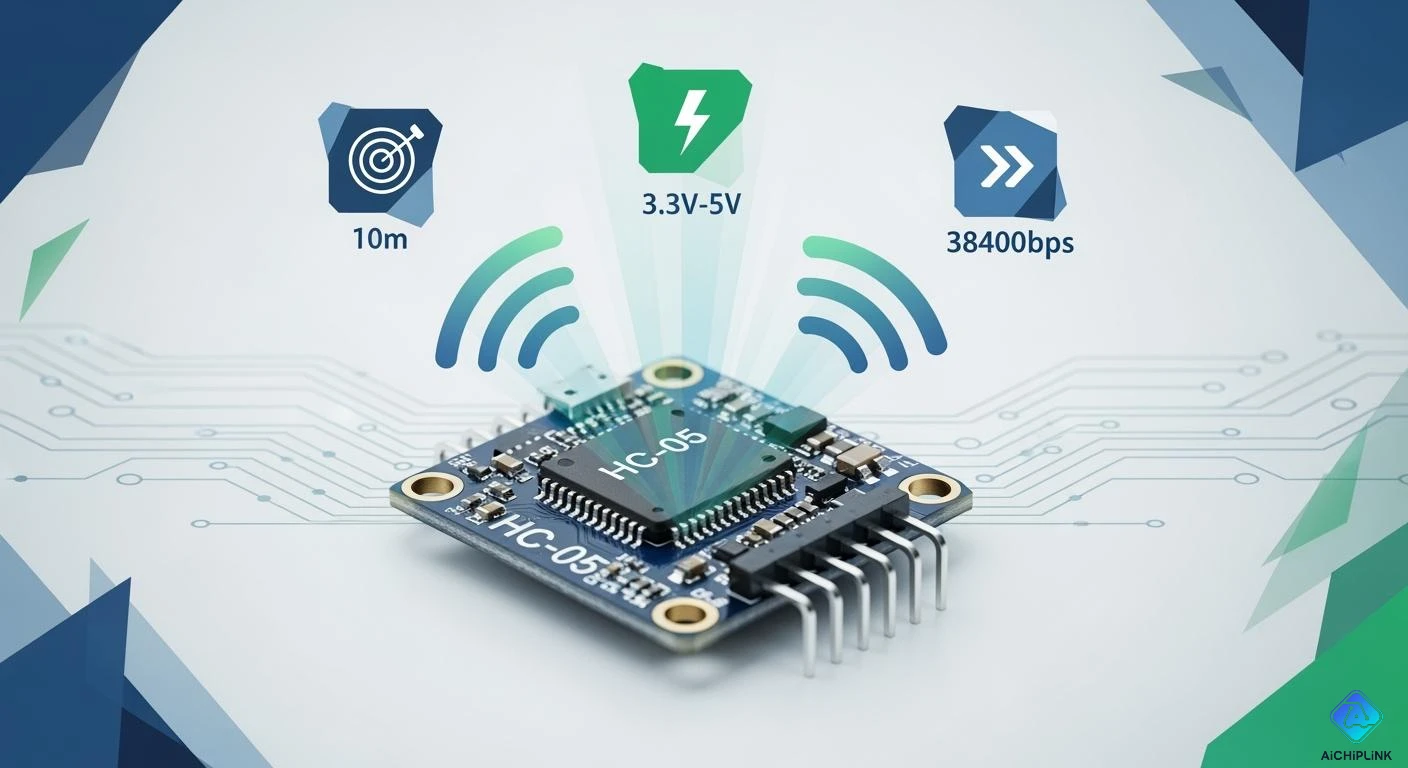
You want a bluetooth module that matches your project’s demands. The hc-05 bluetooth module gives you a strong set of features. Check the main specs in the table below:
| Specification | Value |
|---|---|
| Bluetooth version | 2.0 + EDR |
| Voltage | 3.3V to 5V DC |
| Current | less than 50mA |
| Range | about 10 meters (33 feet) |
| Data rate | up to 1Mbps |
| Supported modes | SPP, HID, and others |
You can use the hc-05 in both master and slave modes. This flexibility lets you create many types of wireless projects. The module supports fast data transfer and stable bluetooth connections. You can rely on the hc-05 for simple or advanced designs.
Key Takeaways
-
The HC-05 Bluetooth module can work as master or slave. This helps you make many types of projects.
-
It uses 3.3V to 5V and needs less than 50mA. This means it does not use much energy.
-
The wireless range is about 10 meters. The data rate can go up to 1Mbps. This makes the HC-05 good for indoor use.
-
You can use AT commands to change settings. You can set things like baud rate and pairing PIN for your project.
-
The HC-05 works with many microcontrollers. It works with Arduino and Raspberry Pi. This makes it easy to add to your projects.
Key Features of HC-05 Bluetooth Module
Main Technical Specs
You might wonder why the hc-05 is special. This bluetooth module has many features for lots of projects. Here are the main technical specs you should know before starting:
-
Bluetooth version: 2.0 + EDR gives fast and steady wireless links
-
Voltage range: 3.3V to 5V DC, so it works with many power sources
-
Current: Less than 50mA, which helps your project use less energy
-
Wireless range: About 10 meters (33 feet), good for most rooms
-
Data rate: Up to 1Mbps, so you can move data fast
-
Supported modes: Master and Slave, so you have more ways to connect
-
Communication: UART interface (TXD/RXD) makes serial communication simple
-
Dimensions: Small size fits in tight spaces
Tip: The hc-05 can be master or slave. This means you can use it in more bluetooth projects than modules that only work as a slave.
Quick Specs Overview
You can look at the hc-05 and compare it to other modules. This helps you see why many people pick it. The table below shows how it is different from the hc-06:
| Feature | HC-05 | HC-06 |
|---|---|---|
| Role | Master and Slave | Slave only |
| Number of Pins | 6 | 4 |
When you pick a bluetooth module, check the most important specs. The table below gives you a quick look at the hc-05:
| Parameter | Specification |
|---|---|
| Bluetooth Standard | Bluetooth 2.0 + EDR |
| Operating Frequency | 2.4 GHz ISM Band |
| Receiver Sensitivity | Typical -80 dBm |
| RF Transmit Power | Up to +4 dBm |
| Supply Voltage (Module) | 3.6V to 6V |
| Logic Voltage | 3.3V |
| UART Interface | Serial Communication (TXD/RXD) |
| Supported Communication Mode | Master and Slave |
| Antenna | Integrated PCB Antenna |
| Wireless Range | Typically up to 10 meters |
The hc-05 comes with helpful default settings. The default AT mode baud rate is 38400 bps. The default data mode baud rate is 9600 bps. You can change the baud rate from 9600 to 460800 bps. The default pairing PIN is 1234 or 0000. The module can reconnect to devices it paired with before.
The hc-05 bluetooth module is flexible and reliable. It helps you add bluetooth to your project. You can use it for wireless data, remote control, or sensor networks. Its features make it a good choice for many electronics projects.
Detailed Specifications
Bluetooth Version & Protocols
The hc-05 uses Bluetooth 2.0 + EDR. This version gives fast and steady wireless links. The module works with the Serial Port Profile (SPP) protocol. You can see the main details in the table below:
| Feature | Details |
|---|---|
| Bluetooth Version | 2.0+EDR |
| Compatible Protocol | Serial Port Profile (SPP) |
Bluetooth 2.0 + EDR lets you use uart serial communication for short wireless projects. You can send and get data between your microcontroller and another bluetooth device. Remember, this module does not work with Bluetooth Low Energy (BLE). If you want to use most new iOS devices, you need a BLE module. The hc-05 works well with Android and classic bluetooth devices.
-
The hc-05 runs on Bluetooth 2.0 + EDR.
-
This version lets you use uart serial communication for steady short-range wireless links.
-
You may have trouble using it with new devices, especially iOS, because it does not have BLE.
-
Most new iOS devices do not work with classic bluetooth modules like hc-05 unless you use special apps.
-
BLE modules like HM-10 are better if you want to use new smartphones.
Voltage & Current
You can power the hc-05 with 3.3V to 5V. This range makes it easy to use with many microcontrollers and power sources. The module uses less than 40mA when working and less than 1mA in standby. This low current helps your battery last longer.
| Specification | Value |
|---|---|
| Operating Voltage Range | 3.3V to 5V |
| Active Current Consumption | Less than 40mA |
| Standby Current Consumption | Less than 1mA |
-
The voltage range of 3.3V to 5V lets you use different power sources.
-
Low current use (less than 40mA) helps your battery last longer.
-
Standby current is very low (less than 1mA), which saves power.
You can connect the hc-05 to boards like arduino or other microcontrollers without extra voltage parts. Always check the datasheet for the right wiring.
Communication Interface (UART)
The hc-05 uses a uart interface for serial communication. You connect the TXD and RXD pins to your microcontroller. The default baud rate is 9600 bps, but you can change it with at commands. The module supports at command mode for setup.
| Feature | Details |
|---|---|
| Communication Interface | UART (Universal Asynchronous Receiver-Transmitter) |
| Default Baud Rate | 9600 bps |
| Configuration | Supports AT commands |
-
The hc-05 uses uart pins to send data from a microcontroller and turns it into bluetooth signals.
-
It gets data from bluetooth devices and changes the wireless signals back into serial data for the microcontroller.
-
You make a wireless serial link by pairing the hc-05 with another bluetooth device. This link lets data go both ways.
Tip: Use the at command set to change things like baud rate, device name, and pairing pin.
Wireless Range & Data Rate
The hc-05 can send data about 10 meters (33 feet). This range is good for most indoor projects. The data rate can go up to 1Mbps, which is fast for many uses.
-
Wireless range: About 10 meters (33 feet)
-
Data rate: Up to 1Mbps
You can send sensor data, control signals, or other data quickly and easily.
Dimensions & Pinout
The hc-05 is small. You can fit it into tight spaces on your circuit board. The module usually has 6 pins: EN, VCC, GND, TXD, RXD, and STATE. Here is a sample pinout:
| Pin | Function |
|---|---|
| EN | Enable/Key |
| VCC | Power Supply |
| GND | Ground |
| TXD | UART Transmit |
| RXD | UART Receive |
| STATE | Connection Status |
You should check the datasheet for the exact size and pin layout.
Modes: Master & Slave
The hc-05 can work as master or slave. You set the mode with at commands. In master mode, the module looks for and connects to other bluetooth devices. In slave mode, it waits for other devices to connect.
-
Master mode: The hc-05 starts the connection.
-
Slave mode: The hc-05 waits for another device to connect.
This makes the module useful for many wireless projects.
Default Settings & Configurability
The hc-05 comes with helpful default settings. The default baud rate in data mode is 9600 bps. The default pairing pin is 1234 or 0000. You can use at command mode to change settings like baud rate, device name, and pin code. The at command mode gives you full control over the module’s setup.
-
Default baud rate: 9600 bps (data mode)
-
Default pairing pin: 1234 or 0000
-
at command mode: Lets you change settings with at commands
Note: Always use the at command set for safe and easy setup.
Certifications & Compliance
The hc-05 bluetooth module meets common rules for wireless devices. You should check the datasheet or ask your seller for details about certifications. Most modules meet FCC, CE, and RoHS rules. These certifications help you use the module in school or business projects.
-
FCC: Meets US wireless device rules
-
CE: Meets European safety and health rules
-
RoHS: Limits harmful substances
You can trust the hc-05 for safe and legal use in your electronics projects.
Compatibility & Integration
Supported Microcontrollers
You can use the hc-05 bluetooth module with lots of microcontrollers. Arduino is the most common one people use. You can also connect it to Raspberry Pi, ESP32, STM32, and PIC boards. The module works with any microcontroller that has serial communication. You only need two pins: TX and RX. This makes adding the hc-05 to your project simple. You do not need extra hardware to set it up. Many students and hobbyists pick the hc-05 for wireless projects.
Tip: Always check your microcontroller’s voltage levels before you connect the hc-05.
Voltage Logic Levels
The hc-05 uses 3.3V logic for its serial pins. Some boards, like arduino Uno, use 5V logic. You must keep the RX pin of the hc-05 safe from high voltage. You can use a voltage divider or a level shifter for this. The VCC pin can take 3.3V to 5V, but the serial pins need 3.3V logic. This keeps your bluetooth module from getting damaged.
| Pin | Logic Level |
|---|---|
| TXD | 3.3V |
| RXD | 3.3V (max) |
If you use the right voltage, your connection will stay strong. You will not have problems with data loss or dropped connections.
Typical Applications
You can use the hc-05 in many different projects. Here are some common ways people use it:
-
Send data wirelessly between two microcontrollers
-
Control robots or cars from far away
-
Send sensor data to a phone or computer
-
Make home automation systems
-
Use wireless serial communication for debugging
The hc-05 can be master or slave. You can set the module to pairing mode with easy AT commands. This makes setup simple. You can use the hc-05 for quick bluetooth pairing and steady wireless links. The module works well for any device that needs to send serial data. You can finish setup fast and start sending data right away.
Note: Always test your bluetooth connection after setup to make sure your device pairs and talks as it should.
HC-05 Bluetooth Module Reference Table
Specs Summary Table
If you want to see the main specs fast, use this table. It shows all the important details for the hc-05. You can look at the table to help you pick the right bluetooth module for your project. It helps you know if the hc-05 will work for your wireless needs, power, and what boards it works with.
Tip: Keep this table close when you build with bluetooth. It can help you not make mistakes and finish your project faster.
| Parameter | Specification |
|---|---|
| Bluetooth Version | 2.0 + EDR |
| Protocols Supported | SPP, HID |
| Operating Voltage | 3.3V to 5V |
| Logic Level | 3.3V |
| Current Consumption | < 40mA (active), < 1mA (standby) |
| Wireless Range | Up to 10 meters (33 feet) |
| Data Rate | Up to 1Mbps |
| Communication Interface | UART (TXD/RXD) |
| Default Baud Rate | 9600 bps (data mode), 38400 bps (AT mode) |
| Supported Modes | Master, Slave |
| Antenna | Integrated PCB Antenna |
| Dimensions | Approx. 37mm x 13mm x 2mm |
| HC-05 Pin Configuration | EN, VCC, GND, TXD, RXD, STATE |
| Certifications | FCC, CE, RoHS |
| Compatible Boards | Arduino, Raspberry Pi, ESP32, STM32, PIC |
The hc-05 gives good bluetooth speed and works with many power sources. The pin setup is simple, so you can connect it to arduino and other boards easily. You get strong data transfer and a steady wireless link for your project.
For example, you might want to send sensor data from arduino to your phone. You can use the hc-05 bluetooth module for this. Just connect the TXD and RXD pins to your microcontroller. Set the baud rate and pair the module with your device. You can start sending bluetooth data in just a few minutes.
Note: Always check the voltage and logic level before you connect the hc-05. This keeps your module safe and makes sure your bluetooth works well.
You learned the main specs of the hc-05 bluetooth module. The hc-05 gives you steady bluetooth links. It uses little power and is simple to set up. You can send data fast with it. You can use it with arduino or other boards. For example, you can make a wireless sensor project. Pick the hc-05 if you want easy setup and good performance.

Written by Jack Elliott from AIChipLink.
AIChipLink, one of the fastest-growing global independent electronic components distributors in the world, offers millions of products from thousands of manufacturers, and many of our in-stock parts is available to ship same day.
We mainly source and distribute integrated circuit (IC) products of brands such as Broadcom, Microchip, Texas Instruments, Infineon, NXP, Analog Devices, Qualcomm, Intel, etc., which are widely used in communication & network, telecom, industrial control, new energy and automotive electronics.
Empowered by AI, Linked to the Future. Get started on AIChipLink and submit your RFQ online today!
Frequently Asked Questions
How do you start pairing with the HC-05 Bluetooth module?
You begin pairing by powering the module and setting it to pairing mode. Press the EN button or send at commands to initialize pairing mode. The LED blinks quickly. You can connect your device using the default PIN.
What steps should you follow for setup with Arduino?
You connect the HC-05 to Arduino using serial pins. Use TXD and RXD for serial communication. Open the Arduino IDE, upload your code, and enter at commands to configure pairing mode. Check the datasheet for wiring. Test the connection after setup.
How can you change pairing mode or settings using at commands?
You enter at command mode by holding the EN pin high during power-up. Send at commands through the serial interface. Use the at command set to adjust pairing mode, baud rate, and device name. Always check datasheet downloads for command lists.
What is the best way to protect the HC-05 RX pin during setup?
You use a voltage divider to keep the RX pin safe. Arduino uses 5V logic, but the HC-05 needs 3.3V for serial communication. Check the datasheet for the correct values. This protects your module during setup and pairing.
Can you give an example of sending data between two Arduino boards?
You connect two Arduino boards with HC-05 modules. Set one module to master and the other to slave using at commands. Enter pairing mode on both. Send serial data from one board to the other. Test the connection for reliable communication.