Broadcom PHY vs Realtek PHY: Which One Is Better for Enterprise Designs?
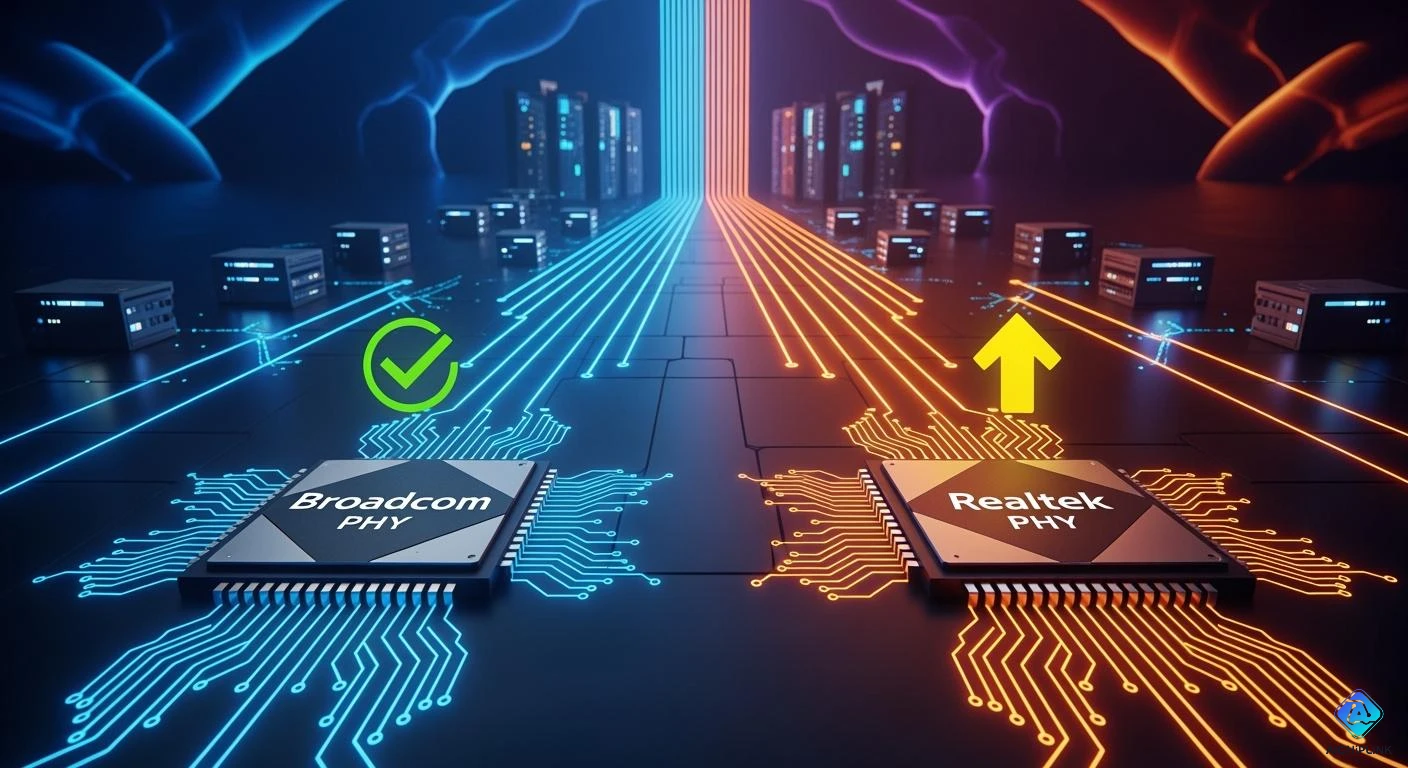
Broadcom phy is the main choice for enterprise network cards. Many IT workers pick broadcom phy because it works fast and rarely breaks. It also has special features. Realtek costs less, but broadcom phy is better for speed and trust. If engineers want 10GbE ethernet, broadcom phy is the best. Realtek is common in home devices, but broadcom phy is used more in big companies. Broadcom phy always gives steady results in every design. Realtek is still liked, but broadcom phy is the top pick for important nic jobs.
Key Takeaways
-
Broadcom PHY is the best pick for big networks. It is very fast and works well. It has cool features like 10GbE support.
-
Realtek PHY costs less money. It is good for small businesses or home use. But it is not as strong or steady for big networks.
-
Picking Broadcom can save money over time. It lasts longer and uses less power. This means you spend less on fixing and energy.
-
IT managers should pick Broadcom for important jobs. These jobs need a network that is fast and always works. Realtek is better for simple setups.
-
Think about speed, how well it works, and help from the company when picking a NIC. This helps make sure your network gets what it needs.
Performance and 10GbE Capabilities
Speed and Throughput
Enterprise networks need fast and steady speeds. Broadcom PHY gives strong 10gbe speeds, even when things get busy. Realtek can do gigabit speeds, but it cannot keep up with 10g switches. Many IT teams pick Broadcom because it handles lots of data well in data centers. Broadcom network cards use advanced pcie, so they give top speed for 10gbe jobs. Realtek is found in home devices, but it does not work as well for big company 10gbe needs. Broadcom’s 800G platform brings new high speeds and works with both optical and copper wires. Realtek cannot reach these speeds, so Broadcom is the best for fast 10gbe networks.
Latency and Consistency
Low latency and steady links are very important for companies. Broadcom PHY keeps latency low on all switch ports, even when traffic is heavy. Realtek sometimes has latency jumps, especially in 10g switches. Broadcom has advanced telemetry and analytics, so IT teams can watch performance live. This helps keep latency low and steady. Realtek does not have these tools, so its performance can change in big networks. Broadcom’s pcie design helps data move fast and cuts delays. Realtek’s pcie is not as steady, so it is not the best for important 10gbe jobs.
Power Efficiency
Power efficiency matters for cost and network health. Broadcom PHY uses the least power per bit in the industry. Its 800G optical PHY saves power and keeps things cool, even with high speeds. Realtek uses more power, especially with 10gbe on 10g switches. Broadcom’s PoE PSE gives power to devices well, so you need fewer extra power supplies. Realtek does not have these power-saving features, which can cost more in big setups. Broadcom’s pcie uses less energy but still works fast. Realtek’s pcie does not save as much power, so Broadcom is better for companies that want speed and efficiency.
Note: Broadcom’s new Wi-Fi 8 access points, MACsec security, and Edge AI/ML engines make networks even faster and safer for companies.
| Feature | Broadcom PHY | Realtek PHY |
|---|---|---|
| 10gbe Support | Full, enterprise-grade | Limited, consumer |
| Bandwidth | Up to 800G | Up to 2.5G |
| Latency | Consistent, low | Variable, higher |
| Power Efficiency | Industry-leading | Moderate |
| pcie Integration | Advanced, optimized | Basic |
| 10g switches | Seamless integration | Limited compatibility |
Broadcom is the top pick for enterprise 10gbe networks because it is fast, strong, and saves power. Realtek is good for cheaper devices, but it cannot give the speed, steady work, or power savings that big companies need. IT managers should pick Broadcom PHY for networks that use 10gbe, pcie, and high-speed switches.
Reliability Metrics
Failure Rates
Reliability is very important for IT teams. Broadcom products almost never fail in real use. Many engineers say broadcom network cards last for years. Realtek devices can fail more often, especially when used a lot. Companies with broadcom nic hardware have fewer outages. This makes business run smoothly and without problems.
Long-Term Stability
Long-term stability is needed for every enterprise network. Broadcom engineers build hardware to work all the time. A broadcom nic can last many years and rarely needs to be replaced. Realtek hardware may need fixing or replacing more often. IT teams like reliable hardware because it stops downtime and saves money. Stable hardware means less trouble and happier users.
Note: Reliable network cards stop data loss and keep important apps online.
Enterprise-Grade Features
Enterprise-grade features make reliability even better. Broadcom gives advanced diagnostics, error correction, and self-healing in its network cards. These features help IT staff find and fix problems early. Realtek products usually do not have these advanced features. Companies needing high reliability pick broadcom for its strong features. The right nic helps networks stay up and work well.
| Metric | Broadcom | Realtek |
|---|---|---|
| Failure Rate | Very Low | Moderate |
| Long-Term Stability | Excellent | Good |
| Enterprise Features | Advanced | Basic |
Support and Documentation
Technical Support
Good technical support helps IT teams fix problems fast. Broadcom gives special support for big companies. Their engineers answer questions quickly and explain things clearly. Many companies trust Broadcom because help comes when needed. Realtek also has support, but answers can take longer. Some people say Realtek support is more for home users than for big companies. Fast and steady support is very important for networks that cannot go down.
Tip: Pick a vendor known for great support. Fast help keeps networks working and cuts downtime.
Firmware Updates
Firmware updates keep network hardware safe and working well. Broadcom sends out updates on a regular schedule. These updates add new features, fix security issues, and make things run better. IT teams get these updates from a safe website. Realtek gives updates too, but not always on time. Some Realtek devices may not get updates for as long as big companies want. This can be risky for companies that need their networks to last.
A simple table shows the difference:
| Vendor | Update Frequency | Security Patches | Enterprise Focus |
|---|---|---|---|
| Broadcom | Regular | Yes | High |
| Realtek | Irregular | Sometimes | Moderate |
Documentation Quality
Clear instructions help IT staff set up and use hardware. Broadcom gives detailed manuals, setup steps, and tips for fixing problems. Their guides use easy words and pictures. Realtek has guides too, but they may not cover hard setups for big companies. Some people think Realtek guides are harder to understand. Good instructions save time and stop mistakes when installing or upgrading.
Note: Easy-to-read guides help new workers learn faster and make fewer mistakes.
Compatibility in Enterprise Networks
Hardware Integration
Enterprise networks need hardware to work together easily. Both Broadcom and Realtek have problems when adding Ethernet PHY chips. These problems include making sure the chips are fast, use little power, and work with old devices. Companies also have to handle hard design and building steps. Smaller vendors have a tough time because they do not have enough money or people for research. Sometimes, devices from different brands do not work well together. This can make setup take longer and teams must test more.
| Hardware Integration Challenge | Impact on Deployment |
|---|---|
| Inconsistent interoperability | Slows deployment, needs more testing |
| Complex design and manufacturing | Raises technical barriers |
| High R&D investment and expertise required | Limits smaller vendors |
| Adding new features (speed, efficiency, compatibility) | Increases integration difficulty |
Software and OS Support
Network devices must work with many types of operating systems. Broadcom gives strong driver support for Windows, Linux, and other big company systems. This makes it easy for IT teams to set up and manage devices. Realtek also has drivers for popular systems, but some special features might not work everywhere. Good software support helps teams update firmware and keep the network safe. When a nic is well supported, there is less downtime and the network works better.
Interoperability
Interoperability means devices from different brands can work together. Broadcom and Realtek both help networks grow by making them faster and saving energy. Broadcom makes high-performance chips for cloud networks. These chips move lots of data and help networks get bigger. Realtek gives multi-gigabit solutions for enterprise gear, so companies can get faster connections.
-
Broadcom helps cloud networks with advanced features.
-
Realtek gives fast connections for enterprise setups.
-
Both brands help networks get faster and bigger.
Tip: Pick network hardware that works well with what you already have. This will save time and stop expensive delays.
Cost and Value
Upfront Cost
Many IT managers look at the price tag first. Realtek products often cost less at the start. Companies can buy Realtek network cards for a lower price. Broadcom hardware usually costs more. The higher price comes from better parts and more features. When teams compare network cards, they see that broadcom offers advanced pcie support. Realtek cards use basic pcie, which keeps costs down. Some companies pick Realtek to save money at the beginning.
| Vendor | Upfront Cost | pcie Support Level |
|---|---|---|
| Broadcom | Higher | Advanced |
| Realtek | Lower | Basic |
Total Cost of Ownership
The total cost of ownership matters more than the first price. Broadcom network cards last longer and break less often. Fewer repairs mean less money spent over time. Broadcom pcie features help save power, which lowers energy bills. Realtek cards may need more fixes and use more power with pcie. This can add up for large networks. Companies also spend less time fixing broadcom hardware. The advanced pcie design in broadcom cards helps keep networks running without trouble.
Note: Saving money on repairs and energy can make a big difference over several years.
Value for Enterprises
Enterprise networks need strong value, not just low cost. Broadcom gives more value with advanced pcie features, strong reliability, and better support. IT teams trust broadcom for important jobs because the pcie integration works well with many systems. Realtek offers value for smaller networks or home use, but broadcom stands out in big company setups. The right nic with advanced pcie can help a business grow and stay ahead. Teams that choose broadcom get a network card that supports future needs and keeps networks safe.
-
Broadcom: Best for long-term value and advanced pcie features.
-
Realtek: Good for saving money at the start, but less value over time.
Broadcom PHY vs Realtek PHY: Use Cases
When to Choose Broadcom PHY
IT teams pick broadcom for big networks. It works well in data centers and fast servers. Broadcom can handle lots of traffic. It supports advanced features like 10GbE. Engineers trust broadcom for jobs needing low latency. It is reliable and steady. Security networks use broadcom for strong encryption and monitoring. Companies wanting stable networks and good support choose broadcom.
Tip: Broadcom is best where downtime cannot happen and growth is important.
When to Choose Realtek PHY
Realtek is good for small businesses and homes. Many people use realtek in computers and printers. Realtek costs less, so it helps save money. It works for simple network needs and easy setups. Realtek can handle light traffic in offices or schools. If a company does not need advanced features, realtek is a smart choice.
-
Realtek is good for:
-
Home routers
-
Basic switches
-
Cheap network cards
-
Key Decision Factors
Picking broadcom or realtek nic depends on a few things. IT managers should check network size, speed, and budget. Support and upgrades also matter. The table below shows what to think about:
| Factor | Broadcom PHY | Realtek PHY |
|---|---|---|
| Speed | Up to 800G, 10GbE+ | Up to 2.5G |
| Reliability | Enterprise-grade | Consumer-grade |
| Cost | Higher | Lower |
| Support | Dedicated enterprise | Basic |
| Use Case | Data centers, servers | Home, small office |
Note: Teams should pick the nic that fits their network for the best results.
Broadcom is the best pick for big company networks. IT managers like it because it works well and does not break often. It has special features like 10GbE that help with fast jobs. Teams trust broadcom when they need steady and strong connections. The nic gives fast speeds and almost never fails. Realtek is better for small networks, but broadcom is made for large companies. Network engineers should pick broadcom if they want a network that will last and get good help.
Tip: If you pick broadcom, your network will stay quick, safe, and work well.

Written by Jack Elliott from AIChipLink.
AIChipLink, one of the fastest-growing global independent electronic components distributors in the world, offers millions of products from thousands of manufacturers, and many of our in-stock parts is available to ship same day.
We mainly source and distribute integrated circuit (IC) products of brands such as Broadcom, Microchip, Texas Instruments, Infineon, NXP, Analog Devices, Qualcomm, Intel, etc., which are widely used in communication & network, telecom, industrial control, new energy and automotive electronics.
Empowered by AI, Linked to the Future. Get started on AIChipLink and submit your RFQ online today!
Frequently Asked Questions
What makes Broadcom a top choice for enterprise nics?
Broadcom is picked because it almost never fails. It has advanced pcie features and good help for users. Many IT teams trust Broadcom in data centers. It gives steady 10g network speeds. Broadcom hardware can handle lots of work. It also supports 10g ports without problems.
How does pcie impact 10gbe via pcie performance?
Pcie lets the nic and server move data fast. Broadcom uses advanced pcie to keep latency low and speed high. This helps 10gbase-t work well. It also keeps 10g links running smooth.
Can Realtek offer a low-cost 10gbase-t for small businesses?
Realtek gives a cheap 10gbase-t for simple networks. Small offices can use Realtek for low-cost 10g ports. But Realtek may not be as reliable as Broadcom. It also does not have advanced pcie features for enterprise nics.
Why do data centers prefer 10gb ethernet with Broadcom?
Data centers need fast and steady links. Broadcom supports 10gb ethernet with advanced pcie and 10g ports. This means data moves quickly and the network stays strong. These things are important for big jobs.
What should IT managers consider when choosing a nic for a 10g network?
IT managers should look at pcie support and 10gbase-t compatibility. They should check if 10g links are steady. They also need to think about cost, support, and upgrades. Broadcom gives strong pcie and advanced features for enterprise nics in a 10g network.