DIY Bluetooth Audio Player: A Step-by-Step Guide with Wireless Hi-Fi Amplifier Module
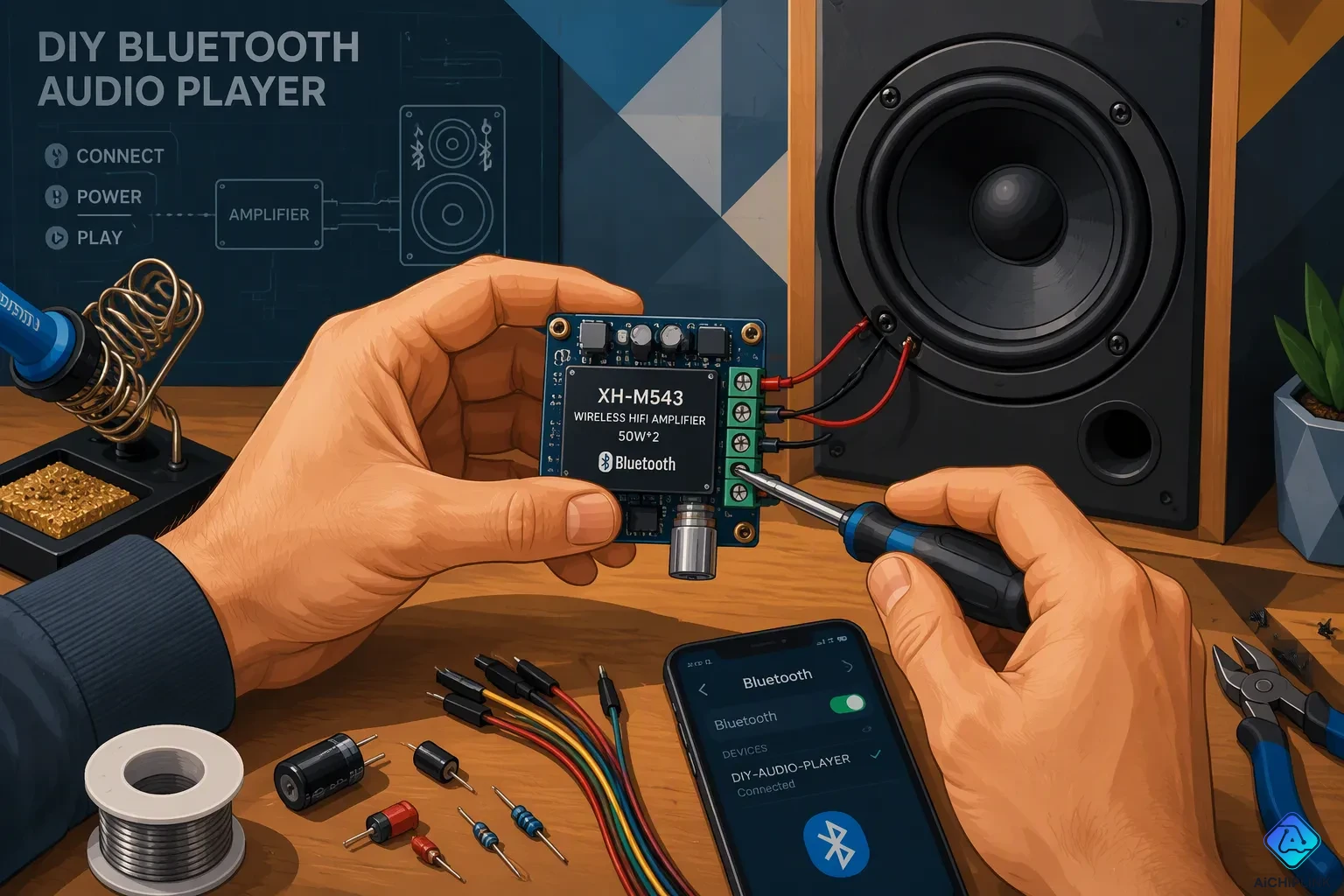
You can build a working DIY Bluetooth audio player this afternoon. Get a wireless hi-fi module, a battery, and a pair of speakers. That is the whole parts list.
This project is at a medium difficulty level. Plan for about a 2-hour build, low cost, and good sound for a first-time builder. Your finished unit is portable, rechargeable, and fully wireless. The module can be used again, so you can upgrade it later.
Think of this as your path to a simple Bluetooth audio player you will really use. By the end, you will hold a working, rechargeable DIY wireless hi-fi Bluetooth audio player. You will also understand how a DIY Bluetooth music player using audio amplifier boards comes together, one wire at a time.
Key Takeaways
-
Collect a wireless hi-fi module, a battery, speakers, and basic tools to begin your build.
-
Connect the circuit with care, and check the voltage range on your module's label.
-
Make sure your speaker's impedance and power ratings match your amplifier. This helps you get clean sound.
-
Test the circuit with USB power first, before you add the battery.
-
Drill intake and exhaust vents so your amplifier stays cool while you use it.
Inside the Wireless Hi-Fi Amplifier Module
Bluetooth 5.0 Features and Specs
Most boards like this use a Bluetooth 5.0 receiver with a 2.0 channel stereo amplifier. Many boards add a HiFi subwoofer output. Specs differ by module, so check your board's label before you plan the rest of the build. The label lists the rated voltage and the power per channel. Those two numbers drive every later choice.
Bluetooth 5.0 (released in 2016) supports a maximum data rate of 2 Mbps for BLE. Audio still runs in Classic mode. Here is what that means in practice:
| Specification | Detail |
|---|---|
| Bluetooth version | 5.0 |
| Transmission distance (range) | Up to 15 meters in open space |
| Data transfer rate | Improved over earlier versions (reduced latency, better stability) |
You get stable bluetooth connectivity across a room, with low latency for video. The wireless link carries the stream, and the amplifier board does the rest.
Kit Contents and Extra Parts
Kits come in three common formats. A 2-piece DIY kit splits the receiver and the audio power amplifier onto separate boards. An all-in-one module packs the receiver and amp on one board, sometimes with a battery included. Multi-input kits add built-in bluetooth and fm support, plus U-disk and TF card playback. Some listings advertise inbuilt bluetooth & fm support as the headline feature. Pick the format that matches how much soldering you want to do.
Beyond the wireless hi-fi amplifier module itself, gather these parts:
-
Enclosure (sturdy wood or plastic, sized to fit all components snugly)
-
Speakers (mounted securely with screws or brackets to avoid rattling)
-
Wiring with an on/off switch and a barrel jack for an external charger; check polarity with a multimeter
-
Battery with overcharge protection
-
Speaker grille, paint, or decals for finishing
-
Tools: wire stripper, soldering iron, drill, and drill bits
A wooden box works well for the enclosure. This wireless hi-fi module build stays simple when you lay out every part first. A low-cost bluetooth amplifier module kit plus these extras covers the whole project.
Wiring the Circuit and Battery
Circuit Diagram Walkthrough
Your bluetooth audio amplifier circuit diagram may look scary at first. But it is really just one straight path from the phone to the speaker cone. Follow the signal path in order:
-
The bluetooth receiver picks up the audio stream from your phone.
-
The receiver sends that signal to the amplifier input.
-
The amplifier makes the signal stronger and sends it out to the speakers.
-
The speakers move air, and you hear music.
On a split 2-piece kit, you pair a separate bluetooth receiver board with a stereo amplifier board. You run a short cable from the receiver's output to the amp's input. The rest of the chain stays the same.
Keep your wiring short and neat. Twist the speaker leads together in pairs. Label each wire before you solder it. A clean layout makes it easy to fix problems later.
Battery Voltage and Power Options
Power is where most first builds go wrong. Check the rated voltage range on your module's label before you connect anything. Then match your power source to that range.
A single 18650 lithium cell works for many small modules. The evidence build uses a 3.7V lithium-ion battery, and a 4V lead-acid battery is another choice. Watch polarity when you wire it. Connect the positive terminal to positive and the negative to negative. A reversed connection can kill the board right away.
Larger packs follow the same rules. Here is what a 4S2P 18650 pack looks like on paper:
| Parameter | Value |
|---|---|
| Configuration | 4S2P (4 cells in series, 2 in parallel) |
| Nominal voltage | 14.8V |
| Fully charged voltage | 16.8V |
| Over-discharge cutoff | ~10.8–11.2V |
| Typical capacity | 5Ah – 7Ah |
That pack needs overcharge protection at 16.8V, over-discharge protection near 10.8–11.2V, overcurrent protection, and temperature monitoring through an NTC sensor. Only use a pack like this with a module rated for its voltage.
No battery yet? Power the module from a USB charger instead. This skips charging circuits entirely and keeps your first test simple. Once the build works, add the battery for true portability.
Test the circuit on USB power first. Add the battery only after everything works.
Matching Speakers to the Amplifier
Impedance and Power Ratings
Speaker impedance controls how much current your amplifier must deliver. A 4Ω speaker pulls more current than an 8Ω speaker. That extra current means more heat inside the board.
| Aspect | Effect of Speaker Impedance |
|---|---|
| Current draw | Lower-impedance speakers demand more current; higher-impedance speakers demand less. |
| Matching | Speaker impedance should match the amplifier's rated output impedance. |
| Heat | Low-impedance loads raise current flow and heat. |
| Under-powering | An 8Ω speaker on a 4Ω-rated amplifier may receive too little power. |
Check the impedance range printed on your amplifier module before you buy speakers. Many boards include protection that trips when the load sits outside that range.
Power ratings matter just as much. Aim for the amplifier's RMS output per channel to equal or sit close to the speaker's RMS rating. A 30 W amp on 80 W speakers sounds flat. A 150 W amp on the same speakers risks overload without protection.
Speaker Pairing Examples
Small builds stay simple. A compact board rated around 5W output power suits a pair of small full-range speakers. Keep the load within the board's stated range and you get clean sound at desk volume.
Bigger boards need bigger speakers. Match a 2.0 channel audio power amplifier board to speakers in the same class:
-
40–60 W RMS speakers pair with a 20–25 W per channel amp for daily listening.
-
65–80 W RMS speakers pair with a 75–85 W per channel amp.
-
100–150 W RMS speakers pair with a 125–160 W per channel amp.
Want headroom? With a limiter preventing clipping, let the amplifier supply 2 to 4 times the speaker's continuous rating. Without a limiter, keep amp power equal to the speaker's continuous rating.
A low-cost Class AB design trades some distortion for hi-fi sound. A class ab/class d audio switching module gives you another path, and each fits a different budget. If you build around a single-channel audio amplifier board, pair it with one speaker only. The same logic applies to a single-channel audio power amplifier ic on a tiny board. Whichever audio power amplifier you choose, match the load first, then enjoy the audio.
Assembling Your DIY Bluetooth Audio Player
Building your diy bluetooth audio player takes one careful pass. Work through the steps in order, and test as you go.
Step-by-Step Build and First Power-On
-
Mount the module and speakers in the enclosure. Screw the speakers down tight so nothing rattles.
-
Wire the power. Run the 5V positive lead to VCC on the module and the amp board, and tie every GND pin to the negative terminal.
-
Wire the audio signal. Route L OUT to L IN and R OUT to R IN. Use 22–24 AWG wire here.
-
Wire the speakers. Connect the left speaker to L OUT and the right to R OUT, watching polarity. Step up to 18–20 AWG for these runs.
-
Install the battery and the power switch. Put the switch between the supply and VCC.
-
Power on and test.
Check the amplifier module's label before you wire anything. A 2Ω 5W board pairs with two 4Ω 2.5W speakers wired in parallel. Your own board may differ.
Common snags show up in predictable places:
| Challenge | Fix |
|---|---|
| Incorrect charger polarity | Check with a multimeter first; some chargers run center-tip positive, outer ring negative. |
| Weak or bare wiring | Solder every joint and insulate it. |
| Rattling speakers | Screw or bracket them down tight. |
| Overheating | Drill small vents in the box. |
| Muffled or vibrating sound | Position speakers well and add soft damping material inside. |
| Battery overcharging | Use a pack with protection built in. |
Wear safety glasses and work in a ventilated area while you solder.
Bluetooth Pairing and LED Indicators
Flip the switch. The blue LED should flash, and that confirms power. Your bluetooth amplifier module boots straight into Bluetooth mode.
Now open your phone's settings menu and look for the board. The blue LED blinks fast while bluetooth pairing waits for a connection. Once your phone connects, the light goes solid. It stays solid when you pause, and it blinks slowly during playback. That is your whole status readout.
Multi-input kits add more. Press the multi-function button for FM — fast flash while scanning, slow flash while playing. Drop in a USB or TF card with MP3 files and the board switches over on its own. Plug in an AUX cable for line-in.
Here is the LED key:
| LED Color | Function |
|---|---|
| Blue | Pairing and connection indicator |
| Red | Power indicator |
| Green | Charging indicator |
The red LED also lights during charging over the Micro-USB input at 5V. Charging voltage sits near 4V at roughly 200 mA.
That is your diy bluetooth audio player running. A short bluetooth audio amplifier board demonstration like this one proves the whole chain works before you close the box. Your wireless player is ready for music.
Charging and Safety Notes
Charging the Battery Safely
Your module takes care of charging for you. Just plug a cable into the micro-usb charging port, and the board fills up the battery by itself. The red LED stays on while power goes in. Charge time depends on your cell's capacity and the board's charge current. So expect a few hours for a full charge, not a quick top-up.
Good habits keep that battery healthy for years. Use the charger the kit tells you to use. Skip fast chargers that push more current than the board can handle. Unplug the player once the light shows a full charge. Never leave it charging overnight on a wooden bench or near anything that can catch fire. A protected cell adds a safety layer here, and it costs very little.
Heat Handling and Ventilation
Amplifiers make heat, and a sealed box traps it. Give the board room to breathe. Keep the amplifier board away from the battery. Mount the two on opposite sides of the enclosure when you can. Run the player at moderate volume for long sessions. Full volume for hours puts stress on both the board and the cell.
Vent holes only work when air can travel through them. Follow these strategies:
| Recommended Strategy | Rationale / Detail |
|---|---|
| Avoid drilling ventilation holes on only one side | One-sided holes produce zero airflow; air needs an entry and exit path |
| Provide both intake and exhaust openings | Intake at bottom/side, exhaust at top/rear enables passive convection airflow |
| Do not rely on decorative slots alone | Slots must form a functional intake-to-exhaust path, not just aesthetics |
| Maintain symmetry in vent layout | Symmetry matters for even passive airflow; complex CFD modeling is unnecessary |
| Include ventilation slots in the chassis design | Typical extruded aluminum chassis use ventilation slots combined with heatsink mounting flanges |
| Consider internal airflow paths for heatsink efficiency | Airflow path design is critical for effective passive cooling of the amplifier board |
Drill your intake low on one side and your exhaust high on the opposite side. That simple path lets hot air rise out while cool air slips in. Check the vents after a long session. Warm is fine. Too hot to touch means you need more openings or lower volume.
Your build is done. The wireless module, the wiring, the matched speakers, the assembly, and the charging circuit now work as one portable unit. Power it on and your phone finds it in seconds, ready to stream hi-fi sound.
Now make it yours. Pick a different enclosure style, try larger speakers, or add battery capacity for longer play time. You can also swap in a higher-power board later, since the rest of the build stays the same.
Share your finished diy bluetooth audio player with us. Post photos and describe your tweaks. Have a question about your own diy bluetooth audio player? Check the FAQ section below, or ask us directly.

Written by Jack Elliott from AIChipLink.
AIChipLink, one of the fastest-growing global independent electronic components distributors in the world, offers millions of products from thousands of manufacturers, and many of our in-stock parts is available to ship same day.
We mainly source and distribute integrated circuit (IC) products of brands such as Broadcom, Microchip, Texas Instruments, Infineon, NXP, Analog Devices, Qualcomm, Intel, etc., which are widely used in communication & network, telecom, industrial control, new energy and automotive electronics.
Empowered by AI, Linked to the Future. Get started on AIChipLink and submit your RFQ online today!
Frequently Asked Questions
How long does the build actually take?
Plan for about 2 hours. Most of that time goes to mounting speakers and soldering clean joints. Test on USB power first, then add the battery. Rushing the wiring is the main reason first builds fail.
Can I skip the battery and run it from a wall charger?
Yes. A USB charger powers the module fine and skips the charging circuit entirely. That keeps your first test simple. Add the battery later for true portability. Just check the rated voltage range on your module's label before you connect anything.
Why do my speakers sound weak or distorted?
The load probably sits outside your board's rated impedance range. A 4Ω speaker pulls more current than an 8Ω one, and that raises heat. Match speaker impedance to the amplifier's rating. Also screw the speakers down tight so nothing rattles.
How do I know when my phone is paired?
Watch the blue LED. It blinks fast while pairing waits for a connection. It goes solid once your phone connects. The red LED marks power, and the green one shows charging. That is your whole status readout.
How far can I walk from the player?
Expect up to 15 meters in open space. Walls and furniture cut that range. Keep your phone in the same room for the most stable bluetooth link.