RAID vs. Single Drive Storage: What Redundant Arrays of Independent Disks Offer
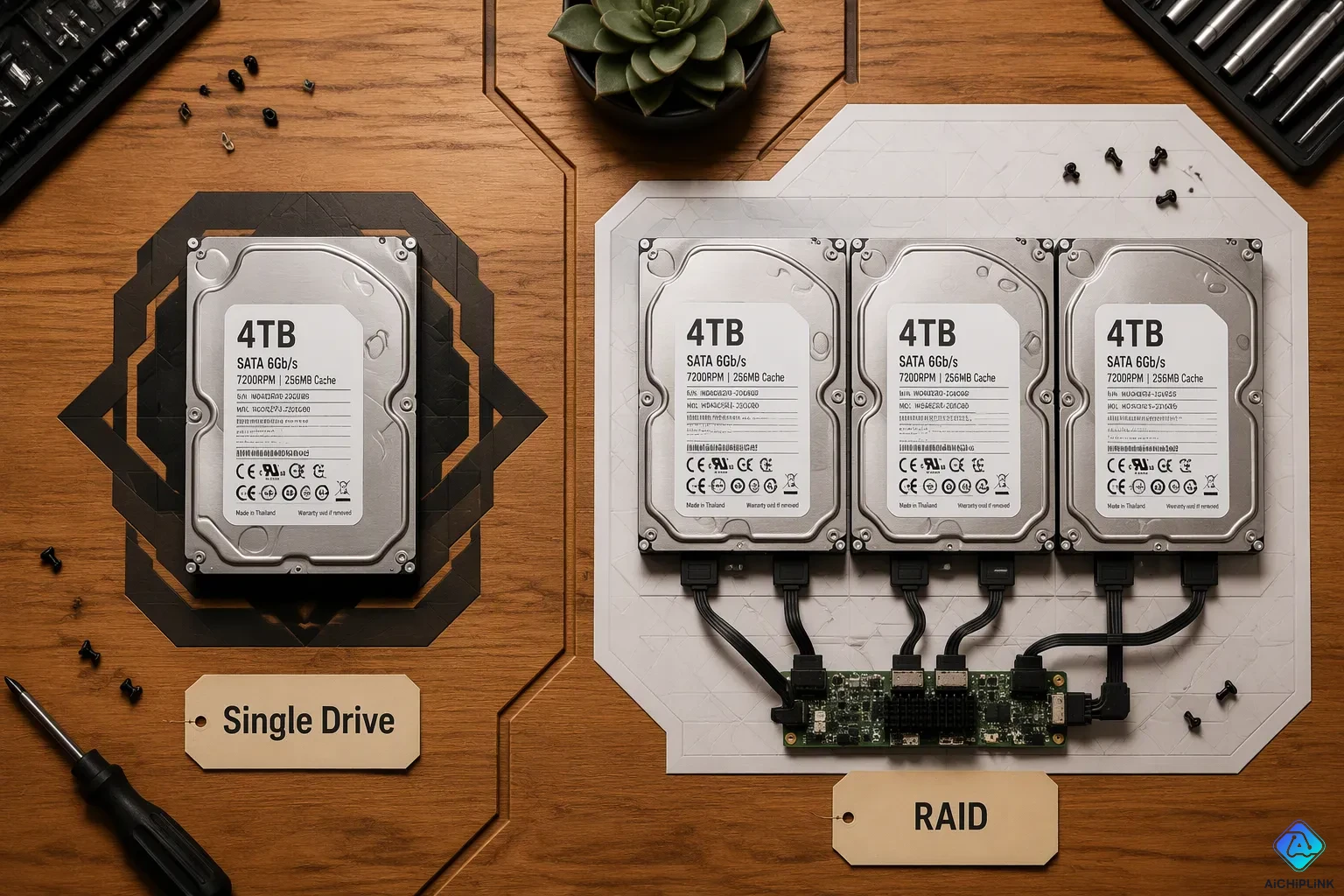
RAID vs. single drive storage comes down to one main difference. A RAID setup joins multiple physical disks into one logical unit. A single drive stands alone with no built-in protection. That difference shapes everything else.
This choice carries real stakes. You risk losing everything if one disk fails. You also weigh speed against cost. A RAID array can boost performance and survive a disk crash. A single drive keeps things simple and cheap. The value of your data drives the decision.
So when should you pick a RAID array? The answer depends on how critical your data is and your budget. A home user with photos might not need it. A business with customer records probably does.
Key Takeaways
-
RAID combines several drives to work together for quicker performance and to keep data safe.
-
A single drive is easy and costs less, but it has no built-in protection.
-
RAID is not a backup; you still need separate copies of important data.
-
Choose RAID for important data. Choose a single drive for everyday files.
-
How important your data is and your budget help you pick the best storage choice.
What Is a RAID Array?
A redundant array of independent disks puts several drives together into one storage system. You might also hear it called a redundant array of inexpensive disks. Both names mean the same technology. Your computer treats this group as one logical unit. The goal is to get speed, protection, or both.
You can set up a RAID using a hardware controller or operating system software. A hardware controller does all the processing work. It does not use your CPU. Software depends on your CPU and needs more system resources. The table below shows performance differences for common RAID configurations.
| RAID Level | Software Performance | Hardware Performance |
|---|---|---|
| 0 | Double the speed of one drive | Even faster speed |
| 1 | Good reads, writes at half speed | Fast sequential reads |
| 5 | Needs tuning, slower writes | Fast reads, good writes |
The data shows a hardware controller often wins for speed. Software works well for some levels.
Striping, Mirroring, and Parity
A RAID array uses three main methods. Data striping spreads data across multiple drives. Block-level data striping splits data into blocks. It writes these blocks to different drives at the same time. Data striping boosts speed a lot.
Disk mirroring makes an exact copy on a second drive. You need at least two drives for mirroring. The array mirrors data from the first to the second. This provides redundancy. Your system keeps running if one drive fails.
Parity information adds protection and wastes less space. This method uses striping with distributed parity. The system calculates parity data. It stores this distributed parity across all drives. Recovery works after one drive fails. You also need parity information to rebuild lost data.
Common Raid Levels Compared
Different RAID levels serve different purposes. One option uses block-level data striping. It has no redundancy. Speed is high, but risk is high too.
RAID 1 uses disk mirroring. With two 2TB drives, you get 2TB usable space. That equals 50% capacity. This provides full protection. Your data stays safe if one drive dies.
RAID 5 combines striping with distributed parity. With four 2TB drives, you get 6TB usable space. That equals 75% capacity. This RAID level balances speed, space, and safety well.
RAID 10 uses a mix of mirroring and striping. It mirrors data first. Then it stripes across mirrored pairs. You get both speed and full redundancy.
Multiple drives work together in this setup. These RAID levels help you choose the right balance. Each option gives different trade-offs.
RAID vs. Single Drive Storage: Key Benefits
Faster Performance Through Striping
Data striping breaks your files into blocks and writes them to many drives at once. A single drive has to write each block one after another. That one disk turns into a bottleneck. A RAID 0 array gets rid of that bottleneck. Two drives working side by side can read and write about twice as fast as one. Add more disks, and the speed goes up even more. This is the biggest performance gap in the raid vs. single drive storage debate. No single disk, no matter how fast, can match several disks working together.
Fault Tolerance and Data Recovery
Redundancy changes what happens when hardware breaks. A single drive failure on a standalone disk means you lose everything. Your files are gone unless you have a backup copy. A raid array acts in a different way. RAID 1 keeps a full copy of your data on a second disk. RAID 5 spreads parity across several drives. Both designs let your storage system keep working after one disk dies. You swap out the failed drive, and the array rebuilds itself. This data protection and fault tolerance is the main reason people pick raid arrays over one big disk.
Rebuilds come with their own risk, though. Reading large amounts of surviving data can cause an unrecoverable read error (URE). The table below shows how that risk grows as the array gets bigger.
| Data Read During Rebuild | Bits Read | URE Risk (1e14 drives) | URE Risk (1e15 drives) |
|---|---|---|---|
| 2 TB | 1.76e13 | 16.1% | 1.7% |
| 6 TB | 5.28e13 | 41.1% | 5.1% |
| 12 TB | 1.06e14 | 65.3% | 10.1% |
| 24 TB | 2.11e14 | 87.9% | 19.2% |
| 48 TB | 4.22e14 | 98.5% | 34.7% |
| 96 TB | 8.45e14 | 99.9% | 57.4% |
Large RAID 5 rebuilds are risky: With consumer 1e14 drives, reading about 12 TB of surviving data during a rebuild carries roughly a 65% chance of hitting an unrecoverable read error. On arrays past 6 to 8 TB per drive, choose RAID 6 instead, which handles a second failure and ignores a single URE mid-rebuild.
RAID 6 survives one unrecoverable read error during a rebuild. Its second parity block gives that extra cover. RAID 5 has only single parity, so a URE can make the rebuild fail. Picture an eight-drive RAID 5 array of 16 TB consumer drives rated at 1e14. A rebuild has to read about 112 TB, or roughly 900 trillion bits. The failure chance goes past 99%. Data loss becomes almost certain. This is why data redundancy and protection matter more as drives get larger.
Scalability
A raid array also grows in ways one disk cannot. You can add drives to increase both capacity and speed. A single larger drive gives you more space, but its performance stays the same. Multiple drives share the workload instead. That mix of growth and reliability keeps raid useful for growing storage needs.
RAID Drawbacks and Limitations
Cost, Complexity, and Maintenance
A raid setup costs more than a single drive in almost every case. You need at least two drives for mirroring. A parity-based array needs three or more. Each drive adds to the total price. You may also need a hardware controller card. That card can cost as much as another drive. The total bill climbs fast.
Setup adds another layer of work. You must configure the array before you store any data. You pick a raid level. You choose a stripe size. You decide between hardware and software control. Each choice affects performance, capacity efficiency, fault tolerance, and rebuild behavior. A wrong pick can leave you with slow writes or wasted space.
Maintenance never really stops. You should monitor drive health. You should watch for early warning signs. You should replace aging drives before they fail. A single drive needs none of this. You plug it in and use it. A raid array demands ongoing attention. That time and effort carry a real cost.
Rebuild Risks and No Backup
Rebuilds take time and carry risk. When a drive failure happens, the array must reconstruct lost data. That process reads every surviving drive. It can take hours or even days. During that window, your data protection is weak. A second drive failure can destroy the whole array.
The numbers make this danger clear. A 12 TB rebuild on consumer drives rated at 1e14 carries roughly a 65% chance of an unrecoverable read error. On larger arrays, the risk climbs past 99%. Distributed parity helps, but it has limits. RAID 6 adds a second parity block. That extra block survives one read error during a rebuild. RAID 5 cannot. This is why reliability drops as drives grow larger.
Here is the hardest lesson. Raid is not a backup. It protects you from hardware failure. It does not protect you from accidental deletion. It does not stop malware or ransomware. It does not save you from fire, flood, or theft. If you delete a file, the array deletes it everywhere. If ransomware encrypts your data, it encrypts every copy. Redundancy keeps your system running. It does not keep your data safe from every threat.
You still need a separate backup. Keep a copy on an external drive. Store another copy offsite or in the cloud. Test your restore process. A raid arrays gives you speed and uptime. A backup gives you true data protection. You need both for any serious storage plan.
RAID Solutions and Alternatives
When a Single Drive Fits
A single disk works well for home users and data that is not very important. You just plug it in and use it. There is no setup, no extra card, and no worry about rebuilding. The price stays low. For photos, music, and files you can replace, one drive is enough.
Speed also helps a single drive in everyday jobs. For normal desktop work, one SSD often opens apps faster than a RAID 0 setup. SSDs handle random reads at shallow request queues really well. RAID 0 mostly helps tasks that need high data flow. For gaming and daily use, the speed difference is often small. So a single disk can be faster than a raid setup for your routine tasks.
Erasure Coding and Other Options
Erasure coding and cloud services handle bigger storage needs. Erasure coding breaks data into pieces and adds parity chunks. It beats raid in several ways. Storage use can reach 66% or more. You can choose how many failures to survive. Rebuilds work across many nodes at the same time.
| Feature | RAID 6 | Erasure Coding (4+2) | Erasure Coding (8+3) |
|---|---|---|---|
| Storage Overhead | ~20-30% | 50% | 37.5% |
| Rebuild Geometry | Many-to-One | Many-to-Many | Many-to-Many |
| Failure Tolerance | 2 Drives | 2 Nodes | 3 Nodes |
The speed difference is huge. A 40TB RAID 6 rebuild writes to one spare drive at about 2GB/s. That takes roughly 5.5 hours. Erasure coding copies data across 15 nodes at 150GB/s. That finishes in under 5 minutes.
Cloud providers use erasure coding by default. AWS S3 Standard offers 99.999999999% durability. It spreads about 9 data pieces and 4 parity pieces across different zones. Overhead is about 1.5 times, much less than making three full copies.
Pick the option that fits your data value and budget. A single disk works for light use. A raid array fits small business needs. Erasure coding and cloud options serve massive storage systems. Your data protection plan should match what you cannot afford to lose.
You now know the core trade-off. A raid array gives you speed, redundancy, and room to grow. A single drive gives you simplicity and a lower price. Neither option wins every time.
Think about your data. Casual home use with replaceable files fits one drive fine. Business records, client files, or anything you cannot lose justify a raid setup. Match the tool to the job.
Pick with confidence. Start with what your data is worth to you. That answer points you to the right storage every time.

Written by Jack Elliott from AIChipLink.
AIChipLink, one of the fastest-growing global independent electronic components distributors in the world, offers millions of products from thousands of manufacturers, and many of our in-stock parts is available to ship same day.
We mainly source and distribute integrated circuit (IC) products of brands such as Broadcom, Microchip, Texas Instruments, Infineon, NXP, Analog Devices, Qualcomm, Intel, etc., which are widely used in communication & network, telecom, industrial control, new energy and automotive electronics.
Empowered by AI, Linked to the Future. Get started on AIChipLink and submit your RFQ online today!
Frequently Asked Questions
What is the difference between RAID 0, RAID 1, and RAID 5?
RAID 0 combines drives for speed only. RAID 1 mirrors data for full protection. RAID 5 uses parity for a balance of speed, capacity, and safety. Each level trades off different benefits.
Can a RAID array replace regular backups?
No. RAID protects against drive failure only. It does not stop accidental deletion, malware, or disasters. You still need a separate backup stored offsite or in the cloud.
How many drives do you need for a RAID setup?
RAID 0 and 1 need two drives. Level 5 requires three or more. Level 6 needs four. Your choice determines the minimum drive count.
What happens when a drive fails in a RAID setup?
The array keeps running with redundancy. You replace the failed drive. It rebuilds from surviving disks. A second failure during rebuild could end the array.