What is Edge AI and Cloud AI?
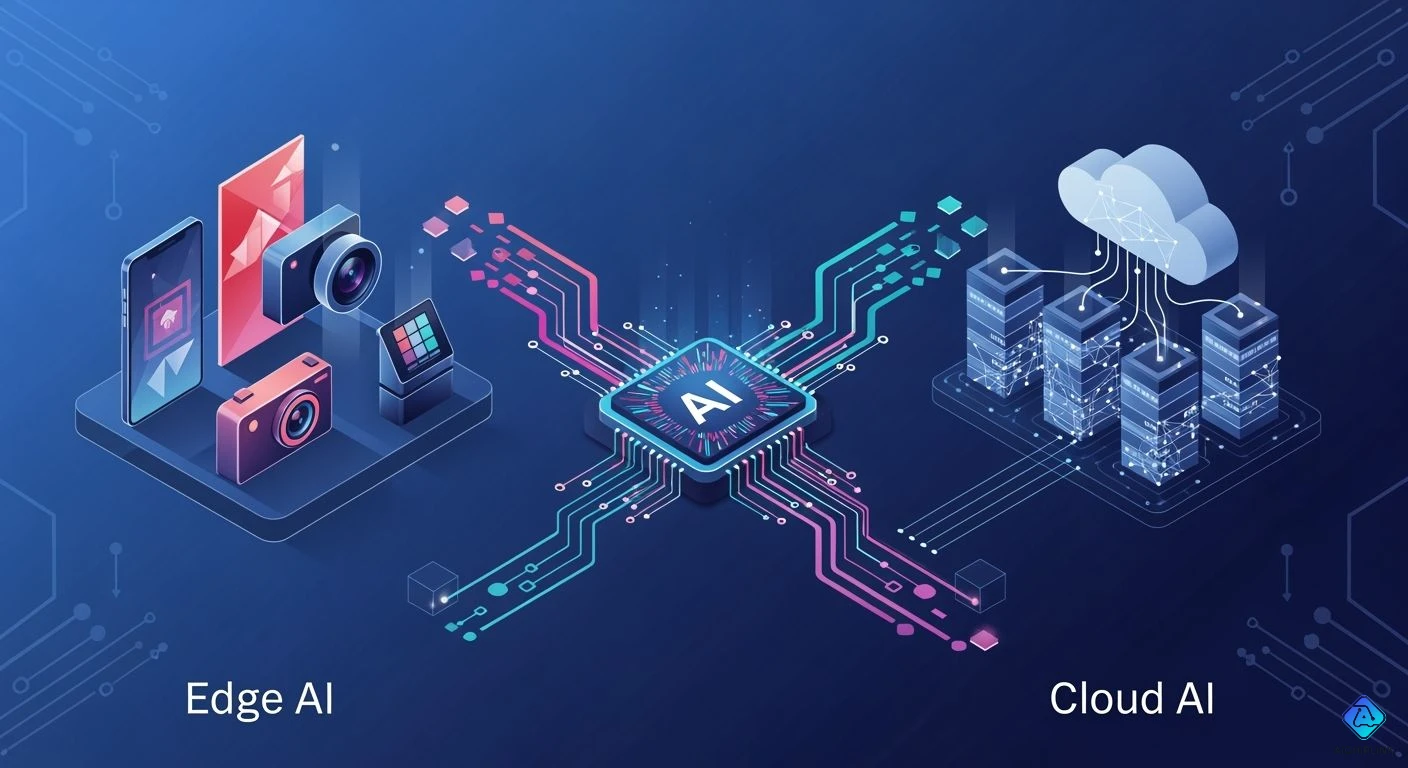
You can find edge ai and cloud ai almost everywhere now because ai is growing fast. Edge ai lets you use artificial intelligence right on your device. It does not need to send information to the cloud. This helps keep your data private and safe. Cloud ai uses big servers to work with data. Edge ai gives you fast answers. Cloud ai can handle bigger jobs.
- Edge ai: Works on your device and does not need the cloud. It keeps your data safe and private by processing it where you are.
| Source | Market Size (Projected) | CAGR | Year |
|---|---|---|---|
| BCC Research | $56.8 billion | 36.9% | 2030 |
| IMARC Group | $90.8 billion | 16.83% | 2034 |
| Grand View Research | $118.7 billion | 21.7% | 2033 |
Edge AI vs Cloud AI shows different ways to use ai.
Key Takeaways
-
Edge AI works on your device. It gives quick answers. It keeps your information safe by not sending it away.
-
Cloud AI uses strong computers. It handles big data jobs. It is good for hard tasks that need lots of computer power.
-
Pick Edge AI for things like self-driving cars. It is good for smart cameras. These need fast answers and privacy.
-
Use Cloud AI if you have lots of data. It helps with big model training or updates.
-
You can mix Edge AI and Cloud AI. This gives you speed and power. It helps keep your data safe and works well.
Edge AI vs Cloud AI Differences
Processing Location & Latency
Edge ai and cloud ai are different in how they handle data. Edge ai works on your device, like a phone or sensor. Cloud ai sends your data to big servers far away. This changes how fast you get answers. Edge computing lets edge ai do real-time jobs because data stays close. Cloud ai sends data over the internet, which can slow things down.
Here is a quick comparison of latency:
| AI Type | Typical Latency |
|---|---|
| Cloud AI | 1–2 seconds |
| Edge AI | <10 milliseconds |
Edge ai gives you less waiting time. You get answers almost right away. Cloud ai can take longer because data travels far. Edge ai is good for fast ai jobs, like self-driving cars or smart cameras. Cloud ai is better for jobs that do not need instant answers.
Tip: If you need fast choices, edge ai and edge computing help you avoid waiting.
Privacy & Security
Privacy and security are important in edge ai vs cloud ai. Edge ai keeps your data on your device. You control who sees your information. Cloud ai sends data to big servers, which can be risky. Hackers target cloud storage because it has lots of private data. Edge ai lowers this risk by keeping data on your device.
-
Cloud ai makes data leaks and spying more likely.
-
Edge ai keeps your data safer from other people.
-
Cloud ai storage is a big target for hackers.
-
Edge ai spreads out risk and keeps your privacy safe.
-
People worry about cloud ai because they lose control over their data.
-
Cloud ai security has more problems with hackers.
Both edge ai and cloud ai can have problems. Edge ai can be hard to protect because it is on many devices. Cloud ai can have data leaks in the cloud. You need to keep all ai communication safe and use special controls for each model.
Note: Edge ai gives you better security and privacy. Cloud ai needs strong protection to keep your data safe.
Scalability & Connectivity
Edge ai and cloud ai are also different in how they grow and connect. Edge ai runs on devices with less power and memory. Cloud ai uses strong servers that can grow easily. Edge computing lets you use edge ai where the internet is weak. Cloud ai needs a good connection to work well.
| Challenge | Description |
|---|---|
| Limited Computational Resources | Edge devices have less processing power and memory than cloud servers, requiring efficient algorithms. |
| Energy Efficiency | Edge devices often rely on battery power, necessitating low power consumption for continuous operation. |
| Bandwidth Constraints | Limited connectivity makes local AI processing preferable to reduce data transfer needs and latency. |
Edge ai works well in far places or where the network is weak. Cloud ai is good for jobs that need lots of power and storage. Edge ai gives you less waiting and works even if the internet goes out. Cloud ai needs a steady connection.
-
Edge ai makes things faster by working on your device.
-
Edge ai can change quickly if something goes wrong.
-
In factories, edge ai keeps machines working even with network problems.
-
In smart homes, edge ai helps with smooth streaming.
Use Cases
You see edge ai and cloud ai in many ai jobs. Edge ai is good for real-time answers and strong privacy. Cloud ai is good for jobs that need lots of data and power.
-
Edge ai helps self-driving cars make quick choices.
-
Smart cities use edge ai for traffic and safety.
-
Stores use edge ai for smart shopping carts and checkouts.
-
Factories use edge ai for quality and worker safety.
-
Energy companies use edge ai to save resources and work better.
-
Healthcare uses edge ai for remote care and fast tests.
Cloud ai helps train models and update them. It works with big data and remote checks. Cloud ai lets devices share and learn together, like in federated learning.
-
Cloud ai puts data together to use less bandwidth.
-
Cloud ai sends alerts for important events.
-
Cloud ai powers ai jobs that need lots of storage and power.
Edge ai vs cloud ai means you must pick what fits your needs. Edge ai gives you privacy, less waiting, and works well. Cloud ai gives you power and can grow for big jobs. Many ai jobs use both edge ai and cloud ai for the best results.
Callout: Think about what you need. If you want fast answers and privacy, edge ai and edge computing are best. If you need big data and lots of power, cloud ai is better for your job.
Edge AI Explained
On-Device Processing
Edge ai lets you use ai right on your device. The device handles data where you collect it. This means you get answers and feedback right away. You do not have to send all your data to the cloud. Edge computing hardware, microprocessor units, and microcontroller units help with ai jobs. Special ai models make your device work faster and save power. Edge ai software makes it easy to manage and update ai models.
| Component | Function |
|---|---|
| Edge computing hardware | Handles ai jobs on your device. |
| Microprocessor units (MPUs) | Gives strong performance for business uses. |
| Microcontroller units (MCUs) | Good for simple systems that use little power. |
| Optimized ai models | Make ai jobs easier by using less power and memory. |
| Edge ai software infrastructure | Lets you set up, control, and check ai models on devices. |
You can find edge ai in many places. Smart cameras, drones, and self-driving cars use vision processing units. Industrial robots and cars use graphics processing units. Telecom and factories use field-programmable gate arrays.
| Device Type | Description | Applications |
|---|---|---|
| Vision Processing Units (VPUs) | Help computers see and understand pictures. | Smart cameras, drones, self-driving cars |
| Graphics Processing Units (GPUs) | Made for edge ai and save power. | Gateways, robots, and cars |
| Field-Programmable Gate Arrays (FPGAs) | Can be changed to fit different ai jobs. | Telecom and factory machines |
Tip: Edge ai gives you fast answers and keeps your data close to you.
Model Deployment
You can put ai models on edge devices in different ways. You might use direct transfer, containerization, or native deployment. Each way helps you run ai on your device.
-
Direct transfer sends the model to your device with FTP or cloud storage.
-
Containerization puts the model and tools in a Docker container.
-
Native deployment builds and installs the model for devices without Docker.
There are some problems with edge ai model deployment. Edge devices do not have much power or memory. Bad connections can make updates hard. You need fast processing for quick answers.
Callout: Pick the best way to put ai models on your devices. Make sure your ai works well and gives you fast results.
Data Privacy
Edge ai keeps your data safe by working on your device. You process data on your device, so you do not share much with the cloud. Only important results go over the network. This lowers the chance of hackers getting your private data. Edge ai uses strong security rules and good safety standards.
-
Edge ai works with data on your device.
-
You only send important results, not all your data.
-
Security rules keep your data safe.
With edge ai, you are in charge of your data. You get privacy and fast answers. Edge ai makes artificial intelligence safer for you.
Cloud AI Explained
Centralized Processing
Cloud ai uses strong computers to handle data in one spot. You send your data to these computers. They use special hardware like CPUs, GPUs, TPUs, FPGAs, and ASICs. These machines have lots of memory and fast storage. This helps them work with big data and hard ai jobs. Fast networks link many computers together. This makes cloud ai work fast and well. Cloud computing lets you use these tools without buying them. You can count on cloud ai for big jobs that need lots of power.
-
CPUs, GPUs, TPUs, FPGAs, and ASICs do different ai jobs.
-
Lots of memory and fast storage help with big ai work.
-
Fast networks connect servers for quick data work.
Note: Cloud ai lets you use cool technology for ai without buying costly machines.
Model Training & Updates
Cloud ai makes it easy to train and update ai models. You can use cloud platforms to run many models in different places. Microservices help manage jobs and use resources well for ai. Tools like NVIDIA NIM microservices and AWS Inferentia GPUs help cloud ai grow when needed. You can train models with lots of data. The system uses many computers to make training faster. Cloud ai trains models again and again until they get better. This is good for hard ai projects.
-
Cloud platforms help run many ai models.
-
Microservices make ai jobs easier to handle.
-
Cloud ai grows to work well when lots of people use it.
Tip: Cloud ai is great when you need to train or update models with lots of data.
Data Integration
Cloud ai helps you put data from many places together. You can use main platforms, APIs, and cloud tools. These break down data walls and show you real-time results. Cloud ai makes work smoother and helps you trust your data. Sometimes, you may have problems like bad data or data walls. Cloud ai fixes these by making a connected data system. You get good, safe, and quick information for your ai work.
-
Main platforms and APIs link different data sources.
-
Cloud tools make data better and easier to get.
-
Cloud ai gives you real-time results and smooth work.
Callout: Cloud ai is best when you need to bring data from many places and want good, up-to-date information.
Benefits & Challenges
Edge AI Pros & Cons
Edge ai has many good points when you use it for making choices. It gives you fast answers because your device handles data right away. This means you do not have to wait long for results. You can use predictive ai to find problems before they happen. Edge ai keeps your data private and safe, which is important for secret information. You also save money because you do not send all your data to the cloud.
Here is a table that shows the main good and bad things about edge ai:
| Advantages of Edge AI | Disadvantages of Edge AI |
|---|---|
| Reduced Latency and Improved Real-Time Responses | Limited Computing Power and Storage |
| Enhanced Privacy and Security | Higher Hardware Costs and Maintenance Needs |
| Operational Cost Savings | Potential Security Vulnerabilities |
People use edge ai for jobs like self-driving cars, smart cameras, and robots in factories. You get quick choices and strong privacy. But edge ai does not have as much power or space as cloud ai. You might need to buy better hardware and fix it more often. Sometimes, edge ai devices are not safe if you do not update them.
Tip: Pick edge ai if you want fast choices and to keep your data safe. Edge ai is great for real-time jobs that use predictive ai.
Cloud AI Pros & Cons
Cloud ai has many good things for making choices and using predictive ai. You can make your ai jobs bigger or smaller easily. You can use strong computers in the cloud. Predictive ai helps you look at lots of data and make better choices. Cloud ai lets you work with other people and set up jobs by itself. You can use it from far away and it is flexible.
Here is a table that shows the main good and bad things about cloud ai:
| Advantages of AI in Cloud Environments | Disadvantages of AI in Cloud Environments |
|---|---|
| Cost savings through pay-per-use model | Data privacy and security concerns |
| Scalability for changing demands | Vendor lock-in issues |
| Flexibility with remote access | Limited control over infrastructure |
| Improved performance with advanced hardware | Data transfer and latency issues |
| Large data availability for training | |
| Enhanced collaboration among teams | |
| Automation of deployment and management | |
| Integration with other technologies |
People use cloud ai for jobs in healthcare, finance, and smart cities. You get better choices because you have more data. But your data goes to the cloud, so privacy and safety can be a problem. You might have trouble if you can only use one company’s cloud. You do not control the computers as much. Sometimes, you wait longer for answers because data has to move.
Note: Pick cloud ai if you need to use predictive ai with lots of data and want to work on big projects. Cloud ai helps you make choices when you need to handle lots of information.
Real-World Applications
Edge AI in Action
Edge ai is used in many places every day. It gives fast answers and keeps your data safe. In factories, edge ai helps robots and machines work safely. These systems let machines react quickly. In healthcare, edge ai lets doctors watch patients right at their beds. Smart cities use edge ai to control traffic lights and keep streets safe.
Here are ways edge ai helps:
-
Robots and machines use real-time systems for safety.
-
Systems get updates to stay smart and useful.
-
Different ai systems connect for better choices.
Many industries use edge ai to fix real problems. The table shows where you might see edge ai:
| Industry | Applications |
|---|---|
| Manufacturing | Predictive maintenance, automation |
| Healthcare | Patient monitoring |
| Agriculture | Real-time data processing |
| Automotive | Autonomous vehicles |
| Smart Cities | Real-time traffic management |
| Retail | Personalized customer experiences |
Cloud AI in Action
Cloud ai helps with big jobs that need lots of power. In healthcare, cloud ai helps doctors use patient data for better treatments. Cloud ai can handle lots of information and give insights to improve care. In banking and e-commerce, cloud ai finds trends and helps serve customers faster.
Here is a table showing how cloud ai helps:
| Application Area | How Cloud AI Helps |
|---|---|
| Clinical Research | Fast data processing and model development |
| EHR Data Utilization | Supports real-world studies and teamwork |
| Data Infrastructure | Makes research scalable and reliable |
| Translational Medicine | Speeds up new treatments and precision healthcare |
| Patient Care Insights | Gives doctors better information for patient care |
Cloud ai also helps many industries:
| Industry | Benefits |
|---|---|
| E-commerce | Automates tasks, improves customer service, processes data |
| Banking | Finds insights in large data sets, helps with decisions |
| Healthcare | Handles data, automates work, gives better outcomes |
Hybrid Approaches
You can use edge ai and cloud ai together for the best results. Many companies use edge ai for quick jobs and cloud ai for big data work. Edge devices make fast choices, and the cloud does hard jobs. This saves bandwidth and keeps private data safe.
Some ways hybrid ai works:
-
Edge devices handle data first, then send important info to the cloud.
-
The cloud trains ai models, and edge devices use them for fast answers.
-
Companies grow by adding more edge devices or using more cloud resources.
Tip: Hybrid solutions help you follow privacy rules and keep data safe. You also get strong performance and flexibility.
Hybrid systems can be hard to manage. You must keep many devices safe and update ai models on edge devices. You need to plan for security and make sure everything works well everywhere.
Edge AI and Cloud AI help with different things. Edge AI gives quick answers and keeps your data private. It also uses less internet. Cloud AI is good for big tasks and can hold a lot of data. Look at the table to see how they compare:
| Aspect | Edge AI | Cloud AI |
|---|---|---|
| Latency | Ultra-low | Higher |
| Privacy | Enhanced | Needs protection |
| Scalability | Decentralized | Centralized |
Think about what you need most. If you want fast answers and privacy, Edge AI is a good choice. If you need to work with lots of data, Cloud AI is better. Sometimes, using both together gives you speed and power.

Written by Jack Elliott from AIChipLink.
AIChipLink, one of the fastest-growing global independent electronic components distributors in the world, offers millions of products from thousands of manufacturers, and many of our in-stock parts is available to ship same day.
We mainly source and distribute integrated circuit (IC) products of brands such as Broadcom, Microchip, Texas Instruments, Infineon, NXP, Analog Devices, Qualcomm, Intel, etc., which are widely used in communication & network, telecom, industrial control, new energy and automotive electronics.
Empowered by AI, Linked to the Future. Get started on AIChipLink and submit your RFQ online today!
Frequently Asked Questions
What is the main difference between Edge AI and Cloud AI?
Edge AI processes data on your device. Cloud AI uses remote servers to handle data. You get faster answers with Edge AI. Cloud AI works well with big data and complex tasks.
Can Edge AI work without an internet connection?
You can use Edge AI even when you lose your internet. Your device handles data locally. This helps in places with weak or no network.
Is my data safer with Edge AI?
Edge AI keeps your data on your device. You control who sees your information. Cloud AI sends data to servers, which can increase risks.
Where do you see Edge AI in daily life?
You use Edge AI in many devices that give quick answers and protect your privacy.