AC Adapter Guide: Voltage, Current, Polarity, Replacement, and Safety
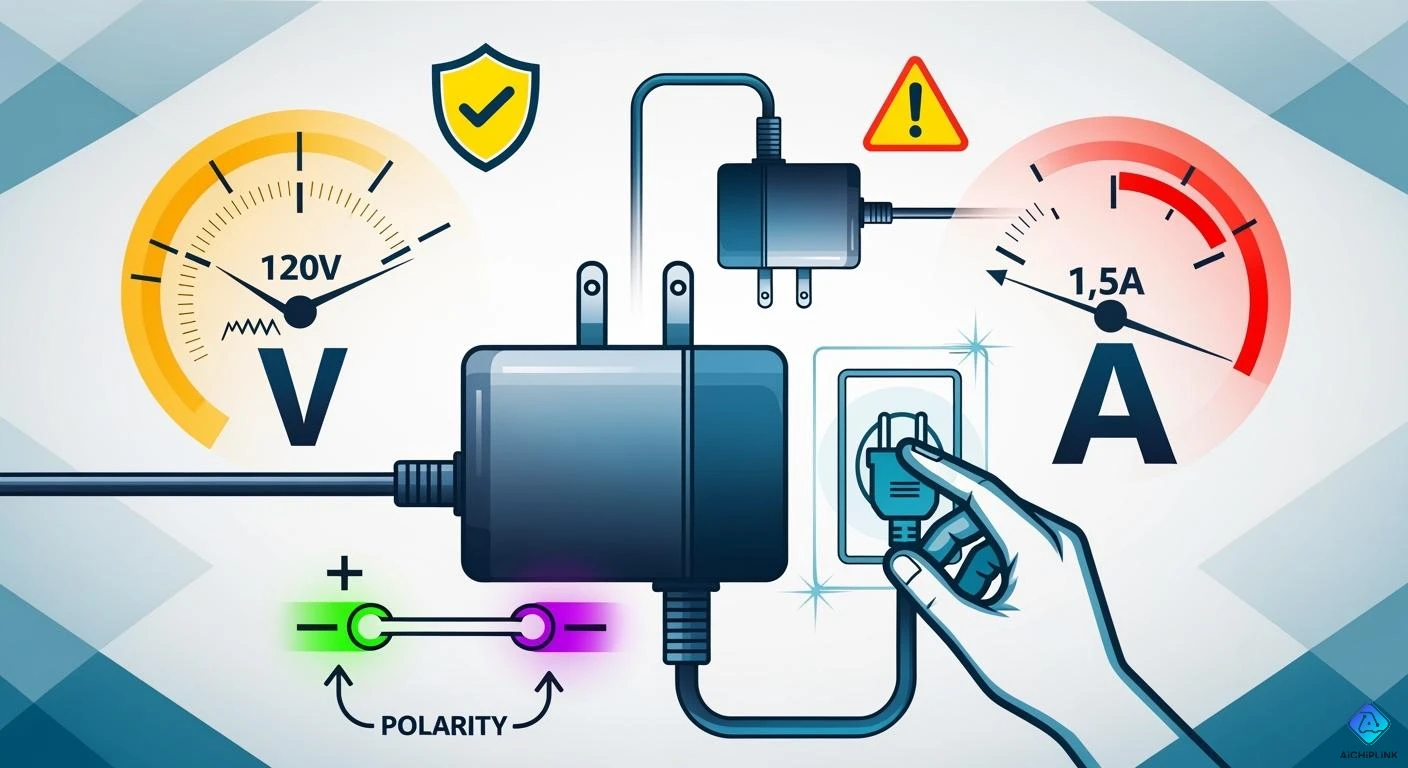
You must choose an AC adapter with the same voltage, current, and polarity as your device. Always read the label on your device for this information. If you use the wrong adapter, your device can get too hot, break, or catch fire. Many adapters that are not original do not have safety features. They can get hot fast or make sparks. Find adapters with safety certifications to help prevent these problems. The AC Adapter Guide shows you how to avoid mistakes and keep your electronics safe.
Key Takeaways
-
Always make sure the voltage and current match your device. This helps stop overheating and damage.
-
Check the polarity symbol on both the device and adapter. Using the wrong polarity can break your device right away.
-
Look for safety certifications on adapters. Trusted brands help lower the risk of overheating and electrical problems.
-
Measure the plug size and shape to make sure it fits. A loose connection can make your device stop working.
-
Check your adapter often for any signs of damage. Replace broken adapters to keep your devices and home safe.
AC Adapter Guide: How to Choose the Right AC Adapter
Match Voltage and Current
You should follow simple steps to pick the right ac adapter. First, look at your device’s label. Find out what voltage and current it needs. The ac adapter guide says to match the voltage exactly. Using a higher voltage can make your device too hot or break it. Using a lower voltage might stop your device from working. The adapter’s current rating must be the same or higher than your device needs. If the current is too low, the adapter can get hot or stop working.
Tip: Always look at both the AC input and DC output on the adapter label. This helps you avoid mistakes and keeps your device safe.
Here are the steps for picking an ac adapter:
-
Look at your device’s voltage need. The adapter’s output voltage must be the same.
-
Check the current need. The adapter’s output current should be the same or higher.
-
Look at the polarity symbol. Make sure it matches your device.
-
Check the connector’s size and type. The plug must fit your device.
-
Think about the input voltage. For travel, pick an adapter with a wide input range.
The ac adapter guide says matching voltage and current is most important. If you do not do this, your device can get damaged. The table below shows what happens if you use the wrong current:
| Charger Amperage Rating | Outcome |
|---|---|
| Greater than device requirement | Device works. |
| Matches device requirement | Device works. |
| Less than device requirement | Device may fail, charge slowly, power supply may overheat, device may be damaged. |
Using the wrong voltage can cause sparks or trip the breaker. Always follow the ac adapter guide to stop these problems.
Check Polarity
Polarity is also important when picking an ac adapter. Many barrel plugs are center-positive, but some are not. If you get the polarity wrong, your device can stop working right away. You must check the polarity symbol on your device and the adapter.
You can use a voltmeter to check polarity:
-
Turn off all parts.
-
Take out all wires and cords.
-
Use a three-to-two adapter to float the ground if needed.
-
Put the black probe on a ground spot.
-
Put the red probe on the chassis or ground terminal.
-
Plug in the part and turn it on. Read the voltage.
-
Switch the plug and read again.
-
The right way gives the lowest reading.
-
Mark the plug for next time.
Note: Always check the polarity before using a new adapter. The ac adapter guide says reversed polarity can break your device right away.
Identify Adapter Type
You need to know the adapter type to make sure it works. The ac adapter guide says there are different types:
-
Desktop adapters: These are bigger and used for computers.
-
Wall adapters: These are smaller and plug into the wall for laptops.
-
Travel adapters: These are made for use in other countries.
When you pick the right ac adapter, check the electrical ratings. Make sure they match your device. It is important to use the right type. If you use the wrong one, you can have problems with voltage and current.
Universal adapters are flexible. Look for these things:
-
They work with many devices and places.
-
They have more than one USB port for charging.
-
They have safety features like surge protection and fuses.
-
They are small and easy to carry.
Tip: When you pick a power adapter, always check for safety features and make sure the plug fits.
The ac adapter guide helps you avoid mistakes and keeps your electronics safe. Follow these steps to pick the right ac adapter and protect your devices from harm.
Understanding AC Adapter Specifications
Voltage Explained
Voltage is the push that moves electricity in your device. Think of voltage like the first push in a row of dominoes. If your ac adapter does not have the right voltage, problems can happen. Devices need the correct voltage to work right. Too little voltage can make your device act weird or not turn on. Too much voltage can make your device get too hot or turn off. Even a small change, like using a 20-volt adapter for a 19-volt device, can cause issues. Always check your power adapter for the right voltage.
Tip: Match the voltage on your ac adapter to your device’s label. This keeps your device safe and working well.
Current Ratings
Current is how much electricity goes through your device. You will see current ratings in amps (A) on your ac adapter. Matching the current is important for safety and how your device works. If your adapter cannot give enough current, it can get too hot or stop working. If the current is higher, your device only takes what it needs, so this is safe. Always check both voltage and current ratings. Using the wrong current can hurt your device or make it not last as long.
-
The current rating is in amps (A) on the adapter.
-
Matching current ratings keeps your device safe.
-
Not enough current can make the adapter fail.
-
Always check electrical ratings before you use it.
Polarity Symbols
Polarity shows which part of the plug is positive and which is negative. Most ac adapters use center positive polarity, but some use center negative. You can find the polarity symbol on your adapter’s label. The symbol looks like a circle with a dot and lines pointing to plus (+) or minus (-) signs. If you use the wrong polarity, your device may not work, get too hot, or break. You can use a multimeter to check polarity if the label is missing.
-
Center positive: The tip is positive (+), the barrel is negative (-).
-
Center negative: The tip is negative (-), the barrel is positive (+).
-
Wrong polarity can cause short circuits, blown fuses, or device failure.
Power Adapter Types
There are many types of power adapters used around the world. Each type has a different plug shape and is used in different places. Here are some common types:
-
Type A and B: Used in North America and Japan.
-
Type C: Used in Europe, Asia, and South America.
-
Type D: Used in India.
-
Type E and F: Used in France, Germany, and Eastern Europe.
-
Type G: Used in the UK.
-
Type I: Used in Australia and China.
Some adapters are linear, and others are switching. Switching adapters are safer and work better because they use special transformers. Always look for safety certifications on your ac adapter to make sure it is safe.
| Risk Type | Description |
|---|---|
| Safety Hazards | Using the wrong charging equipment can cause overheating, swelling, short circuits, fire, or explosions. |
| Performance Degradation | Wrong voltage can make charging slow or damage inside parts. |
| Reduced Device Lifespan | Wrong power adapters can make batteries wear out faster and shorten device life. |
Note: Always check electrical ratings, polarity, and safety certifications before using a new ac adapter.
Select a Compatible Adapter: Replacement Guide
Find the Right Power Adapter
When you need a new ac adapter, first check your device’s power needs. Look at the label on your device or your old adapter. Make sure the voltage matches exactly. The current rating on the new adapter must be equal to or higher than your device needs. This keeps your device safe and stops damage. Find the power rating in watts by multiplying voltage and current. The new adapter should meet or be higher than this number. If you want to use the adapter in other countries, always check the input voltage.
You can use things like manufacturer datasheets or trusted brands. These brands give clear information about compliance. Phihong gives datasheets and safety papers. These help you pick an adapter that fits all needs.
Tip: Universal adapters can work with many devices. Before you plug it in, adjust the voltage and polarity to match your device.
Match Plug Size and Shape
The plug must fit your device just right. Even a small size difference can stop the adapter from working. Measure the outside and inside of the barrel plug. Also, check how long the barrel is. Use a ruler or caliper to measure. The table below shows what to check:
| Measurement Aspect | Description |
|---|---|
| Outer Diameter (OD) | Measure the outside of the barrel plug. |
| Inner Diameter (ID) | Measure the inside hole of the barrel plug. |
| Barrel Length | Measure how long the plug is. |
| Mechanical Fit | Make sure the plug fits snug in the device’s jack. |
| Electrical Connections | Check that the plug touches well in the device’s jack. |
Common plug types are barrel plugs, USB-C, and special laptop tips. Always check both the size and shape so you do not get loose connections.
Check Safety Certifications
Safety matters a lot when you pick a new ac adapter. Look for marks from trusted groups like Underwriters Laboratories (UL) or TÜV. These marks show the adapter meets safety rules. The table below lists some main certifications:
| Certification Agency | Description |
|---|---|
| Underwriters Laboratories (UL) | Checks if the adapter meets safety standards. |
| TÜV | Verifies safety for different countries. |
If you use an adapter without proper marks, you could have electrical fires, device failure, or battery damage. Always check for labels and do not use cheap, uncertified adapters. Good adapters also follow rules like RoHS and UL 62368-1.
Note: Matching electrical ratings and safety features keeps your device and home safe.
AC Adapter Safety Tips
Avoid Overheating and Hazards
You can stop overheating by doing a few easy things. Put your AC adapter in a place with good air flow. Do not put it in tight spots where heat gets trapped. Keep the adapter clean and free from dust. Dust blocks vents and makes heat stay inside. Pick adapters from trusted brands. Cheap adapters often get hot because they use bad parts. Do not use an adapter that gives less power than your device needs. If you overload the adapter, it works harder and gets hot. Old adapters may have worn-out parts that make extra heat.
-
Using too much power
-
Bad air flow
-
Dust and dirt
-
Cheap parts
-
Old or broken parts
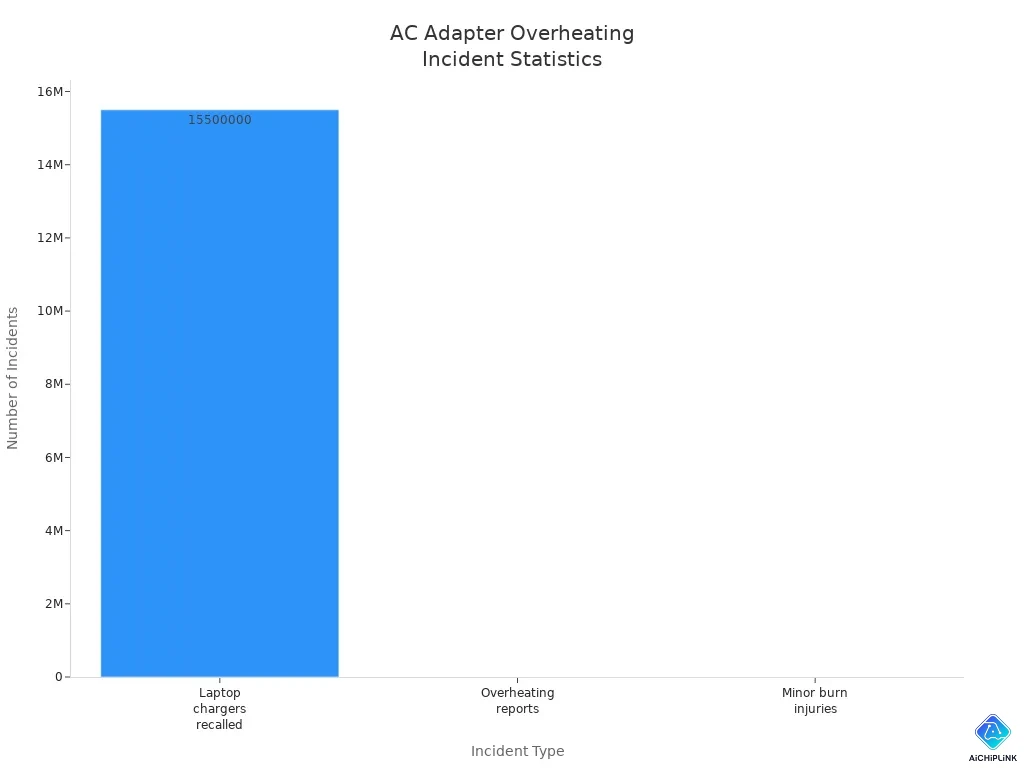
The table below shows how often overheating happens:
| Incident Type | Number/Details |
|---|---|
| Laptop chargers recalled | 15.5 million Toshiba laptop AC adapters |
| Reports of overheating | 679 incidents reported |
| Reports of minor burn injuries | 43 reported injuries |
| Other incidents | Adapters caught fire, melted, or burned |
Safe Usage and Storage
You can keep your adapter safe by following these steps:
-
Use good cables with UL or IEC marks.
-
Do not bend cables sharply. Keep bends bigger than 1.5 inches.
-
Coil cables loosely and store them in boxes with air holes.
-
Check cables and plugs every month for damage or rust.
-
Store unused adapters in cool, dry places under 86°F and 60% humidity.
-
Replace cables right away if you see kinks or wires showing.
Keep adapters in cool, dry spots. Do not put them in sunlight or very hot or cold places. Heat or cold can break inside parts. Humidity and bad air also make adapters work worse and not last long.
Spot Faulty Adapters
Check your adapter for signs of problems. Look for these warning signs:
| Sign of Faulty Adapter | Description |
|---|---|
| Power surges | Screen flickers or shuts down randomly |
| Overheating | Adapter feels very hot |
| Loose connections | Power supply is not steady |
| Battery charging issues | Charging stops or starts without warning |
| Physical damage | Wires are frayed or cables are showing |
| Strange noises | Buzzing or crackling sounds |
| Burning smells | Smell of burning plastic or wires |
| Wrong adapter | Adapter does not fit your device |
| Battery drains fast | Battery runs out quicker than normal |
If you see any of these signs, stop using the adapter. Keep cords away from kids. Turn off power at the breaker before fixing anything. Follow the safety guide for your devices. For risky jobs, ask an expert for help.
Tip: Always check your adapter for damage before you use it. Replace bad adapters to keep your device and home safe.
You can keep your devices safe if you match voltage, current, and polarity. Always check these things when you pick or change an AC adapter. Look for safety certifications before you use an adapter. The table below lists important marks to find:
| Certification | Region | Importance |
|---|---|---|
| UL | North America | Prevents electrical hazards like fires and shocks |
| CE | European Union | Shows safety and health compliance |
| FCC | U.S. | Reduces electromagnetic interference |
| EMC | General | Stops unwanted electrical interference |
Some adapters have thermal protection or let you pick different voltages. These features help keep your devices safer. If you are not sure what to do, ask an expert for help. This can stop damage and help your devices last longer.

Written by Jack Elliott from AIChipLink.
AIChipLink, one of the fastest-growing global independent electronic components distributors in the world, offers millions of products from thousands of manufacturers, and many of our in-stock parts is available to ship same day.
We mainly source and distribute integrated circuit (IC) products of brands such as Broadcom, Microchip, Texas Instruments, Infineon, NXP, Analog Devices, Qualcomm, Intel, etc., which are widely used in communication & network, telecom, industrial control, new energy and automotive electronics.
Empowered by AI, Linked to the Future. Get started on AIChipLink and submit your RFQ online today!
Frequently Asked Questions
What is the difference between an ac/dc adapter and a charger?
An ac/dc adapter changes AC power from your wall to DC power for your device. A charger uses an adapter to fill a battery. You use an adapter for devices that need steady power, while a charger stores energy in batteries.
How do I know the correct wattage for my adapter?
You find wattage by multiplying voltage and current. Check your device label for these numbers. If your device needs 12 volts and 2 amps, the adapter should have at least 24 watts. Always use an adapter with the same or higher wattage.
Can I use any ac/dc adapter with my device?
You cannot use any ac/dc adapter. You must match voltage, current, polarity, and plug size. The wrong adapter can damage your device. Always check the ac input and wattage. Use only adapters that meet your device’s needs.
Why does my adapter get hot during use?
Your adapter gets hot if it works hard or does not have good airflow. Using an adapter with low wattage or blocked vents can cause heat. Always use the right wattage and keep the adapter in a cool place.
What should I do if my adapter stops working?
First, check the cable and plug for damage. Try the adapter in another outlet. If it still does not work, replace it with a new ac/dc adapter that matches voltage, current, polarity, and wattage. Never use a broken adapter.