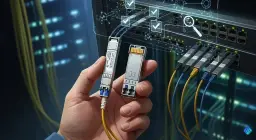
Have you ever tried to pick the right optical transceivers for your switch or server, but felt worried about making an expensive mistake? You need to match the form factor, data rate, fiber type, and connector. If you do not pick compatible optical transceivers, your network might stop working. Your hardware could get damaged. You could also lose your warranty. Many companies have strict rules about using products that are not certified. The table below shows some examples:
| Manufacturer | Warranty Policy |
|---|---|
| Alcatel-Lucent | Warranty is lost if you use non-certified or non-OEM recommended products. |
| Brocade | Warranty is lost if you use optical transceivers that are not from Brocade. |
| HP | Warranty does not cover problems caused by products or parts that are not from HP. |
| Dell | Warranty might be lost if you install third-party products that are not from Dell. |
| Cisco | Warranty help might not be given if problems are caused by third-party parts. |
You should be careful and follow steps when picking compatible optical transceivers. This helps you avoid network problems and keeps your investment safe. The Magnuson-Moss Warranty Act gives you some protection. But you should always check your vendor’s policy before you choose compatible optical transceivers.
Key Takeaways
-
Find out your device model and vendor first. This helps you pick the right optical transceivers. It stops hardware problems from happening.
-
Make sure your device’s software and firmware work with the transceivers. The right firmware is needed for them to work well.
-
Look at the vendor’s compatibility lists. This helps you choose good optical transceivers. Match things like wavelength and data rate for best results.
-
Pick the right form factor and connector type for your transceivers. This makes installation easier. It also helps your network work better.
-
Think about future upgrades when choosing transceivers. Pick ones that can handle changes later. This lets your network grow without big fixes.
Choose Compatible Optical Transceivers for Your Device
Identify Device Model and Vendor
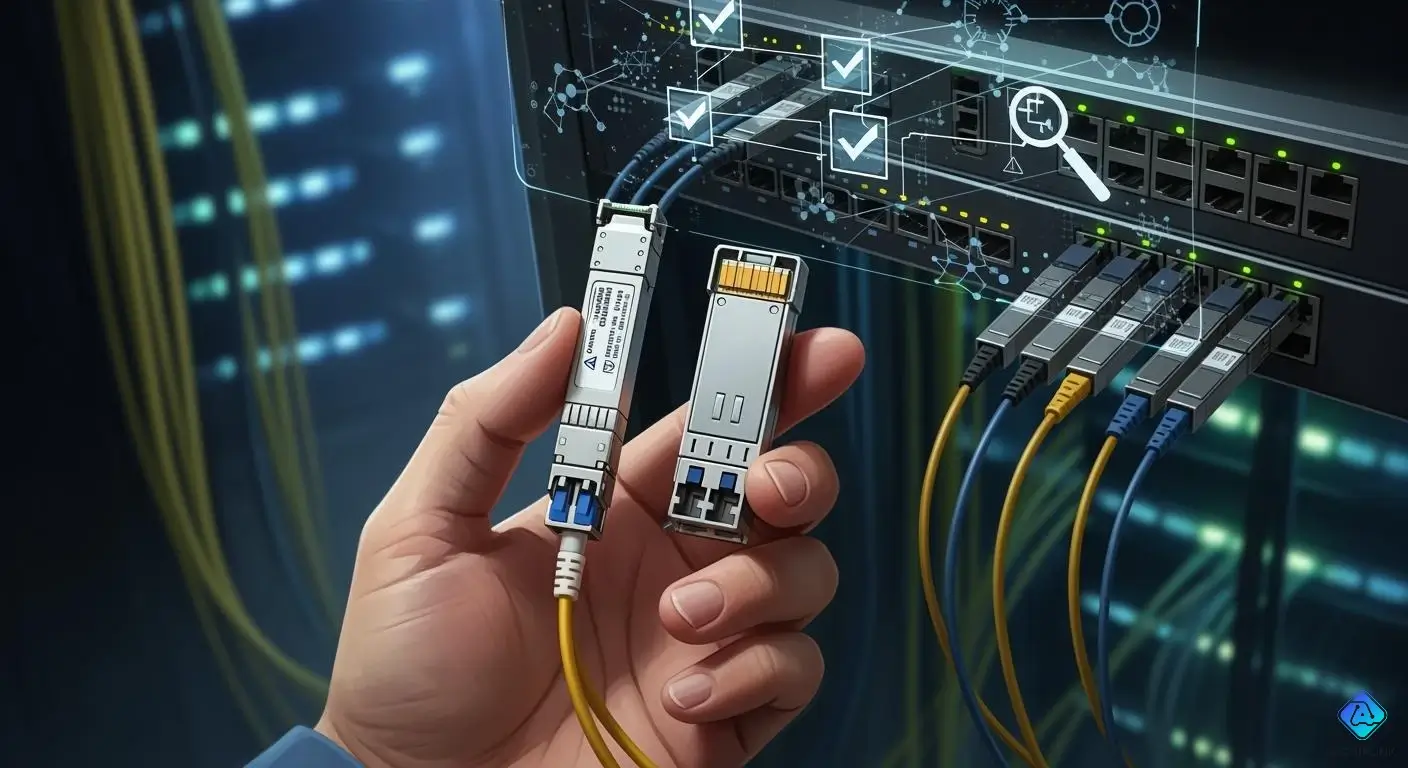
First, find out the exact model and vendor of your switch or server. This is important because every device can need different optical transceiver modules. You should do these things to check if the module works with your device: Check the port to see if the optical transceiver module fits. Use commands like show interface transceiver details to see the vendor name and model number. Make sure your switch or server sees the module and does not show errors in the logs. Connect the transceivers and test if the link is stable and the bit error rate is okay. Try to make the signal drop and see if the link stays stable. Look at the module’s firmware and vendor ID to check if your device knows it.
You also need to check the part number in the vendor’s compatibility matrix. Some vendors use lock-in rules that stop third-party optical transceiver modules from working. Always make sure the module’s details match what your device needs. If you skip these checks, you could have connection problems or even damage your hardware.
Check Software and Firmware Compatibility
Software and firmware versions are very important for device compatibility. Many brands like Cisco and HP use special firmware. This means your device might only work with optical transceivers that have the right coding. Even if a third-party module follows industry rules, it might not work if the firmware does not know it.
| Factor | Description |
|---|---|
| Compatibility with Network Equipment | Optical transceiver modules must follow standards like 1000Base-SX or 10GBase-SR. Some vendors only let their own branded modules work by using special firmware. |
| Vendor-Specific Firmware | Brands like Cisco and HP may block third-party modules unless they have special EEPROM coding. |
| SFP Transceiver Specifications | Make sure the module matches the needed form factor, data rate, protocol, distance, and wavelength for your device. |
Firmware updates can change how optical transceivers work in network devices, especially if you use third-party optics. Updates from the original equipment makers can cause problems if the modules are not coded or updated to match new firmware.
You should keep your device’s firmware current. But always check if the update changes how your optical transceiver modules work. If you use third-party modules, you might need to update them too so they keep working.
Review Vendor Compatibility Lists
Most big vendors share official compatibility lists for their devices. These lists help you find which optical transceiver modules work with your switch or server. You can usually find these lists in guides like the Optical Transceiver Interoperability and Compatibility Guide.
When you look at a vendor compatibility list, do these things: Make sure both transceivers use the same wavelength so you do not lose data. Match the speed of the modules so they work right. Pick the correct fiber type for your network. Check that the transceivers have been tested on your switch or server brand.
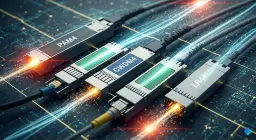
You should also think about these important things when matching optical transceivers to your device: Form factor, data rate, transmission distance, wavelength, fiber type, connector type, digital diagnostics support, brand, and compatibility.
If you pick modules that do not match, you could have connection problems, lose data, or see more delay. You might also have small problems that make your network less reliable. Always check every optical transceiver module to make sure it works before you install it.
Match Optical Transceiver Modules to Network Needs
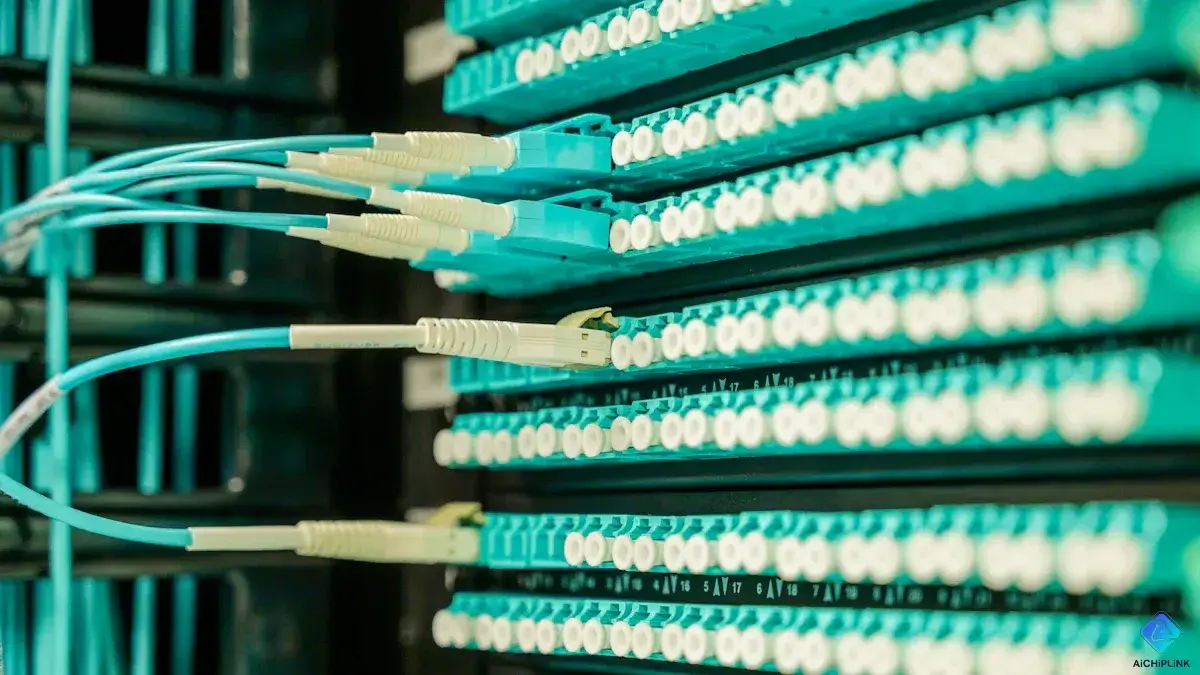
Choosing the right transceivers for your network means looking at both your devices and your network’s needs. You want to make sure every part works together. This helps you avoid problems and keeps your network running smoothly.
Select the Right Form Factor (SFP, QSFP, AOC/DAC)
You need to pick the right form factor for your optical transceivers. The form factor is the shape and size of the module. It must fit your switch or server. In data centers, you will see these form factors most often:
-
SFP
-
SFP+
-
SFP28
-
QSFP+
-
QSFP28
Each form factor supports different speeds and uses. Here is a table to help you compare them:
| Form Factor | Data Rate | Description |
|---|---|---|
| SFP | Up to 4 Gbps | Smaller version of GBIC, widely adopted. |
| SFP+ | Up to 10 Gbps | Enhanced version of SFP, still dominant. |
| QSFP+ | Up to 40 Gbps | Dominant for 40 Gbps data rates. |
| QSFP28 | Up to 100 Gbps | Standard for 100G applications. |
The form factor you choose affects how well your devices work together and how easy it is to grow your network. Many groups, like IEEE and JEDEC, set standards for form factors. These standards help make sure your modules work with many brands and devices. This also makes it easier to upgrade your network later.
Tip: Always check your device’s manual or data sheet to see which form factors it supports. Picking the wrong one can cause connection problems.
Choose the Correct Connector Type (LC, SC, MPO)
The connector type is another key part of choosing the right transceivers. The connector links the fiber cable to the transceiver. You will see three main types:
| Connector | Ferrule Size | Coupling Mechanism | Strengths | Typical Use |
|---|---|---|---|---|
| LC | 1.25 mm | Latch | Compact, low loss | Data centers, SFP modules |
| SC | 2.5 mm | Push-pull | Durable, low cost | FTTH, PON systems |
| MPO/MTP | Multi-fiber | Push-pull | Ultra HD, bulk deploy | Data center backbone |
-
LC connectors work best for high-density setups and high-speed SFP modules.
-
SC connectors are strong and cost less. They work with both single-mode and multimode fiber.
-
MPO connectors handle many fibers at once. They are great for big data center backbones.
Choosing the right connector type makes installation easier and keeps your network running well. If you pick connectors that are easy to install, you will spend less time on maintenance. Make sure your connector matches your fiber type and your network’s needs.
Note: LC connectors have lower loss than SC connectors. This makes them better for high-speed and high-performance networks.
Ensure Host and Infrastructure Compatibility
You must make sure your optical transceivers work with both your host device and your network setup. Follow these steps to check compatibility:
-
Make sure both ends of the fiber link use the same wavelength. This stops data loss.
-
Match the speed of your transceivers. Different speeds may not work together.
-
Pick the right fiber type. Your modules and cables must match.
-
Check that your switch or server works with the transceiver you choose.
Your network’s design can also affect your choice. If your network uses a lot of copper cables, you may have trouble adding fiber optics. The layout of your data center can cause traffic jams if you do not plan well. Always check if your transceiver can handle the amount of data your network needs.
| Best Practice | Description |
|---|---|
| Purchase from Reputable Sources | Choose trusted brands or reliable third-party makers. |
| Validate Compatibility with Equipment | Review official compatibility lists from your vendor. |
| Test Modules in a Lab | Try out new modules before using them in your live network. |
| Use Diagnostic Features | Use modules with Digital Diagnostic Monitoring to spot problems early. |
| Maintain Firmware and Software | Keep your devices updated for the best compatibility and support. |
Remember: Picking the right transceivers and checking compatibility at every step helps you avoid downtime and keeps your network safe.
Optimize Data Rate, Wavelength, and Distance
Determine Required Data Rate and Protocol
You need to know how fast your network should run before you pick an optical transceiver. The data rate tells you how much information moves through your fiber optic cables each second. High-speed networks need modules that support faster rates. Most modern networks use these common data rates:
| Transceiver Type | Maximum Data Rate |
|---|---|
| SFP | Up to 4.25 Gbps |
| SFP+ | Up to 10 Gbps |
| XFP | Up to 10 Gbps |
| Standard Rates | 1 Gbps, 10 Gbps, 25 Gbps, 40 Gbps, 100 Gbps |
You should match the data rate of your transceiver to your switch or server. If you use a module that is too slow, you will limit network performance. If you pick one that is too fast, your device may not support it. Always check compatibility with your equipment and protocols.
Select Fiber Type and Wavelength
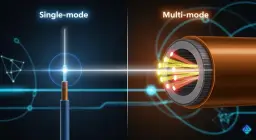
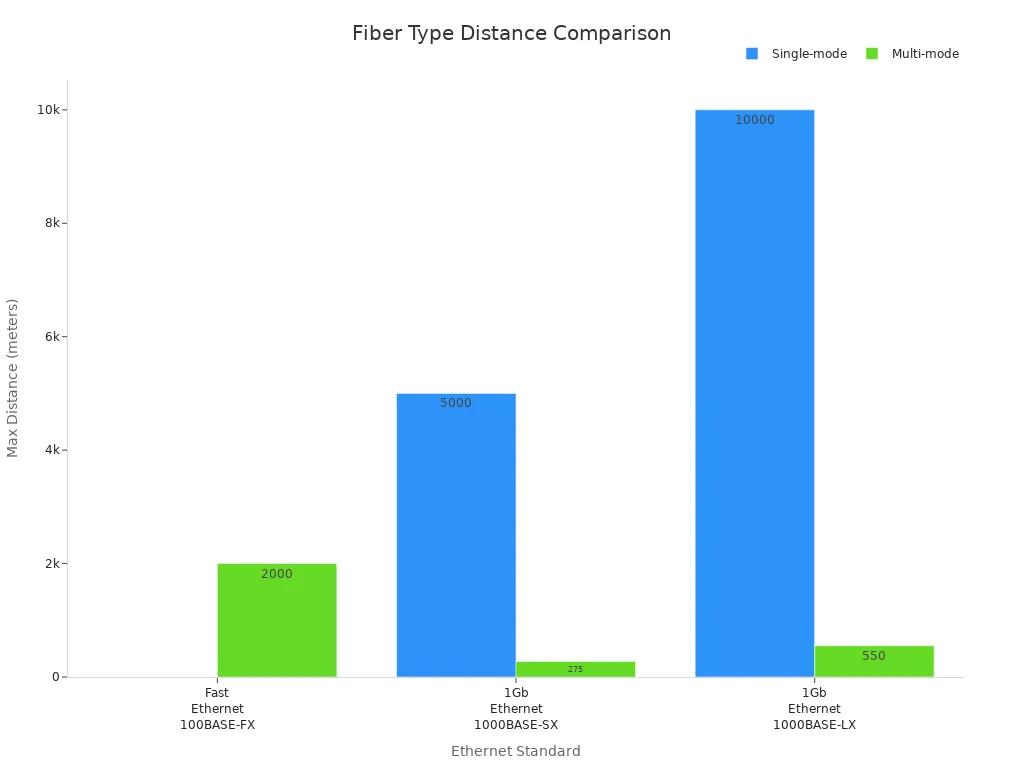
Choosing the right fiber optic cable is just as important as picking the right module. You will see two main types: single-mode and multi-mode. The single-mode vs multimode choice affects how far your data can travel and how much bandwidth you get.
| Fiber Type | Maximum Distance | Bandwidth Capability | Core Size |
|---|---|---|---|
| Single-mode | 40 km or more | Higher bandwidth | 8-10 microns |
| Multi-mode | Shorter distances | Lower bandwidth | 50-62.5 microns |
Single-mode fiber uses a single light path. It works best for long distances and high-speed data transmission. Multi-mode fiber has a bigger core and supports many light paths. It is better for short distances, like inside a building.
-
Single-mode fiber usually works at 1310 nm or 1550 nm wavelengths.
-
Multi-mode fiber often uses 850 nm.
Wavelength matters for transmission quality. Longer wavelengths, like 1310 nm, have less signal loss and work better for long runs. Shorter wavelengths, like 850 nm, lose more signal and fit short links. This choice helps you keep network performance high.
Calculate Transmission Distance and Link Budget
You must know how far your signal can travel without losing quality. The link budget tells you if your optical transceiver and fiber optic cable can handle the distance. To figure this out, look at these things:
-
Transmitter power
-
Receiver sensitivity
-
Fiber optic cable loss
-
Connector loss
-
System penalties
You can use this formula for power budget:
Power Budget = Min(TXPx) – Max(Rxsens)
If your link budget is too low, your data transmission will fail. Always add up all losses from cables and connectors. Make sure your link budget is higher than the total loss. This step keeps your network performance strong and avoids downtime.
Tip: Always test your setup in a lab before you deploy it in your real network. This helps you catch problems early and ensures compatibility.
Evaluate Optical Transceiver Module Options
Compare OEM vs. Third-Party Modules
When you pick optical transceiver modules, you have two main choices. You can buy OEM modules or third-party modules. OEM modules are made by the company that built your device. Third-party modules are made by other companies. Both types have good things and bad things.
-
OEM modules usually have a one-year warranty.
-
Third-party modules often have warranties for more than three years.
-
Some people think third-party modules break more, but they usually do not cause damage.
-
If a third-party module causes a problem, the equipment maker might not help you.
Third-party modules can save you a lot of money. They can cost 30–90% less than OEM modules. This is helpful if you need to buy many modules. If you buy from a trusted company, you can get good results and save money.
Tip: Always look at your device’s warranty rules before using third-party modules.
Assess Environmental and Power Requirements
You should think about where your optical transceiver module will be used. Things like temperature, quality, and power can change how well it works. The table below shows what you should check:
| Environmental Factor | Description |
|---|---|
| Temperature Stability | Good cooling helps modules work well and stops overheating. |
| Quality and Workmanship | High-quality modules have fewer problems and keep your network stable. |
| Harsh Application Environment | Use special modules for tough places. |
| Impact of High Temperature | Too much heat can break the module or make signals bad. |
| Impact of Low Temperature | Cold can make the module not work right and cause errors. |
You also need to check the power budget for your modules. The power budget tells you how much signal loss is okay. You find it by looking at the transmitter power and receiver sensitivity. If the power is too low, your network will not work well. Always make sure your modules fit your network’s power needs.
Plan for Future Scalability
You want your network to grow in the future. When you choose optical transceiver modules, think about upgrades and new technology. Here are some ways to get ready for changes:
-
Buy all your optics and cables from one place so they work together.
-
Pick designs that follow OCP3.0 standards so you can upgrade from 10G to 400G easily.
-
Check your network now to see if you need more bandwidth or power with new SFP-DD technology.
-
Build your fiber system with enough cables for faster speeds later.
Networks are getting faster every year. For example, more people want QSFP+ modules for 40G to 100G speeds. If you plan ahead, you can upgrade your network without changing everything. This saves money and keeps your network ready for new things.
Note: Good advice always includes thinking about future growth and new technology.
You can pick the right transceiver for your network if you follow some easy steps. First, make a list of your device model, firmware, and what your network needs. Always check if the transceiver works with your device before you buy it. Look at the vendor’s guide and ask for help if you are not sure.
For the best results, talk to experts or use online tools to check compatibility.

Written by Jack Elliott from AIChipLink.
AIChipLink, one of the fastest-growing global independent electronic components distributors in the world, offers millions of products from thousands of manufacturers, and many of our in-stock parts is available to ship same day.
We mainly source and distribute integrated circuit (IC) products of brands such as Broadcom, Microchip, Texas Instruments, Infineon, NXP, Analog Devices, Qualcomm, Intel, etc., which are widely used in communication & network, telecom, industrial control, new energy and automotive electronics.
Empowered by AI, Linked to the Future. Get started on AIChipLink.com and submit your RFQ online today!
Frequently Asked Questions
What is an optical transceiver?
An optical transceiver lets your device send and receive data over fiber optic cables. You install it in your switch or server to connect to your network.
How do you know if a transceiver is compatible?
You check your device’s model and vendor list. You match the form factor, data rate, connector type, and fiber type. You review the vendor’s compatibility guide.
Can you use third-party modules with your switch or server?
You can use third-party modules. You must check your warranty policy first. Some vendors do not support devices with non-OEM parts.
What happens if you choose the wrong module?
You may see network errors or downtime. Your device might not work. You could lose your warranty or damage your hardware.
Do you need to update firmware for new modules?
You should update your device’s firmware. New modules may need the latest software to work. Always check for updates before installing.