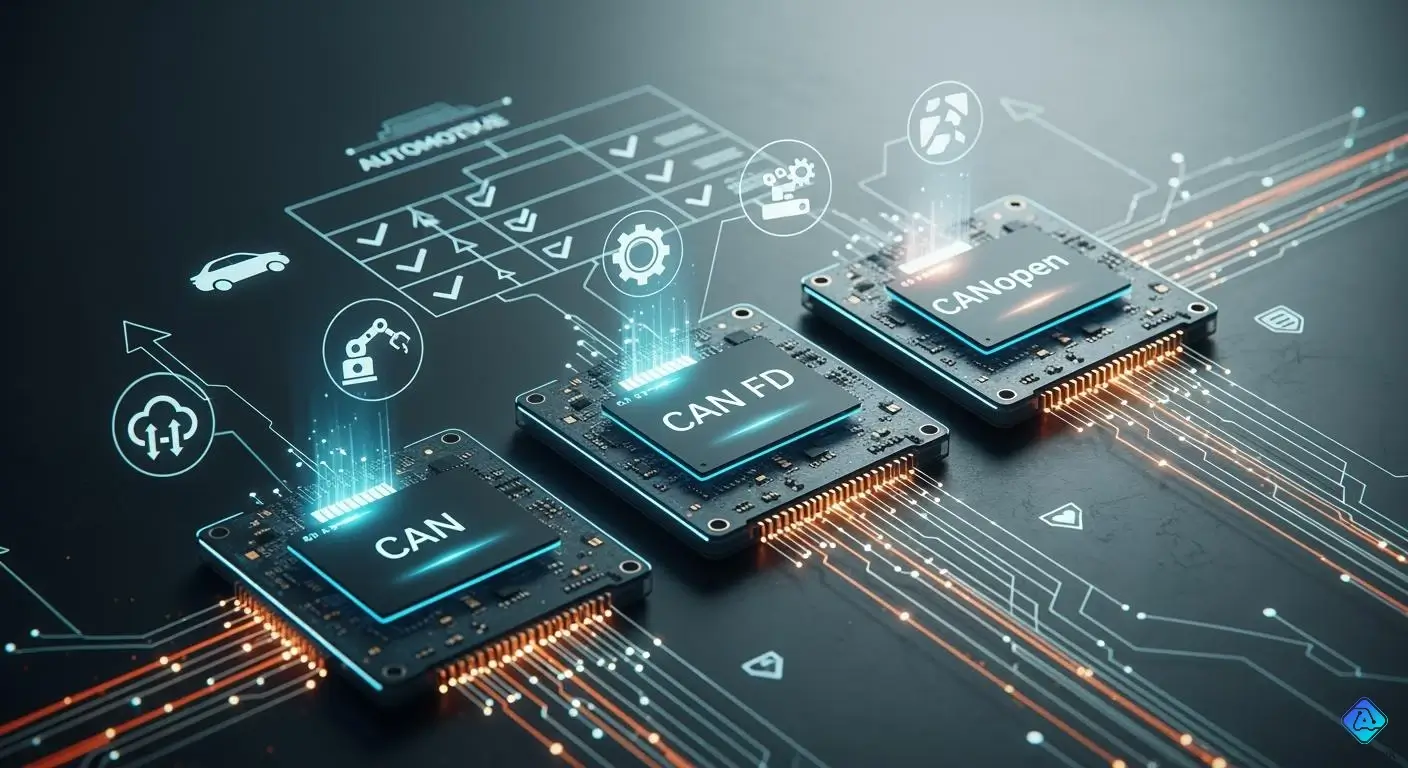
You often have to pick between CAN, CAN FD, and CANopen for fast data sharing in cars or factories. CAN and CAN FD work at the basic layers, but CANopen uses them to help with network and app jobs. CAN FD is faster and can send more data at once. It can send up to 64 bytes in one message, so you need fewer messages. You can upgrade your system without changing everything because they work together.
-
The worldwide CAN Interface IC market is worth $417 million in 2024.
-
CAN FD and CAN XL can send data as fast as 8Mbps.
-
The car market is worth $800 million in 2024 because cars need better ways to talk to each other.
Key Takeaways
-
CAN is good for easy jobs. It sends up to 8 bytes at 1 Mbps. CAN works well in cars and simple machines.
-
Pick CAN FD for faster data. It sends up to 64 bytes at 8 Mbps. CAN FD is best for advanced things like electric cars.
-
Use CANopen if you need many devices to talk. CANopen helps share data and set up devices in factories and automation.
-
CANopen FD mixes CAN FD speed with CANopen features. It lets you send bigger messages and works better in hard networks.
-
Always think about what your system needs. Also, plan for future growth. This helps you choose the best protocol for your project.
CAN and CAN FD Overview
What is CAN?
You use CAN when you need a simple way for devices to talk to each other. CAN stands for Controller Area Network. It helps sensors, controllers, and other parts share data quickly. Classic CAN sends small messages. Each message can carry up to 8 bytes of data. You find classic CAN in cars, machines, and robots. It works well for basic tasks and does not need much setup.
What is CAN FD?
You choose CAN FD when you want to send more data faster. CAN FD means CAN with Flexible Data-rate. It improves on classic CAN by letting you send bigger messages and use higher speeds. CAN FD can send up to 64 bytes in one message. You get faster data rates, reaching up to 8 Mbps with Bit Rate Switching. CAN FD reduces the number of messages you need, so your network works better. You need to design your system carefully to keep signals clear at these higher speeds.
Tip: CAN FD helps you lower bus load and reduce delays, making your system more efficient.
CAN FD vs CAN: Key Differences
You see big changes when you compare CAN FD to classic CAN. The table below shows the main differences:
| Feature | CAN | CAN FD |
|---|---|---|
| Maximum Payload | 8 bytes | 64 bytes |
| Maximum Data Rate | 1 Mbps | 8 Mbps |
-
Classic CAN lets you send up to 8 bytes per frame. CAN FD increases this to 64 bytes.
-
CAN FD reaches speeds up to 8 Mbps, while classic CAN stays at 1 Mbps.
-
CAN FD lowers protocol overhead, so you get less bus load and faster response.
-
You need to check your hardware to make sure it supports CAN FD.
You pick CAN FD when you want more speed and bigger data packets. Classic CAN works for simple jobs, but CAN FD gives you more power for advanced tasks.
CANopen and CANopen FD
CANopen Basics
You use CANopen when you want devices to work together. CANopen helps sensors, controllers, and machines share data. It gives you rules to make sending and getting data easy. CANopen uses special objects called PDOs and SDOs. These objects help move data and set up devices.
CANopen works with classic CAN, so each message can have 8 bytes. You control the network with NMT. You set up devices using DCF. CANopen is good for factories, robots, and medical tools. It gives you steady data sharing, but speed and message size are limited.
Here is a table that shows the main features and limits of CANopen compared to CANopen FD:
| Feature/Limitations | CANopen | CANopen FD |
|---|---|---|
| Communication Objects | Standardized communication objects (PDO, SDO) | Same as CANopen, but with enhanced capabilities |
| Data Transmission Rate | Standard CAN rate | Increased rate in data phase |
| Data Byte Length | Maximum of 8 bytes | Up to 64 bytes |
| Network Management | Control through NMT | Same as CANopen |
| Device Configuration | Through DCF and sub-protocols | Same as CANopen |
| Efficiency | Limited by data byte length | Improved due to increased data byte length |
CANopen FD and Its Use of CAN FD
You pick CANopen FD when you need faster data and bigger messages. CANopen FD uses CAN FD to make things work better. Each message can have up to 64 bytes, so you send more at once. CANopen FD keeps the main ideas of CANopen but makes objects work faster.
You get more data and bigger frames. CANopen FD adds new features like USDO. USDO lets devices talk in new ways. This helps in real-time jobs, like factory work. You also get better safety and security with bigger messages.
-
CANopen FD uses CAN FD’s speed to make networks faster.
-
You get new ways for devices to talk with USDO.
-
CANopen FD helps you meet tough safety and security rules.
CAN FD and CANopen do different jobs. CAN FD moves data fast at the lower layers. CANopen and CANopen FD use these layers to handle network and device jobs. You choose CANopen FD when you need more speed, bigger messages, and extra features.
Protocol Layers Explained
CAN and CAN FD: Physical & Data Link Layers
When you use CAN or CAN FD, you start with the physical and data link layers. These layers tell devices how to send and get messages. CAN shows how signals move on wires and how frames are made. CAN FD lets you send more data and do it faster. With CAN FD, you can send up to 64 bytes in one message. This means you do not need as many messages and you wait less. Using shielded twisted pair cables and following ISO 11898-2 rules keeps signals clear and the network strong. CAN FD works better because Bit Rate Switching (BRS) moves data faster and cuts down on delays.
Tip: The right cables and hardware help stop errors and keep your network working well.
Here is a table that shows where each protocol fits in the layers:
| Protocol | Hierarchical Relationship | Application Scope |
|---|---|---|
| CAN | Sets rules for the physical and data link layers. | Used in cars and factories. |
| CANopen | Uses CAN and sets rules for the application layer. | Good for networks that need device setup and management. |
| CAN FD | Sends more data faster and with longer messages. | Good for fast data and big data jobs, like ADAS. |
CANopen: Network & Application Layers
CANopen helps devices work together and share data. CANopen sits above CAN and adds network and application layers. The network layer helps devices find each other and talk on the CAN bus. The application layer lets you set up devices, send data, and keep things in order.
Here is a table that shows what each CANopen layer does:
| Layer | Key Functions |
|---|---|
| Network Layer | Helps devices find each other and talk on the CAN bus. |
| Application Layer | Lets you set up, send data, and sync CANopen devices. |
These layers make it easy to set up devices and share data. CANopen makes your network smarter and easier to use.
How CANopen Integrates with CAN and CAN FD
CANopen works with CAN or CAN FD by adding its rules on top of the lower layers. CANopen uses the frame types and speeds from CAN or CAN FD. Then it adds its own ways to manage devices and data. You can use gateways to connect CANopen devices to other systems, like simulators or controllers. This lets you use CAN FD’s fast speeds with CANopen’s smart network tools. You get networks that can do many jobs, like in cars or factories.
Note: CANopen is a high-level protocol, so you can make your network faster and add features without changing everything.
CAN FD Frame and Data Comparison
CAN Frame Structure
A classic can frame is simple and easy to understand. Each frame only carries a little bit of data. The frame has several main parts:
-
Start of Frame (SOF): This shows when the message starts.
-
Identifier: This tells you which device sent the message.
-
Control Field: This shows how many bytes are in the frame.
-
Data Field: This part holds the data, up to 8 bytes.
-
CRC (Cyclic Redundancy Check): This checks for mistakes in the message.
-
Acknowledge (ACK): This means the message was received.
-
End of Frame (EOF): This shows the message is finished.
Classic can uses a 15-bit CRC to find errors. This helps you catch mistakes, but it is not the best way. The biggest data size for a classic can frame is 8 bytes. Classic can is good when you want simple and steady communication. It works well if you do not need to send a lot of data.
CAN FD Frame Structure
A can fd frame is like a classic can frame but has more features. You can send a lot more data in each frame. The frame looks almost the same, but it has some upgrades:
-
Start of Frame (SOF)
-
Identifier
-
Control Field (now has extra bits for flexible data rate)
-
Data Field: This part can hold up to 64 bytes of data
-
CRC: This uses a longer 17-bit or 21-bit CRC for better error checking
-
Stuff Count: This adds more error-checking to keep your data safe
-
Acknowledge (ACK)
-
End of Frame (EOF)
A can fd frame lets you send much more data at once. The longer CRC and stuff count make finding errors easier. This is important for safety in cars and medical tools. You also get faster speeds, so you can send data quickly and safely.
Note: The better error checking in can fd frames helps stop hidden mistakes. This helps you follow strict safety rules in important systems.
Data Payload and Speed
Can fd gives you a big boost in how much data you can send. A can fd frame can hold up to 64 bytes, but classic can only holds 8 bytes. This means you can send more in each message.
Here is how can fd makes your data move faster:
-
Can fd lets you send up to 64 bytes in one frame, but classic can only sends 8 bytes.
-
In real life, can fd can send data up to 8 times faster than classic can.
-
Can fd can reach speeds from 5 to 8 Mbps, depending on your hardware and network.
-
You need fewer frames to send the same data, so there are fewer times when devices fight to send messages. This makes things faster.
You see these good things in many places:
-
Automotive diagnostics: You can test cars and get answers faster because new cars make lots of data.
-
Heavy equipment telemetry: You can send high-quality sensor data and check machines from far away, even in hard places.
-
Factory automation: You get fast communication and can control big machines with more data.
-
Over-the-air firmware updates: You can update software quickly and safely, so upgrades are less risky.
The bigger data size and faster speed of can fd frames help you make better networks. You can send more data, wait less, and trust your system more. This makes can fd a great pick for new cars, factories, and medical devices.
| Feature | Classic CAN | CAN FD |
|---|---|---|
| Maximum Payload | 8 bytes | 64 bytes |
| Maximum Data Rate | 1 Mbps | 5–8 Mbps |
| CRC Length | 15 bits | 17 or 21 bits |
| Data Throughput | Standard | Up to 8x higher |
| Error Handling | Basic | Enhanced (stuff count) |
Tip: If you want to send more data and do it faster, can fd frames are better than classic can.
Compatibility and Migration
CAN and CAN FD Compatibility
You might want to add CAN FD devices to your CAN network. This lets you send data faster and use bigger messages. But there are some things you need to think about first.
-
CAN FD modules can work with old systems, but mixing CAN and CAN FD needs good planning.
-
Old hardware does not work with CAN FD, so you may need to buy new parts.
-
Faster speeds and bigger messages make things harder to manage. You need better hardware and software for this.
-
Different speeds can cause timing problems, especially in real-time jobs like car ECUs.
Tip: Always check your hardware and software before you mix CAN and CAN FD. This helps you stop timing and data loss problems.
CANopen on CAN and CAN FD
CANopen helps devices talk to each other in the same way. CANopen works with both CAN and CAN FD, so you can connect many devices. You see this in car ECUs and factory machines. CANopen FD uses CAN FD’s speed and bigger messages to work better.
Here is a table that shows how CANopen and other standards work with CAN and CAN FD:
| Standard | Description |
|---|---|
| CANopen FD | A version made to use CAN FD’s bigger messages and faster speeds. |
| J1939-22 | A new standard that also works with CAN FD, so devices can work together. |
You get more ways to set up devices and share data. This makes your network ready for new jobs and changes.
Migration to CAN FD and CANopen FD
You might want to switch your system to CAN FD or CANopen FD for more speed and bigger messages. You need a host controller that works with these, like a PLC or CANopen FD device. Tools like emotas’ CANopen DeviceExplorer help you check and set up your network. You can send commands and update software with tools like UpdateManager and CANopen FD bootloader.
When you plan your switch, think about new hardware and software you might need. You should test your network to make sure it works well. This helps you keep devices talking the same way and stops problems with car ECUs.
Note: Careful planning helps you get the best from CAN FD and CANopen FD. This way, you do not lose data or make mistakes.
Application Scenarios
Where to Use CAN
You pick CAN when you want devices to talk simply. Many cars use CAN for sensors and engine controls. CAN is also in factory machines and robots. These machines do not need to send lots of data. CAN works well for slow and steady jobs. It protects against noise, so your system stays safe. CAN is a good choice if you want to save money and share basic data.
Where to Use CAN FD
You use CAN FD when you need to send more data fast. CAN FD helps in places where speed and big messages are important. Car makers use CAN FD for ADAS and electric cars. Factories and medical devices also use CAN FD for quick and safe data sharing. The table below shows where CAN FD is growing and why:
| Industry | Driving Factors |
|---|---|
| Automotive | ADAS, more electric cars, need for speed and bandwidth. |
| Industrial Automation | Need for strong communication, IIoT is growing. |
| Medical Devices | Need for safe and efficient devices. |
Tip: CAN FD gives you better speed and helps your network last longer. It is best for jobs that need lots of data and fast sharing.
Where to Use CANopen and CANopen FD
You choose CANopen or CANopen FD when you want many devices to work together. These protocols help in big and small automation systems. You can connect up to 127 devices and control them easily. CANopen gives you fast data sharing and strong error checks. Devices from different brands work together, so you save time and money. CANopen FD lets you send bigger messages and use faster speeds. This helps in smart factories and new machines.
-
Device profiles make setup easy.
-
Fast data sharing helps with jobs that need quick action.
-
Strong error checks and noise protection keep your system safe.
-
CANopen FD sends bigger messages and works faster for new automation needs.
Note: Using CANopen or CANopen FD makes your system work better and saves on repairs.
Choosing the Right Protocol
Key Selection Factors
You have many things to think about when picking a protocol. Each one is good for different jobs. You should look at some main points before you choose.
-
Application Requirements: Think about what your system needs to do. Big factories need fast data sharing for machines that move together. Medical tools must send lots of sensor data quickly. Special vehicles use many sensors and need to send data often. Labs and test machines need real-time data for quick tests.
-
Existing Infrastructure: Look at what you already use. If you have a certain PLC, you might want to keep it. This saves you time and money.
-
Data Exchange Needs: Decide how much data you must send. Some systems only send simple signals. Others need to send lots of data all the time.
-
Speed and Determinism: Fast and steady data is important for moving machines. You want your system to react fast and work every time.
-
Cost, Scalability, and Future-Proofing: Pick a protocol that can grow with your needs. If it is scalable, you can add more later. Open standards help you connect different brands. This keeps costs low and stops you from getting stuck with one company.
Tip: Always pick a protocol that fits what you need now and later. This helps you avoid slowdowns and spending too much money later.
Practical Recommendations
The table below can help you pick the best protocol for your project. It shows which protocol is best for each job.
| Protocol | Best For | Key Benefits |
|---|---|---|
| CAN | Simple, low-cost systems | Reliable, easy to set up |
| CAN FD | Systems needing more speed and data | High-speed bus specification, larger payloads |
| CANopen | Networks with many devices needing coordination | Device profiles, easy integration |
| CANopen FD | Advanced automation, large data, fast updates | Extension of the classic can bus protocol, future-ready |
When you plan your system, try these steps:
-
Write down what your system must do. Say if you need fast speed, lots of data, or many devices.
-
Check your hardware and software. Make sure they work with the protocol you want.
-
Think about growing in the future. Pick a protocol that lets you add more later.
-
Choose open standards. This helps you use devices from different brands.
-
Balance cost and what you get. Do not pay for things you do not need.
Note: If your field changes fast, pick a protocol that can add new features and devices. This keeps your system ready for new things.
Remember, CAN FD and CANopen FD give you more speed and options. They are good for new systems that need to send lots of data. CAN and CANopen are still good for simple jobs and steady data. Your choice depends on what you want, what you have, and how much you want to grow.
You can spot big differences between CAN, CAN FD, CANopen, and CANopen FD. CAN FD lets you send data faster and carry more in each message. CANopen FD uses these features to make device networks smarter. Picking the right protocol features helps your system work its best. Look at the table below to see how they compare:
| Feature | CAN | CAN FD |
|---|---|---|
| Maximum Data Rate | 1 Mbps | 8 Mbps |
| Data Payload Size | 8 bytes | 64 bytes |
| Application Relevance | Basic systems | Advanced systems |
To pick the best protocol, do these things:
-
Write down what your system needs to do.
-
Make sure your hardware can support it.
-
Think about how your system might grow later.
Tip: Always choose a protocol that fits your project’s goals. Check your needs before you decide.

Written by Jack Elliott from AIChipLink.
AIChipLink, one of the fastest-growing global independent electronic components distributors in the world, offers millions of products from thousands of manufacturers, and many of our in-stock parts is available to ship same day.
We mainly source and distribute integrated circuit (IC) products of brands such as Broadcom, Microchip, Texas Instruments, Infineon, NXP, Analog Devices, Qualcomm, Intel, etc., which are widely used in communication & network, telecom, industrial control, new energy and automotive electronics.
Empowered by AI, Linked to the Future. Get started on AIChipLink.com and submit your RFQ online today!
Frequently Asked Questions
What is can 2.0 and how does it work?
You use can 2.0 when you want devices to share data in cars or factories. Can 2.0 sends messages between sensors and controllers. You get reliable communication with simple wiring. Can 2.0 helps you keep your system safe from noise.
Can you upgrade from can 2.0 to CAN FD easily?
You can upgrade from can 2.0 to CAN FD if your hardware supports it. You need new controllers for CAN FD. Can 2.0 devices cannot send bigger messages. You must check your network before you switch. Tip: Always test your system before you upgrade from can 2.0 to CAN FD.
Where do you use can 2.0 most often?
You find can 2.0 in cars, robots, and machines. Can 2.0 works well for engine controls and basic sensors. You use can 2.0 in places where you need simple and steady data sharing.
How does can 2.0 compare to CAN FD in speed and data size?
Can 2.0 sends up to 8 bytes per message. CAN FD sends up to 64 bytes. You get faster speeds with CAN FD. Can 2.0 works at 1 Mbps. CAN FD can reach 8 Mbps. You pick can 2.0 for simple jobs.
Is can 2.0 compatible with CANopen?
You use can 2.0 as the base for CANopen networks. Can 2.0 lets CANopen devices talk to each other. You get steady communication with can 2.0. CANopen FD uses CAN FD, but can 2.0 still works for many jobs. Note: Can 2.0 gives you a strong foundation for CANopen systems.


