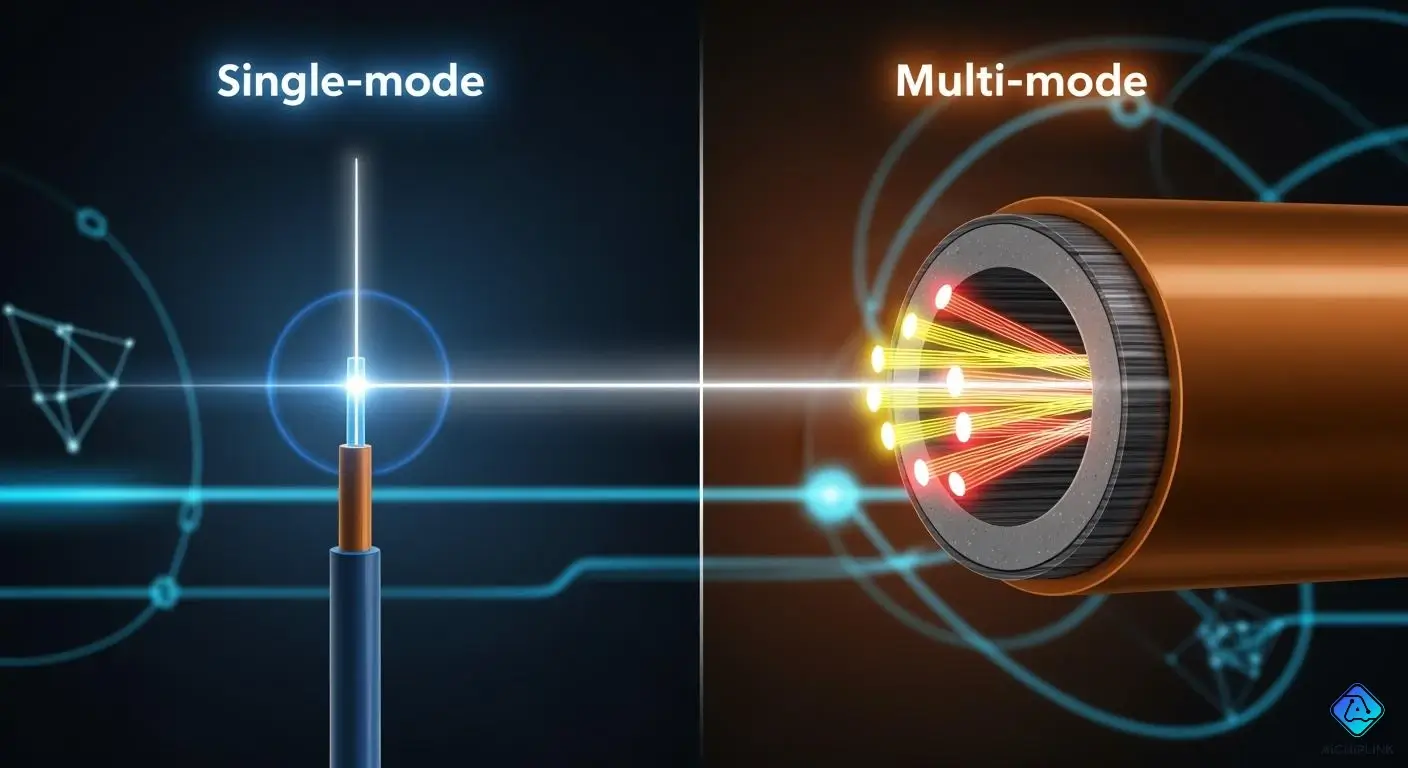
You should pick single-mode fiber for high bandwidth, especially when considering the differences between single-mode vs multi-mode fiber. Single-mode fiber is ideal for long-distance connections, making it perfect for linking buildings or supporting 5G networks. On the other hand, multi-mode fiber is better suited for short distances, as it works well inside a building or a data center. Your choice between single-mode vs multi-mode fiber depends on how far you need to send data, the speed you desire, and your budget. Currently, single-mode fiber holds more than half the global market and can save you about 30% in cost compared to multi-mode fiber. Ultimately, choosing between single-mode and multi-mode fiber significantly affects your network’s performance.
Key Takeaways
-
Pick single-mode fiber for long distances. It gives fast speeds and low signal loss. This makes it good for connecting buildings or city networks.
-
Use multi-mode fiber for short distances. It costs less and works well inside buildings or data centers. But it loses more signal if the cable is long.
-
Think about what your network may need later. Single-mode fiber is better if you want to grow your network. Multi-mode fiber is good for short-range needs right now.
-
Look at both cable and setup costs. Single-mode fiber can cost more at first. But it can save money later because it needs less fixing and fewer upgrades.
-
Always pick the fiber that fits your needs. Think about how far, how fast, and how much money you have. This helps you build a strong and steady network.
Single-mode vs Multi-mode Fiber Overview
What Is Single-mode Fiber?
Single-mode fiber is good for sending data far. The core is very thin, about 9 microns wide. Only one light path can move through the cable. This makes signals travel straight and fast. There is very little signal loss. People use single-mode fiber in telephone networks and internet backbones. It also connects buildings together. The cable can handle a lot of data. It keeps the signal strong, even up to 40 kilometers. There is less signal weakening and almost no mixing of light paths. Your data stays clear and works well.
What Is Multi-mode Fiber?
Multi-mode fiber is better for short distances. You use it inside buildings or on a campus. The core is much wider, between 50 and 62.5 microns. Many light paths can move through the cable at the same time. This causes more signal loss and less data speed than single-mode fiber. But it is easier to install and costs less money. Multi-mode fiber is great for data centers and local networks. It works where you do not need to send data very far. The cable can go up to 400 Gbps, but only for less than 2 kilometers.
Tip: When you pick between single-mode and multi-mode fiber, think about how far your data must go and how fast your network should be.
Comparison Table: Single-mode vs Multi-mode Fiber
| Feature | Single-mode Fiber | Multi-mode Fiber |
|---|---|---|
| Core Diameter | 9 µm | 50–62.5 µm |
| Distance Capability | Up to 40 km | Up to 2 km |
| Bandwidth Capacity | Up to 100 Gbps+ | 10–400 Gbps |
| Attenuation | Lower | Higher |
| Modal Dispersion | Negligible | Primary Limiting Factor |
| Cost | Higher (transceivers) | Lower (equipment) |
| Typical Applications | Telecom, backbone, 5G | Data centers, LAN |
You can see single-mode fiber is best for long and fast needs. Multi-mode fiber is better for short and cheaper projects. Both types help you make strong networks. You need to pick the right cable for your job.
Core Size and Light Source
Single-mode Fiber Core Diameter
You will notice that single-mode fiber has a very small core. The diameter usually measures between 8 and 10 microns. This tiny core lets only one path of light move through the fiber.
-
You get less mixing of light paths, which means your data stays clear.
-
The signal can travel long distances without much loss.
-
You can use single-mode fiber for high-speed data because it reduces modal dispersion.
Note: The small core size is the main reason why single-mode fiber works so well for long-distance and high-bandwidth needs.
Multi-mode Fiber Core Diameter
Multi-mode fiber has a much larger core. The diameter often ranges from 50 to 100 microns, but most common sizes are 50 and 62.5 microns. This wide core lets many light paths move at the same time. You will find that this makes it easier to connect and install the cables. Multi-mode fiber is a good choice for short to medium distances, like inside a building or on a campus. However, the many light paths can mix together, which causes modal dispersion. This mixing can limit how far your signal can travel.
| Core Diameter (μm) | Implications for Light Propagation |
|---|---|
| 50 | Supports multiple light modes, leading to modal dispersion. |
| 62.5 | Supports multiple light modes, leading to modal dispersion. |
| 100 | Supports multiple light modes, leading to modal dispersion. |
Tip: Graded-index multi-mode fiber can help reduce dispersion, so your signal stays stronger over longer distances.
Light Source Differences
You will use different light sources for each type of fiber. The light source affects both performance and cost.
| Feature | Single Mode Fiber (SMF / OS2) | Multimode Fiber (MMF) |
|---|---|---|
| Light Source | Laser Diode (LD) | LED / VCSEL |
| Typical Wavelength | 1310 nm / 1550 nm | 850 nm / 1300 nm |
Laser diodes send light in a straight, narrow beam, which matches the small core of single-mode fiber. This gives you high speed and long distance. Multi-mode fiber uses LEDs or VCSELs, which are cheaper and easier to use. These light sources work well for short distances and cost less.
Distance and Bandwidth
Transmission Distance Comparison
You need to know how far each type of fiber can send data. The transmission distance is a key factor when you choose between single-mode fiber and multi-mode fiber. Single-mode fiber can send signals much farther than multi-mode fiber. You often see single-mode fiber used for city-wide or even cross-country links. Multi-mode fiber works best for shorter runs, like inside a building or across a campus.
Here is a quick look at the maximum transmission distance for each type:
| Fiber Type | Maximum Transmission Distance |
|---|---|
| Single-Mode Fiber | 10 km (6 miles) to 80 km (50 miles) and above |
| Multi-Mode Fiber | OM1 (up to 300 meters) to OM4 (up to 1,500 meters) |
Note: If you need a long signal transmission distance, single-mode fiber is the better choice. Multi-mode fiber is great for short connections.
Bandwidth Capabilities
Bandwidth tells you how much data you can send at once. You want high bandwidth for fast internet, video calls, and cloud services. Single-mode fiber gives you almost unlimited bandwidth. You can use it for high-speed data over long distances. Multi-mode fiber has less bandwidth, especially as the transmission distance increases. The signal can weaken and slow down if you try to send data too far.
-
Single-mode fiber supports high-speed data transmission over long distances. You can use it for big networks and fast internet.
-
Multi-mode fiber works well for short distances. It is not ideal for high-speed data if you need to go far.
-
You should pick single-mode fiber if you want the best performance for both distance and speed.
Tip: Always match your fiber choice to your network’s needs. Think about how far you need to send data and how fast you want it to go.
Cost Factors
Cable and Installation Costs
When you set up a network, you need to think about cable prices and installation costs. The price of fiber optic cables changes based on the type you pick. Here is a simple table to compare:
| Cable Type | Cost per Foot | Cost per Meter |
|---|---|---|
| Single-mode | $0.09 - $1.49 | $0.30 - $4.89 |
| Multi-mode (OM4) | $6.00 | $19.69 |
Single-mode fiber usually costs less for each meter than multi-mode fiber. But you also have to pay for installation. Most jobs cost between $1 and $12 for each foot to install. The total price depends on how hard your project is and what supplies you need. Most fiber optic cables cost from $0.09 to $1.52 for each foot, or about $0.30 to $5 for each meter.
Tip: Always look at both cable and installation costs before you choose your fiber.
Maintenance and Upgrade Costs
You also need to think about costs over time. Keeping your fiber network working well means you must clean and test it often. Some problems you might see are dirty fiber ends, splice loss, and weather issues. You can fix these with good cleaning tools, strong splicing gear, and weather-proof covers.
If you want to upgrade your network, you may need new cables or better equipment. Single-mode fiber is easier to upgrade because it works with faster speeds and longer distances. Multi-mode fiber might need more upgrades if you need to send more data.
-
Regular care keeps your network working well.
-
Plan for upgrades if you think your network will grow.
Note: If you plan well now, you can save money on fixes and upgrades later.
Applications of Fiber Optic Cables
Single-mode Fiber Use Cases
You pick single-mode fiber when you need to send data far. This cable is best for fast speeds and lots of data. You see single-mode fiber in many important places.
-
Long-haul data transmission: You use it to send information across cities or even continents. The signal stays strong and clear, even over very long distances.
-
High-speed networking: You find single-mode fiber in data centers that need to move data faster than 100 Gbps. It helps keep your network running smoothly and quickly.
-
Future-proofing infrastructure: You pick single-mode fiber when you want your network to grow. It lets you add more speed and handle more traffic as your needs change.
People compare single-mode and multi-mode fiber in these cases. Single-mode fiber is best when you connect buildings or plan for the future. It is also good for city-wide networks.
Tip: If you want a network that lasts and grows with your needs, single-mode fiber is a smart choice.
Multi-mode Fiber Use Cases
Multi-mode fiber is great for short connections. You use it inside buildings or on a campus. It is easy to install and costs less for short runs. You see multi-mode fiber in many places.
| Use Case | Description |
|---|---|
| Data Centers | You use multi-mode fiber for fast links between servers and switches inside the same building. |
| Enterprise LANs | It connects different floors and departments in offices. This makes it cost-effective for business. |
| Industrial Automation | You link machines and control systems in factories. Multi-mode fiber resists interference from heavy equipment. |
| Medical Facilities | Hospitals use it for imaging, patient data, and internal communication systems. |
| Campus Networks | Schools and colleges use multi-mode fiber to connect classrooms, labs, and offices across short distances. |
You also find multi-mode fiber in local networks and audio/video systems. It works well for tough, short connections. Multi-mode fiber is used in most business and data center jobs. It keeps costs low, even if the cable costs more than single-mode fiber.
Multimode fiber technology is commonly used in data centers, enterprise LANs, industrial automation, medical facilities, and campus networks, making it suitable for short-distance applications.
Choosing for Your Scenario
You should think about your needs before you choose a fiber type. Ask yourself some questions.
-
How far do you need to send data?
-
How much speed and bandwidth do you need now and in the future?
-
What is your budget for cables and equipment?
-
Will your network need to grow or upgrade soon?
-
What kind of equipment will you use with your fiber optic cables?
Here is a simple checklist to help you decide:
-
If your connection is up to 500-600 meters, multi-mode fiber is usually the best and most cost-effective choice.
-
If you need to go farther than 600 meters, single-mode fiber is necessary.
-
Multi-mode fiber supports most business and data center needs at a lower system cost, even though the cable itself may cost more.
-
Single-mode fiber is better for long distances and future bandwidth growth.
-
Single-mode fiber supports Passive Optical Networks, which makes it easier to increase bandwidth later.
-
Multi-mode fiber is limited to its current bandwidth capabilities.
Note: Distance is the most important factor when you choose between single-mode vs multi-mode fiber. For long runs, pick single-mode fiber. For short runs, multi-mode fiber saves you money and works well.
You can use fiber optic cables in many ways. You just need to pick the right type for your needs. Think about distance, speed, cost, and how your network might grow. This will help you build a strong and reliable network.
You need to pick the right fiber for your network. Multi-mode fiber is good if you want to save money and only need to go a short distance. Single-mode fiber is better if you need to send data far or want your network to grow in the future. Look at this table to help you choose:
| Fiber Type | Initial Cost | Future Re-cabling Risk | Power Consumption | Best Use Case |
|---|---|---|---|---|
| Multimode Fiber | Lower | Higher | Low | Short-reach (up to 400m) |
| Single Mode Fiber | Higher | Near-zero | Higher | Long-distance, future-proof |
Think about how far your data must go, how much speed you need, and how much you can spend. Check the list to make the best choice for your network.

Written by Jack Elliott from AIChipLink.
AIChipLink, one of the fastest-growing global independent electronic components distributors in the world, offers millions of products from thousands of manufacturers, and many of our in-stock parts is available to ship same day.
We mainly source and distribute integrated circuit (IC) products of brands such as Broadcom, Microchip, Texas Instruments, Infineon, NXP, Analog Devices, Qualcomm, Intel, etc., which are widely used in communication & network, telecom, industrial control, new energy and automotive electronics.
Empowered by AI, Linked to the Future. Get started on AIChipLink.com and submit your RFQ online today!
Frequently Asked Questions
What is the main difference between single-mode and multi-mode fiber?
You will see that single-mode fiber has a small core and sends light in one path. Multi-mode fiber has a larger core and lets light travel in many paths. This difference affects distance, speed, and cost.
Can you mix single-mode and multi-mode fiber in one network?
You should not mix them directly. The connectors and light sources are different. If you must connect both, you need special equipment called media converters.
Which fiber type is easier to install?
You will find multi-mode fiber easier to install. The larger core makes alignment simpler. You can use less expensive tools and connectors. Tip: Multi-mode fiber works well for beginners or quick upgrades.
Does fiber optic cable need special care?
Yes, you must keep the ends clean and avoid bending the cable too much. Dirt or sharp bends can weaken your signal. Note: Always use a fiber cleaning kit and follow the bend radius rules.