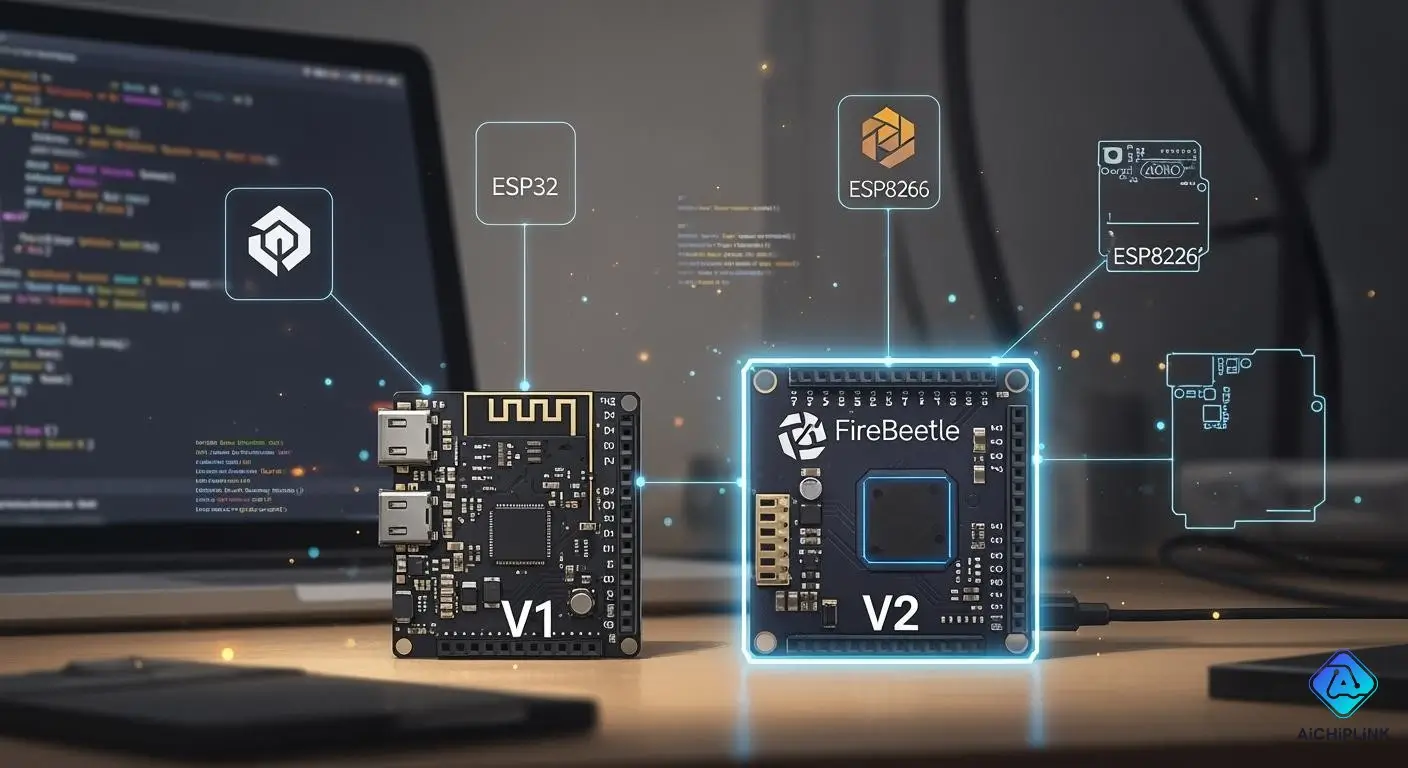
You need a board that works with ESP32, ESP8266, and Arduino. When comparing FireBeetle V1 vs V2, you'll find that V2 has more features than V1. The new version is smaller and includes a USB Type-C port. It also features a switch that sits flat, an RGB light, and is compatible with the ESP32-C6 chip. These updates make it easier to build and control your projects. Hardware and software compatibility are crucial when choosing between FireBeetle V1 and V2.
Key Takeaways
-
FireBeetle V2 has more features than V1. It has a USB Type-C port. It works better with Arduino. This makes it easier to set up. It is also easier to use for projects.
-
Pick FireBeetle V2 if you want the newest ESP32 features. It has better wireless options like Zigbee and Wi-Fi 6. These help smart home and IoT projects work better.
-
FireBeetle V1 is good for simple IoT projects. FireBeetle V2 is better for harder things. It works well for AI and home automation.
-
Always check if your shields and modules will work when you switch to FireBeetle V2. It has a new pin layout. Some old parts may not work with it.
FireBeetle V1 vs V2: Quick Comparison
It can be hard to pick between FireBeetle V1 and V2. You need to know which board is best for ESP32, ESP8266, and Arduino. This part helps you see the differences fast and easy.
| Feature | FireBeetle V1 | FireBeetle V2 |
|---|---|---|
| ESP32 Support | Yes (ESP32-WROOM-32) | Yes (ESP32-C6, ESP32-WROOM-32E) |
| ESP8266 Support | Yes | Yes |
| Arduino Compatibility | Good, some library issues | Improved, fewer compatibility errors |
| USB Port | Micro-USB | Type-C USB |
| Switch | Standard | Horizontal, sits flat |
| Indicator | Basic LED | RGB indicator |
| Size | Larger | Smaller, more compact |
ESP32 Support
Both boards work well with ESP32 chips. FireBeetle v1 uses the ESP32-WROOM-32 chip. FireBeetle v2 supports ESP32-C6 and ESP32-WROOM-32E chips. This lets you use newer wireless features and better power saving. V2 is smaller, so it fits in tight spaces. If you want the newest ESP32 features, pick v2.
ESP8266 Support
You can use ESP8266 modules with both boards. They both let you make Wi-Fi projects. FireBeetle v2 keeps all the features from v1. You do not lose anything when you upgrade. Both boards are easy and reliable to use.
Arduino Compatibility
You want your board to work with Arduino libraries. Sometimes FireBeetle v1 has problems with some libraries. For example, you might get errors with the Adafruit_SSD1306 library and SPI displays. Here is a table that shows a common issue:
| Issue Description | Board | Library | Error Type |
|---|---|---|---|
| Errors in SPI usage when adding a display | FireBeetle-ESP32 | Adafruit_SSD1306 | Compatibility Error |
Sometimes the COM port does not show up in Arduino IDE for Fire-Beetle CH340K. This problem is fixed in newer boards. FireBeetle v2 works better and is easier to set up.
Tip: If you want fewer problems and easy setup, choose FireBeetle v2 for Arduino projects.
FireBeetle V1 Features
Hardware Overview
You get a solid set of hardware when you choose firebeetle v1. This board uses the ATSAMD21G18 processor, which runs at 48MHz. You have 32KB of SRAM and 256KB of built-in flash, plus 16MB SPI flash for extra storage. The board works with input voltages from 3.3V to 5.5V. It uses very little power, only 10uA in low-power mode. You can charge and discharge up to 500mA. The board gives you 25 GPIO pins, and you can use PWM on them. You also get a 12-bit ADC, a 10-bit DAC, and support for SPI, I2C, and UART.
Here is a quick look at the main specs:
| Specification | Details |
|---|---|
| Input Voltage | 3.3V~5.5V |
| Low Power Consumption | 10uA |
| Max Discharging Current | 500mA LDO |
| Max Charging Current | 500mA |
| Processor | ATSAMD21G18 |
| Frequency | 48MHz |
| SRAM | 32KB |
| Flash | 256KB built-in, 16MB SPI |
| GPIO | 25 (PWM available) |
| 12-bit ADC | 6 |
| 10-bit DAC | 1 |
| SPI | 1 |
| I2C | 1 |
| UART | 2 |
| RGB LED | WS2812 (Pin ~8) |
| Operating Temperature | -40℃~+85℃ |
| Dimension | 25.4 x 60 (mm) |
| Mounting Hole Size | M2, inner diameter 2mm |
Note: The board stays reliable even in tough environments. You can use it from -40℃ to +85℃.
Connectivity Options
Firebeetle v1 gives you Wi-Fi and Bluetooth support with ESP32 and ESP8266 chipsets. You can connect sensors and displays using I2C, UART, or SPI. The board uses a micro USB port for power and programming. You need at least eight wires to connect a screen, which can be tricky for beginners. You do not get a user-programmable button, so you must add one if your project needs it. The board supports Gravity cables and Fermion connectors, making it easy to add modules.
Supported Modules
You can use many modules with firebeetle v1. The board works with sensors, displays, and actuators. You can connect temperature sensors, motion detectors, and OLED screens. The board supports modules that use I2C and UART. You can build smart home devices, robots, and data loggers. The firebeetle v1 vs v2 comparison shows that v1 supports ESP32, ESP8266, and ATmega328P chipsets. This feature makes it flexible for different projects.
Tip: Try using Gravity modules for quick and easy connections. You save time and avoid wiring mistakes.
FireBeetle V2 Features
Design Improvements
Firebeetle v2 has many new upgrades. The board is smaller, so it fits in tight spots. Its size is only 25.4mm by 60mm, which is thinner than before. You get a USB Type-C port for faster charging and programming. There is now a button you can program for your own controls. The GDI interface lets you use just one cable for screens, making setup much easier.
Here is a table that lists the main design upgrades:
| Improvement Area | FireBeetle V2 | FireBeetle V1 |
|---|---|---|
| Chipset Variety | ESP32-E, ESP32-S3, ESP32-C6, ESP32-P4, ESP32-C5 | ESP32, ESP8266, ATmega328P |
| Screen Connectivity | GDI interface (single cable) | At least 8 wires |
| USB Port | USB Type-C | Micro USB |
| User Button | Onboard programmable button | None |
| Form Factor | 25.4mm × 60mm | 29.00mm × 58.00mm |
Enhanced Connectivity
Firebeetle v2 lets you connect more things. It supports new wireless types like Zigbee, Bluetooth 5, Thread, and Matter. These help you make smart home systems that talk to each other. You can check your battery better and use solar charging for outdoor projects. The board works with 5GHz Wi-Fi 6, so your devices send data faster and more reliably.
Tip: Try the new wireless options to build smart sensors and home systems that use the latest tech.
New Additions (Type-C, RGB Indicator, ESP32-C6)
Firebeetle v2 adds some important new features. The USB Type-C port makes charging and data moves easier. The flat switch helps you fit the board in thin cases. The RGB indicator lets you show status or alerts in more ways. The ESP32-C6 model gives you Zigbee, Bluetooth 5, Thread, and Matter support. These features help you make better IoT projects that last longer.
You can use firebeetle v2 for smart home devices, sensors, and robots. The new features make your projects easier to build and control. The v1 vs v2 comparison shows v2 has more features and is better for new projects.
Hardware Compatibility
Shield and Module Support
When you build a project, you want to connect shields and modules easily. Firebeetle v1 lets you use many expansion shields and function modules. You can add a Gravity I/O Expansion Shield for ESP32 or an OLED128x64 Display for FireBeetle. These parts snap on and work right away. You get a wide choice of sensors and displays for your ideas.
FireBeetle V2 changes how you connect shields and modules. The board uses a new pin layout and has a smaller size. You cannot use shields and modules made for FireBeetle V1 with V2. For example, the Gravity I/O Expansion Shield for ESP32 and the OLED128x64 Display for FireBeetle do not fit or work with V2. You need to check if your module matches the board before you start your project.
Note: Always look at the pin layout and size before you buy new shields or modules for FireBeetle V2.
-
Firebeetle v1 supports older shields and modules.
-
FireBeetle V2 needs new shields and modules made for its design.
Pinout Differences
Pinout changes can affect your project. Firebeetle v1 has a classic pin layout. You can follow guides and connect wires without trouble. The board gives you clear labels for each pin. You find it easy to use with sensors and displays.
FireBeetle V2 uses a different pin layout. The pins move to new spots, and the board gets smaller. You must check the pinout diagram before you connect anything. Some pins change names or functions. If you use guides for firebeetle v1, you need to update your wiring for V2.
Here is a simple table to help you compare pinout changes:
| Feature | FireBeetle V1 | FireBeetle V2 |
|---|---|---|
| Pin Layout | Classic | Updated |
| Shield Support | Wide | Limited |
| Module Support | Wide | Limited |
| Board Size | Larger | Smaller |
Tip: Always use the latest pinout diagram for your board. This helps you avoid mistakes and keeps your project safe.
The firebeetle v1 vs v2 comparison shows that hardware compatibility is a key factor. You need to match your shields and modules to the right board. Firebeetle v1 works with many older parts, while V2 needs new ones. This helps you plan your project and choose the best board for your needs.
Software and Code Migration
Firmware and Library Support
You want your board to work with many ways to code. FireBeetle V2 lets you use more tools than FireBeetle V1. With V2, you can use Arduino IDE, idf, MicroPython, C, and Python. FireBeetle V1 does not support as many ways to program. This gives you more choices with V2. You can make projects for smart homes, IoT testing, and even AI at the edge. FireBeetle V1 is better for simple IoT projects.
Here is a table that shows the main differences:
| Feature/Support | FireBeetle V2 | FireBeetle V1 |
|---|---|---|
| Programming Methods | Arduino IDE, idf, MicroPython, C, Python | Limited programming methods |
| Design | Compact, 25.4mm × 60mm, easy to embed | Larger, less integration-friendly |
| Application Scenarios | Home automation, IoT prototyping, AI edge computing | Basic IoT applications |
Tip: If you want to try new ways to code or do harder projects, FireBeetle V2 gives you more choices.
Migrating Projects
You might want to move your code from FireBeetle V1 to V2. First, check your libraries. Some work better with V2, and you may see fewer problems. Look at the pinout diagrams for both boards. The pins might have new names or be in new places. You need to change your wiring and code for the new board.
Follow these steps to move your project:
-
Look at the pinout for FireBeetle V2.
-
Change your code to use the new pin names.
-
Try your libraries with the new board.
-
Fix any problems you find.
-
Use guides to learn about new features.
Note: Always test your project after you move it. This helps you find problems early and keeps your devices safe.
You can use FireBeetle V2 for harder projects. You get better firmware and more ways to code. You can make smart home devices, sensors, and AI projects with less trouble. Moving your project is easy if you follow the steps and use the right guides.
FireBeetle V2 Upgrades Over V1
Performance
You want your projects to run smoothly and respond fast. FireBeetle V2 gives you a boost in speed and reliability. The board uses newer ESP32 chips, which help you process data quicker. You can connect more devices and sensors without lag. The USB Type-C port lets you transfer data faster than before. You get better wireless options, so your smart home or IoT system works with less delay. When you build robots or sensors, you notice the difference in how quickly they react.
Power Efficiency
Saving power matters when you run devices for a long time. FireBeetle V2 brings new features that help you use less energy. You can see the changes in the table below:
| Feature | FireBeetle V1 | FireBeetle V2 |
|---|---|---|
| Deep-sleep current | 16µA | 36µA |
| Power-saving feature | N/A | Target Wake Time (TWT) in Wi-Fi 6 |
Firebeetle v1 uses less current in deep sleep, but firebeetle v2 adds Target Wake Time (TWT) with Wi-Fi 6. TWT lets your device sleep longer and wake up only when needed. You save battery life in smart sensors and remote devices. You can run your project outdoors or in places where charging is hard.
Tip: Use TWT in Wi-Fi 6 to extend battery life for your smart home sensors.
User Experience
You want your board to be easy to use and set up. FireBeetle V2 improves your experience with a compact design and a flat switch. You get an RGB indicator that shows status with colors, making it simple to see if your device works. The USB Type-C port makes charging and programming quick. You can use a single cable for screens, which means less wiring and fewer mistakes. You find it easier to build and test your ideas. The board fits in small spaces, so you can make tiny gadgets or wearable devices.
Note: The new design helps you finish projects faster and with fewer errors.
Choosing Between FireBeetle V1 and V2
Decision Factors
Think about your project before picking a board. You should know what your project needs. This guide helps you choose the right development board.
-
Project Type: FireBeetle V1 is good for simple IoT devices. FireBeetle V2 is better for smart homes or AI projects.
-
Hardware Compatibility: Check which shields and modules you want. FireBeetle V2 has a new pin layout. Old modules might not fit.
-
Software Support: FireBeetle V2 lets you use more programming tools. You can use Arduino IDE and MicroPython.
-
Size and Design: FireBeetle V2 is smaller. It fits in tight spaces.
-
Wireless Features: FireBeetle V2 has new wireless choices. You get Zigbee and Thread for smart devices.
Tip: Write down what your project needs before you choose. This helps you avoid problems later.
Here is a table to help you compare decision factors:
| Factor | FireBeetle V1 | FireBeetle V2 |
|---|---|---|
| Module Compatibility | Wide | Limited (new modules) |
| Programming Options | Basic | Advanced |
| Board Size | Larger | Smaller |
| Wireless Features | Wi-Fi, Bluetooth | Wi-Fi 6, Zigbee, Thread |
| Pin Layout | Classic | Updated |
FireBeetle V2 has a lot of new things compared to V1. You can pick from more chipsets with V2. The board now uses a USB Type-C port. It works faster and better than before. Setting up the board is simpler. There are more features that help you with future projects.
| Feature | FireBeetle V1 | FireBeetle V2 |
|---|---|---|
| Chipset Options | Limited | Broader |
| USB Interface | Standard USB | USB Type-C |
| Performance | Basic | Improved |
| Ease of Use | Moderate | Enhanced |
| Future-Ready Features | Few | Many |
Tip: Pick FireBeetle V2 if you want new tech. It makes building projects easier for you.

Written by Jack Elliott from AIChipLink.
AIChipLink, one of the fastest-growing global independent electronic components distributors in the world, offers millions of products from thousands of manufacturers, and many of our in-stock parts is available to ship same day.
We mainly source and distribute integrated circuit (IC) products of brands such as Broadcom, Microchip, Texas Instruments, Infineon, NXP, Analog Devices, Qualcomm, Intel, etc., which are widely used in communication & network, telecom, industrial control, new energy and automotive electronics.
Empowered by AI, Linked to the Future. Get started on AIChipLink.com and submit your RFQ online today!
Frequently Asked Questions
What is the main difference between FireBeetle V1 and V2?
You see the biggest change in size, USB port type, and chip support. FireBeetle V2 uses USB Type-C and supports newer ESP32 chips. V2 also adds an RGB indicator and a flat switch.
Can I use my old shields and modules with FireBeetle V2?
You cannot use most old shields and modules with FireBeetle V2. The board has a new pin layout and smaller size. Always check compatibility before you connect anything.
How do physical interface differences affect my project?
Physical interface differences change how you connect screens, sensors, and shields. You need to match cables and connectors to the right board. This helps you avoid wiring mistakes and keeps your project safe.
Does FireBeetle V2 work with Arduino IDE?
You can use Arduino IDE with FireBeetle V2. The board supports more libraries and has fewer setup problems. You get a smoother coding experience.
Which board should I choose for smart home projects?
You should pick FireBeetle V2 for smart home projects. The board supports Zigbee, Thread, and Wi-Fi 6. You get better wireless options and more features for modern devices.