Coaxial Cable vs Fiber vs Ethernet: Which Is Best for Your Home Network?
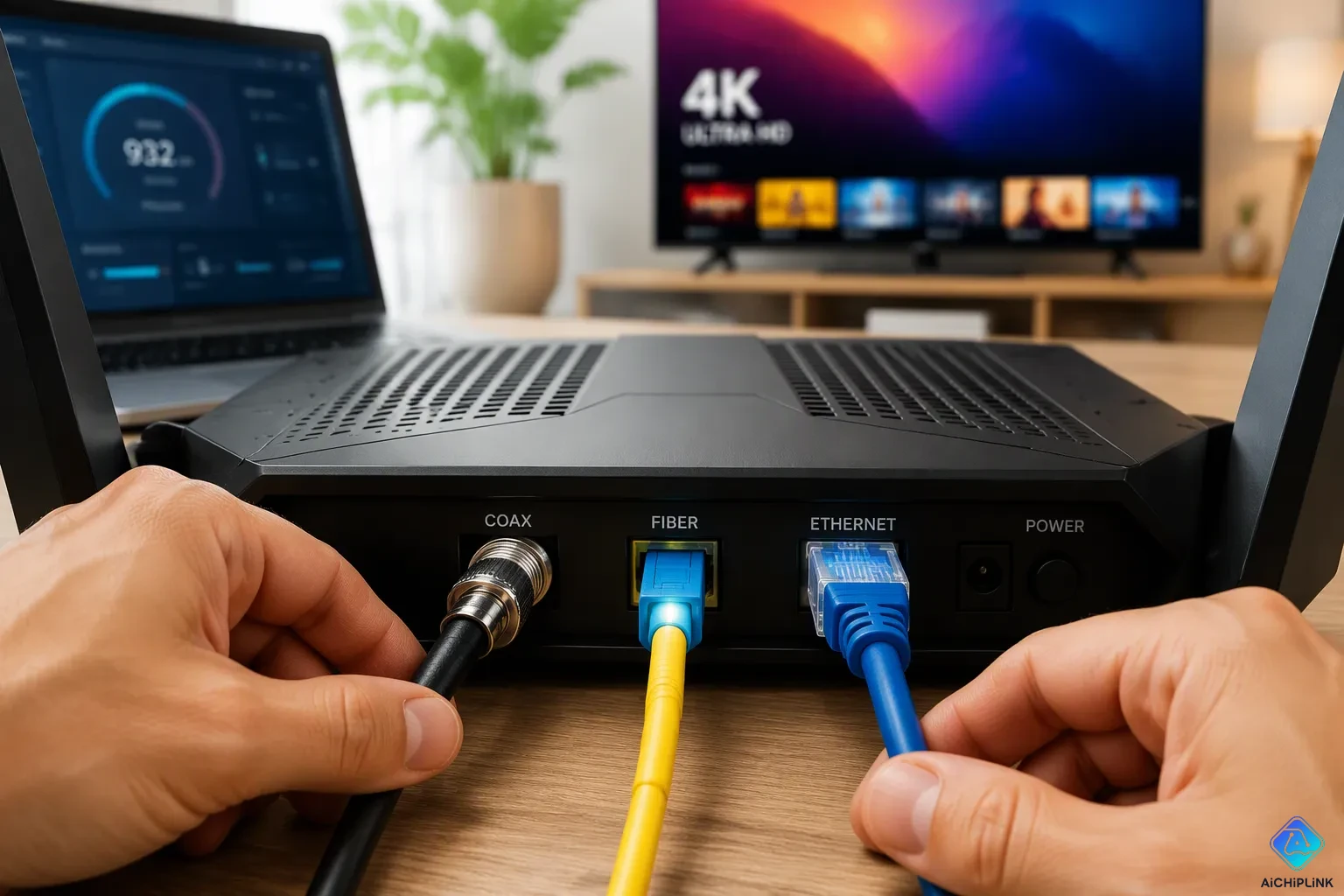
You are planning a home network upgrade. You ask yourself, which is best for your home network? Here is the short answer. Ethernet works best for most homes. Fiber wins if it reaches your address. Coaxial cable with MoCA adapters provides a reliable backup.
Your final choice depends on speed needs, budget, and existing wiring. Fiber-optic technology uses light for data transmission. This technology is expanding fast. By the end of 2024, close to 80 million households had fiber optic access. That is over half of all U.S. homes. This makes fiber a strong future option for home internet.
This comparison covers cost, performance, and real-world use. You will learn which wired internet connection fits your home. You will know which is best for your home network.
Key Takeaways
-
Ethernet works best for most homes. It is reliable and fast for short distances.
-
Fiber optic internet gives the fastest speeds and lowest latency. It is great for gaming and video calls.
-
Coaxial cable with MoCA adapters turns your existing coax into a fast network. It is a cheap and easy upgrade.
-
Check your home's existing wiring first. You might save money by using what you already have.
-
Your choice depends on your speed needs, budget, and what is available in your area. Start with what you have and plan for fiber.
Coaxial vs Fiber Optic vs Ethernet Basics
How Coax, Fiber, and Ethernet Work
In home networking, you will find three main cable types. Each one carries data in a different way. Ethernet twisted pair handles local connections inside your home network. You plug one end into your router and the other into a device. This setup works well for short runs between rooms.
Fiber optic cables are good for sending data long distances. They send pulses of light through a glass core. A fiber optic cable carries signals for miles with almost no loss. Coaxial cables serve TV and ISP delivery. They send high-frequency electrical signals with low loss and little interference. A coaxial cable works well for cable television, cable internet, and some types of networking.
Connectors, Cables, and Typical Uses
The connector on each cable tells you where it belongs. Ethernet uses the RJ45 (8P8C) plug. This plug fits computers, switches, and routers in local area networks. Coaxial cables use BNC or F-Type connectors. The F-Type connector serves cable TV, satellite TV, and broadband internet. Fiber optic cables use SC, LC, ST, or MTRJ connectors for high-speed, long-distance runs.
Home networking applications use network cable connectors to enable internet access, media streaming, online gaming, and automation of devices such as computers, smart TVs, gaming consoles, and printers.
Signal loss separates these cables by a wide margin. The table below shows the numbers.
| Cable Type | Signal Loss Rate |
|---|---|
| Ethernet Cat6 | ~0.1 dB/m at 100 MHz |
| Ethernet Cat6a | 10 dB/100 m (≈0.1 dB/m) at 100 MHz |
| Fiber optic (single-mode) | 0.2 dB/km (≈0.0002 dB/m) at 1550 nm |
| Coaxial RG6 | 3 dB/1,000 feet (≈0.00984 dB/m) at 1 GHz |
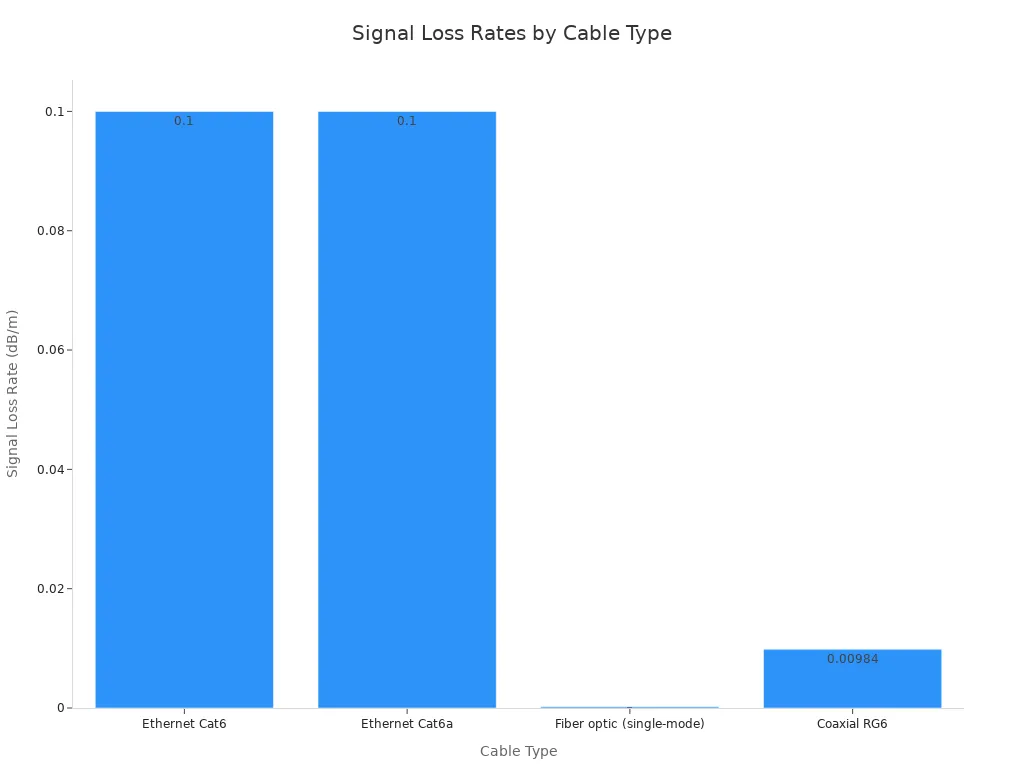
A fiber optic cable loses far less signal than a coaxial cable over the same distance. That gap explains why fiber reaches farther without a boost. Ethernet holds its own across the short runs inside your home.
Coaxial Cable vs Fiber Optic: Speed and Latency
Raw Speed and Bandwidth
Fiber optic internet gives homes the fastest speeds you can get today. A fiber-optic connection sends data as light pulses through glass. This method supports equal upload and download rates. You get the same speed both ways. Fiber internet also gives you much more bandwidth than older technologies. That extra room helps when many devices share your network at once.
Cable internet, which runs over coaxial cable, is still the most common broadband in the United States. A coaxial cable internet plan often promises fast download speeds. Upload speeds fall behind, though. This imbalance hurts video calls, cloud backups, and large file transfers. If you compare fiber vs. cable on raw performance, fiber optic cable wins in both directions.
The gap between coaxial cable vs fiber optic comes down to the medium. A coaxial cable carries electrical signals. A fiber optic cable carries light. Light travels with less loss and handles higher frequencies. That difference leads to faster speeds and steadier performance for fiber optic internet.
Latency, Duplex, and Interference
Latency measures the delay before data moves across your connection. Lower latency means quicker responses in games, video chats, and web browsing. The table below shows typical latency ranges for each internet type.
| Internet Type | Latency (ms) |
|---|---|
| Fiber | 7–14 |
| Cable | 12–24 |
Fiber optic cables have a clear edge here. Their latency stays lower and more stable. Coaxial cables show higher latency numbers. The difference may look small on paper. In practice, you feel it during real-time applications.
Duplex matters too. Fiber optic internet supports symmetric speeds. You upload as fast as you download. Coaxial cable internet usually gives faster downloads than uploads. This limits your ability to host servers or work from home with large files.
Interference is another key factor. The table below compares how each cable type handles electromagnetic interference.
| Cable Type | Susceptibility to EMI | Effect of Nearby Electronics |
|---|---|---|
| Fiber optic | Virtually immune | Signal remains reliable and uninterrupted |
| Copper coax | Highly susceptible | Nearby electronic systems can disrupt signal transmission, potentially rendering the network ineffective |
Fiber optic cables resist interference because they use light, not electricity. Coaxial cables pick up noise from nearby electronics. This noise can weaken your signal and slow your connection. A fiber-optic line stays clean even in electrically noisy homes.
Knowing these real differences helps you decide if fiber is worth switching to or waiting for. If your current coaxial cable service meets your needs, you can wait. If you need faster speeds and lower latency today, fiber optic service is the better choice.
Coax vs Fiber: Installation, Cost, and Availability
Retrofit vs New Construction
You will see a big price difference between using coaxial cable you already have and putting in new fiber optic lines. Cable installation costs less because providers use the coaxial cables already inside your walls. Most jobs cost under $300. A technician can move your modem or finish a cable in one visit.
Fiber optic installation takes more work. Providers must run new fiber optic cables to your home. Small projects can cost about $1,000. Bigger builds may go over $10,000. Aerial fiber runs cost about $8–$12 per linear foot. Underground trenching runs $15–$35 per foot. Timelines range from days to weeks.
| Internet Type | Installation Cost Range |
|---|---|
| Fiber Optic | $99–$1,200+ |
| Coaxial Cable | $30–$300 |
Provider Availability and Equipment Costs
Cable internet reaches far more homes than fiber optic internet. Fiber optic service is growing, but coverage differs by region. AT&T alone reaches more than 16 million possible customers across 22 states. Optimum serves about 2.8 million households in the Greater NYC area. Other providers like Ezee Fiber, Frontier Fiber, and Verizon Fios serve certain markets.
Professional installation fees range from $65 to $149. Spectrum charges $65, or $30 for self-install. Verizon Fios charges $99, though online orders often waive that fee. Sytek charges up to $1,200 if fiber must be installed from scratch.
Equipment costs also differ. A DOCSIS 3.1 cable modem for coaxial cable internet costs $160–$300. An optical network terminal for fiber optic service costs far less in bulk. You will also need a router for either setup.
Using Existing Wiring in Your Home Network
You don't always have to install new cables to make your network faster. Your home might already have wiring that you can use again. This method saves money and helps you avoid messy installation work.
According to the National Cable & Telecommunications Association (NCTA), over 85 million U.S. households still rely on coaxial-based networks for internet and television access as of 2024.
MoCA Adapters for Coax
MoCA adapters turn the coaxial cables you already have into a fast data path. You plug one adapter into a coax jack close to your router. You plug another adapter into a coax jack close to your device. The adapters send data over the same coaxial cable that carries your TV signal. This gives you a cheap upgrade without any new wiring.
MoCA adapters usually work well over older RG6 or RG59 coaxial cables found in most homes. Badly damaged lines or low-quality splitters can lower reliability and speed. Swap out old splitters for units rated up to 1675 MHz to get a stable connection. MoCA adds less than three milliseconds of latency. That amount is unnoticeable for competitive gaming and video conferencing.
MoCA 2.5 adapters give strong performance over coaxial cables. A two-pack kit needs a coax outlet at both ends.
| Configuration | Maximum Data Rate |
|---|---|
| MoCA 2.5 (five bonded channels) | Up to 3 Gbps |
| 16-node, single channel | Up to 400 Mbps |
| 16-node, 2-channel bonding | Up to 800 Mbps |
| 16-node, 5-channel bonding | Up to 2.5 Gbps |
MoCA works best alongside running Ethernet. It uses existing coax cables, needs no costly setup, and offers lower latency than Wi-Fi or powerline networking. It limits you to 16 MoCA devices in one space. It also works only with traditional cable TV providers. Actual throughput may vary based on coax wire conditions.
Ethernet Extenders and Media Converters
Ethernet extenders and fiber media converters link different cable types. An Ethernet extender carries your signal over coaxial cable, fiber optic cable, or phone lines to reach faraway rooms. A fiber media converter changes an Ethernet signal into a fiber optic signal. This lets you connect a fiber-optic line to your router or switch.
Powerline networking serves as a backup option. It sends data through your home's electrical wiring. Powerline speeds often fall short of MoCA or Ethernet. Interference from appliances can also disrupt the signal.
Which Is Best for Your Home Network?
Renters, Gamers, and New Builds
Where you live helps decide what works best. Renters should begin with the coaxial cable already in the unit. Add a MoCA adapter pair for a fast upgrade you can undo. You don't drill into walls, and you take the adapters when you move. Gamers need low latency more than anything. Fiber optic service gives the lowest and steadiest ping. If fiber optic internet isn't there, run Ethernet from your router to your console. This beats Wi-Fi every time.
New builds let you plan ahead for the future. Run Cat6 or Cat6a Ethernet to every room while building. Add conduit so a fiber optic cable can go in later. This step costs little now and saves thousands in retrofit work. Homeowners who want the best speed today should check fiber availability first. Fiber optic internet gives equal upload and download rates. That balance matters for cloud backups and video calls.
Customer satisfaction supports these recommendations. The 2024 ACSI study scored internet providers on a 100-point scale. Fiber optic service beats coaxial cable internet on satisfaction in every comparison. These scores show real user experience with speed, reliability, and support.
Long Distances and Whole-Home Coverage
Distance changes the math. Ethernet works well for short runs typical of home networks. Past that point, the signal gets weaker. Fiber optic cables carry data for miles with almost no loss. A fiber optic run between buildings or across a big property makes sense. Coaxial cables handle medium runs with the help of an amplifier. MoCA extends your network over existing coax without new wiring.
Whole-home coverage needs a plan with layers. Use Ethernet as your backbone wherever you can. Fill gaps with MoCA over coax. Add a mesh Wi-Fi system for wireless devices. This mix gives you faster speeds in every room. It also keeps your bandwidth free for streaming and gaming.
So, which is best for your home network? The answer depends on your walls, your budget, and your provider. Ethernet suits most homes. Fiber optic wins when it reaches your address. Coaxial cable with MoCA adapters is a practical fallback. Check your existing infrastructure before you spend money. Fiber-optic coverage keeps growing, so waiting may pay off.
No single cable wins for every home. Your walls, budget, and internet needs decide the answer. Ethernet suits most homes. Fiber optic internet wins when it reaches your address. Coaxial cable with MoCA adapters is a practical fallback.
Check your existing infrastructure first. You may already have coaxial cables or Ethernet jacks ready to use. This step saves money before you buy new gear.
Fiber-optic coverage keeps growing across the country. Fiber optic cables now reach more homes each year. Fiber optic service delivers the best speed and bandwidth for future needs. Fiber optic technology may be worth the wait. Fiber optic lines and fiber internet give you room to grow. So, which is best for your home network? Start with what you have, then plan for fiber.

Written by Jack Elliott from AIChipLink.
AIChipLink, one of the fastest-growing global independent electronic components distributors in the world, offers millions of products from thousands of manufacturers, and many of our in-stock parts is available to ship same day.
We mainly source and distribute integrated circuit (IC) products of brands such as Broadcom, Microchip, Texas Instruments, Infineon, NXP, Analog Devices, Qualcomm, Intel, etc., which are widely used in communication & network, telecom, industrial control, new energy and automotive electronics.
Empowered by AI, Linked to the Future. Get started on AIChipLink and submit your RFQ online today!
Frequently Asked Questions
Is fiber optic internet faster than cable?
Yes. A fiber optic connection sends data as light pulses. This gives you equal upload and download speeds. Cable internet usually offers faster downloads than uploads. Fiber also delivers lower latency. You get steadier performance for video calls and gaming.
Can I use my existing coaxial cable for faster internet?
Yes. MoCA adapters turn your coax jacks into a fast data path. You plug one adapter near your router and another near your device. A two-pack kit is available. This setup adds less than three milliseconds of latency. You avoid new wiring work.
How far can Ethernet cable run in my home?
Ethernet works well for short runs typical of home networks. Past that point, the signal gets weaker. Fiber-optic lines carry data for miles with almost no loss. Coaxial cable handles medium runs with an amplifier. Plan your network layout around these limits.
Should I wait for fiber to reach my neighborhood?
Check your current speeds first. If your coaxial cable service meets your needs, you can wait. Fiber coverage grows each year. Fiber-optic service gives you the best bandwidth for future needs. Start with what you have today.