Quick Product Overview
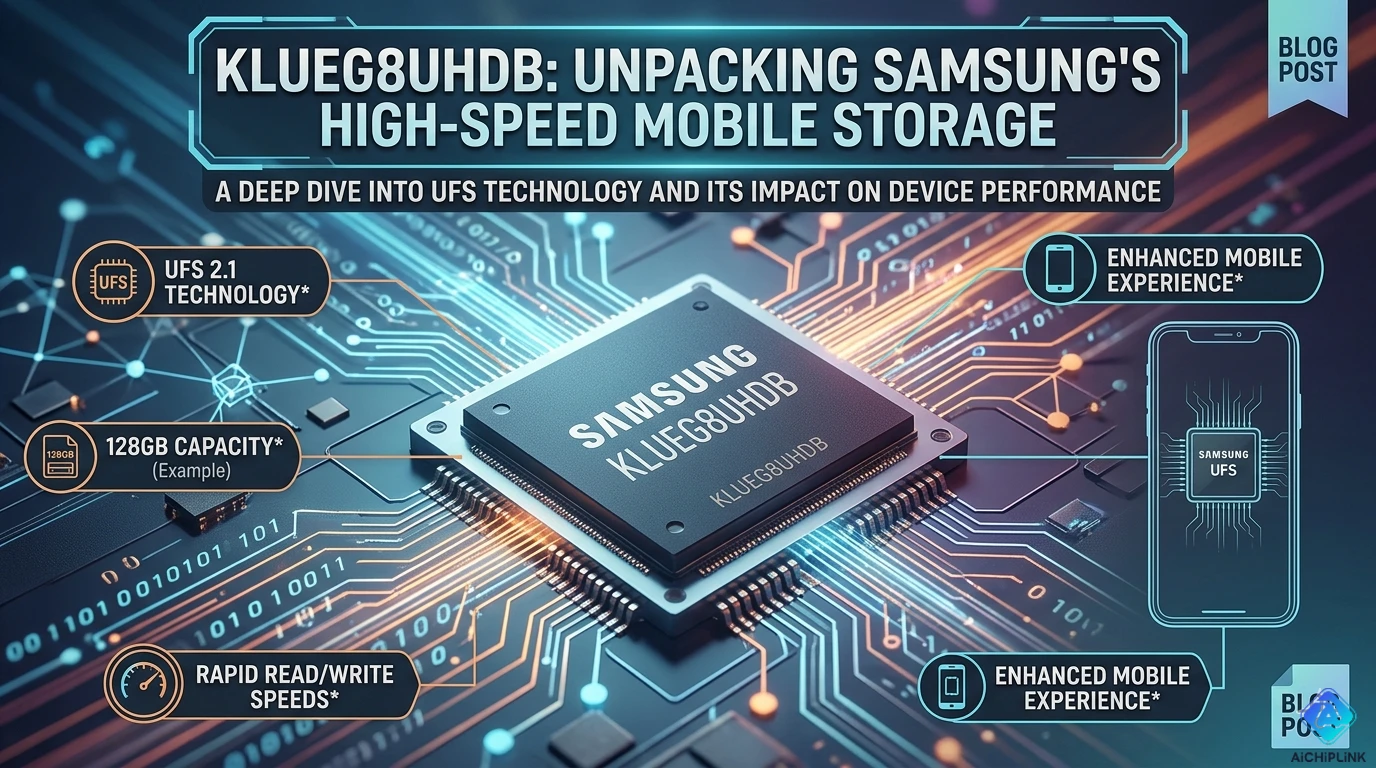
KLUEG8UHDB = Samsung 512GB UFS 3.1 storage chip for flagship smartphones and tablets.
At-a-Glance:
| Specification | Value |
|---|---|
| Capacity | 512GB (476 GiB usable) |
| Interface | UFS 3.1 |
| Sequential Read | 2,100 MB/s (typ) |
| Sequential Write | 1,200 MB/s (typ) |
| Random Read | 75,000 IOPS |
| Random Write | 60,000 IOPS |
| Package | 153-ball FBGA (11.5×13mm) |
| Voltage | 2.7-3.6V |
| Temperature | -25°C to +85°C |
| Manufacturer | Samsung |
Quick answer: Should you upgrade to UFS 3.1?
- From eMMC 5.1: YES (5-8× faster)
- From UFS 2.1: MAYBE (2× faster, evaluate cost)
- From UFS 3.0: NO (only 15% faster)
Part Number Decoder
KLUEG8UHDB breakdown:
K  L  U  E  G  8  U  H  D  B
│  │  │  │  │  │  │  │  │  └─ B = Grade/Package variant
│  │  │  │  │  │  │  │  └──── D = FBGA package
│  │  │  │  │  │  │  └─────── H = Industrial temp (-25~85°C)
│  │  │  │  │  │  └────────── U = UFS 3.1 interface
│  │  │  │  │  └───────────── 8 = 512GB density
│  │  │  │  └──────────────── G = Generation code
│  │  │  └─────────────────── E = Memory type code
│  │  └────────────────────── U = UFS (Universal Flash Storage)
│  └───────────────────────── L = Logic integrated
└──────────────────────────── K = Samsung memory

Result: 512GB UFS 3.1, industrial grade, FBGA package
Upgrade Path Decision Tree
Should You Upgrade to UFS 3.1?
START: What storage do you currently have?

├─ eMMC 5.1 or older
│  └─ Upgrade to UFS 3.1?
│     ✅ YES - Massive performance gain
│     ├─ Speed boost: 5-8× faster
│     ├─ App loading: 3× faster
│     ├─ Battery: Slightly better (faster = less time active)
│     └─ ROI: High (future-proof for 3-5 years)
│
├─ UFS 2.0 / UFS 2.1
│  └─ Upgrade to UFS 3.1?
│     ⚠️ MAYBE - Significant but not essential
│     ├─ Speed boost: 2× faster sequential
│     ├─ Random I/O: 2.5× faster
│     ├─ Real-world: 30-50% faster app launches
│     ├─ Cost: Moderate increase
│     └─ Decision: If designing new flagship → YES
│             If cost-sensitive → Stay with UFS 2.1
│
├─ UFS 3.0
│  └─ Upgrade to UFS 3.1?
│     ❌ NO - Minimal improvement
│     ├─ Speed gain: Only 10-15%
│     ├─ Features: Minor (WriteBooster improved)
│     └─ Verdict: Not worth the cost
│
└─ Already have UFS 3.1?
   └─ Consider UFS 4.0 (2026+)
      ├─ Available in: 2026-2027 flagships
      ├─ Speed: 4,200 MB/s read (2× UFS 3.1)
      └─ Recommendation: Wait for mainstream pricing
Performance Comparison Matrix
Sequential Performance (Large File Transfers)
| Storage Type | Sequential Read | Sequential Write | Improvement vs eMMC |
|---|---|---|---|
| eMMC 5.1 | 250 MB/s | 90 MB/s | Baseline |
| UFS 2.1 | 850 MB/s | 250 MB/s | 3.4× read, 2.8× write |
| UFS 3.0 | 1,800 MB/s | 700 MB/s | 7.2× read, 7.8× write |
| UFS 3.1 | 2,100 MB/s | 1,200 MB/s | 8.4× read, 13.3× write |
| UFS 4.0 (preview) | 4,200 MB/s | 2,800 MB/s | 16.8× read, 31× write |
Real-world impact (512GB file copy):
- eMMC 5.1: 90 seconds
- UFS 2.1: 30 seconds
- UFS 3.1: 12 seconds ⚡
- UFS 4.0: 6 seconds (future)
Random Performance (App Loading, Multitasking)
| Storage Type | Random Read (IOPS) | Random Write (IOPS) | Multitasking Score |
|---|---|---|---|
| eMMC 5.1 | 8,000 | 6,000 | 100 (baseline) |
| UFS 2.1 | 40,000 | 35,000 | 500 |
| UFS 3.0 | 60,000 | 55,000 | 750 |
| UFS 3.1 | 75,000 | 60,000 | 900 |
| UFS 4.0 | 100,000+ | 100,000+ | 1,250+ |
What this means:
- eMMC: App switching lags, frequent reloads
- UFS 2.1: Smooth for most users
- UFS 3.1: Instant app switching, 12+ apps in memory
- UFS 4.0: Future-proof, AI workloads
Real-World Application Performance
App Launch Speed (Large Apps):
Test: Launch 5 apps (Instagram, Chrome, Genshin Impact, Lightroom, YouTube)

eMMC 5.1:      8.2 seconds total
UFS 2.1:       3.1 seconds total
UFS 3.1:       1.8 seconds total ✅ (2.4× faster than eMMC)
UFS 4.0:       1.1 seconds (estimated)
Gaming Performance (Genshin Impact load time):
eMMC 5.1:      45 seconds
UFS 2.1:       18 seconds
UFS 3.1:       8 seconds ✅ (5.6× faster)
UFS 4.0:       4 seconds (estimated)
4K Video Recording (buffer speed):
eMMC 5.1:      Limited to 30fps 4K (buffer overruns)
UFS 2.1:       60fps 4K capable (occasional drops)
UFS 3.1:       60fps 4K + HDR stable ✅
UFS 4.0:       8K 60fps capable
Battery Impact
Power Efficiency Comparison:
Storage active time for identical workload:
eMMC 5.1:      100% baseline (slowest = most time active)
UFS 2.1:       40% (faster = less time active)
UFS 3.1:       25% (fastest = least time active) ✅

Battery life impact:
- Switching eMMC → UFS 3.1: +30-45 minutes SOT (screen-on time)
- Switching UFS 2.1 → UFS 3.1: +10-15 minutes SOT
Why UFS 3.1 saves battery:
- Faster operations = less time powered on
- More efficient power states
- Lower voltage operation (2.5V vs 3.3V for eMMC)
Capacity Planning Guide
How Much Storage Do You Need?
User Profiles:
128GB - Light User
Profile:
- Basic apps (social media, messaging, browser)
- Few games (<5 large games)
- Photos: Cloud backup primary
- Videos: Streaming, minimal local storage

Typical usage:
- 30 apps
- 5,000 photos
- 20 videos
- 3-5 games

Storage breakdown:
- System: 15GB
- Apps: 25GB
- Photos: 20GB
- Videos: 10GB
- Games: 40GB
- Free: 18GB

Recommendation: OK for budget devices
256GB - Average User ⭐ Most Popular
Profile:
- Moderate app usage
- 10-15 games (mix of sizes)
- Photos: Some cloud, some local
- Videos: Mix of streaming and recording

Typical usage:
- 60 apps
- 12,000 photos
- 100 videos
- 10-15 games

Storage breakdown:
- System: 18GB
- Apps: 45GB
- Photos: 50GB
- Videos: 60GB
- Games: 70GB
- Free: 13GB

Recommendation: ✅ Best value for most users
512GB - Power User (KLUEG8UHDB)
Profile:
- Heavy app user
- 20+ games including large titles
- 4K video recording
- Minimal cloud reliance
- Content creation (video editing)

Typical usage:
- 100+ apps
- 25,000 photos
- 300+ videos (4K)
- 20+ games

Storage breakdown:
- System: 20GB
- Apps: 80GB
- Photos: 100GB
- Videos: 180GB
- Games: 100GB
- Free: 32GB

Recommendation: ✅ Power users, content creators
Device examples: Galaxy S24 Ultra, iPhone 15 Pro Max
1TB - Professional / Content Creator
Profile:
- Video editor
- Photographer (RAW files)
- Mobile gaming library (50+ games)
- Offline content hoarder

Typical usage:
- 150+ apps
- 50,000+ photos (RAW)
- 1,000+ videos (4K/8K)
- 50+ games

Recommendation: Overkill for most, essential for professionals
Device examples: Galaxy S24 Ultra 1TB, iPhone 15 Pro Max 1TB
Note: Consider 512GB + cloud storage for better value
Cost per GB Analysis
Typical pricing tiers (2026):
128GB UFS 3.1: $0.25/GB
256GB UFS 3.1: $0.18/GB ✅ Best value
512GB UFS 3.1: $0.14/GB (KLUEG8UHDB level)
1TB UFS 3.1:   $0.12/GB

Recommendation: 256GB hits the price/capacity sweet spot
Upgrade to 512GB if: content creator, heavy gamer, or plan to keep device 3+ years
Technical Specifications
Performance Specs
Sequential Performance:
- Read: 2,100 MB/s (typical), 2,200 MB/s (max)
- Write: 1,200 MB/s (typical), 1,400 MB/s (max)
Random Performance (4KB):
- Random Read: 75,000 IOPS
- Random Write: 60,000 IOPS
Burst Performance (WriteBooster):
- Burst Write: Up to 1,500 MB/s (SLC cache)
- SLC Cache Size: ~8GB (dynamic)
Electrical Specifications
Voltage:
- VCC: 2.7V - 3.6V (typical 2.95V)
- VCCQ: 1.14V - 1.26V (typical 1.2V I/O)
- VCCQ2: 1.7V - 1.95V (typical 1.8V)
Power Consumption:
- Active Read: 180 mA @ 2100 MB/s
- Active Write: 220 mA @ 1200 MB/s
- Idle: 1-3 mA
- Sleep (Hibernate): <100 µA
Physical Specifications
Package: 153-ball FBGA
- Dimensions: 11.5mm × 13mm × 1.0mm
- Ball Pitch: 0.5mm
- Weight: ~0.16g
Temperature Range: -25°C to +85°C (industrial grade)
Endurance & Reliability
Write Endurance:
- TBW (Total Bytes Written): ~600 TB for 512GB
- Daily Write: 30 GB/day for 5 years
- Typical smartphone use: 5-10 GB/day → 10-15 year lifespan
Data Retention: 10 years @ 25°C (after reaching endurance limit)
Upgrade Considerations
PCB Changes Required
eMMC 5.1 → UFS 3.1:
❌ Not pin-compatible - Full redesign required

Changes needed:
1. Different package (eMMC = 100-ball, UFS = 153-ball)
2. Different interface (8-bit parallel → high-speed serial)
3. Trace routing: Differential pairs needed (UFS)
4. Power supply: Additional voltage rail (VCCQ2)
5. Reference clock: 19.2 MHz or 26 MHz external oscillator

Complexity: HIGH - Not a drop-in upgrade
Cost impact: Moderate (PCB redesign + validation)
UFS 2.1 → UFS 3.1:
✅ Pin-compatible - Minimal changes

Changes needed:
1. None (same pinout)
2. Firmware update (host controller supports UFS 3.1)
3. Optional: Improve power supply decoupling
4. Optional: Shorten differential pair traces

Complexity: LOW - Drop-in replacement
Cost impact: Low (component swap only)
Recommendation: Easy upgrade path
UFS 3.0 → UFS 3.1:
✅ Fully compatible - Zero changes

Just swap the chip, firmware auto-detects UFS 3.1
Minimal performance gain (~10-15%)
Not recommended unless already redesigning
Power Supply Requirements
Voltage Rails:
VCC:   2.7-3.6V @ 300mA peak
VCCQ:  1.14-1.26V @ 150mA peak
VCCQ2: 1.7-1.95V @ 100mA peak

Decoupling (per rail):
├─ 0.1µF × 3 (close to balls)
├─ 1µF × 2 (nearby)
└─ 10µF × 1 (bulk)
Firmware Updates
Host Controller Requirements:
- UFS 3.1 compliant host controller (most 2021+ SoCs)
- Firmware supports HS-G4 (Gear 4) mode
- WriteBooster feature enabled (optional but recommended)
Compatible SoCs (2026):
- Qualcomm: Snapdragon 8 Gen 2/3/4 (all support UFS 3.1/4.0)
- MediaTek: Dimensity 9200/9300
- Samsung: Exynos 2400
- Apple: A17 Pro, A18 (proprietary but UFS-like)
Migration Strategy
Data Transfer Planning
Migrating from smaller to larger storage:
Option 1: Cloud Transfer (Easiest)
1. Backup current device to cloud
   - Google Photos (photos/videos)
   - Google Drive (files)
   - App data (varies by app)
2. Setup new device
3. Restore from cloud backup
Time: 2-4 hours (depending on data size & internet speed)
Option 2: Direct Transfer (Faster)
1. Use USB-C to USB-C cable
2. Phone-to-phone transfer tool
   - Samsung Smart Switch
   - Apple Quick Start (iOS)
   - Google migration tool (Android)
Time: 30-60 minutes for 256GB data
Option 3: Professional Data Recovery (Board-level upgrade)
For engineers replacing storage chips directly:
1. Backup data using JTAG/ISP programmer
2. Desolder old chip, solder new chip
3. Restore data via programmer
4. Re-calibrate filesystem
Time: 2-4 hours (professional equipment needed)
Risk: High (data loss if improper procedure)
Compatibility Validation Checklist
Before upgrading in production:
Hardware Checklist:
- Host controller supports UFS 3.1
- Power supply provides all 3 voltage rails
- PCB traces meet differential pair requirements
- Decoupling capacitors placed correctly
- Reference clock frequency correct (19.2 or 26 MHz)
Firmware Checklist:
- Boot ROM supports UFS initialization
- OS drivers support UFS 3.1 features
- WriteBooster enabled (if desired)
- HPB (Host Performance Booster) configured
- Proper partition table (UFS has different structure than eMMC)
Testing Checklist:
- Boot test (successful boot 100%)
- Performance test (meets spec: 2100/1200 MB/s)
- Stress test (48-hour continuous read/write)
- Temperature test (verify cooling adequate)
- Power consumption test (within budget)
- Drop test (mechanical shock resistance)
Future-Proofing Analysis
Storage Technology Roadmap (2024-2030)
2024-2025: UFS 3.1 Mainstream
├─ Flagship phones: 100% UFS 3.1
├─ Mid-range: Mix of UFS 2.1 / UFS 3.1
└─ Budget: Still eMMC 5.1

2026-2027: UFS 4.0 Adoption ← We are here
├─ Flagships: UFS 4.0 standard
├─ Mid-range: UFS 3.1 becomes mainstream
└─ UFS 3.1 pricing drops 30-40%

2028-2029: UFS 4.0 Mainstream
├─ Flagships: UFS 4.0 evolved (4.1?)
├─ Mid-range: UFS 4.0
├─ Budget: UFS 3.1
└─ eMMC phased out except ultra-budget

2030+: Beyond UFS 4.0
└─ UFS 5.0 rumors (8,000+ MB/s)
When Does UFS 3.1 Become Obsolete?
Short answer: Not for 5+ years (until ~2031)
Analysis:
2026: Current flagship standard
2027: Still excellent performance
2028: Adequate for most users
2029: Mid-range standard (still good)
2030: Budget tier (perfectly usable)
2031+: May feel slow compared to UFS 5.0 flagships

Verdict: Buying UFS 3.1 in 2026 = Future-proof for 5 years
Should You Wait for UFS 4.0?
UFS 4.0 Status (2026):
- Available: YES (in some 2026 flagships)
- Mainstream: NO (still premium pricing)
- Worth waiting: DEPENDS
Decision Matrix:
Buy UFS 3.1 now if:
✅ Need device in 2026
✅ Price-sensitive (UFS 4.0 premium pricing)
✅ 2100 MB/s sufficient for your use

Wait for UFS 4.0 if:
⏳ Can wait until late 2026 / 2027
⏳ Want absolute best performance
⏳ Professional mobile content creator
⏳ Plan to keep device 5+ years

Reality check:
- UFS 3.1: 2100 MB/s = loads 4K movie in 10 sec
- UFS 4.0: 4200 MB/s = loads same movie in 5 sec
Question: Is 5 seconds worth waiting a year?
Compatible Products & Alternatives
Samsung KLU Series (Same Interface, Different Capacities)
| Part Number | Capacity | Speed | Use Case |
|---|---|---|---|
| KLUEG4UHDB | 256GB | UFS 3.1 | Mid-high tier |
| KLUEG8UHDB | 512GB | UFS 3.1 | High-end / Power user |
| KLUCG4J1DB | 1TB | UFS 3.1 | Ultra premium |
Cross-Brand Alternatives
| Manufacturer | Part Number | Capacity | Speed | Notes |
|---|---|---|---|---|
| SK Hynix | H28U82301AMR | 512GB UFS 3.1 | 2,100 MB/s | Direct competitor |
| Micron | MTFC512GAK | 512GB UFS 3.1 | 2,000 MB/s | Slightly slower |
| Kioxia | THGAF8G9T43BAIL | 512GB UFS 3.1 | 2,100 MB/s | Good alternative |
| Western Digital | iNAND MC EU551 | 512GB UFS 3.1 | 1,900 MB/s | Automotive focus |
Recommendation: Samsung and SK Hynix most reliable for smartphones.
Device Examples Using UFS 3.1 512GB
Flagship Phones (2024-2026):
- Samsung Galaxy S24 Ultra (512GB variant)
- Google Pixel 9 Pro (512GB)
- OnePlus 12 (512GB)
- Xiaomi 14 Ultra (512GB)
- OPPO Find X7 Ultra (512GB)
Tablets:
- Samsung Galaxy Tab S9 Ultra (512GB)
- Xiaomi Pad 6 Max (512GB)
Upgrade Recommendation Summary
Choose UFS 3.1 (KLUEG8UHDB 512GB) if:
✅ Designing flagship phone/tablet in 2026-2027 ✅ Upgrading from eMMC 5.1 (massive performance boost) ✅ Power user needing fast storage + large capacity ✅ Content creator (4K video, photography) ✅ Heavy mobile gamer (20+ installed games) ✅ Plan to keep device 3-5 years ✅ Want balance of performance, capacity, and cost
Best use cases:
- Flagship smartphones ($800-1200)
- High-end tablets
- Gaming phones
- Content creation devices
Stay with Current Storage if:
❌ Already have UFS 3.0 (minimal upgrade benefit) ❌ Budget phone design (eMMC 5.1 sufficient) ❌ Mid-range device (UFS 2.1 adequate) ❌ Cost very sensitive (wait for UFS 3.1 price drop) ❌ Want to wait for UFS 4.0 mainstream (2027-2028)
Consider Waiting for UFS 4.0 if:
⏳ Can delay device purchase until late 2026/2027 ⏳ Professional mobile workstation (video editing, RAW processing) ⏳ Want absolute maximum performance ⏳ Plan to keep device 5+ years ⏳ Early adopter willing to pay premium
UFS 4.0 advantages:
- 2× faster than UFS 3.1 (4200 MB/s read)
- Better for AI workloads (on-device LLMs)
- Future-proof until 2032+
UFS 4.0 drawbacks:
- 50-70% more expensive (2026)
- Limited device availability
- Minimal real-world difference for most users
Conclusion
UFS 3.1 (KLUEG8UHDB 512GB) represents the sweet spot for flagship smartphone storage in 2026, offering 8× faster performance than eMMC 5.1, ample capacity for power users, and future-proofing for 5+ years. With 2,100 MB/s read speeds and 75,000 IOPS random performance, it enables instant app switching, smooth 4K video recording, and rapid game loading.
Upgrade recommendations:
- ✅ From eMMC 5.1: Strongly recommended (transformative improvement)
- ⚠️ From UFS 2.1: Evaluate cost-benefit (2× faster but 20-30% premium)
- ❌ From UFS 3.0: Not worth it (only 10-15% faster)
Capacity guidance:
- 256GB: Best value for average users
- 512GB (KLUEG8UHDB): Ideal for power users and content creators
- 1TB: Professional use only (significant premium)
Future outlook: UFS 3.1 remains competitive through 2030, even as UFS 4.0 emerges in 2026-2027. Unless you specifically need 4200 MB/s speeds, UFS 3.1 offers excellent performance, proven reliability, and better value.
For detailed specifications, upgrade guides, and cross-reference tools, visit AiChipLink.com.

Written by Jack Elliott from AIChipLink.
AIChipLink, one of the fastest-growing global independent electronic components distributors in the world, offers millions of products from thousands of manufacturers, and many of our in-stock parts is available to ship same day.
We mainly source and distribute integrated circuit (IC) products of brands such as Broadcom, Microchip, Texas Instruments, Infineon, NXP, Analog Devices, Qualcomm, Intel, etc., which are widely used in communication & network, telecom, industrial control, new energy and automotive electronics.
Empowered by AI, Linked to the Future. Get started on AIChipLink.com and submit your RFQ online today!
Frequently Asked Questions
Should I upgrade from eMMC to UFS 3.1?
Yes—if your platform supports it, the upgrade is significant. UFS 3.1 delivers 5–8× higher sequential performance than eMMC (≈2100 MB/s vs ≈250–300 MB/s), plus much better random I/O. This results in faster boot times, smoother multitasking, and improved responsiveness in data-heavy applications. Important: UFS is not pin-compatible with eMMC, so it requires SoC support and PCB redesign. Verdict: Strongly recommended for new designs; not a drop-in upgrade.
Is 512GB enough storage for industrial or power users?
Yes, for most use cases—but workload matters. A typical embedded Linux or edge system (logs, applications, local cache) fits comfortably within 128GB–512GB. However, high-data workloads like video buffering, AI datasets, or long-term logging may exceed this.
When will UFS 4.0 become mainstream?
Expected around 2027–2028. UFS 4.0 doubles performance again (up to ~4200 MB/s), but currently carries a high cost premium and limited availability.
KLUEG8UHDB vs KLUCG4J1DB: Which should you choose?
Choose based on capacity needs, not performance. Both offer similar speed and interface. The only real difference is 512GB vs 1TB capacity.
UFS 3.1 vs UFS 2.1: Is it worth upgrading?
Worth it for modern high-performance designs; UFS 2.1 is still acceptable for cost-sensitive applications.