What Is an HDD? A Simple Guide to Hard Disk Drives
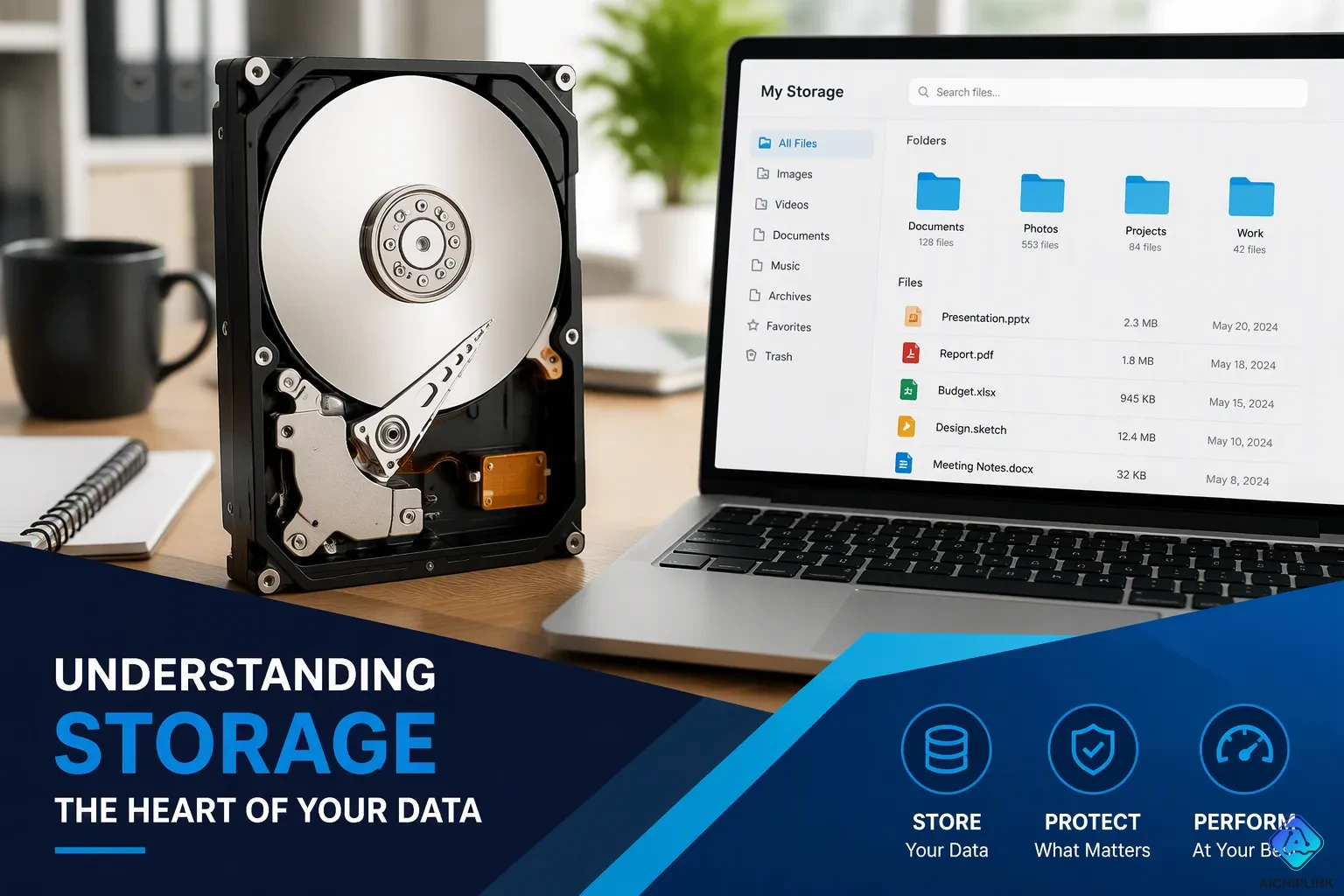
A hard disk drive (hdd) is a traditional electro-mechanical storage device. It uses spinning magnetic platters to store and retrieve data. Think of a record player. A hard disk spins its platters, and a tiny arm reads the surface. That is how a hard drive works.
You can turn your computer off. Your files stay safe on the hard disk drive. This trait makes hard drives useful for long-term storage. People trust hard disk drives with photos, documents, and music.
An hdd keeps data without power. That is the key idea behind every hard disk. So an hdd is simple at heart. A hard drive stores your data on a spinning hard disk. Traditional hard drives still do this job today.
Key Takeaways
-
HDDs store your files without power. Your data stays safe when you turn off the computer.
-
HDDs use spinning disks and a moving arm to read and write data. This makes them slower than SSDs.
-
HDDs cost less per gigabyte than SSDs. They are great for storing lots of photos, videos, and backups.
-
You can use an HDD and an SSD together. Put your operating system on the SSD for speed and your files on the HDD for space.
-
Handle your HDD with care. Avoid bumps and keep it cool to make it last longer.
What Is a Hard Disk Drive and Why Do Computers Need Hard Disks?
Definition of a Hard Disk Drive (HDD)
A hard disk drive (hdd) is a non-volatile data storage device. This means it keeps your data safe even when the power goes out. You already learned that a hard disk spins magnetic platters to read and write information. Now let's dig into what makes this piece of hardware so important.
Inside every computer hard disk drive, you'll find a few key parts. Platters are the round magnetic disks that hold your data. A read/write head floats just above each platter. An actuator arm moves that head to the right spot. A spindle motor spins the platters. A controller board manages everything. These parts work together as a team.
The Role of Permanent Storage in Computers
So why do computers need hard disks? The answer comes down to one word: permanence. Your computer's memory (RAM) forgets everything the moment you shut down. A hard disk drive remembers. This is what makes it non-volatile.
Think of a filing cabinet with rotating shelves. Each shelf holds folders. A mechanical arm reaches in and grabs the folder you need. That's basically how a hard disk works. The platters are the shelves. The read/write arm is the mechanical hand. Your files sit safely in their folders until you ask for them.
You rely on this long-term storage every day. Your operating system lives on a hard drive. Your applications load from it. Your photos, documents, and music all call it home. According to EaseUS disk drive statistics for 2023, only 25.81% of computer users use a non-SSD disk as their system disk. That number shows SSDs have become popular for running operating systems. Still, hard disk drives remain the go-to choice for storing bulk data.
Enterprises depend on HDDs for heavy workloads too. Data centers need extended reliability under continuous use. NAS appliances require high-capacity storage for shared network access. Video surveillance systems handle multiple streams and need drives that reduce frame drops. AI and machine learning applications demand large-scale storage capacity. These are all jobs where hard drives shine.
Modern hard drives come in common consumer capacities like 1TB, 2TB, 4TB, and 8TB or more. Enterprise drives can exceed 20TB per drive. Rotational speeds typically range from 5,400 RPM to 15,000 RPM. A 7,200 RPM drive is common in desktops. Slower 5,400 RPM drives often appear in laptops and external enclosures. Faster enterprise drives spin above 10,000 RPM.
The hard disk remains a workhorse for long-term storage. You can trust it with your most important files. It won't forget them when you turn off the power. That reliability is why HDDs still matter in 2024 and beyond.
How Does an HDD Work?
Key Components Inside a Hard Disk Drive
Inside every hard drive, several exact parts work as a team. The platters are round disks that spin very fast. You will find them in 2.5-inch sizes for laptops or 3.5-inch sizes for desktops. Manufacturers make these platters from aluminum, glass, or ceramic. A thin magnetic coating of cobalt-alloy sits on top of the hard disk. That coating holds your data.
The read/write head floats just nanometers above the platter surface. The actuator arm moves the read/write head to the right spot on the hard disk. A spindle motor spins the platters. Consumer hard drives usually spin at 5,400 or 7,200 RPM. Enterprise hard drives can spin even faster. A controller board runs the hard disk drive components. A protective carbon coating keeps the platters safe from damage.
These moving parts explain how hdd operates. The moving parts let hard disk drives store data cheaply. But moving parts also make HDDs easy to break. So avoid bumping your computer while it runs. A typical hdd works quietly inside your machine.
The Magnetic Recording Process
So how do hard disk drives work exactly? It comes down to magnetism. When you save a file, the read and write heads send an electric current to a spot on the platter. That current flips the magnetic direction of grains on the hard disk. Each direction stands for a 0 or 1. The read/write head does this operation in milliseconds.
Early hard disk drives used longitudinal magnetic recording (LMR). Bits lined up flat along the platter surface. This technology eventually reached a density limit, prompting the industry to transition to perpendicular recording.
Modern read/write heads use perpendicular magnetic recording (PMR). Bits stand upright on the hard disk. This vertical lineup allows much higher densities than LMR. PMR uses a soft underlayer beneath the data layer. This completes a magnetic circuit and makes a stronger write field.
The magnetic storage in HDDs is non-volatile. The hard disk platters keep their pattern without power. That permanence makes a hard disk drive (hdd) perfect for long-term storage. The hard disk keeps your files safe after shutdown. Hard drives remain popular choices for bulk data. Your hard drive stores everything you save.
HDD vs. SSD: Key Differences
Performance Differences Between Hard Drives and SSDs
Speed is the biggest gap between these two storage types. A hard disk relies on moving parts. The read/write head must physically travel to the right spot. The platter must spin until the correct sector arrives under the head. These mechanical delays add up fast.
An SSD has no moving parts. It reads data electronically from flash memory chips. That design removes seek time and rotational latency completely. The interface protocols also differ: SATA III offers up to 6 Gb/s, while SAS-3 and SAS-4 offer 12 Gb/s and 24 Gb/s respectively. Modern NVMe drives leverage PCIe for even higher bandwidth.
When to Choose HDD Over SSD
Price per gigabyte still favors the hard drive. HDDs maintain a cost advantage, being multiple times cheaper per terabyte than SSDs. That gap means you pay far less for bulk capacity on a hard disk.
Reliability data shows that enterprise HDDs have MTBF ratings ranging from 1.2 to 2.5 million hours, indicating high reliability. SSDs, while having lower replacement rates, can develop bad blocks over time. However, both technologies are reliable for their intended use.
So when should you pick an HDD? Choose one for backups, media libraries, and bulk archives. Pick an SSD for your operating system and frequently used applications. Many people use both together. That combo gives you speed where you need it and cheap space for everything else.
Practical Considerations for Hard Drives
Capacities and Form Factors
When you shop for a hard disk, you will notice a wide range of sizes. A typical hard disk drive storage capacity starts around 500 GB and climbs past several terabytes. That space holds thousands of photos, hours of video, or entire game libraries. More capacity costs more, so match the size to your real needs.
The physical size matters just as much as the space inside. The most common hard drive components and form factors come in two main shapes. A 3.5-inch drive fits desktop computers and offers higher capacity. A 2.5-inch drive suits laptops and rack-mounted servers because it is smaller and lighter. An internal hard drive must match your computer's bay size, so check before you buy.
External HDDs, Errors, and Tips
You may wonder, what are external hdds? They are simply hard disk drives placed inside a protective enclosure that connects through USB. They make backups easy.
Common hard disk errors often trace back to physical damage. Dropping or bumping a drive can harm the platters or read/write heads. Firmware bugs and environmental factors like heat and humidity also play a role. You might see an I/O Device Error, a Disk Read Error, or a message saying the parameter is incorrect. These signals mean you should stop using the drive and seek help.
To extend the life of your hard disk, handle it with care. Avoid physical shock, keep it cool, and defragment it regularly. Learning how to improve hard disk drive performance starts with simple habits. Keep your hard disk drive (hdd) away from static, and never move a running hard disk. These steps protect your data and your hardware.
So what is a hard disk drive (hdd)? It is an affordable, high-capacity storage solution. It uses spinning magnetic platters to hold your data. An hdd gives you lots of space for less money. That makes hard drives great for bulk storage, backups, and media libraries.
Yes, SSDs are faster. But hard disk drives still win on price per gigabyte. Think about your own needs. Do you want speed or space? Many people pick both. They run the system on an SSD and keep files on a hard drive.
The hard disk drive is a mature, reliable technology. Traditional hard drives keep serving homes, offices, and data centers. You can trust a hard disk with your files. HDDs remain a smart choice for cheap storage capacity. So weigh your options. A hard disk might be exactly what you need. Even today, hard drives and HDDs still earn their place.

Written by Jack Elliott from AIChipLink.
AIChipLink, one of the fastest-growing global independent electronic components distributors in the world, offers millions of products from thousands of manufacturers, and many of our in-stock parts is available to ship same day.
We mainly source and distribute integrated circuit (IC) products of brands such as Broadcom, Microchip, Texas Instruments, Infineon, NXP, Analog Devices, Qualcomm, Intel, etc., which are widely used in communication & network, telecom, industrial control, new energy and automotive electronics.
Empowered by AI, Linked to the Future. Get started on AIChipLink and submit your RFQ online today!
Frequently Asked Questions
How long does a hard disk last?
Most hard disk drives keep working for years, with enterprise models rated for high reliability. External drives may fail sooner, so handle them with care. Handle your hard disk with care to extend its life.
Can I use a hard drive and an SSD together?
Yes, and many people do. You run your operating system on the SSD for speed. Then you keep files on the hard disk for cheap space. This combo gives you fast boot times and plenty of room for backups and media.
What is a hybrid hard drive?
A hybrid drive mixes flash memory with a spinning hard disk. The flash part caches your most-used files. That speeds up common tasks while keeping hard drives affordable. It sits between a plain HDD and a full SSD in both price and performance.
Are HDDs still worth buying today?
Absolutely. Hard drives are multiple times cheaper per terabyte than SSDs. That makes HDDs perfect for bulk storage, backups, and media libraries. If you need lots of space on a budget, a hard disk still wins.
Do hard drives lose data when the power goes off?
No. A hard disk is non-volatile, so it keeps your files without power. The magnetic pattern on the platters stays put. That is why hard drives work so well for long-term storage.