Understanding the Difference Between PHY and MAC Chips
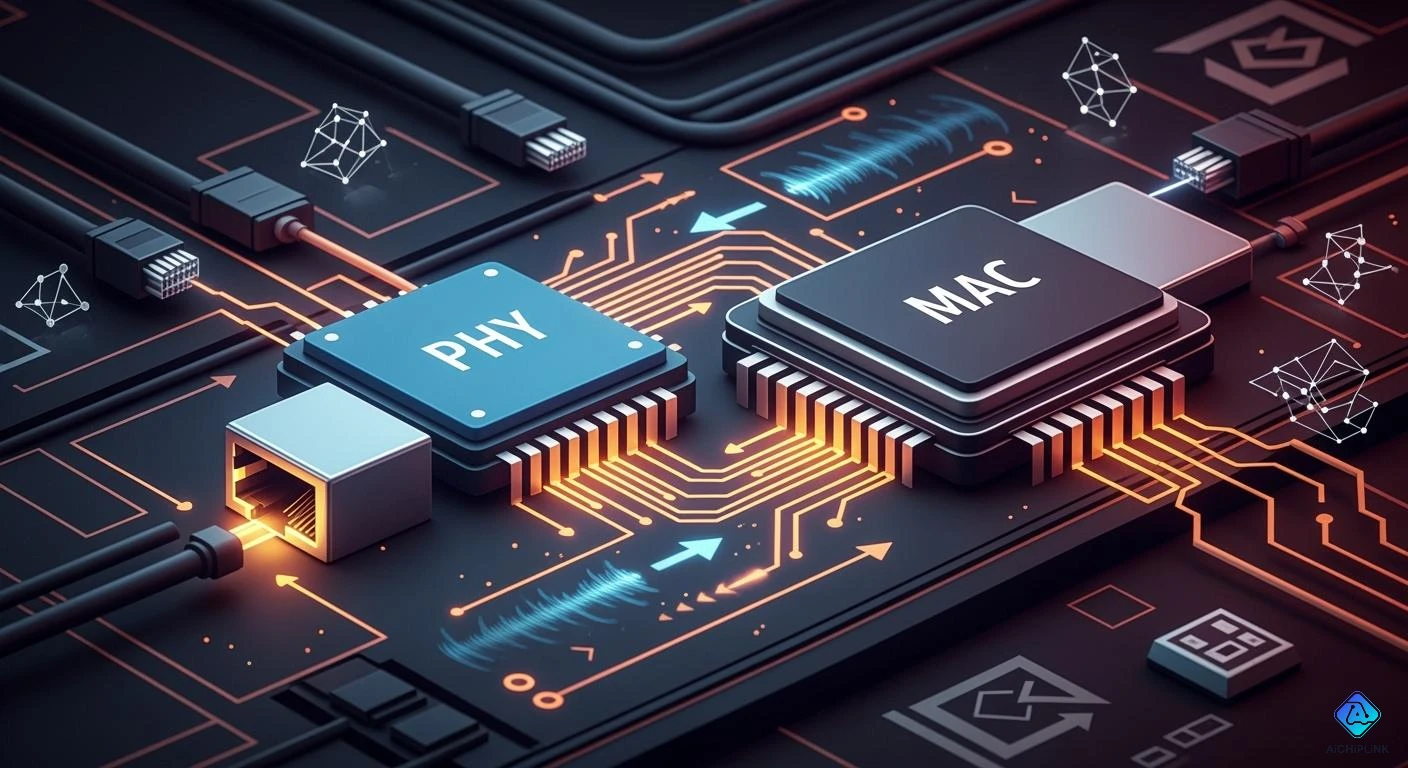
You should know the difference between PHY and MAC chips, as they are not the same and serve different functions in a network. PHY chips help your device communicate with the real world by converting data into signals. On the other hand, MAC chips manage how data moves, ensuring that it adheres to network rules. You can find these chips in many everyday devices, such as:
-
Wi-Fi systems that incorporate both PHY and MAC layers
-
Ethernet ports that utilize PHY and MAC chips separately
-
USB controllers that bridge digital and physical signals
-
Devices that employ IrDA or SATA connections
Understanding the difference between PHY and MAC chips enhances your comprehension of technology.
Key Takeaways
-
PHY chips change digital data into signals for talking.
-
MAC chips control how data moves and make sure network rules are used.
-
Knowing about PHY and MAC chips helps you pick good network hardware.
-
PHY and MAC chips team up to make the network work better.
-
Getting new PHY or MAC chips can make the network faster and easier to use.
Difference Between PHY and MAC Chips
What Is a PHY Chip?
A PHY chip is found in many network devices. It stands for "physical layer" and works at Layer 1 of the OSI model. The PHY chip connects your device to the real world. It changes digital data into electrical or optical signals. These signals travel through cables or wireless media. The PHY chip does not read the data. It only changes it so your device can send or get information far away.
Tip: The PHY chip is like a translator. It helps your device talk to the network cable. It makes sure the data moves as signals the cable understands.
Here is a table showing what the PHY chip does:
| Component | Functionality |
|---|---|
| PHY Chip | Changes data between digital and analog forms. It is good for sending data far. It does not read the data. |
The PHY chip uses analog circuits to handle signals. It sets the electrical or optical rules for sending data. You can think of the PHY chip as the part that lets your device talk to other devices using wires or light.
What Is a MAC Chip?
The MAC chip works at Layer 2 of the OSI model. This layer is called the data link layer. MAC stands for "Media Access Control." It controls how data moves across the network. The MAC chip puts bits into packets. It finds where packets start and end. It decides who can send data at any time. It handles collisions and makes sure data follows network rules.
Note: The MAC chip chooses when your device can send data. It checks for mistakes in sending.
Here is a table showing what the MAC chip does:
| Component | Functionality |
|---|---|
| MAC Chip | Puts bits into packets. Finds packet boundaries. Manages sending data and handles collisions. |
The MAC chip uses digital circuits. It adds information to each packet, like addresses and error checks. The MAC chip also takes away extra data when getting packets. Here are its main jobs:
-
Finds the start and end of each data frame
-
Adds and checks frame check sequences for errors
-
Controls access to the physical transmission medium
The MAC chip is often inside processors or controllers as part of a System on Chip (SoC). It works closely with the PHY chip. The MAC chip sends data to the PHY chip when the channel is clear. If there is a collision, the MAC chip waits and tries again.
Difference Between PHY and MAC
The Difference Between PHY and MAC is in their jobs and how they handle data. The PHY chip works at the physical layer and deals with signals. The MAC chip works at the data link layer and manages packets and access control. The PHY chip uses analog circuits. The MAC chip uses digital circuits. The PHY chip connects your device to the network medium. The MAC chip organizes data and controls when your device can send or get information.
Here is a table showing their OSI model layer and what they do:
| Component | OSI Layer | Description |
|---|---|---|
| PHY | Layer 1 | Works at the physical layer. Sets electrical and optical signals for sending data. |
| MAC | Layer 2 | Works at the data link layer. Controls access to the physical media. |
You need to know the Difference Between PHY and MAC to understand how your device sends and gets data. The PHY chip handles the signals. The MAC chip manages the data packets and access rules. This helps you see why both chips matter in networking hardware.
Layer 1 vs Layer 2 Roles
PHY at the Physical Layer
You can think of the PHY chip as the part of your device that talks to the outside world. It works at Layer 1, which is the physical layer of the OSI model. This layer handles the real signals that move through wires, radio waves, or light. The PHY chip changes digital data from your device into signals that travel across cables or through the air.
Here is what the PHY chip does at the physical layer:
-
Converts digital data into electrical or optical signals for sending.
-
Uses special coding and modulation to match the type of network, like Ethernet or fiber optics.
-
Recovers the clock and data from signals when receiving information.
Tip: The PHY chip acts like a messenger. It makes sure your device can send and receive signals that other devices understand.
The physical layer includes all the hardware you can touch, such as cables, switches, and routers. The PHY chip contains a transmitter and a receiver. These parts turn bits into signals and back again. This process lets your device send information to other devices, no matter how far away they are.
MAC at the Data Link Layer
The MAC chip works at Layer 2, called the data link layer. This layer organizes the data and controls how devices share the network. The MAC chip puts data into frames, adds addresses, and checks for errors. It also decides when your device can send data, so devices do not talk over each other.
Here are some key jobs of the MAC chip:
-
Creates frames by grouping bits into packets.
-
Adds MAC addresses to help devices find each other.
-
Checks for errors using methods like CRCs and checksums.
-
Controls who can use the network at any time.
Note: The MAC chip helps your device follow the rules of the network. It makes sure data goes to the right place and checks for mistakes.
The data link layer works closely with the physical layer. The MAC chip sends data to the PHY chip when it is ready to go out. This teamwork helps your device send and receive data smoothly. The Difference Between PHY and MAC is clear when you look at their roles. The PHY chip handles signals and hardware, while the MAC chip manages data frames and network access.
Here is a table to help you see the main roles:
| OSI Layer | Main Role | Example Component |
|---|---|---|
| Layer 1 (PHY) | Sends and receives signals | PHY chip |
| Layer 2 (MAC) | Organizes data and controls access | MAC chip |
You need both layers to make network communication work. The PHY chip gets the data ready for travel, and the MAC chip makes sure it follows the rules.
PHY and MAC Interaction
Data Flow and Communication
Your device sends data using both PHY and MAC chips. The MAC chip gets your data ready by making frames. It adds addresses and checks for mistakes. Then, the MAC chip gives these frames to the PHY chip. They use special interfaces like MII, GMII, RGMII, or SGMII. The PHY chip changes the frames into signals. These signals go through cables or wireless ways to other devices.
When your device gets data, the steps go backwards. The PHY chip takes signals and turns them into bits. It sends these bits to the MAC chip. The MAC chip puts the bits back into frames and checks for mistakes. This setup lets you upgrade the PHY or MAC chip by itself. It helps you use new speeds or types of connections.
Note: You can see the Difference Between PHY and MAC in how they handle data. The MAC chip works with the data. The PHY chip works with the signals.
Practical Use Cases
PHY and MAC chips work together in many devices. Ethernet switches use both chips to move data. The MAC chip in a switch makes frames, controls access, and checks for mistakes. It works with the PHY chip, which handles line encoding and signal conditioning. Together, they turn digital packets into signals and send them across the network.
Here is a table showing how different things change network performance when PHY and MAC chips work together:
| Variable | Effect on Network Performance |
|---|---|
| Number of Stations (N) | More stations make speed go up at first, but too many slow things down. |
| Packet Arrival Rate (λ) | Higher rates make speed go up, but too high can block buffers and slow service. |
| Threshold SNR (ζ) | Higher SNR values make speed go down and slow service, causing more blocked buffers. |
You can see the Difference Between PHY and MAC in how they change network speed and reliability. The MAC chip decides who can send data. The PHY chip makes sure signals are strong and clear. This teamwork helps your devices talk fast and without problems.
Importance of PHY and MAC
Impact on Network Design
You need to understand the difference between PHY and MAC chips when you design a network. Each chip has a special job. The PHY layer handles the physical transmission of data. The MAC layer manages how devices use the network. This clear separation helps you build networks that work well and stay reliable.
When you design systems like IoT devices, you must make sure communication is efficient. If you mix up the roles of PHY and MAC, you can create problems. For example, if the MAC layer does not work right, you might see slow speeds or dropped packets. Sometimes, the network only moves data at 2.9 kB/s, even though it should go much faster. You might also see packet loss as high as 30%. These problems can make your network slow and unreliable.
Tip: When you know how PHY and MAC work, you can find and fix problems faster. You can check if the issue is with the signals (PHY) or with the data frames (MAC).
The separation of PHY and MAC also lets you use devices from different brands together. This flexibility helps you grow your network or change parts without starting over. You can upgrade one layer without changing the other, which saves time and money.
Choosing the Right Hardware
You must pick the right PHY and MAC chips for your network. Your choice affects speed, compatibility, and reliability. Here are some things to consider:
-
SGMII helps reduce pin count and supports auto-negotiation. This feature is good for high-density designs.
-
SGMII allows high-speed communication. You need this for fast networks.
-
SGMII works with many types of physical layers. This makes your network more flexible.
-
You find these chips in Ethernet switches, routers, network cards, and storage systems.
-
The Ethernet PHY encodes and decodes data frames. It supports different media and distances, which changes how you design your network.
When you understand PHY and MAC chips, you can choose hardware that matches your needs. You can also solve problems faster. If you see packet loss or slow speeds, you can check if the problem is with the PHY or MAC chip. This knowledge helps you build networks that are strong, fast, and ready for the future.
You learned that the PHY chip works with signals. The MAC chip controls data frames and access. These two layers help your device talk to other devices. They turn digital data into signals. This teamwork lets you change things easily. It also helps your network work better. If you know what each chip does, you can pick good hardware. You can fix problems faster too.
| Characteristic | Description |
|---|---|
| Energy Efficiency | Shows how much power your device uses to send data. |
| Reliability | Tells how well your device keeps talking without errors. |
| Overhead | Counts extra bits needed for sending data. |
| Throughput | Shows how much data your device gets each second. |
You can use this information to make your network devices work well.

Written by Jack Elliott from AIChipLink.
AIChipLink, one of the fastest-growing global independent electronic components distributors in the world, offers millions of products from thousands of manufacturers, and many of our in-stock parts is available to ship same day.
We mainly source and distribute integrated circuit (IC) products of brands such as Broadcom, Microchip, Texas Instruments, Infineon, NXP, Analog Devices, Qualcomm, Intel, etc., which are widely used in communication & network, telecom, industrial control, new energy and automotive electronics.
Empowered by AI, Linked to the Future. Get started on AIChipLink and submit your RFQ online today!
Frequently Asked Questions
What happens if you mix up PHY and MAC chips?
You may see network errors or slow speeds. The PHY chip handles signals. The MAC chip manages data frames. If you swap their roles, your device cannot send or receive data correctly.
Can you upgrade only the PHY or MAC chip?
Yes, you can upgrade one without changing the other. This lets you add new features or faster speeds. You keep your network flexible and ready for future changes.
Where do you find PHY and MAC chips in real devices?
You find these chips in Ethernet cards, Wi-Fi routers, and network switches. Many devices combine both chips in one package. Some devices keep them separate for better performance.
Do PHY and MAC chips affect network security?
Yes, they help protect your data. The MAC chip checks for errors and controls access. The PHY chip ensures signals stay clear. You get a safer and more reliable network.