How to Control RGB LED Wirelessly using ESP8266 ESP01
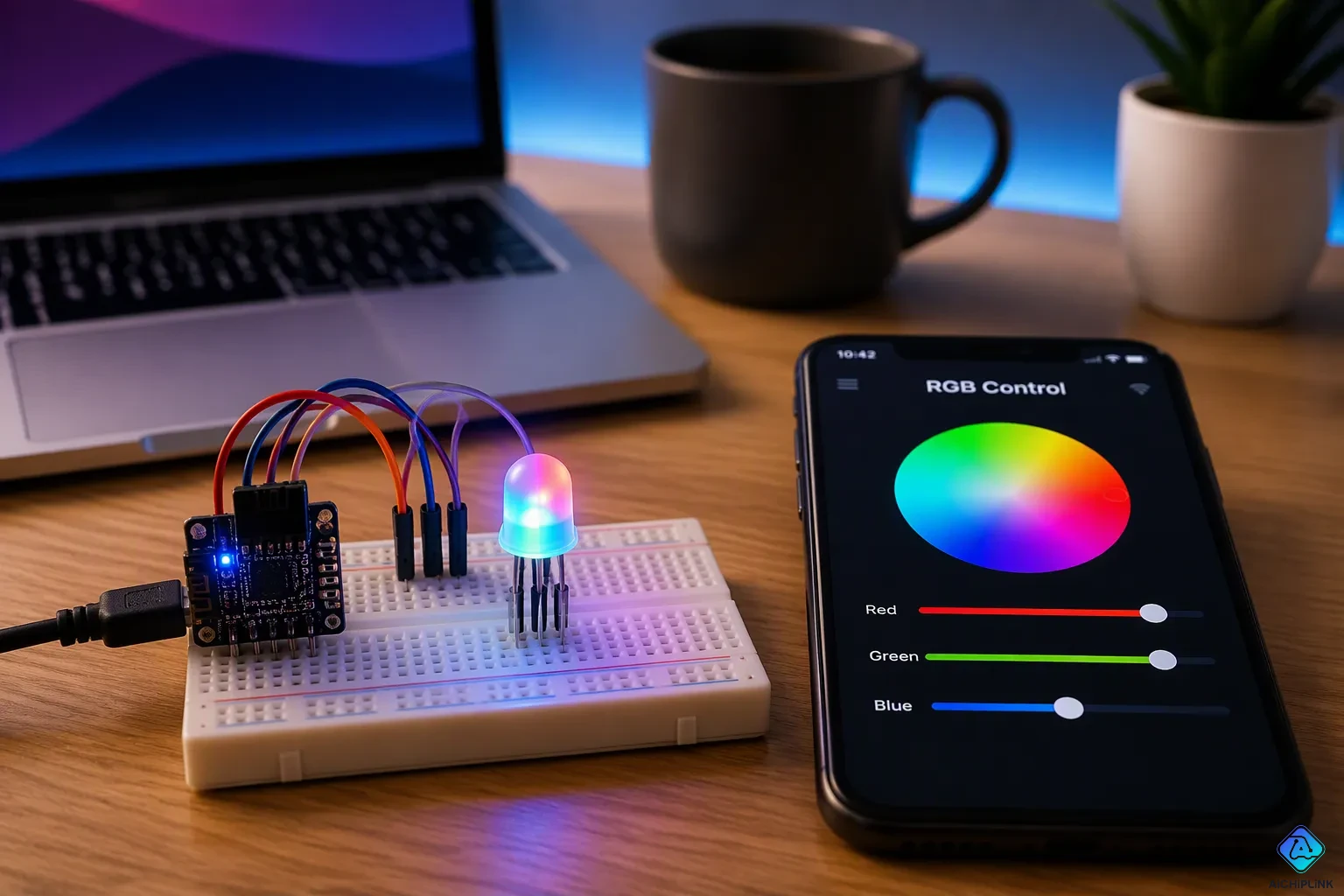
You can control RGB LED wirelessly with the ESP8266 ESP01 over Wi-Fi, and this guide shows you exactly how. Picture this: you are on the couch, you open your phone browser, and your accent lights shift from warm amber to cool blue in seconds. No app, no remote, no extra hub.
That is the fun of this little project. It is beginner-friendly, and the ESP01 module costs just $2.95. You only need a handful of parts to build a wireless RGB LED setup.
You will learn the hardware, the wiring, the code, and how to control your wireless LED step by step. Ready to make your lights respond to a tap?
Key Takeaways
-
Collect the ESP01 module, RGB LED, transistors, resistors, and a 3.3V power supply to build your wireless LED controller.
-
Connect each color channel through a transistor to protect the ESP01 and allow PWM brightness control.
-
Upload a simple Arduino sketch that makes a web server for color control from any browser.
-
Join the ESP01's Wi-Fi access point and open 192.168.4.1 to control your LED right away.
-
Fix common problems like flickering or dark LEDs by checking the power, the wiring, and how stable the firmware is.
Required Hardware for RGB LED Wirelessly
Components and Quantities
You need a small, cheap parts list to build this wireless rgb led project. The ESP01 wifi module is the brain of the setup. It costs about $2.95 and connects to your network without any extra hardware.
The ESP01 can drive a 1-watt RGB LED as a concrete example. That is a bright, single package with three color dies inside. Each color channel needs its own transistor or MOSFET, so add three of those to your list. The ESP01 pins cannot supply the current a power LED demands on their own. The transistors act as switches and let the module control each channel safely.
Here is the full list you should gather:
| Component | Quantity |
|---|---|
| ESP8266 ESP01 module | 1 |
| 1-watt RGB LED (common anode or cathode) | 1 |
| NPN transistor or logic-level MOSFET | 3 |
| Resistors for transistor bases or gates | 3 |
| Current-limiting resistors for the LED | 3 |
| Breadboard or perfboard | 1 |
| Jumper wires | As needed |
| 3.3V power supply | 1 |
If you plan to drive an rgb led light strip instead of a single LED, swap the LED and resistors for a 5v light strip and a matching 5V supply. The transistor stage stays the same.
Optional Tools
A few tools make the build smoother, but none are mandatory. A multimeter helps you check polarity and confirm your transistor wiring before you power up. A small screwdriver set is handy if you mount the board in an enclosure.
You may also want a USB-to-serial adapter for programming the ESP01. Many people use a dedicated programmer board instead. Either works fine for flashing your sketch.
Wire the ESP01 to Control RGB LED Wirelessly
Pin Connections
Three ESP output pins do the real work here. You use GPIO0, GPIO2, and TX (GPIO1) as your three channel outputs. Each pin drives one transistor or MOSFET, and each transistor switches one color die inside the rgb led. Red gets one pin, green gets another, and blue gets the third.
Every one of those outputs is a PWM signal. PWM means pulse-width modulation, and it switches the pin on and off very fast. The ratio of on-time to off-time sets the brightness of that channel. Mix three PWM levels and you get any color you want. That is the whole trick behind wireless color control.
Here is how the ESP01 pins line up for this build:
| Pin Name | Pin Function | Your Use |
|---|---|---|
| VCC | Power supply (3.3V) | Stable 3.3V rail |
| GND | Ground | Common ground |
| GPIO0 | General-purpose I/O | Red channel PWM |
| GPIO2 | General-purpose I/O | Green channel PWM |
| TX | Transmit Data (GPIO1) | Blue channel PWM |
| CH_PD | Chip Enable (Active High) | Pull high to enable |
| RST | Reset (Active Low) | Leave high for normal run |
Two pins need attention before you power up. CH_PD must be pulled high, or the chip stays asleep. GPIO0 and GPIO2 must also sit high at boot for normal operation. A simple level shifting circuit handles the gate drive when you switch a 5V strip from 3.3V logic. When your GPIO output is 3.3V, the gate-source difference is zero and the MOSFET stays off. When the output drops to 0V, the gate-source voltage reaches 3.3V and current flows. That is level shifting in action, and it keeps your ESP01 safe.
Power and Safety
Power is where beginners get into trouble. The ESP01 wants a stable 3.3V supply with enough current behind it. A weak supply causes random resets and flickering colors.
Most RGB strips run on 12V or 24V DC. The mains supply steps down to that safer low voltage, so the strip itself poses little shock risk during installation. The burden lands on the power supply unit. Use a UL-listed or CE-certified, regulated supply. Cheap unregulated units can overheat or cause power problems.
Do not overload your circuits. Overloading causes overheating or short circuits, so give multiple strips their own circuits. Provide ventilation and keep strips away from insulation and flammable materials. Limit nighttime exposure to blue and cool-white light, since it can disrupt melatonin. Cheap flickering strips also cause eye fatigue and headaches.
Always double-check polarity and transistor orientation before you apply power for the first time.
Get these details right, and you can control rgb led wirelessly with confidence. The wifi link, the rgb mixing, and the led brightness all depend on a clean, well-fed circuit.
Upload Code for RGB Control over WiFi
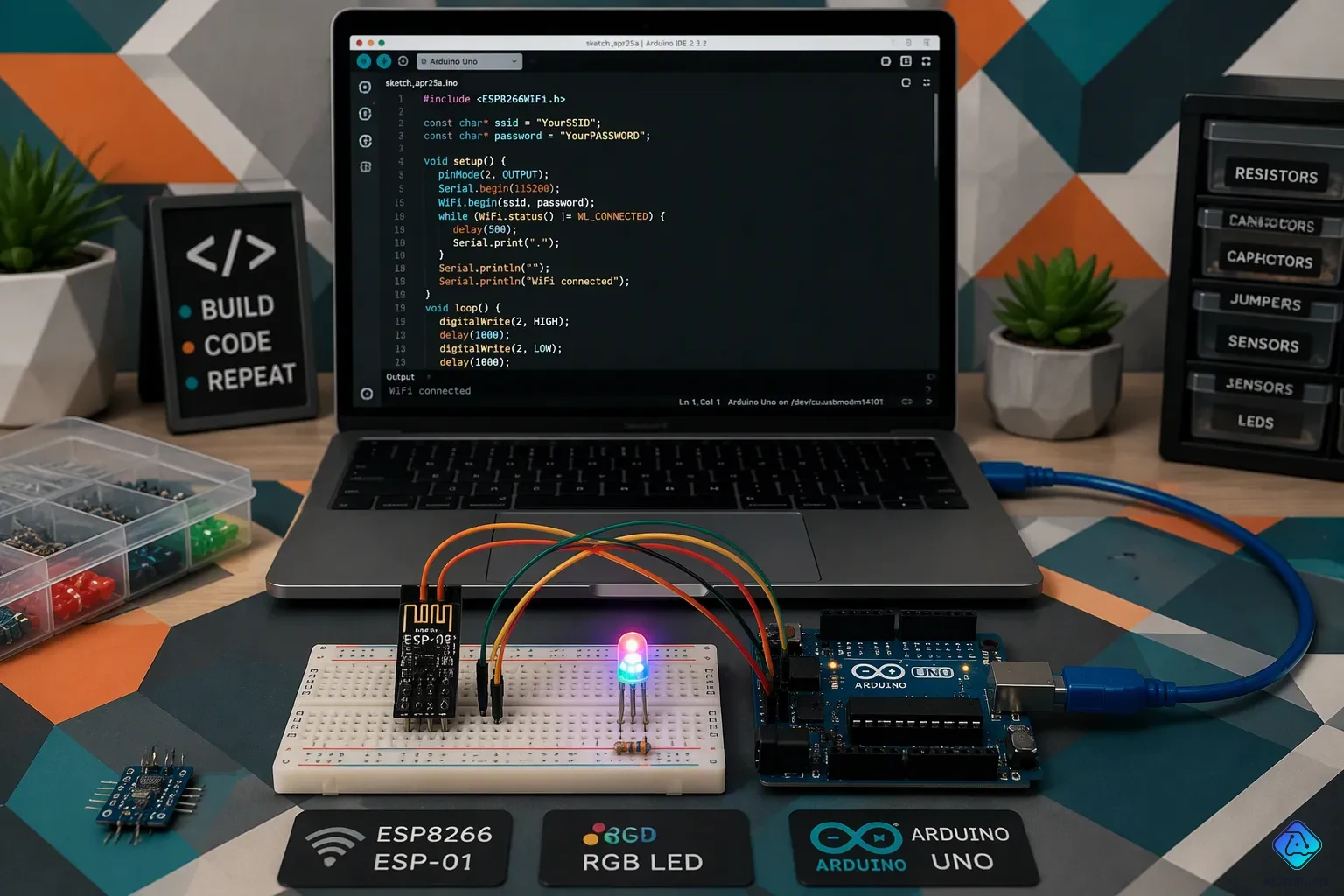
Arduino IDE Setup
The Arduino IDE is the easiest way to get your rgb led code onto the ESP01. Start by wiring the ESP-01 to a breadboard and connecting its GND to GPIO-0. That step puts the module into programming mode, and the ESP-01 cannot accept an upload without it. Then connect the ESP-01 to your Arduino and plug the Arduino into the computer.
Next, open File > Preferences and paste http://arduino.esp8266.com/stable/package_esp8266com_index.json into the Additional Boards Manager URLs field. Click OK. Go to Tools > Board > Boards Manager, search for esp8266, and install the esp8266 by ESP8266 Community package. Wait a few seconds for the install to finish. Open a new sketch, pick your port under Tools > Port, and select Generic ESP8266 Module under Tools > Board. Confirm the board name and COM port appear at the top of the IDE.
Test the chain with File > Examples > ESP8266 > Blink. Replace LED_BUILTIN with 0 and hit Upload. If the upload fails, press the breadboard reset button and retry. Intermittent failures often come from weak power, so use a stable USB interface. Another trick: click upload and quickly unplug and re-plug the ESP-01 header. If the Blink sketch uploads but the led stays dark, adjust the flash mode in the board options; DOUT was the correct setting in one documented case. Once Blink works, you know the toolchain is ready for your real sketch.
NodeMCU is an alternative programming route to the Arduino IDE. It brings built-in USB-to-serial connectivity and a friendlier form factor. Keep in mind that the ESP8266 platform offers fewer I/O pins than an Arduino and only one A/D channel capped at 1V input.
The Sketch Explained
Your sketch does two jobs. First, it starts a web server on the ESP01 wifi module. That server listens for browser requests and serves a small page with color controls. Second, it maps PWM values to each channel. You send a number from 0 to 255 for red, green, and blue, and the sketch writes those values to the three output pins. The PWM duty cycle then sets the brightness of each die, and the mix produces your color.
Think of the page as a tiny rgb web server dashboard. Three sliders or buttons send requests, and each request carries three numbers. The sketch parses those numbers and calls the PWM write function for each pin. A value of 0 turns a channel fully off, and 255 drives it fully on. Everything between gives you dimming. The rgb mix updates the moment you release a slider, so the response feels instant.
The level shifting circuit from the wiring stage matters here too. Your sketch assumes the transistors invert the signal, so a PWM value of 255 may mean full off. Flip the values in code if your colors look inverted. This is the heart of rgb control over wifi: a browser request becomes a PWM number, and that number becomes light. Get this loop working, and you can control rgb led wirelessly from any device on the network. The same sketch structure scales to schedules, presets, and sensor triggers later.
Connect and Control RGB LED
Join the Access Point
The ESP01 creates its own Wi-Fi access point. That means you do not need a router or an internet connection to get started. Power up the module, then open the wifi settings on your phone or laptop. Look for a new network name in the list and connect to wifi in seconds.
This access point gives you wireless connectivity straight out of the box. You do not have to connect to my home network or type in router credentials for the first test. The module handles everything on its own, and the wireless link stays local and simple.
The network established by softAP will have default IP address of 192.168.4.1. This address may be changed using softAPConfig.
Keep that address handy. It is the door to your lights, so write it on a sticky note if you like.
Use the Web Interface
Open a browser on any Wi-Fi-enabled device and type 192.168.4.1 into the address bar. The ESP01 web server responds with a colorful control page. You can now control rgb led wirelessly from your couch, and your rgb led responds the moment you move a slider.
The page is a small web interface built from HTML, CSS, and JavaScript files stored in the ESP8266's SPI Flash File System. It uses sliders for rgb control, and the page background changes to match your selected color. A color picker called jscolor handles the input, and Bootstrap styles the layout. The page even shows the picked color name.
Tap a slider and the browser sends the values to the module. The sketch parses them and drives each channel. That is rgb control over wifi in action. No app install, no cloud account, just a browser and your led. You can control rgb led colors from any device on the network. Try a few presets and watch the room change.
RGB LED Applications and Fixes
Project Ideas
Accent lighting for a house is the most practical use case. Tuck a strip behind a TV, under a kitchen cabinet, or along a staircase, and your rgb led lights turn a plain room into a scene. You can set warm tones for dinner and cool tones for movie night, all from your phone.
Addressable WS2812 LEDs are a natural extension. Each pixel gets its own color, so you can run gradients, chases, and animations instead of one flat color. A Wemos D1 Mini, a WS2812B strip, and a 5V supply sized at roughly 50mA per LED at full brightness cover most builds. Add a 220–470 Ohm resistor on the data line, and solder power to multiple points along longer strips.
Homebridge integration pushes the project further. Your wifi light controller then sits alongside your other smart devices, and your home automation system can schedule colors or react to events. That is a satisfying upgrade from a browser page, and it makes your rgb lighting feel like part of the house.
Common Problems
Flickering is the classic complaint. Start with a proper level shifting circuit and work up from there. Many builders replace the TXS0108E shifter with a 74AHCTxxx-based part, which has proven simple and reliable. Keep wiring neat and short, and skip pulldown resistors on the data line. If your data line runs longer than 1 m but under 5 m, add an inline resistor in the 33–220 Ohm range.
PWM output that never starts is another trap. In one documented ESPHome case, the 1.13.0-dev branch threw a fatal exception at the end of setup, while stable 1.12.2 reached the first loop and worked fine. If your rgb channels stay dark, test the stable release before you rewire anything. A clean level shifting stage and a stable firmware version fix most issues.
Finally, check your web server response. If the page loads but the led ignores your sliders, confirm the sketch writes PWM to the right pins. A quick swap in code usually solves it.
You now have the full path: gather the parts, wire each channel through a transistor, upload the rgb led code, and join the access point. Then you control rgb led wirelessly from your browser. Here is the final sequence:
-
Assemble the circuit and power it with a 5V battery or wall adapter.
-
Let the module boot; the led fades through all three colors.
-
Find the new access point named "RGB" in your wifi list.
-
Connect, open a browser, and go to 192.168.4.1.
Experiment with colors, schedules, or sensors. Your rgb led code is a starting point. Try level shifting tweaks, then move to a home automation system or addressable strips. Enjoy the build — rgb control over wifi is yours now.

Written by Jack Elliott from AIChipLink.
AIChipLink, one of the fastest-growing global independent electronic components distributors in the world, offers millions of products from thousands of manufacturers, and many of our in-stock parts is available to ship same day.
We mainly source and distribute integrated circuit (IC) products of brands such as Broadcom, Microchip, Texas Instruments, Infineon, NXP, Analog Devices, Qualcomm, Intel, etc., which are widely used in communication & network, telecom, industrial control, new energy and automotive electronics.
Empowered by AI, Linked to the Future. Get started on AIChipLink and submit your RFQ online today!
Frequently Asked Questions
Do I need a Wi-Fi router to use this setup?
No. The ESP01 creates its own access point, so your phone connects straight to the module. You get wireless control without a router or internet connection. Join the network, open 192.168.4.1 in a browser, and start changing colors.
Why does my RGB LED stay dark after upload?
Check three things first. Confirm CH_PD is pulled high, or the chip stays asleep. Verify each transistor points the right way. Then test the stable firmware release, since a development branch has thrown a fatal exception at setup in a documented case.
Can I drive a 5V LED strip instead of a single LED?
Yes. Swap the single LED and its resistors for a 5V strip and a matching 5V supply. Keep the same three-transistor stage. Add a level shifting circuit so your 3.3V GPIO pins switch the MOSFETs cleanly.
How many colors can the module produce?
Each channel takes a PWM value from 0 to 255, and you have three channels. That gives you millions of color combinations plus smooth dimming on every one. Move a slider and the mix updates instantly.
Can I add this to my smart home system?
Absolutely. Homebridge integration puts your Wi-Fi light controller alongside your other smart devices. Your automation system can then schedule colors or react to events. Addressable WS2812 strips are another fun upgrade path.