Broadcom vs Intel NIC Controllers
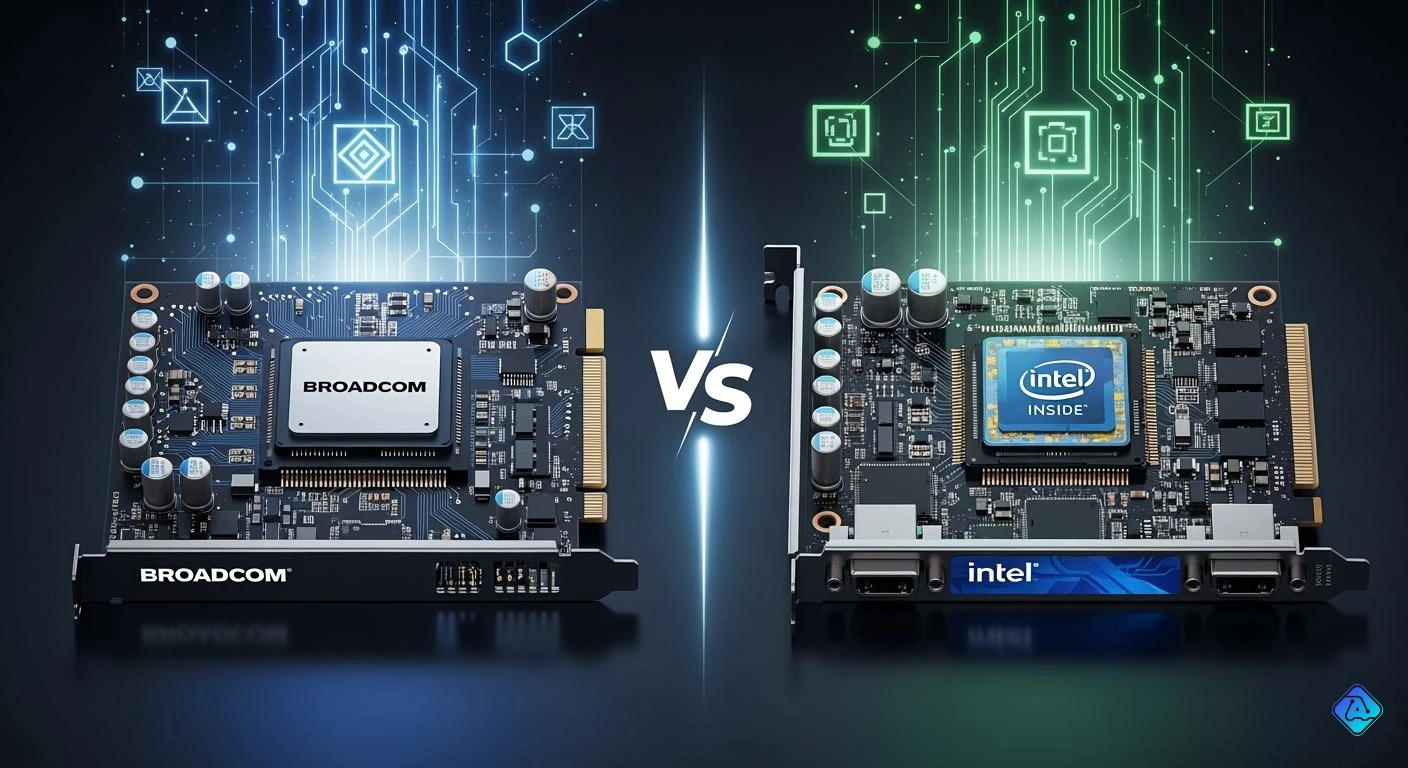
You may ask which NIC controller is best for you when considering Broadcom vs Intel. The choice depends on reliability, performance, and price. Surveys show people care about reliability and performance. Intel is a bit better in tough situations, while Broadcom is cheaper if you buy used cards.
| Factor | Broadcom | Intel |
|---|---|---|
| Reliability | Almost no drop in quality | A bit better in tough jobs |
| Performance | Most users see no difference | Better for heavy workloads |
| Price | Used cards cost much less | New cards cost about the same |
Tip: Think about your needs and how you will use it before picking between Broadcom vs Intel.
Key Takeaways
- Think about what your network needs before picking Broadcom or Intel NICs. Reliability and performance are very important. Intel NICs work best in places that need high performance. They are good for heavy workloads and tasks that need low latency. Broadcom NICs cost less, especially if you buy them used. This makes them great for people with small budgets and small businesses. Driver support matters a lot. Intel works better with many operating systems. Broadcom can have problems after updates. Look at power efficiency for your setup. Broadcom usually uses less power. Intel is made for better performance.
Broadcom vs Intel: Key Differences
Reliability
You want your network to work well all the time. When you look at broadcom vs intel, reliability is very important. Many people trust intel for hard jobs. Intel cards can handle lots of ethernet traffic. They do not drop connections easily. Broadcom nic controllers also work well. But some people have problems when there is a lot of incoming traffic. You might see the connection drop or ping go up after a while. Both broadcom and intel cards are good for most people. But intel is usually better for high-performance needs.
Note: Reliability is very important if you run servers or need ethernet all the time.
Here is a table that shows problems people have with broadcom nic controllers:
| Issue Description | Status |
|---|---|
| Very poor inbound packets (drops to zero) while outbound packets work perfectly. | Reported |
| Unstable connection with the NIC going down after a short period under high inbound traffic. | Reported |
| Mixed results regarding driver compatibility (versions 2.5.2 vs 2.6). | Reported |
| Connection drops or high ping spikes after some time. | Reported |
You may not have these problems if you use broadcom nic for simple ethernet jobs. Intel cards almost never have these issues, especially in big companies.
Driver Support
Driver support makes it easy to set up and use your nic. Both broadcom and intel cards work with Windows. You can plug in your ethernet card and use it right away. Linux also works with broadcom nic and intel cards. Both do well when busy. If you use BSD systems like FreeNAS or pfSense, intel cards have better driver support. Intel shares its code more, so it is easier to use their cards in these systems. Broadcom nic controllers sometimes have trouble with drivers, especially after you update your system.
Tip: If you want to use your nic in a BSD system, pick intel for an easier setup.
You should check the driver version before you put in a broadcom nic. Some people get different results with different drivers. Intel cards usually work with most systems and updates.
Power Efficiency
Power efficiency helps you save energy and keep your computer cool. Broadcom nic controllers often use less power than intel cards. You may see less heat from broadcom ethernet adapters. This makes broadcom good for cheap builds or small businesses. Intel cards care more about performance, so they may use more power when busy. If you run a data center or need high performance, you may use more power for better speed and reliability.
Note: Power efficiency is important if you use many ethernet cards or want a low electric bill.
Broadcom vs intel shows big differences in power use. Broadcom nic controllers are good if you want to save energy. Intel cards are better if you care more about speed than saving power.
You should think about reliability, driver support, and power efficiency when you pick between broadcom vs intel. Each brand is good for different ethernet needs.
Performance & Throughput
Speed Comparison
You want your network to be fast and stable. Both Broadcom and Intel NICs work well for this. Intel NICs are a bit faster in some tests. Broadcom NICs keep their speed steady and reliable. At home or in small offices, you may not see much difference. Both brands handle ethernet traffic well. They work with a 10gbe ethernet adapter. If you only need normal speeds, either brand is fine. For faster speeds, check how each NIC fits your system.
Low Latency Capabilities
Low latency is important for quick responses. This matters in gaming or fast networking. Intel NICs are often chosen for low latency jobs. They keep latency low even when busy. Broadcom NICs also do well with low latency. You get good results with default settings. You do not need to change many options. Both brands keep latency low with a 10gbe ethernet adapter. Intel sometimes needs more tuning for the best performance. Broadcom NICs can fix problems quickly. This helps keep latency down.
"Broadcom is liked for reliability and performance under stress. It recovers better than Intel. Users say Broadcom NICs work well with default settings. They give high performance without much tuning. Intel NICs may need changes for best results."
10GbE Ethernet Adapter Performance
You may want a 10gbe ethernet adapter for fast networking. Both Broadcom and Intel NICs support 10gbe. Intel NICs are often better for performance and throughput. They handle lots of ethernet traffic and keep speed high. Broadcom NICs give steady throughput and work well with 10gbe setups. Broadcom NICs are used where reliability and easy setup are important. Intel NICs are best for highest throughput and lowest latency. For the best 10gbe ethernet adapter experience, think about your needs for speed, throughput, and latency.
| Feature | Broadcom NICs | Intel NICs |
|---|---|---|
| 10gbe ethernet adapter | Reliable, easy setup | High performance, tunable |
| Throughput | Consistent | Often higher |
| Low latency | Good, quick recovery | Excellent, needs tuning |
Pick Intel if you want top network performance. Broadcom is good if you want simple and reliable 10gbe ethernet adapter use.
Driver Support
Intel Driver Ecosystem
You can count on the intel driver ecosystem for your network. Intel nic controllers work with many operating systems. It is easy to install and update intel drivers. They work well with Windows, Linux, and BSD. Intel gives updates often. These updates fix bugs and make things better. Intel nic cards usually work right away. You do not need to look for special drivers. Intel drivers help keep your network steady. You see fewer problems with intel in big networks. Intel drivers also let you use VLANs and jumbo frames. These features help your network work faster.
Tip: If you want an easy setup and simple updates, pick intel nic controllers. You get good driver support and strong performance.
Broadcom Driver Ecosystem
Broadcom has a different driver system. You can find broadcom drivers for Windows and Linux. Broadcom nic controllers work in many places. You may need to check which broadcom drivers fit your computer. Sometimes, broadcom drivers do not work with new operating systems. You see broadcom nic controllers in cheap builds and small businesses. Broadcom drivers support basic features and keep your network going. You may need to update broadcom drivers more often. Broadcom drivers can have problems after system updates. You can fix these by getting the newest broadcom drivers. Broadcom nic controllers use less power, so you save energy. You can find broadcom drivers for Linux 64-bit, like in Kubernetes or OpenShift.
Note: Always look for the newest broadcom drivers before you update your system. This helps you stop network problems.
OS Compatibility
You need to know which operating systems work with your nic controllers. Intel nic controllers work with many systems. You can use intel nic cards with Windows, Linux, and BSD. Intel drivers make setup easy on most computers. Broadcom nic controllers work with Windows and Linux. You can find broadcom drivers for Linux 64-bit, like for Kubernetes or OpenShift. Sometimes, broadcom drivers do not work with all Linux versions. You may see some gaps with broadcom nic controllers. Intel nic controllers work with more systems. You get more choices with intel drivers.
Here is a table that shows which operating systems each nic controller supports:
| NIC Controller | Supported Operating Systems |
|---|---|
| Broadcom | Linux 64-bit (some versions in Kubernetes or OpenShift) |
| Intel | Windows, Linux, BSD |
You should check your operating system before you pick a nic controller. Intel nic controllers give you more options. Broadcom nic controllers work best in certain setups.
Callout: If you use BSD or need lots of OS support, pick intel nic controllers. Broadcom is best for Linux 64-bit setups.
Price & Value
Cost Comparison
You want to know how much you will pay for a network card. The cost of broadcom and intel ethernet controllers depends on the model and features. Broadcom cards often cost less when you buy used. Intel cards cost about the same as broadcom when new. You see broadcom cards in budget builds. Intel cards cost more if you need advanced features or high performance. The cost of ethernet adapters changes with speed and power efficiency. Broadcom cards cost less for basic ethernet jobs. Intel cards cost more for extra security and manageability. You should compare the cost of each card before you buy.
Used Market Value
You can find broadcom and intel ethernet controllers in the used market. Both brands keep their value because they are popular in server systems. You see them bundled with other parts, so they appear often. Their presence in data centers and embedded markets helps them last longer. The bundling strategy moves many units, keeping demand high in the second-hand market.
-
Broadcom and intel ethernet controllers are widely used in servers.
-
You see them bundled with other hardware.
-
Their strong presence in data centers keeps them valuable.
-
Bundling helps them stay in demand for used buyers.
You get good value when you buy broadcom or intel ethernet cards used. The cost stays steady because many people want them.
Cost vs. Features
You should look at what you get for the cost. Intel and broadcom ethernet controllers offer different features. Intel E830 and E610 cards give you high speed, power efficiency, and security. Broadcom cards reach ultra-high speeds for special jobs. Intel cards use less power and offer secure firmware. Broadcom cards focus on speed for big networks. You see the cost change with features. Intel cards cost more for workstations and small businesses. Broadcom cards cost more for ultra-fast ethernet needs.
| Feature | Intel E830 & E610 | Broadcom NICs |
|---|---|---|
| Speed | E830 up to 200GbE, E610 multi-gig support | 400GbE speeds |
| Power Efficiency | E610 consumes 50% less power | N/A |
| Security Features | Hardware root of trust, secure firmware | N/A |
| Manageability | Incorporates SPDM, PLDM, BMC pass-through | N/A |
| Target Use | Ideal for workstations and SMBs | Ultra-high-speed environments |
You need to match the cost to your ethernet needs. Broadcom cards cost less for basic jobs. Intel cards cost more but give you extra features.
Use Cases
Data Centers
Data centers are growing quickly. More companies use the cloud now. These centers need strong networks to handle lots of data. Broadcom is a leader here with advanced NIC controllers. Many big data centers use broadcom NICs. They support fast connections and reliable performance.
Broadcom announced Thor Ultra. It is the first 800G AI Ethernet NIC in the industry. Thor Ultra connects many XPUs and supports huge AI workloads. It uses an open, UEC-compliant design. Thor Ultra helps fix network slowdowns in big AI clusters. It gives more than just faster speeds. It adds RDMA features, packet multipathing, out-of-order delivery, and better congestion control. All these work in an open Ethernet system. This makes AI networks easier to scale and connect.
Intel is also important in data centers. Both brands help build cloud networks. People want faster network interfaces. Many data centers use 10GbE or higher to keep up with cloud services.
Virtualization
Virtualization lets you run many systems on one server. This saves space and money in data centers and the cloud. Intel NIC controllers are great for virtualization. They give high throughput and use less CPU. You see Intel NICs in cloud setups where performance matters.
Broadcom NICs also work well for virtualization. They give steady throughput and low latency. You can use broadcom in small or medium data centers. Both brands help you build flexible cloud solutions.
Budget Builds
You may want to build a network without spending much. Broadcom gives good value for your money. The Broadcom 9361 8i costs less and works well. You can use it in small data centers or cloud setups. Intel X520 DA2 costs more but gives better performance for virtualization and cloud jobs.
-
Broadcom: Good for budget builds and small data centers.
-
Intel: Worth more money for cloud and virtualization.
Pick broadcom if you want to save money and still get a solid network.
Enterprise vs SMB
You need to pick the right NIC for your business size. Enterprises use both broadcom and intel in their data centers and cloud setups. They need fast and reliable connections. Small and medium businesses (SMBs) often choose broadcom because it costs less. You can use broadcom in SMB cloud setups and get good results.
Intel is good for enterprises that need top performance in data centers. Both brands are used in cloud setups. Your choice depends on your needs and budget.
-
Enterprises: Use both broadcom and intel for big data centers and cloud setups.
-
SMBs: Pick broadcom to save money in cloud and network builds.
Match your NIC choice to your data center, cloud, and network needs.
Strengths & Weaknesses
Broadcom Pros & Cons
Broadcom NIC controllers have good and bad points. You might like Broadcom if you want to spend less money. They are easy to use for simple jobs. Many people use Broadcom cards in small businesses or cheap builds. You can buy Broadcom cards for less, especially if they are used. Broadcom cards use less power. This means your computer stays cooler and uses less electricity. Broadcom cards are also easy to set up for basic things.
But there are some problems with Broadcom cards. Sometimes, drivers do not work well after updates. Some people say their connection drops when the network is busy. Broadcom cards may not work with every operating system. You should check for the newest drivers before you update your system.
Broadcom Pros:
-
Lower cost, especially in the used market
-
Good power efficiency
-
Simple setup for basic needs
-
Reliable for small networks
Broadcom Cons:
-
Driver support can be inconsistent
-
Possible connection drops under heavy load
-
Limited OS compatibility
Tip: Pick Broadcom if you want to save money and run a small or simple network.
Intel Pros & Cons
Intel NIC controllers give strong performance and are very reliable. You see Intel cards in big companies and data centers. Intel cards work with many operating systems like Windows, Linux, and BSD. Intel gives driver updates often. These updates help keep your network working well. Intel cards can handle a lot of work and keep latency low. You can use Intel cards for virtualization, cloud, and fast networks.
Intel cards cost more, especially if you want special features. They may use more power when working hard. If you only need a simple network, you may not need all the extra features.
Intel Pros:
-
Excellent reliability and performance
-
Strong driver support and OS compatibility
-
Handles heavy workloads and low latency
-
Good for virtualization and enterprise use
Intel Cons:
-
Higher price, especially for new cards
-
Uses more power under load
-
May be more than you need for simple setups
| Feature | Broadcom | Intel |
|---|---|---|
| Cost | Lower | Higher |
| Power Use | Lower | Higher |
| Driver Support | Mixed | Strong |
| Reliability | Good (light use) | Excellent |
| OS Support | Limited | Wide |
Note: Choose Intel if you need top performance, strong support, and want to run a busy or complex network.
You can see clear differences between Broadcom and Intel NIC controllers. Intel cards are very reliable and have strong security. They also offer high speeds. Broadcom cards give super-fast speeds for special uses. Check this table to help you choose:
| Feature | Intel E830 | Intel E610 | Broadcom NICs |
|---|---|---|---|
| Speed | Up to 200GbE | Multi-gig | Up to 400GbE |
| Power Efficiency | High | 50% better | N/A |
| Security | Advanced | Root of trust | N/A |
| Use Case | Telecom, AI | SMBs | High-speed networks |
Choose Intel if you want reliability and broad support. Pick Broadcom for budget builds or very fast needs. Match your NIC to your network type. Ask an IT expert if your setup is large or complex.

Written by Jack Elliott from AIChipLink.
AIChipLink, one of the fastest-growing global independent electronic components distributors in the world, offers millions of products from thousands of manufacturers, and many of our in-stock parts is available to ship same day.
We mainly source and distribute integrated circuit (IC) products of brands such as Broadcom, Microchip, Texas Instruments, Infineon, NXP, Analog Devices, Qualcomm, Intel, etc., which are widely used in communication & network, telecom, industrial control, new energy and automotive electronics.
Empowered by AI, Linked to the Future. Get started on AIChipLink and submit your RFQ online today!
Frequently Asked Questions
Are Intel NICs better for gaming?
You get lower latency and stable connections with Intel NICs. Many gamers choose Intel for smooth online play. Intel drivers work well with most games and systems.
Do Broadcom NICs work with Linux?
Yes, you can use Broadcom NICs with Linux. You may need to check for the latest drivers. Some Linux versions need extra setup for Broadcom cards.
Which NIC brand is easier to install?
Intel NICs usually install faster. You often plug them in and start using them right away. Broadcom NICs sometimes need manual driver updates.
Can I use these NICs for home networks?
You can use both Broadcom and Intel NICs at home. For simple tasks, both brands work well. Intel gives you more features if you want advanced options.