Capacitors Used in PCS Systems: Types, Functions and Selection Guide
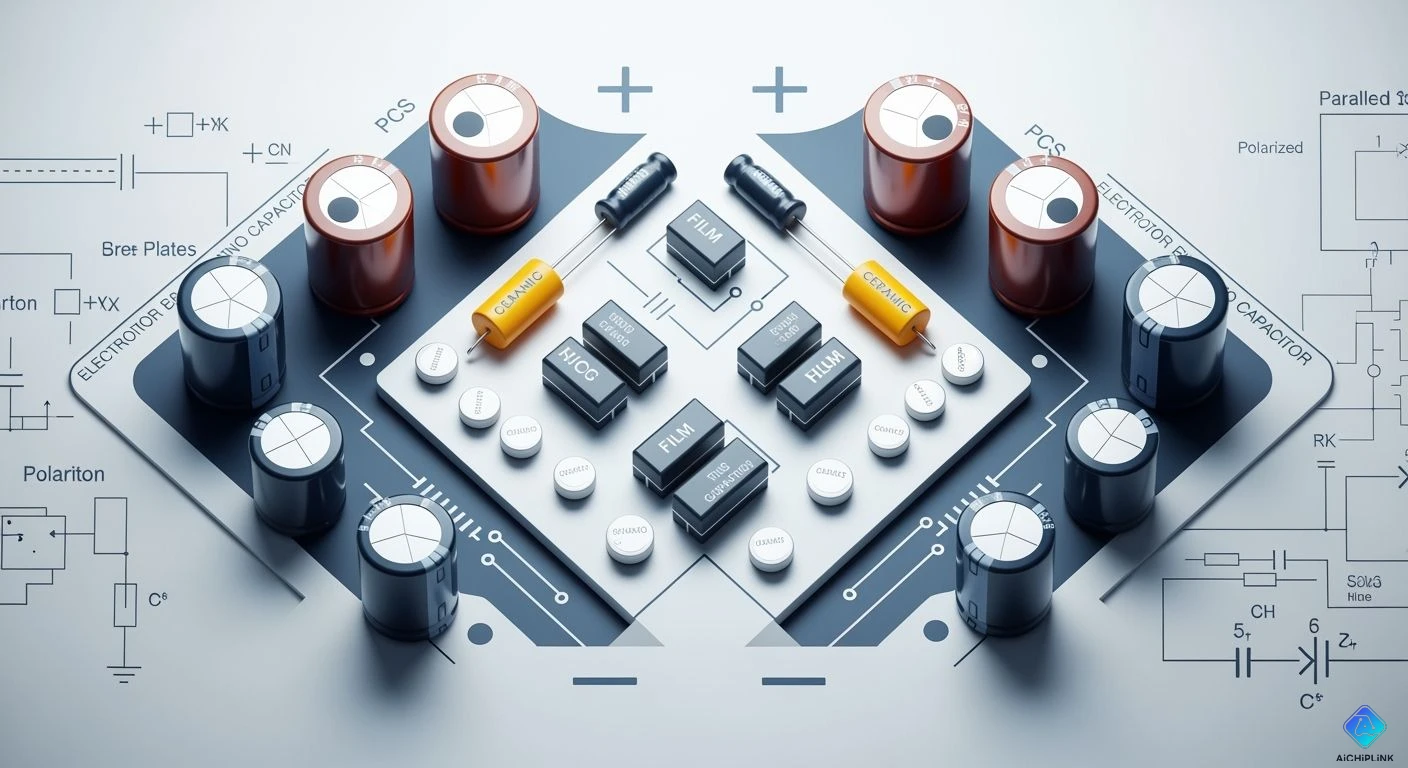
You need capacitors used to make PCS systems work well and stay safe. The capacitors used in these systems include electrolytic, film, ceramic, and power capacitors. Each type helps with storing energy, filtering, keeping voltage steady, or protecting the system. Picking the right capacitors used makes the system work better and last longer. Engineers and people who choose parts see good results when they pick capacitors used carefully.
Key Takeaways
-
Learn about the types of capacitors: electrolytic, film, ceramic, and power capacitors. Each type has its own job in PCS systems.
-
Pick capacitors with voltage ratings 20-30% higher than your system’s voltage. This keeps the system safe from sudden voltage jumps and makes it work better.
-
Put capacitors near IC power pins to cut down noise and boost how well things work. This keeps the voltage steady and helps the system react fast.
-
Think about how temperature changes affect how long capacitors last. Cooler temperatures can make a capacitor last twice as long, so try to keep them cool.
-
Use more than one type of capacitor in your design. This helps block noise and store energy better, which makes the system work best.
Types of Capacitors Used in PCS Systems
There are different types of capacitors used in PCS systems. Each one is good for certain jobs. If you know how they are different, you can pick the right one for your project.
Electrolytic Capacitors
Electrolytic capacitors are often found in PCS systems. People use them to store energy and filter signals. They also help keep voltage steady. These capacitors work well in power supplies and motherboards. They help signals stay smooth and cut down on noise.
Here is a table that shows where you might use electrolytic capacitors, along with their advantages and limits:
| Application Area | Typical Applications | Advantages | Limitations |
|---|---|---|---|
| Consumer Electronics | AC coupling, DC blocking in TVs, audio equipment, measuring instruments | Ensures stable signal transmission | Limited to low-to-medium frequencies; higher ESR than film capacitors |
| Automotive Electronics | Stabilizing signals in car audio, window motors, HVAC fan controllers | Absorbs voltage spikes, stabilizes signals | Not for high-voltage use; risk of breakdown or explosion if misused |
| Industrial Equipment | Buffering voltage ripple in inverters, UPS power supplies | Reliable under voltage changes | Poor at high frequencies; not for RF circuits or high-frequency switching |
| Lighting/Security | DC blocking in LED drivers, stabilizing signals in surveillance systems | Protects LEDs; improves monitoring | Shorter lifespan in harsh conditions; heat can reduce life |
⚠️ Note: Electrolytic capacitors can break in many ways. They might get too hot, bulge, or even burst. This happens if there is too much ripple current or high ESR. Using the wrong part can also cause problems. Even if a capacitor says it lasts 15 years, it might fail in less than five if it is not right for your system.
Film Capacitors
Film capacitors are another good choice for PCS systems. You use them for high voltage and high frequency jobs. They are great for power conversion, filtering, and storing energy. Metallized film capacitors can fix small faults by themselves.
-
Film capacitors are small and last a long time.
-
Metallized film types are smaller and cost less than film/foil types.
-
You often see film capacitors in inverters, power supplies, and motor drives.
Here is a table that compares the lifespan of film capacitors to other types:
| Capacitor Type | Typical Lifespan | Failure Rate |
|---|---|---|
| Film Capacitors | Decades | Very low |
| Electrolytic | Shorter than film | Higher than film |
| Ceramic | Not specified | Not detailed |
💡 Tip: If you want a part that lasts a long time and works well at high voltage or high frequency, film capacitors are a good pick.
Ceramic Capacitors
Ceramic capacitors are small and work fast. People use them for filtering, bypassing, and decoupling in PCS systems. They help remove noise and keep signals clean in power supplies and on motherboards.
Ceramic capacitors have some special features:
| Property | Ceramic Capacitors |
|---|---|
| Voltage Coefficient of Capacitance | Up to -80% at rated voltage |
| Temperature Coefficient | X7R: ±15%; Y5V: -80% |
-
You can use ceramic capacitors when you need quick response and steady performance.
-
They work well in both low and high frequency circuits.
-
You often see them in signal lines, microcontroller boards, and sensor circuits.
📝 Note: Ceramic capacitors can lose a lot of their capacitance at high voltage or temperature. Always check the ratings before you pick one for your PCS system.
Power Capacitors and Capacitor Banks
Power capacitors and capacitor banks hold a lot of energy. You use them in PCS systems for storing energy, fixing power factor, and keeping voltage steady. These capacitors are bigger than others and often work together in groups.
-
Power capacitors help smooth out voltage in big power supplies and converters.
-
Capacitor banks help control energy flow in large PCS setups.
-
You find them in renewable energy systems, motor drives, and backup power units.
✅ Tip: When you need to store or release a lot of energy fast, power capacitors and capacitor banks are the best capacitors used for the job.
Each type of capacitor has a special job in PCS systems. If you know what each one does best, you can make better choices for your designs.
Main Functions of Capacitors in Systems
Capacitors do many jobs in PCS systems. They store and release energy. They filter signals. They keep voltage steady. They protect sensitive parts. Each job helps your system work better and last longer.
Energy Storage and Discharge
Capacitors store energy and let it out when needed. This helps PCS systems handle sudden power changes. It also helps during short outages. Supercapacitors are special. They respond quickly. They can charge and discharge many times without losing strength.
Here is a table that shows how capacitors help with energy storage in PCS systems:
| Application Area | Description |
|---|---|
| Power Quality | Supercapacitors keep power quality high. They react fast to changes in demand. |
| Backup Power | They act as backup power sources. They keep your system running during outages. |
| Renewable Energy Integration | Supercapacitors help blend solar and wind power. They manage how fast energy flows in or out. |
| Discharge Management | They release energy in different ways. This matches your system’s needs. They do not wear out quickly. |
| Ancillary Services | Capacitors support grid stability and frequency control. They have high power and long life. |
Capacitors used for energy storage make PCS systems flexible and reliable. They help manage power flow. They keep your system safe from sudden changes.
Filtering and Ripple Reduction
Capacitors filter out unwanted signals. They reduce ripple in PCS systems. Ripple is a small change in voltage. It can cause problems for sensitive electronics. When you put capacitors across power lines or near important parts, they smooth out these changes. This keeps your system running smoothly.
-
Capacitors filter out noise from power supplies.
-
They remove high-frequency signals that cause errors.
-
Filtering capacitors keep DC output steady and clean.
If you want your PCS system to work well, you must control ripple and noise. Capacitors block unwanted signals.
Voltage Stabilization
Capacitors keep voltage levels steady in PCS systems. When the load changes or spikes happen, capacitors absorb or release energy. This stops voltage from dropping too low or rising too high.
-
Sodium-ion capacitors can work at voltages up to 4.2 V. This is 400 mV higher than before.
-
Higher voltage means more energy stored in the same space.
-
These capacitors keep about 65% of their starting capacity after 100 hours. They keep 99% efficiency.
Capacitors used for voltage stabilization help your system avoid damage. They help your equipment run better and last longer.
Protection and Signal Conditioning
Capacitors protect PCS systems from voltage spikes. They help shape signals for better performance. In sensor systems, they set how sensitive your system is to voltage changes. Total capacitance and feedback capacitance affect how well sensors work.
-
Capacitors help measure voltage sensitivity in piezoelectric sensors.
-
Low-capacitance sensors give higher voltage sensitivity. This is good for accurate readings.
-
Some systems can work at very high frequencies, even above 1 MHz, because of the right capacitors.
Using capacitors for protection and signal conditioning makes PCS systems safer and more reliable. You get better data from sensors. You get smoother operation.
When you know these main functions, you can pick the right capacitors used in your PCS system. This helps you build systems that are stable, efficient, and last a long time.
Capacitor Selection Guide for PCS Systems
Voltage and Capacitance Ratings
You should check voltage and capacitance ratings first. These ratings tell you how much energy a capacitor can hold. They also show how well it handles voltage changes. Pick a voltage rating that is 20-30% higher than your system’s DC bus voltage. This helps protect the capacitor from sudden voltage spikes. For example, if your system uses 230V, choose a capacitor rated at least 630V AC. The capacitance value affects how your motor works. If the capacitance drops, your motor will lose speed and power. The ripple current rating must be higher than the highest ripple current in your system. Lower ESR and ESL values help keep the capacitor cool and quiet.
💡 Always pick capacitors with a lifespan of at least 100,000 hours for long-lasting use.
Temperature and Reliability
Temperature changes can make your capacitor wear out faster. Every time the temperature goes up by 10°C, the life of the capacitor is cut in half. If you lower the temperature by 10°C, the life of the capacitor doubles. Most capacitors work best between 40°C and 50°C. You should look at reliability tests like High Temperature Operating Life, Preconditioning, and Temperature Cycle. These tests show how well the capacitor can handle stress.
| Testing Method | Purpose | Variables |
|---|---|---|
| HTOL | Shows how long it lasts | Operating conditions |
| Precon | Checks assembly strength | Bake, moisture, reflow |
| HAST | Tests extreme stress | Temp, humidity, bias |
| THB | Tests long-term stress | Temp, humidity, bias |
| TC | Checks hot and cold cycles | High/low temp |
Cost and Availability
You need to think about cost and how easy it is to find the capacitor. Smaller capacitors are cheaper but may not last as long. Bigger capacitors cost more but work better. Make sure the capacitor fits your budget and is easy to buy.
Application-Specific Considerations
Different jobs need different capacitors. Ceramic capacitors are small and have low ESR. They help lower ripple voltage but can cause problems if not set up right. Polymer capacitors have lower ESR than electrolytic types and last longer. Electrolytic capacitors are bigger and not good for small or low ripple jobs. You should pick the capacitor type that matches what your system needs.
Capacitors Used in PCS systems should match your voltage, temperature, cost, and job needs. If you follow these steps, your system will be reliable and work well.
Comparison Table: Types, Functions, and Selection
Capacitor Types vs. Functions
There are many kinds of capacitors in PCS systems. Each kind does a special job. Some store energy. Others filter signals or keep circuits safe. The table below shows which capacitor type does what main job:
| Capacitor Type | Main Function/Use |
|---|---|
| Fixed Capacitors | Used for steady jobs. These can be non-polarized or polarized. |
| Variable Capacitors | Let you change capacitance. You use them for tuning. |
| Motor Capacitors | Help motors start and run better. They boost power factor and torque. |
| Power Capacitors | Help with reactive power in big systems. |
| DC Link Capacitors | Keep DC voltage steady in inverters and converters. |
| Buffer Capacitors | Store energy and protect circuits from sudden changes. |
| Coupling Capacitors | Pass signals but block DC parts. |
| Bypass Capacitors | Remove noise from power lines and circuits. |
💡 Tip: If you know what each capacitor does, you can pick the best one for your PCS project.
Selection Criteria Overview
You should check a few things before picking a capacitor. Here is an easy checklist to help you:
-
Function: Decide if you need energy storage, filtering, voltage stabilization, or protection.
-
Voltage Rating: Pick a capacitor with a voltage rating higher than your system’s highest voltage.
-
Capacitance Value: Make sure the value fits your circuit’s needs.
-
Size and Type: Choose a type that fits your space and works well.
-
Reliability: Look for parts that last long and work in your system’s temperature range.
-
Cost and Availability: Check if the capacitor fits your budget and is easy to find.
📝 Note: Always match the capacitor’s features to your PCS system’s job. This helps your system work well and last longer.
You can use these tables and tips to make good choices. The right capacitor keeps your PCS system safe, steady, and working well.
Common Mistakes and Best Practices
Frequent Selection Errors
When picking capacitors for PCS systems, people often make mistakes. These mistakes can cause problems or even make the system fail. If you know what to look for, you can avoid these issues.
-
Almost half of engineers (42.9%) have trouble choosing the right capacitor values and types for different ICs. Picking the wrong value can make your circuit not work right.
-
About 35.7% of engineers have a hard time putting decoupling capacitors in the best spot. If they are not close to the IC power pins, you might get more noise and less steady voltage.
-
Around 21.4% find it tough to fit enough capacitors on the board. Too many can make the board crowded, but too few can hurt how well it works.
⚠️ Tip: Always check your capacitor choices and where you put them before you finish your design. Even a small mistake can cause big problems later.
Practical Tips for Engineers
You can use some simple steps to make your PCS system work better and last longer. These tips help you get the best from your capacitors.
-
Place capacitors close to IC power pins. Keep them 1-2 mm from the pin. This helps current move fast and lowers inductance.
-
Use short, wide traces or vias. Short and wide paths lower inductance. This lets the capacitor react quickly to changes in current.
-
Combine capacitors with different values. Use a few capacitors with different ratings. This blocks many kinds of noise and keeps signals clean.
-
Spread bulk capacitors across the board. Put bigger capacitors in different spots on the PCB. This helps keep voltage steady everywhere.
💡 Remember: Picking the right capacitors and putting them in smart places helps your PCS system last longer and work better.
Picking the right capacitors for your PCS system is very important. This helps your system work better and last longer. It also makes your equipment more reliable. Use the selection guide and follow best practices to make good choices. If your project is hard, ask an expert or look up more information.
🛠️ Tip: The right capacitor keeps your PCS system safe and strong. Always check your needs before you decide.

Written by Jack Elliott from AIChipLink.
AIChipLink, one of the fastest-growing global independent electronic components distributors in the world, offers millions of products from thousands of manufacturers, and many of our in-stock parts is available to ship same day.
We mainly source and distribute integrated circuit (IC) products of brands such as Broadcom, Microchip, Texas Instruments, Infineon, NXP, Analog Devices, Qualcomm, Intel, etc., which are widely used in communication & network, telecom, industrial control, new energy and automotive electronics.
Empowered by AI, Linked to the Future. Get started on AIChipLink and submit your RFQ online today!
Frequently Asked Questions
What does PCS stand for in capacitor systems?
PCS means Power Conversion System. PCS changes electrical energy into another form. Capacitors help PCS systems run well and stay safe.
How do you choose the right capacitor for your PCS project?
You check the voltage rating, capacitance value, and temperature range. Make sure these match what your system needs. You also pick parts that are reliable and fit your budget.
Why do capacitors fail in PCS systems?
Capacitors can fail from high temperature, wrong voltage, or too much ripple current. You can stop this by picking the right type and checking ratings before you use them.
Can you mix different capacitor types in one PCS system?
Yes, you can use more than one type. Mixing types helps filter noise, store energy, and keep voltage steady. Each type is best for a certain job.
What is ripple current and why does it matter?
Ripple current is a changing current in a power supply. It makes heat inside capacitors. You need to pick capacitors with a ripple current rating higher than your system needs.