Xilinx SoC Boards Explained: A Comprehensive Overview
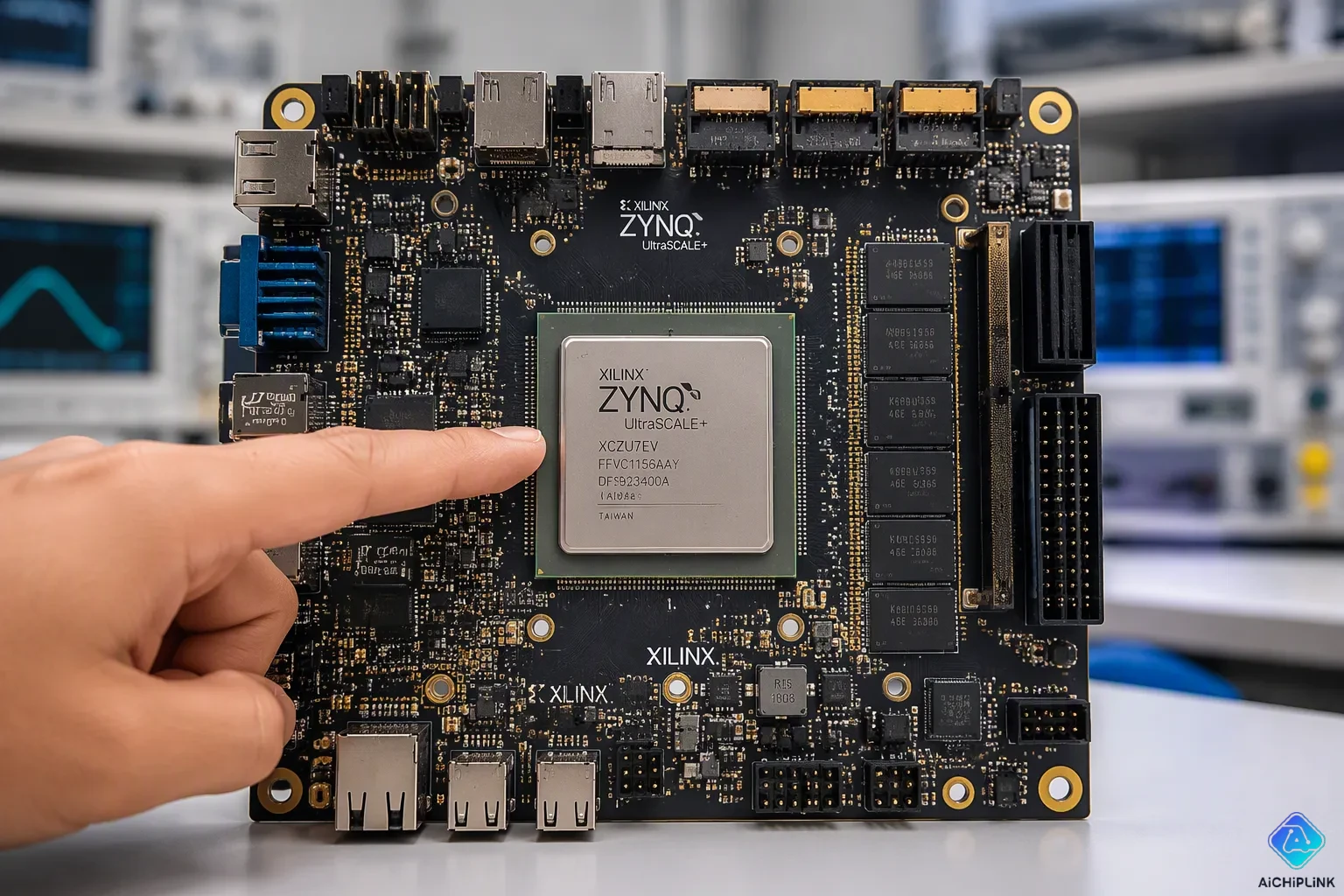
Have you ever felt limited by a microcontroller's processing power? Standalone FPGAs deliver parallel speed but cannot run complex operating systems easily. Xilinx SoC boards solve this problem. These boards merge an ARM processor with FPGA fabric on one chip. You gain remarkable flexibility. The ARM cores run software like Linux. The FPGA handles high-speed, parallel hardware logic simultaneously. This combination makes xilinx soc boards ideal for high-performance applications. Xilinx offers scalable options across product families. Whether you need fpga development boards for educational projects or professional prototyping, these platforms deliver exceptional value. This guide explains features, selection criteria, development workflows, and application areas for xilinx and intel development boards. You will learn how to match a board to your specific project needs.
Key Takeaways
-
Xilinx SoC boards put an ARM processor and FPGA fabric together on one chip, giving you both software flexibility and hardware speed.
-
The Zynq-7000 and Zynq UltraScale+ families offer flexible choices for different project needs and budgets.
-
Pick a board by checking what your app needs for logic, memory, I/O, and processing power, then weigh that against the price.
-
Use Vivado for hardware design and Vitis for software development; the process is the same across all Xilinx boards.
-
These boards are great for AI, edge computing, factory automation, and 5G. They allow fast, real-time data handling and custom hardware speed-ups.
Understanding Xilinx SoC Architecture
A System-on-Chip (SoC) puts many computing parts onto one small chip. Xilinx goes further with this idea. They place ARM processor cores together with programmable logic fabric. This one-chip design creates a strong platform. You get both software flexibility and hardware speed.
The Synergy of ARM and FPGA
The ARM processor runs operating systems and complex math. The FPGA fabric does parallel tasks at hardware speed. These two parts talk through the ARM AXI-4 bus protocol. This standard link keeps data moving smoothly between them.
This setup brings several performance gains. Lower delay is a key benefit. Data moves between processor and logic on the same chip. Separate chips would slow things down. The one-chip design also boosts overall performance with faster communication.
Your hardware design gets simpler too. Having CPUs and FPGAs on one chip cuts extra parts. This reduces board complexity and power use. Real-time tasks benefit a lot. Industrial automation and robotics need exact control and fast data handling. The ARM-FPGA pair delivers both.
Hardware acceleration takes heavy jobs off the processor. The FPGA handles custom logic for speed. Meanwhile, the ARM cores run software tasks well. This split of work improves overall efficiency.
A full encoding/decoding system built on Zynq SoC reached a total delay under 50 milliseconds. This shows how ARM-FPGA integration offers low-latency control for real-time jobs.
Key Families: Zynq-7000 and Zynq UltraScale+
Xilinx offers two main SoC families. The Zynq-7000 series fits cost-sensitive projects. The Zynq UltraScale+ series gives higher performance and extra features.
| Processor | Maximum Clock Speed | DMIPS Rating |
|---|---|---|
| ARM Cortex-A9 (Zynq-7000) | 1.5 GHz | 2.5 DMIPS/MHz |
| ARM Cortex-A53 (Zynq UltraScale+) | 1.5 GHz | 2.3 DMIPS/MHz |
Both families run at similar clock speeds. The Cortex-A9 gets slightly higher DMIPS per MHz. But the UltraScale+ offers more cores and better power control. You pick based on what your project needs.
These xilinx soc boards support many uses. From school projects to pro prototyping, scaling matters. Entry-level fpga development boards help beginners learn. Advanced boards handle tough workloads.
The Zynq-7000 stays popular for many designs. Its mix of speed and cost appeals to developers. The UltraScale+ shines in video and AI tasks. Both families share the same tools. This makes learning easier.
Knowing these architectures helps you choose the right board. Your pick depends on processing needs, power limits, and budget. Xilinx offers choices across the range. You can start small and grow as your project does.
Key Features of Xilinx Development Boards
Xilinx development boards pack strong features into easy-to-use platforms. These boards offer fast connections, powerful processing, and flexible design choices. You get tools that handle tough jobs in many fields.
High-Speed Connectivity and I/O
Modern Xilinx boards have built-in transceivers that move data very quickly. These transceivers support standards like PCIe, Ethernet, and fiber optics. You can hook up cameras, network switches, or storage systems without adding extra parts. This built-in connectivity makes your design simpler and lowers the chance of failures.
DDR memory controllers appear on most Xilinx boards. These controllers handle high-bandwidth memory well. You can run complex algorithms or store large video frames without slowdowns. The memory interface manages data flow on its own, so you focus on your application logic instead of low-level timing.
Flexible I/O standards let you connect many types of external devices. You can set pins to match different voltage levels and signaling methods. Whether you need LVDS for fast sensors or single-ended CMOS for basic peripherals, the board adjusts to your needs. This flexibility makes xilinx soc boards great for custom hardware designs.
Performance, Power, and Scalability
Xilinx boards deliver high performance through their ARM-FPGA mix. The processor handles complex software tasks while programmable logic speeds up parallel workloads. You can reach speeds that standalone microcontrollers cannot match. This design suits applications that need real-time response and heavy computation.
Power efficiency stays a key design focus. The SoC architecture cuts power use by removing separate processor and FPGA chips. You also get dynamic power management features. You can turn off unused processor cores or logic areas to save energy during idle times. This efficiency matters for battery-powered or heat-limited systems.
Scalability for many applications sets Xilinx apart. You can start with a beginner board for learning and move to advanced platforms as your project grows. The same software tools work across the whole product line. This consistency means your development effort carries over smoothly between boards. Whether you build a simple motor controller or a complex vision system, you find a board that fits your needs.
These features make Xilinx development boards useful for learning and professional prototyping. You get pro-level capabilities without losing ease of use. The mix of speed, flexibility, and scalability supports new ideas across many fields.
Selecting Your Xilinx SoC Board
Picking the right board starts with knowing what your project needs. Different jobs need different resources. For example, computer vision projects need lots of logic, fast I/O, and many DSP slices. This guide will help you match your project to the best board.
Evaluating Application Requirements
First, you must figure out your application's main needs. For a computer vision system, you need to check several key points. The table below shows how each point matters for vision tasks.
| Criterion | Relevance to Computer Vision |
|---|---|
| Logic Capacity (LUTs/FFs) | It decides how complex image processing and neural network accelerators can be. |
| I/O and Connectivity (pins, SERDES) | It is needed to connect camera sensors (MIPI/LVDS), HDMI output, and fast data links (PCIe/Ethernet). |
| Processing System (ARM cores) | It runs Linux, OpenCV, or vision frameworks while FPGA speeds up tasks. |
| DSP Slices | They are key for real-time filtering, convolution, and pixel-level work. |
| Memory (BRAM + DDR) | It decides how many frames can be stored and how large image datasets can be. |
After you look at these points, follow a clear plan. Use these steps when you pick a board for a vision project:
-
Check logic capacity and speed. Make sure you have enough LUTs and DSP slices for image filters and accelerators (for example, over 100k LUTs for AI).
-
Look at external memory. Video buffers and frame stores need DDR3 or DDR4 with enough speed. A 64-bit width is best.
-
Check I/O and connectors. Look for MIPI or LVDS for camera input and HDMI for display output.
-
Pick processor cores. For embedded vision with Linux or OpenCV, choose a Zynq SoC with ARM cores, like the Zynq-7000 or UltraScale+ MPSoC.
-
Think about on-board extras. Built-in HDMI, Ethernet, and USB cut down on extra parts for a full system.
These tips for picking a Xilinx board also work for many other fields. If you build an industrial controller, you may focus on DSP slices and real-time I/O. If you make a network device, you focus on fast transceivers and memory speed. Always start with your application's technical needs.
Balancing Budget and Ecosystem
Once you know your technical needs, you must balance them with your budget. Xilinx offers boards at many price points. The table below shows how price relates to logic cells and DSP slices.
| Board Category | Example Board | Price Range |
|---|---|---|
| Entry-level | Digilent Basys 3 | $149 |
| Entry-level | Xilinx Nexys A7 | ~$265 |
| Mid-range | Xilinx ZCU104 | ~$1,795 |
| Mid-range | Xilinx KCU116 | ~$3,495 |
| Advanced | Xilinx Alveo U200 | ~$8,995 |
| Advanced | Xilinx VCU128 | ~$12,995 |
As the board price goes up, you usually get more logic cells and DSP slices. This helps you pick a board that fits both your performance needs and your wallet.
For beginners and students, entry-level boards are a great choice. The Digilent Basys 3 costs about $165 and is great for basic digital circuits. The Arty A7, at about $200, gives more I/O and supports the MicroBlaze soft processor for embedded Linux. The Nexys A7 steps up with a larger FPGA and more memory. These popular Xilinx boards are perfect for learning and prototyping. They work well for both education and professional projects.
The ecosystem also matters. Xilinx gives the same software tools for all its boards. You can start with an entry-level board and later move to a mid-range or advanced board without learning new tools. This saves you time and protects your investment. When you check options, think about not only the board cost but also the software tools. The community and documentation support are also important.
Getting Started with Xilinx SoC Development
To start building with xilinx soc boards, you need to learn the software tools. The development workflow has two main parts. You create hardware in Vivado. You write software in Vitis. These tools work together. They give you a smooth experience from start to finish.
Essential Tools: Vivado and Vitis
Vivado handles all hardware design tasks. You use it to define the FPGA logic, add processor cores, and connect peripherals. The tool creates a hardware description file called an .xsa file. This file contains everything the software side needs to know about your board setup. You can simulate your design, check timing, and generate the bitstream that programs the FPGA fabric.
Vitis is the software development environment. It takes the .xsa file from Vivado and builds your application code. You write C or C++ programs that run on the ARM processor. Vitis includes libraries for bare-metal and Linux development. You can debug your code, check memory use, and see performance data in real time. The tool also supports profiling to find slow parts of your program.
These software tools for xilinx development boards stay the same across all product families. You learn them once and use them for any project. This consistency saves time when you move from a simple board to a complex one. Whether you work on fpga development boards for school or professional projects, the tools feel familiar. The same workflow applies to entry-level and advanced boards alike.
A Simple Hardware-Software Co-Design Project
A good first project shows you how the ARM processor and FPGA work together. Blinking an LED through the ARM core demonstrates the full co-design flow. You create a simple hardware design in Vivado, then write software in Vitis to control the LED. This project teaches you the core skills for soc development.
Follow these steps to create a "Hello World" application on a Zynq-7000 board:
-
Create a Platform project in Vitis. Go to File > New > Platform project and give it a name like
pynqz2_base_platform. -
Select the
.xsafile for your hardware. Vitis then lets you pick the operating system and processor. Chooseps7_cortexa9_0for the initial domain. -
Build the platform project. This step also generates the First-Stage Bootloader called
zynq_fsbl. -
Create an Application project. Go to File > New > Application project and assign it to your platform and processor.
-
Select the domain. Choose
standalone on ps7_cortexa9_0. Pick the Hello World template. -
Build the application project by clicking the build button.
-
Debug the system. This step programs the FPGA and loads your application onto the Zynq device.
-
Verify the output. Check the serial terminal for the 'Hello World' message sent over UART.
This project introduces you to the key steps in development. You learn how to create a platform, build an application, and test your work. The skills you gain apply to more complex projects later.
For advanced users, you can also run Linux on the ARM cores. Create a Linux domain in your platform project. Select Linux as the OS and ps7_cortexa9 as the processor. Build the platform and create a Linux application. Use the Linux Hello World template. Set up a network connection between your board and host computer. Run the application to see output in the Vitis console.
These steps show the power of xilinx soc boards. You get both standalone operation and full Linux support. The same hardware supports both modes. This flexibility makes these boards valuable for educational and professional prototyping. You start with simple LED control and grow into complex systems over time. The skills you learn here transfer directly to real-world projects in many fields.
Comparing Xilinx SoC Boards to Alternatives
Choosing the right platform means knowing your options. Xilinx competes with Intel, and both differ from simpler choices. You need to understand these differences before spending time and money.
Xilinx vs. Intel (Altera) SoC FPGAs
Both Xilinx and Intel make SoC devices that pair ARM processors with FPGA fabric. The hardware looks similar on paper. The real differences show up in the software tools and how you work.
| Tool Category | Xilinx | Intel |
|---|---|---|
| Hardware Development | Vivado Design Suite | Quartus Prime |
| Software Development | Vitis Unified Software Platform | oneAPI Toolkits |
| Embedded Linux / SoC Support | PetaLinux Tools, Xilinx Runtime (XRT) | SoC FPGA Embedded Development Suite (SoC EDS) |
| Acceleration / OpenCL | Xilinx Runtime (XRT) | OpenCL SDK for FPGAs |
Xilinx gives you one smooth path through Vivado and Vitis. You build hardware in one place, then move easily to software work. Intel splits tasks between Quartus Prime and oneAPI, which makes learning harder. For embedded Linux, Xilinx offers PetaLinux Tools that connect directly to your hardware design. Intel makes you handle the SoC EDS separately. These differences matter for application areas for xilinx and intel development boards. If you want a simple workflow, xilinx soc boards often feel smoother. Performance tests show similar results between the two at close prices. Your choice may come down to which tools you know and community help rather than raw power.
SoC Boards vs. MCUs and Standalone FPGAs
A basic microcontroller works fine for simple jobs like reading sensors or running small motors. You write easy code, and the chip runs it step by step. But you hit limits fast. Hard algorithms slow down. Real-time work gets tough. You cannot add custom hardware logic.
A standalone FPGA gives you parallel processing power. You build custom logic circuits that run at the same time. But you lose the ability to run complex software. No operating system runs easily on FPGA fabric alone. You must build soft processors from logic cells, which uses resources and runs slower than real silicon.
Xilinx SoC boards fill this gap. You get the ARM processor for software tasks and the FPGA for hardware speed. This mix handles high-performance jobs that neither MCUs nor standalone FPGAs can do alone. For example, a vision system needs Linux for image processing and custom FPGA logic for pixel-level filtering. An MCU lacks the power. A standalone FPGA lacks the software setup. The SoC gives you both.
For learning and professional prototyping, this flexibility helps a lot. You start with simple projects and grow to complex systems without switching platforms. The development board selection guide always points to SoC solutions when your project needs both software and hardware changes. Popular xilinx development boards like the Zynq series offer this dual ability at fair prices. When your application needs an operating system plus custom logic, xilinx development board selection criteria favor SoC options over simpler choices.
Real-World Applications of Xilinx SoC Boards
Xilinx SoC boards mix ARM and FPGA parts to solve real problems across many industries. You see these boards in smart cameras, factory robots, and cell towers. Their flexibility helps engineers change fast when needs shift. You get the best of both worlds: easy software and fast hardware.
Accelerating AI and Edge Computing
Edge devices must process data quickly without sending everything to the cloud. Xilinx SoC boards do this well. The FPGA part speeds up neural network inference tasks. The ARM cores run the main system and application software. This split gives you low delay for time-sensitive choices.
Think about a smart security camera. The FPGA handles pixel-level work and runs a small neural network to find objects. The ARM processor runs Linux, manages network links, and sends important video clips. You get real-time analysis without a strong cloud server. This method cuts bandwidth costs and improves privacy because raw video stays local.
The ability to scale for many uses makes these boards attractive. You can use the same design on different Xilinx devices. A small board might handle one camera stream. A larger board processes many feeds at once. Your software work carries over because the tools stay the same across the product line.
Power efficiency matters at the edge. Many systems run on battery or solar power. The SoC design lets you turn off unused processor cores or logic areas. You can also change clock speeds on the fly. These features extend battery life while keeping performance when needed.
Enabling Industrial Automation and 5G
Factories need exact, real-time control. Xilinx SoC boards deliver this with built-in support for industrial protocols. The table below shows the communication standards you can use directly on these devices.
| Provider | Protocol / IP Core | Key Detail |
|---|---|---|
| AMD | TSN Endpoint Subsystem | Direct connection of AMD SoC Processing System to TSN infrastructure |
| Softing | PROFINET IRT | IP Core with integrated MicroBlaze for protocol stack |
| Softing | EtherNet/IP | Interfaces and switch with integrated MicroBlaze |
| Beckhoff | EtherCAT | Slave Controller IP Core |
| acontis | EtherCAT Master | Software stack for master function in Processing System |
| SoC-e | IEC 61850 (HSR/PRP) | Zero-loss redundancy for energy network communication |
These protocols connect robots, conveyors, and sensors in modern factories. The FPGA handles time-critical communication tasks. The ARM processor runs higher-level control logic and human-machine interfaces. This split ensures steady response times for safety-critical jobs.
Motor control gains a lot from this design. The FPGA creates high-speed PWM and current sensing. The processor runs path planning and monitoring code. You get smooth, exact motion control that standalone microcontrollers cannot match.
Telecom infrastructure also uses these boards. 5G base stations need huge data speed and low delay. The FPGA handles signal processing and protocol acceleration. The ARM cores manage the whole system and connect to the core network. This mix supports the tough performance needs of modern wireless standards.
The application areas for xilinx and intel development boards overlap in these fields. Both offer SoC solutions for industrial and telecom use. But many engineers like Xilinx for its unified software environment. You move from hardware design to software work without switching tools. This efficiency shortens development cycles and cuts time to market.
These common uses for FPGA and SoC development boards show the technology's versatility. Whether you build an AI camera or a factory controller, xilinx soc boards give you the performance and flexibility you need. The same platform supports learning and professional prototyping, making it a smart choice for both.
Xilinx SoC boards merge software flexibility with hardware speed. You get ARM processors for complex tasks and FPGA fabric for parallel processing. This combination serves high-performance applications across many fields.
Why choose this path? You gain unmatched customization. Software tools for xilinx development boards support both beginners and experts. Start with the Arty A7 for learning. Professionals might select the ZCU104 for demanding projects. These popular xilinx development boards scale with your skills.
Your journey begins with one small project. Try blinking an LED through the ARM core. You will discover the power of co-design. The resources and community support await you.

Written by Jack Elliott from AIChipLink.
AIChipLink, one of the fastest-growing global independent electronic components distributors in the world, offers millions of products from thousands of manufacturers, and many of our in-stock parts is available to ship same day.
We mainly source and distribute integrated circuit (IC) products of brands such as Broadcom, Microchip, Texas Instruments, Infineon, NXP, Analog Devices, Qualcomm, Intel, etc., which are widely used in communication & network, telecom, industrial control, new energy and automotive electronics.
Empowered by AI, Linked to the Future. Get started on AIChipLink and submit your RFQ online today!
Frequently Asked Questions
What makes a Xilinx SoC board different from a regular FPGA board?
A xilinx soc board puts an ARM processor and programmable logic together on one chip. This gives you both software flexibility and hardware speed. A regular fpga development board does not have the processor. Running Linux on standalone FPGA fabric is hard. The soc approach gives you the best of both.
How do I choose the right Xilinx board for my project?
Begin with what your application needs. Look at logic capacity, memory, and I/O needs. Entry-level boards like the Arty A7 work well for beginners. Professional projects might need the ZCU104. Your budget and performance needs will guide you. Popular xilinx development boards come at many price levels.
What software tools do I need for Xilinx SoC development?
You need Vivado for hardware design and Vitis for software work. These software tools for xilinx development boards work across all product families. You build hardware in Vivado, then write C code in Vitis. The workflow stays the same as you grow your projects.
What can I build with these boards?
You can build AI cameras, motor controllers, and 5G equipment. These soc boards handle high-performance jobs in many fields. The ARM cores run Linux while FPGA logic speeds up tasks. This flexibility helps both learning and professional prototyping across industries.