Build a Wireless Audio Transfer System Using Laser Light
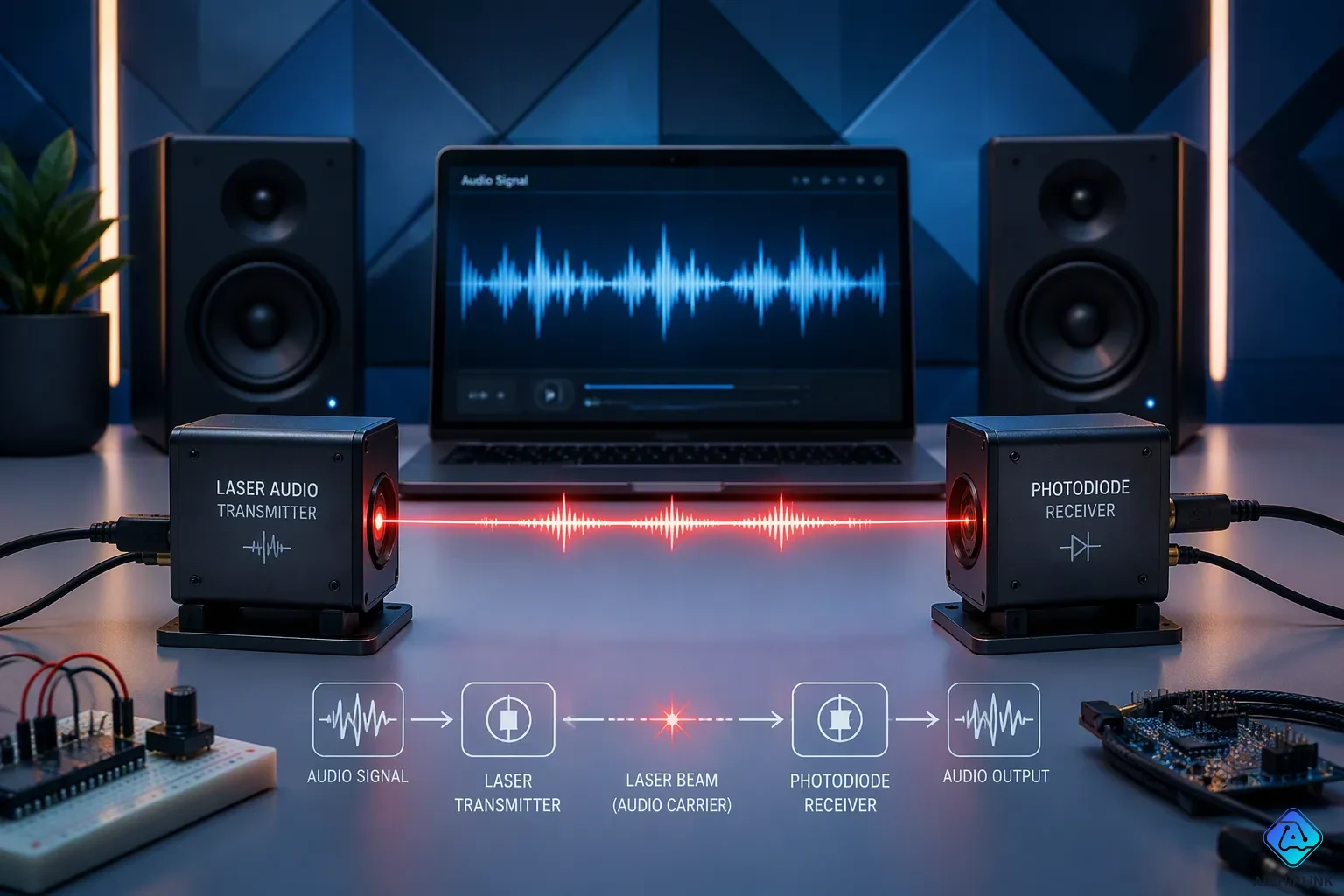
You can build a working wireless audio transfer using laser light with a handful of low-cost parts. This post covers the full build from start to finish. Picture this: your phone plays music across the room on a beam of light, with no wires and no radio. The project is a simple, hands-on form of Li-Fi, which uses light to carry data. Li-Fi is a fast-growing field; the market reached USD 1.5 billion in 2026. You will learn how the laser carries sound, which parts to buy, how to build the transmitter and receiver, and how to test your lifi audio transmission project.
Key Takeaways
-
You can send music through the air using a laser beam and a solar panel.
-
The transmitter changes the laser brightness with the audio signal.
-
The receiver turns the light back into sound using a solar panel and amplifier.
-
Keep a clear line of sight between the laser and the receiver for the best sound.
-
You can improve range and sound quality with a lens, reflector, or better detector.
How Wireless Audio Transfer Using Laser Light Works
The main idea is easy. Your sound turns into light, travels through the air, and changes back into sound. This is a hands-on kind of Li-Fi, and it makes wireless audio transfer using laser light simple to grasp. You get a real audio transfer using laser light with no radio waves at all.
Audio Transfer Using Laser Light Basics
You send the sound as an analog audio signal. The transmitter changes how bright the laser is, matching the audio. Engineers call this amplitude modulation, and it is the heart of simple laser audio transmission. The light strength carries the information, so you transfer audio through laser light without encoding or decoding chips.
This audio transfer stays analog the whole way. A laser diode module follows the applied voltage in a straight line up to about 4V. Keep the laser inside that straight-line range, and the received audio signal using light stays close to the original. Go past it, and the audio gets distorted.
Transmitter and Receiver Roles
The laser audio transmitter does the first job. Your phone feeds a small PAM8403 amplifier. That amplifier drives the laser diode, so the beam gets brighter and dimmer with the music. A typical laser module runs at 650 nm and has a built-in 30-ohm resistor. You can send an audio signal using a laser beam across a room. The laser audio transmitter and receiver pair only works when the beam hits the target. Aim the laser until it lands on the detector, and the audio shows up.
A solar panel, like an 8 × 8 cm, 5 V, 100 mA unit, catches the laser signal. The panel makes current through the photoelectric effect, and that current rises and falls with the light. An LM324 op-amp in a transimpedance setup turns the current into a voltage. A Class-D amplifier then drives your speaker, and you hear the audio. Keep a clear line of sight between the two ends, because any blockage stops the wireless audio signal. This is the heart of any lifi audio transmission project, and it is also the basis of audio transmission using lifi.
Parts for Wireless Audio Transfer
Core Components and Quantities
Collect these parts before you begin your build. You need one laser diode module, one solar panel for the receiver, one PAM8403 audio amplifier, one audio input cable or 3.5 mm jack, one speaker or a pair of headphones, a set of resistors, a few capacitors, a battery or power supply, one breadboard or perfboard, and some jumper wires. A plain laser pointer can take the place of a laser module in a first build. That swap keeps your first try cheap and simple.
The resistor and capacitor values matter for clean sound. Use this table as your shopping guide.
| Component | Value |
|---|---|
| R1 | 10 KΩ |
| R2–R4 | 47 KΩ |
| R5, R6 | 1 KΩ |
| R7 | 47 Ω |
| R8 | 10 KΩ, 0.5W metal film |
| C1–C3 | 1 µF (Electrolytic) |
All resistors are ¼-watt, ±5% carbon, except R8. Buy a few spares of each value. Small parts go missing fast on a workbench.
Tools and Optional Upgrades
You need three tools for this wireless audio transfer project. A soldering iron joins your connections. A multimeter checks voltage and continuity. Wire strippers clean up your jumper wires. Keep a clear line of sight between the laser audio transmitter and the receiver during every test.
Optional upgrades make your results better later. A lens focuses the beam into a tighter spot. A reflector bounces the light around a corner. A better photodiode replaces the solar panel for faster response. Start with the basic parts, then add upgrades once your first audio signal comes through.
Build the Laser Audio Circuits
You now have your parts on the bench. This section walks you through both halves of the build, one connection at a time. Work slowly, check each joint, and keep the laser pointed away from your eyes.
Building the Transmitter
The laser audio transmitter turns your music into a changing beam. Follow these steps to assemble it.
-
Plug your audio source into the PAM8403 input. A 3.5 mm jack cable works well here. The amplifier boosts the weak signal from your phone.
-
Wire the amplifier output to the laser diode. Add a current-limiting resistor in series first. This resistor caps the current that flows through the laser, so the part does not burn out. The 47 Ω value from your parts list suits this job.
-
Set the bias for the laser. Bias means a small standing current that keeps the laser glowing steadily even during quiet passages. Without bias, the beam cuts out on soft notes and the sound turns choppy.
-
Power the circuit from your battery or supply. Check the voltage with your multimeter before you connect the laser.
Your home-built laser audio transmitter is now ready. This simple laser transmitter circuit carries the full audio transfer using laser light.
Building the Receiver
The laser receiver circuit catches the beam and turns it back into sound. Build it in this order.
-
Connect the solar panel output to the input of your audio amplifier. The panel acts as the detector here.
-
Solder a capacitor across the panel output for smoothing. This part filters out flicker from room lighting and keeps the audio signal clean.
-
Add a resistor for level control. This resistor sets how loud the signal arrives at the amplifier, so you can match it to your speaker.
-
Wire the amplifier output to your speaker or headphones.
Both halves of your laser audio transmitter and receiver are complete. Power them up, and you are ready for the first test. Keep a clear line of sight between the two units during every trial.
A quick note on safety: never look into the beam, and never aim it at a reflective surface. Treat every laser like a tool that deserves respect.
Test Your Laser Audio Transmission
First Test and Technology Comparison
Turn on both circuits and point the laser at the solar panel. Play a tone or a song from your phone. Listen for sound at the receiver. A click or pop when the beam hits the panel shows the light link works. Put your hand in the beam, and the music should stop. Move your fingers in the beam, and the sound should break up. That test shows your laser audio transmitter and receiver are changing the signal the right way.
If you hear nothing, check the beam first. Make sure the laser really lands on the solar cell. Then turn up the amplifier volume before you turn up the phone volume. With the phone silent, raise the amplifier until you hear a hiss, then lower it a little. Now raise the phone volume slowly until the music fills the room.
Your build is part of a larger group of wireless choices. Each one fits a different job.
| Characteristic | Li-Fi | Wi-Fi | Bluetooth |
|---|---|---|---|
| Range | About 10 meters, depending on lighting, transmitter power, and obstacles | About 32 meters for WLAN 802.11b/11g, depending on power and antenna | Short, room-scale links |
| Speed | 10 Mbps to 9.6 Gbps per IEEE 802.11bb; research demos reach up to 224 Gbps bi-directional | Conventional rates, below Li-Fi theoretical peaks | Modest rates suited to audio and peripherals |
| Line of sight | Required for a laser link | Not required | Not required |
| Interference | Light spectrum, fewer contenders, no RF interference | Shares unlicensed spectrum with Bluetooth, Zigbee, and ultra-wideband | Competes for the same radio spectrum |
| Cost | Low for a DIY build | Moderate | Low |
| Best fit | Point-to-point links, dense rooms, secure paths | General coverage across a home or office | Personal audio and short-range pairing |
Laser Audio Transmission Range
Range depends on your setup. Use this table as a guide.
| Environment | Expected range | Limiting factors | Optimization tips |
|---|---|---|---|
| Indoor, dim room | Several meters | Ambient light, beam spread | Shield the receiver, focus the beam |
| Indoor, bright room | Shorter | Sunlight and lamps swamp the detector | Add a lens, use a hood |
| Outdoors, clear night | Longest | Alignment drift, air movement | Stabilize the mount |
| Through glass | Reduced | Reflection and scattering | Angle the beam carefully |
A DIY build usually reaches only a few meters. Treat long distance as a goal, not a starting expectation.
Keep these fixes nearby during your lifi audio transmission project.
| Problem | Cause | Solution | Prevention |
|---|---|---|---|
| No sound | Beam misses the cell | Realign the laser | Mark the mount position |
| Weak, hissy audio | Amplifier gain too low | Raise amplifier volume first | Set gain before phone volume |
| Distorted audio signal | Laser overdriven | Lower drive level | Keep the diode inside its linear range |
| Fragile receiver | Silicon cell cracks | Swap in a cadmium-sulphide photoresistor with a 220 ohm series resistor | Mount the detector securely |
| Laser damage | Voltage spikes | Add a bicolor LED across the transformer winding | Check the flash on connection |
| Laser won't light | Wrong battery voltage | Match the pack to the laser's cell count, such as 4.5 V | Label your packs |
Improve Your Wireless Audio Transfer
Boosting Range and Sound Quality
Small tweaks give your wireless audio transfer more reach and cleaner sound. Put a lens in front of the laser diode to focus the beam into a tighter spot. A reflector lets the beam take a bent path around a corner. Use a simple hood to shield the receiver from room light, so lamps do not drown out the detector. Make the laser mount steady, because a beam that drifts loses the line of sight in seconds.
The detector matters just as much. For visible red light, choose a silicon PIN or avalanche photodiode instead of a phototransistor, an LDR, or a solar cell, which add noise and speed problems. The BPW34 is one of the most sensitive and cheapest silicon photodiodes for 630 nm radiation, though it is one of the slowest. Pick a part with high leakage resistance, like the S2386-18K at about 100 GΩ, to keep sensitivity at low light levels. Keep junction capacitance low, since it limits how far you can raise the feedback resistor before response drops below the 3 kHz speech modulation requirement.
Project Variations to Try
You can take this laser audio transmission project further in several ways. Sending digital data instead of an analog audio signal changes the challenge. Consumer digital audio links use only simple parity for error detection, so errors cannot be corrected or retransmitted, and you may hear pops and clicks. Jitter and limited bit-rate add to the difficulty. Analog links are judged by signal-to-noise ratio, while digital links are judged by bit error rate.
Stereo is another path. One approach uses pulse-width modulation: feed a triangle wave and the audio into a comparator, detect with a phototransistor, then low-pass filter the output to recover the sound. That scheme carries one channel, so true stereo needs more. You can multiplex left-plus-right and left-minus-right signals onto a suppressed subcarrier with a pilot tone, or encode two channels with a rising-edge and falling-edge PWM scheme. A larger solar panel also helps, because more surface area catches more light.
You now know the full path: sound becomes light, the parts come together, and the laser audio transmitter and receiver turn that beam back into music. This wireless audio transfer using laser light suits a weekend build with common parts, and it teaches the basics of lifi audio transmission. Noise or short range on your first try is normal, and you can fix both.
Add a lens, a reflector, or a better detector to sharpen your laser audio transmission. Hold a steady line of sight, then try sending data instead of sound. Your build is a great starting point for digital links. Keep experimenting — your next build will sound even better.

Written by Jack Elliott from AIChipLink.
AIChipLink, one of the fastest-growing global independent electronic components distributors in the world, offers millions of products from thousands of manufacturers, and many of our in-stock parts is available to ship same day.
We mainly source and distribute integrated circuit (IC) products of brands such as Broadcom, Microchip, Texas Instruments, Infineon, NXP, Analog Devices, Qualcomm, Intel, etc., which are widely used in communication & network, telecom, industrial control, new energy and automotive electronics.
Empowered by AI, Linked to the Future. Get started on AIChipLink and submit your RFQ online today!
Frequently Asked Questions
What parts do I need for a first build?
You need a laser diode module, a solar panel, a PAM8403 amplifier, a speaker, resistors, capacitors, and a power supply. A plain laser pointer can replace the module. The parts table above lists the exact resistor and capacitor values.
Why does the sound stop when I block the beam?
The beam carries the audio signal. Any object in the path blocks the light from reaching the solar panel. Keep a clear line of sight between the transmitter and receiver. Move your hand through the beam, and the sound should break up.
How far can the beam reach?
A DIY build usually reaches several meters indoors. Dim rooms give the longest reach. Treat long distance as a goal, not a starting expectation.
Can I send stereo sound or digital data?
Yes. True stereo needs extra work, such as multiplexing two channels onto a subcarrier. Digital links are judged by bit error rate instead of signal-to-noise ratio. Expect pops and clicks, because consumer digital audio links use only simple parity for error detection.
Do I need a dark room?
No, but ambient light hurts performance. Lamps and sunlight swamp the detector. Shield the receiver with a simple hood, and focus the beam with a lens. A dim room gives the cleanest wireless audio transfer.