What is the difference between SmartNIC and SuperNIC?
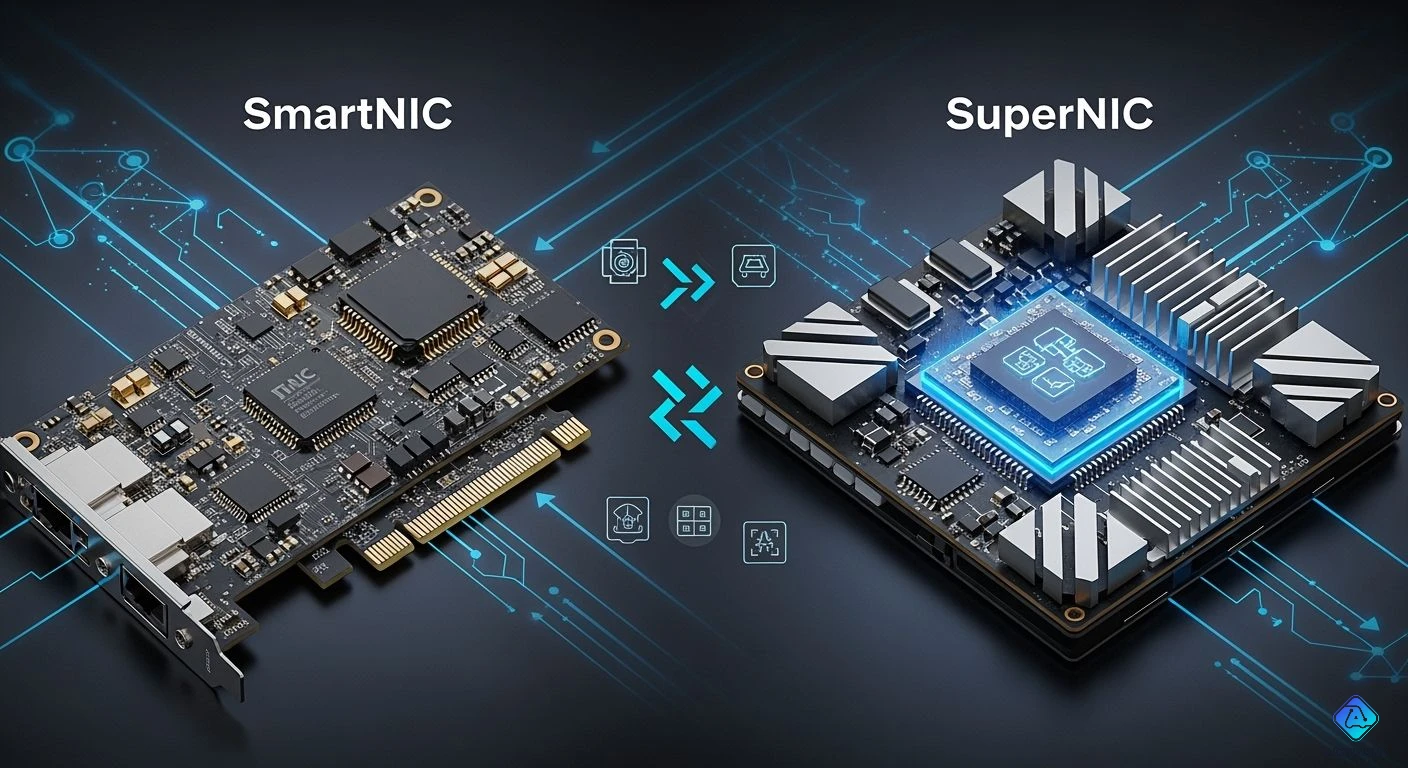
You might ask what makes a smartNIC different from a superNIC. The main difference is in what they do and how they work with networks. SmartNICs help make cloud jobs easier and faster. SuperNICs are made to speed up AI jobs with very fast, smart networking. Here is a simple comparison:
| Feature | SmartNIC | SuperNIC |
|---|---|---|
| Purpose | Offload and optimize cloud tasks | Accelerate AI workloads with ultra-fast networking |
| Functionality | Programmable, secure | High-speed, low-latency GPU-to-GPU communication |
| Introduction Year | Around 2017–2018 | Introduced around 2023 by NVIDIA |
More data centers now use programmable smartNICs for flexible job control. SuperNICs are important for running new and advanced AI systems.
Key Takeaways
-
SmartNICs help cloud tasks by doing network jobs. This makes servers work better. It also lowers the work for the CPU.
-
SuperNICs are made for AI jobs. They give very fast GPU-to-GPU communication. They make high-performance computing work better.
-
Pick SmartNIC for simple network jobs and cloud apps. Choose SuperNIC for tough AI jobs and places with many users.
-
SmartNICs use DPU technology for more control and flexibility. SuperNICs focus on high speed and low delay for hard jobs.
-
Think about power use and how hard setup is. This helps you pick between SmartNIC and SuperNIC for your data center.
SmartNIC Basics
What Is a SmartNIC?
A smartNIC is a special kind of network interface card. It helps your server work better and faster. A smartNIC has its own processors and memory. This lets it do more jobs by itself. It does not always need the main server to help.
Here is a table that shows the main parts of a smartNIC:
| Component Type | Description |
|---|---|
| Processing Units | These let the smartNIC take work away from the main server. |
| Memory Types | The card uses fast on-chip memory and bigger off-chip DRAM. |
| Connectivity Options | Different smartNICs have different ways to connect to networks. |
Some smartNICs use FPGAs to do many things at once. Others use SoC designs with regular processors for more options. The memory can be local cache, packet buffers, or local DRAM.
SmartNIC Functions
A smartNIC does more than just connect your server to a network. It can process data using its hardware, which makes things faster. You can also program the firmware to do special jobs, like checking for security or filtering data.
| Feature Type | Description |
|---|---|
| Hardware-level data processing | The smartNIC can handle data right away, so your network works better. |
| Specialized chipsets | It uses special chips for things like keeping data safe or controlling traffic. |
| Dynamically programmed firmware | You can update the firmware to give the CPU less work. |
These features give you better speed and more control over your network.
SmartNIC Use Cases
Many cloud data centers use smartNICs today. They help servers run faster and use less energy. Here are some common ways to use a smartNIC:
-
Offloading network jobs lets your server focus on important things.
-
Making servers faster by lowering wait times and moving more data.
-
Controlling network traffic to keep data moving well, even in big places.
SmartNICs also save server power and make things more efficient. But, you might have problems like making them work with your old hardware and software. Planning ahead helps you get the best results from your smartNIC.
SuperNIC Overview
What Is a SuperNIC?
You might ask what makes a supernic different from other network cards. Big hardware companies say a supernic is made for AI computing clusters and high-performance computing. It does more than regular network cards because it has special features and works closely with AI systems. Here is what top companies say:
| Vendor | Definition |
|---|---|
| NVIDIA | The SuperNIC is a deeply integrated, purpose-built accelerator designed specifically for AI computing clusters and HPC. |
| Enfabrica | A multi-GPU RDMA NIC that separates data and control paths to enhance flexibility and performance in AI infrastructure. |
A supernic like the NVIDIA ConnectX-8 helps speed up networks and takes on extra jobs. It can connect very fast, like 400GbE and 800GbE. It is made to help GPUs talk to each other quickly.
SuperNIC Functions
A supernic does more than just link servers. It uses smart network designs, like fat-tree or Spine-Leaf, to stop slowdowns and keep data moving fast. This lets every server use the network with little wait time. The ConnectX-8 supernic also sends data better, processes data smartly, and helps schedule jobs. These features make it easier to run big AI training and high-performance computing jobs.
Here are some special things a supernic can do:
| Advanced Functionality | Description |
|---|---|
| GPU-to-GPU Communication | Makes sharing data between GPUs faster for better results. |
| High-Bandwidth and Low-Latency Transfers | Moves data quickly, which is important for fast work. |
| AI Performance and Scalability | Helps you grow your AI systems and keep them working well. |
You also get features like RoCEv2 for fast memory access, ECMP load balancing for smooth data movement, and SHARPv3 for stopping network jams.
SuperNIC for AI Workloads
If you use AI, a supernic can help a lot. It lets you manage resources by itself and add more power when needed. Storage acceleration tools, like BlueField SNAP, help you get data faster, which makes AI work better. Security is stronger too, since a supernic can run in zero-trust mode and work alone from the main server.
| Capability | Description |
|---|---|
| Workload Orchestration | Lets you add or remove resources for AI jobs automatically. |
| Storage Acceleration | Speeds up how your AI systems get data, making them more efficient. |
| Secure Infrastructure | Keeps your data safe with strong security features and independent operation. |
A supernic gives you what you need to build fast, safe, and easy-to-grow AI systems. You can handle big AI models and keep your network working quickly.
SmartNIC vs SuperNIC: Key Differences
Architecture Comparison
SmartNIC and SuperNIC are different inside your data center. SmartNIC is built to take jobs away from the main server. It has its own processors and memory. This means SmartNIC can do things like check security or move data by itself. It does not need the server’s help for these jobs. DPU technology is used in many SmartNIC cards. This gives you more control and makes things flexible.
SuperNIC has a more advanced design. It is made for places with many users and high-speed computing. You can change how the card works for different AI jobs. SuperNIC lets you share resources fairly between users or jobs. This helps everyone get what they need. The table below shows how their designs are different:
| Feature | SmartNIC | SuperNIC |
|---|---|---|
| Purpose | Offloading specific tasks | Optimizing execution for multi-tenant environments |
| Programmability | Limited | Programmable hardware features |
| Optimization Techniques | Basic optimizations | Advanced techniques for low overhead and high throughput |
| Resource Sharing | Not specified | Fair sharing mechanism for hardware resources |
Tip: Pick SmartNIC if you want simple offload and basic network control. Choose SuperNIC if you run hard AI jobs or need to share resources with many people.
Performance and Acceleration
SmartNIC makes your network faster by doing jobs like storage offload and packet processing. You get less waiting time and more data moved than with regular network cards. DPU technology in SmartNIC helps you reach 100G or 200G speeds. SmartNIC can do RDMA write and read jobs with only a little extra wait. For NVMe storage offload, SmartNIC gives you much lower wait times and higher data speeds than using just the CPU.
SuperNIC is even faster. It uses smart tricks to keep overhead low and data moving fast. You get high speeds and little waiting, which is great for AI jobs. SuperNIC lets GPUs talk to each other very quickly. This helps your AI training and testing go faster. DPU features in SuperNIC help you grow your network and keep wait times low.
Here is a table that compares SmartNIC and SuperNIC performance:
| Metric | SCENIC SmartNIC Performance |
|---|---|
| Latency | Approaches commercial 100G/200G NICs |
| Throughput | Meets service-class control plane traffic requirements |
| RDMA WRITE/READ Saturated | Achieved with modest latency penalties |
| GPU Direct RDMA (AMD GPUs) | Line-rate achieved |
| NVMe Storage Offload | 2–3× lower per-completion latency; 1.3× higher throughput |
Note: SmartNIC gives you strong speed for cloud and storage jobs. SuperNIC gives you super-fast speeds for AI and GPU work.
Workload Optimization
SmartNIC is best for normal network jobs. You can use it to make storage systems, network jobs, and data analytics better. SmartNIC can make storage systems up to 4.3 times faster. It also lowers extra work and fights over resources. DPU technology in SmartNIC helps you process data quickly and with less wait.
SuperNIC is great for AI and GPU servers. You get smart ways to manage jobs and speed up storage. SuperNIC lets you add or remove resources for AI jobs by itself. It keeps your system safe and running well. DPU features in SuperNIC help you grow your AI systems and keep them fast.
The table below shows which jobs get better with SmartNIC:
| Workload Type | Performance Improvement |
|---|---|
| Distributed Storage Systems | Up to 4.3x throughput improvement |
| Network Transactions | Reduced overhead and resource contention |
| Data Analytics | Enhanced throughput and reduced latency |
Callout: Use SmartNIC for cloud and storage jobs. Use SuperNIC for AI, GPU, and high-speed computing.
Now you can see the main ways SmartNIC and SuperNIC are different. SmartNIC helps you offload and improve cloud jobs. SuperNIC speeds up AI jobs with very fast networking and advanced DPU features. Pick SmartNIC for normal network jobs. Pick SuperNIC for AI and GPU server jobs.
Choosing Between SmartNIC and SuperNIC
Application Fit
You need to pick the right card for your job. SuperNIC is best for data centers that run AI and high-performance computing. These jobs need fast network links between GPUs. SuperNIC can take over network jobs that would use up important computer power. In many AI groups, network work can use 20–30% of the computer’s power. If you use software for networking, your AI jobs may slow down. SuperNIC helps by letting GPUs do their main work.
-
SuperNIC helps GPUs work better in AI groups.
-
It lowers extra work from software networking.
-
You get faster results in AI and HPC jobs.
SmartNIC works well in cloud data centers that need to offload normal network jobs. It helps servers work better and supports basic network tasks.
Power and Complexity
You should think about power and how hard it is to use each card. SuperNIC uses less power than regular SmartNIC cards. Using less power is important in big data centers. You save energy and money. SuperNIC has more advanced features, but it can be harder to set up and manage.
| Feature | SuperNIC | SmartNIC |
|---|---|---|
| Power Efficiency | High | Moderate |
| Setup Complexity | Advanced | Basic |
| Scalability | Excellent | Good |
Tip: Pick SuperNIC for big AI data centers where saving power and growing is important.
Decision Factors
You should think about what your setup needs before you choose. Ask yourself these questions:
-
What jobs do you run the most?
-
Do you need to connect lots of GPUs for AI?
-
Is saving power important in your data center?
-
How much setup work can your team handle?
If you run AI or HPC jobs, SuperNIC is a better choice. For normal network jobs in the cloud, SmartNIC might be enough. Think about what you want for your data center and pick the card that fits best.
You can see that SmartNIC and SuperNIC do different jobs in data centers. SmartNIC takes care of network tasks and works up to 200Gbps. SuperNIC can go up to 400Gbps and helps GPUs talk faster. The table below shows what each card is good at:
| NIC Type | Bandwidth | Key Features |
|---|---|---|
| SmartNIC | Up to 200Gbps | Handles processing jobs, supports RDMA, NVMe over Fabrics, has ARM CPU for control. |
| SuperNIC | Up to 400Gbps | Made for GPU-to-GPU communication, supports advanced congestion management, and collectives. |
Knowing these differences helps you get ready for cloud or AI jobs. As technology gets better, things like PCIe Gen6 and super-fast networking will matter more. Look at your jobs and network needs before picking a card.

Written by Jack Elliott from AIChipLink.
AIChipLink, one of the fastest-growing global independent electronic components distributors in the world, offers millions of products from thousands of manufacturers, and many of our in-stock parts is available to ship same day.
We mainly source and distribute integrated circuit (IC) products of brands such as Broadcom, Microchip, Texas Instruments, Infineon, NXP, Analog Devices, Qualcomm, Intel, etc., which are widely used in communication & network, telecom, industrial control, new energy and automotive electronics.
Empowered by AI, Linked to the Future. Get started on AIChipLink and submit your RFQ online today!
Frequently Asked Questions
Can you use a SuperNIC in any server?
You need a server that supports high-speed networking and has the right slots. SuperNICs work best in AI or GPU servers. Always check your server’s hardware before you buy.
Do SmartNICs and SuperNICs need special software?
You often need special drivers or tools to use all features. Some cards let you update or program them for your needs. Your IT team should check software support before installing.
Where can you find open models?
You can find open models on sites like Hugging Face and GitHub. These sites let you download models, share your work, and join a community.