50 Frequently Asked Questions about Oscilloscope
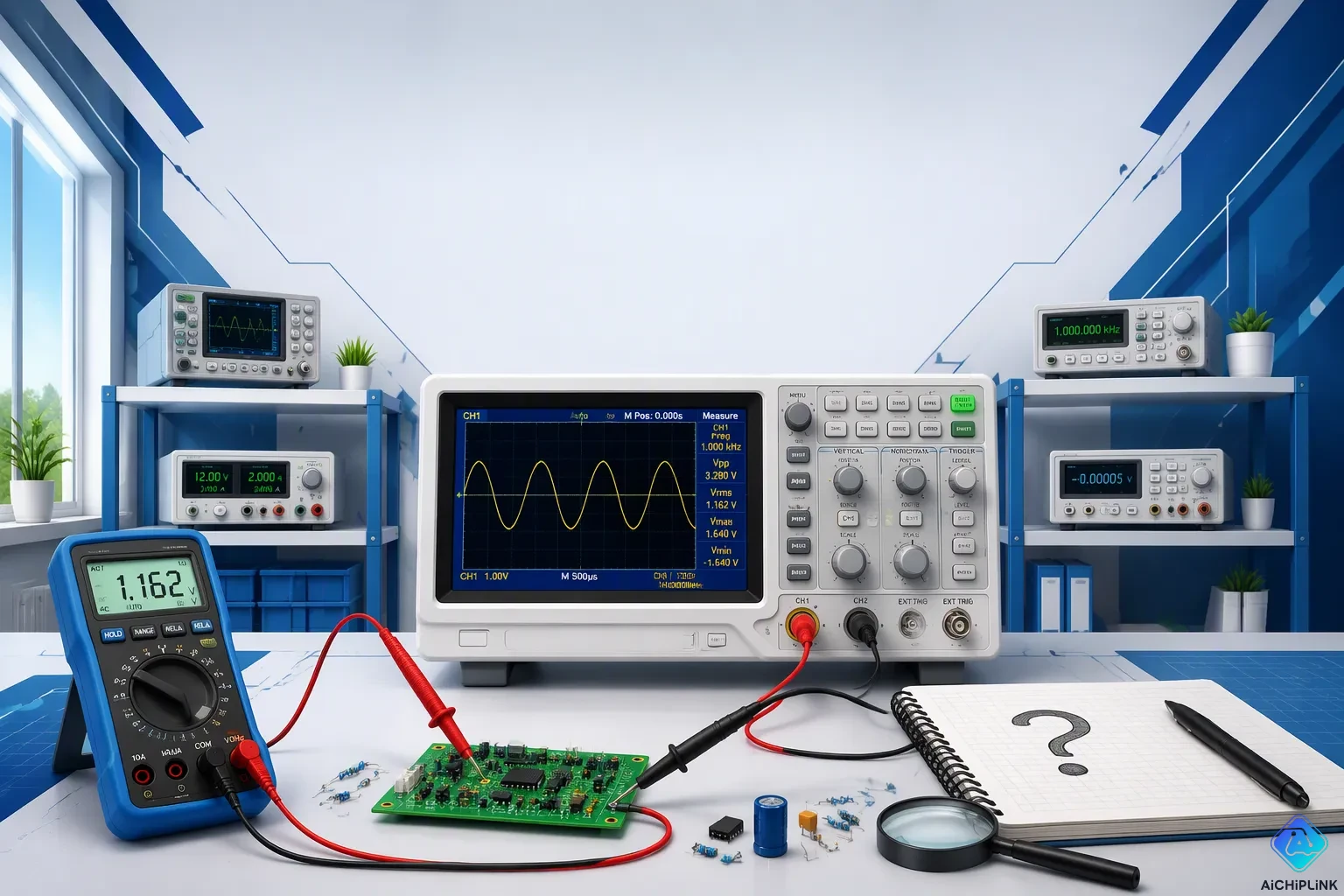
An oscilloscope is an electronic test tool that shows changing voltages over time as a graph. You use this oscilloscope to see waveform shapes, check signal quality, and fix circuit problems. Engineers depend on oscilloscopes every day for voltage, frequency, and timing checks. The global oscilloscope market was $2.4B in 2023 and is expected to reach $4.1B by 2030, growing 7.8% each year. This growth shows how important these tools still are. If you want to learn how to use an oscilloscope, this oscilloscope tutorial answers 50 Frequently Asked Questions from real bench work. You will find help with bandwidth, probes, triggering, and measurements.
Key Takeaways
-
Pick an oscilloscope bandwidth that is at least 5 times the highest frequency of your signal.
-
Use a 10x passive probe so it doesn’t disturb the circuit, and your measurements stay accurate.
-
Adjust your probe before important measurements to make sure the frequency response is flat.
-
Set the trigger level and slope to keep repeating waveforms steady on the screen.
-
Use AC coupling to view small ripple on large DC signals.
-
Use the 10% to 90% method for rise time, ensuring accurate results.
-
Use a differential probe for floating or high-side measurements to prevent short circuits.
-
Practice with known signals to improve your oscilloscope skills quickly.
Frequently Asked Questions About Oscilloscope Basics
What Is an Oscilloscope?
An oscilloscope is a test tool that works in the time domain. It shows voltage against time. It draws a graph of a signal on a screen. That graph shows how the voltage changes moment by moment. You can think of it as a camera for electricity. It catches the shape of a signal so you can study it.
Why is an oscilloscope essential for electronics work?
You cannot fix what you cannot see. A multimeter gives you just one number. An oscilloscope shows you the whole picture. You can watch a signal rise and fall. You can spot noise, distortion, or a missing pulse. This makes the tool key for debugging circuits. It also helps you confirm a design works as planned.
What measurements can an oscilloscope perform?
Engineers use oscilloscopes for five common tasks. They measure voltage levels. They measure frequency and period. They view waveform shapes. They troubleshoot circuits. They compare timing and phase between signals. These five uses cover most bench work. Later sections explain the how-to details.
Choosing an Oscilloscope
How do I choose between benchtop, handheld, and USB oscilloscopes?
Your choice depends on performance, convenience, cost, and space. A benchtop unit gives higher bandwidth, lower noise, and a built-in oscilloscope display with knobs. It costs more and takes up bench room. A USB model is smaller and cheaper. It uses a PC for processing and display. It is very easy to carry. A handheld unit fits in a backpack and works wherever a PC exists. The table below compares benchtop and USB types.
| Criterion | Benchtop | USB |
|---|---|---|
| Performance | Higher bandwidth, lower noise | Historically lower; newer models can match |
| Convenience | Built-in display and controls | Requires host PC |
| Cost | Higher | Lower |
| Bench Space | Larger footprint | Much smaller |
| Portability | Not portable | Highly portable |
| Throughput | Higher update rates | USB transfer bottleneck |
What is the difference between analog and digital oscilloscopes?
An analog scope draws the trace straight from the input voltage. A digital oscilloscope samples the signal with an ADC. It then rebuilds the trace on screen. Digital oscilloscopes add storage, automatic measurement, and math functions. Most modern benches use digital models.
How many channels do I need?
Two channels handle most basic work. You can view an input and an output at the same time. Four channels help with complex systems. You can then compare multiple signals. Mixed-signal models add digital channels for logic lines.
Basic Controls and Input Coupling
What do the vertical, horizontal, and trigger controls do?
These three control groups shape every capture. The vertical system positions and scales the signal. It sets volts per division and input coupling. The horizontal system controls the time base and sample rate. The trigger system syncs the sweep to a set point. The table below sums up each group.
| Control | Function | Key Options |
|---|---|---|
| Vertical | Scales and positions signal | Position, volts/div, coupling, invert |
| Horizontal | Scales time and acquires signal | Sample rate, time base, zoom |
| Trigger | Synchronizes sweep | Level, slope, mode, holdoff |
What are AC, DC, and GND coupling, and when should I use them?
DC coupling passes the full signal, including any DC offset. Use it for most measurements. AC coupling blocks the DC part. This helps you zoom in on small ripple on a large DC rail. GND coupling disconnects the input and shows the zero-volt reference. Use it to check where ground sits on screen.
Key Specs for Accurate Measurements
Bandwidth and Sample Rate
What is oscilloscope bandwidth?
Oscilloscope bandwidth is the frequency where the shown amplitude falls to about 70.7% of the true signal. Engineers call this the -3 dB point. This point marks the edge where amplitude accuracy gets worse. A 100 MHz scope starts weakening signals above roughly 20 to 30 MHz. That is why bandwidth is the main frequency-domain spec for any oscilloscope. A handy rule says you should pick a scope bandwidth at least 5 times the highest frequency part you care about. This keeps amplitude accuracy fair.
How much bandwidth do I need?
The answer depends on your signal. For simple sine waves, pick a bandwidth a bit above the top carrier frequency. This covers the 3 dB loss. A 100 MHz sine wave needs at least 150 MHz of bandwidth. For digital or complex signals, use 3 to 5 times the fastest clock or data rate. A 133 MHz memory bus needs at least 400 MHz of bandwidth. The table below shows suggested combos for common uses.
| Application / Signal Type | Recommended Bandwidth | Recommended Sample Rate |
|---|---|---|
| General minimum (all oscilloscopes) | — | At least 2.5× the oscilloscope bandwidth (e.g., 1.5 GHz bandwidth → >3.75 GS/s) |
| Simple sine waves | Slightly above the maximum carrier frequency (e.g., 100 MHz sine → ≥150 MHz bandwidth) | Follows the general 2.5× rule |
| Digital or complex signals | 3–5× the fastest clock or data rate (e.g., 133 MHz memory bus → ≥400 MHz bandwidth) | Follows the general 2.5× rule |
What sample rate do I need and how does it relate to bandwidth?
The real-time sampling rate must be at least 2.5 times the oscilloscope bandwidth. A 1.5 GHz bandwidth scope needs more than 3.75 GS/s. This rule makes sure you grab enough points to rebuild the waveform. The sampling frequency and the bandwidth of an oscilloscope work as a team. A high bandwidth oscilloscope with a slow real-time sampling rate will miss fast details. Always check both specs before you buy.
Memory, Resolution, and Rise Time
What is record length and when does it matter?
Record length is the number of sample points stored per channel. For a fixed record length, acquisition time is inversely proportional to the sample rate. Suppose you need to capture a 10 ms transient at 2 GSa/s. Since 2 GSa/s means 2 × 10⁹ samples per second, you need a record length of 2 × 10⁹ × 0.010 = 20 × 10⁶ points, or 20 Mpts. Without at least 20 Mpts, the digital oscilloscope must lower its sampling rate. That drop can hide fast glitches inside the transient.
What is vertical resolution and ADC bit depth?
Vertical resolution describes how finely a digital oscilloscope splits the voltage range. Most general-purpose digital oscilloscopes use an 8-bit ADC. That gives 256 vertical levels. More bits mean finer resolution. You can then see smaller signal changes on the screen.
What is rise time and how do I calculate it?
Rise time is tied to bandwidth by the approximation rise time = 0.35 / bandwidth. A 100 MHz oscilloscope has a rise time of 3.5 ns. It cannot accurately show edges faster than about 3.5 ns. For digital signals, bandwidth needs are tied to rise time through BW = 0.35 / tr. A signal with a 10 ns rise time needs at least 35 MHz of bandwidth to avoid visible rounding.
Vertical Sensitivity and Accuracy
What is vertical sensitivity and volts per division?
Vertical sensitivity tells you the smallest voltage change the oscilloscope can show. You set it in volts per division. A lower volts per division setting zooms in on small signals. This helps you see ripple or noise on a DC rail. The setting also affects your measurement resolution.
How do offset and gain accuracy affect measurements?
Gain and offset errors shift your readings. The table below shows typical specs for an 8-bit digital oscilloscope.
| Specification Type | Condition | Value |
|---|---|---|
| DC Gain Accuracy | <10 mV | ±4% full scale |
| DC Gain Accuracy | ≥10 mV | ±3% full scale |
| DC Offset Accuracy | — | ±0.1 div ±2 mV ±1% offset value |
That is about right for a typical oscilloscope. ... Better instruments can be 2% or even 1%.
These numbers matter when you measure small signals on a large offset. A ±3% gain error on a 10 V signal means a 0.3 V uncertainty. Always check the accuracy spec before you trust a critical measurement.
Choosing and Using Oscilloscope Probes
Probe Types and Selection
What is a passive probe and why is 10x the standard?
A 10:1 probe makes the signal ten times smaller and raises input impedance to lower circuit loading. The 10:1 probe has a 9 MΩ resistor at the tip. When you add the scope's 1 MΩ input, the voltage drops by ten and tip capacitance falls by about five times. That drop in capacitance is why the 10:1 probe is much faster than a 1x type.
| Parameter | 1x Passive Probe | 10x Passive Probe |
|---|---|---|
| Input impedance (DC) | ~1 MΩ | ~10 MΩ |
| Input capacitance | Higher tip capacitance | Capacitance divided by ~5 |
| Bandwidth | Much lower | Much higher |
A 1x passive probe works like a direct connection. It loads the circuit more and twists measurements even at low frequencies. The 10:1 oscilloscope probe fixes this problem. That is why it is the normal choice for most bench work.
When should I use active, differential, or current probes?
Passive probes only measure ground-referenced signals well. For floating measurements, you need a differential probe. These active devices measure only the voltage across two test points, no matter the potential between either point and ground. They ignore common-mode AC swings and DC offset voltages.
For GaN and SiC power devices with fast switching, traditional high-voltage differential probes may not give enough common-mode rejection. High-performance isolated probes may be needed instead. Current probes let you see current waveforms right on the oscilloscope screen.
Probe Compensation and Safety
Why and how do I compensate a passive probe?
A 10:1 probe has a compensation capacitor that matches the RC time constants of the 9 MΩ and 1 MΩ resistances. Without adjustment, the frequency response is not flat. Connect the probe tip to the scope's calibration output. Turn the adjustment screw until the square wave looks flat. Check this before every critical measurement.
Why should I avoid connecting the ground clip to a non-ground point?
The ground clip connects straight to earth ground through the oscilloscope. If you clip it to a non-ground point, you make a short circuit. This can harm the circuit and the scope. Always check that your ground clip goes to a true ground reference.
How do I measure high-voltage signals safely?
Use a proper differential probe or isolation device for high-voltage work. Follow the IEC 61010 series standards for safety. These standards cover CAT I through CAT IV environments.
After reviewing the IEC 61010 series standards, the contributor notes that no meaningful differences in clearance, creepage, impulse testing, or exposed probe tip length were found between CAT III and CAT IV requirements — except for CAT IV 1000 V, which has no CAT III equivalent.
-
CAT I: Low-energy circuits – electronics, control signals
-
CAT II: Standard outlets – appliances, portable tools
-
CAT III: Distribution-level – circuit breakers, fixed equipment
-
CAT IV: Utility-level – service drops, outdoor lines
When in doubt, choose the higher category. Higher CAT-rated tools may be used in lower-CAT environments, but never the reverse.
Reducing Loading and Noise
How do I minimize probe loading on a circuit?
A 10:1 probe lowers capacitive loading compared to a 1x type. The 9 MΩ tip resistor divides tip capacitance by about five. This lower loading keeps your waveform accurate. Use the 10:1 probe for most measurements to minimize circuit disturbance.
How can I reduce noise in measurements?
Keep probe ground leads short. Use the 50 Ω input setting when you can. This setting gives the highest bandwidth and lowest noise for high-frequency work. Avoid long ground clips that pick up interference.
What input impedance should I use for high-frequency signals?
A 1 MΩ input gives high impedance and low circuit loading, but it is limited to about 500 MHz or less. When measuring low-impedance sources above roughly 40–50 MHz with a 1 MΩ input, reflections can show up as ringing. Using a 50 Ω termination avoids this impedance mismatch.
-
A 50 Ω scope input matches the 50 Ω characteristic impedance of common coaxial cables.
-
A 1 MΩ input does not match a 50 Ω cable, so fast signals can reflect.
-
For signals below roughly 17–20 MHz, a 1 MΩ input is often acceptable.
-
For high-bandwidth measurements, the 50 Ω input gives the best results.
Choose your scope input impedance based on your signal's bandwidth and source impedance.
Triggering and Waveform Capture
Trigger Fundamentals
What is triggering and why is it important?
Triggering tells your oscilloscope when to begin drawing. Without it, a repeating waveform slides across the screen. A steady display lets you read timing and amplitude with confidence. Triggering also catches one-time events that never happen again.
How do trigger level and slope work?
The trigger level sets the voltage point where the scope starts a sweep. The slope picks the direction. A rising slope fires when the signal crosses the level going up. A falling slope fires on the way down. You adjust both until the display locks in place.
What are auto and normal trigger modes?
Auto mode sweeps even without a valid trigger. You see a trace, but it may drift. Normal mode waits for a real trigger event. It shows nothing until the condition is met. Use normal mode for careful work and auto mode when hunting an unknown signal.
Capturing Specific Events
How do I capture a single-shot or non-repetitive signal?
Set the trigger mode to single. The scope arms once, captures one event, and stops. This works well for power-up transients or one-time pulses. Arm the scope before the event happens.
What is pulse-width triggering and when is it useful?
Edge triggering and pulse-width triggering differ in what they catch. The table below compares them.
| Aspect | Edge Triggering | Pulse-Width Triggering |
|---|---|---|
| Trigger condition | Fires when a rising or falling edge crosses the trigger level | Fires when a pulse duration falls inside a set window |
| User settings | Trigger level and slope | Minimum and maximum pulse width |
| Primary use | Repetitive signals like clocks | Anomalies like glitches and timing errors |
| Typical applications | Digital debugging | Serial communications and PWM |
With pulse triggering, the scope can trigger square or pulse-shaped waveforms with edge triggering (i.e., on the rising edge), but another way the scope can trigger on this type of waveform is based on the width of the pulses.
How do I use trigger holdoff to stabilize a waveform?
Holdoff changes when the scope may re-arm after a trigger. A digital burst contains many edges. The scope may fire on different edges each sweep. Set holdoff slightly below the time between packets. The scope then waits and fires on the first valid edge every time.
Advanced Trigger Types
What are runt and glitch triggers?
A runt pulse is described as being higher than a low level but not quite great enough to be considered a high signal.
A runt trigger uses two thresholds. It looks for pulses that cross one threshold but not the other. You set polarity, threshold levels, and a width or presence criterion. Glitch triggers catch narrow spikes that edge trigger modes miss.
How do I trigger on serial patterns or video signals?
Serial-bus triggering watches for a specific data pattern on I2C, SPI, or UART lines. Video triggering locks onto line and field rates. These modes turn your oscilloscope into a protocol-aware tool. They save hours when you debug communication links.
Making Measurements with an Oscilloscope
Voltage and Time Measurements
How do I measure DC and AC voltage?
To measure DC voltage, read the average level of a flat trace. Set the coupling to DC, then count the divisions between the ground reference and the trace. To measure AC voltage, use AC coupling to block the DC part. That lets you zoom in on small AC signals that sit on a large DC offset. Power supply testing often requires both methods. First check the DC rail level, and then look at the AC ripple on top of it.
How do I measure peak-to-peak voltage and amplitude?
Peak-to-peak voltage goes from the lowest point to the highest point of the waveform. For a symmetric signal, amplitude usually means half of that value. Use the vertical scale and position controls to fit the waveform on screen. Then count divisions or use cursors. For switching ripple, peak-to-peak voltage and frequency are the key parameters. The table below lists common power electronics tasks and their measurement parameters.
| Measurement Task in Power Electronics Debugging | Common Oscilloscope Measurement Parameters |
|---|---|
| Switching ripple measurement | Peak-to-peak voltage (ripple magnitude), frequency |
| Switching device stress analysis | Peak voltage, rise/fall time, pulse width |
| Power supply testing | Switching transistor Vds waveforms, output ripple and noise, power-on/power-off sequencing |
How do I measure period, frequency, pulse width, and rise time?
Period is the time a waveform takes to finish one full cycle. Frequency is one divided by the period. If a waveform repeats every 10 microseconds, its frequency is 100 kHz. Pulse width tells how long a pulse stays high or low. Rise time uses the 10% to 90% amplitude method. The scope first finds the low and high levels, often using histogram averaging on the flat parts. Then it sets the 10% and 90% reference points and measures the time between them. For impulse waveforms, IEEE 181 allows peak minimum and maximum values instead of histogram levels. Use manual cursors if the automatic method gives unreliable results.
Phase, Cursors, and Automatic Measurements
How do I measure phase difference between two signals?
One way to measure phase difference is the Lissajous method. Put two sine waves with a phase shift into X-Y mode. Channel A controls horizontal deflection, and Channel B controls vertical deflection. The shape of the pattern shows the phase relationship. A straight line means 0 or 180 degrees. A circle means 90 degrees. Tilted ellipses show values in between. For an ellipse, measure the maximum vertical deflection (Ymax) and the vertical deflection when the horizontal deflection is zero (Yx=0). If the top of the ellipse is in quadrant 1, the phase difference is plus or minus sin inverse of (Yx=0 / Ymax). If the top is in quadrant 2, use 180 minus that value. For example, with Ymax = 1.538 and Yx=0 = 1.064, the phase difference is plus or minus 44 degrees.
How do I use cursors for manual measurements?
Cursors are movable markers you put on the waveform. Voltage cursors measure amplitude. Time cursors measure period, pulse width, or rise time. Automatic measurements and cursors both work best when the waveform is stable and triggers correctly. A drifting trace makes cursor placement guesswork. Always check your trigger settings before you trust a cursor reading.
How do I use automatic measurements correctly?
Automatic measurements save time, but they need a clean signal. The oscilloscope must find the waveform's high and low levels correctly. Noise or an unstable trigger can trick the algorithm. Check automatic readings against cursors when accuracy matters. This habit helps you learn to use an oscilloscope with confidence.
Math, XY Mode, and Signal Integrity
How can math functions add, subtract, or multiply waveforms?
Math functions combine two traces sample by sample. The product function multiplies voltage and current waveforms to give instantaneous power in watts. This works well for power FET analysis. You multiply drain-source voltage (Vds) by drain current (Id) to see the power trace. The average or mean power comes from that instantaneous power waveform. Measurement parameters can read both maximum instantaneous power and mean power.
How do I use XY mode for phase and Lissajous patterns?
XY mode plots one channel against another. One channel drives the horizontal axis, and the other drives the vertical axis. This mode creates Lissajous figures for phase analysis. It also helps you check frequency ratios between two signals. Remove any DC offset before you measure. Center the plot at zero, zero for accurate results.
How do I measure overshoot, ringing, and settling time?
Overshoot is how far the signal goes past its final value. Ringing is the oscillation that follows a fast edge. Settling time is how long the signal takes to stay inside a defined error band. Use a fast time base and enough bandwidth to see these details. A 20 MHz bandwidth limit filters broadband noise for ripple checks. For edge analysis, keep the full bandwidth. Short ground leads reduce noise pickup during these sensitive measurements.
Advanced Measurements and Troubleshooting
FFT and Spectrum Measurements
How do I use FFT to check frequency content?
The FFT math function on your oscilloscope turns a time-domain waveform into a frequency-domain view. You can then see which frequencies hold the most energy. This helps you find harmonics, spurs, and noise that hide in the time domain. Turn on the FFT function and set the center frequency and span to cover your signal of interest. A clean sine wave shows one sharp peak. A distorted signal shows extra peaks at harmonic frequencies.
Which FFT window should I use?
A non-coherent sine wave is not lined up with the sampling clock, so it causes spectral leakage. The window you pick controls how much leakage shows up. The table below shows the common choices.
| Signal type | Recommended FFT window |
|---|---|
| General sine wave / multiple sine waves | Hann |
| Sine wave with amplitude accuracy as key requirement | Flat Top |
Pick the Hann window for most sine-wave work. Choose Flat Top when you care most about accurate amplitude readings.
Differential and Protocol Measurements
When do I need a differential probe?
You need a differential probe for floating or high-side measurements. A standard passive probe ties its tip to earth ground through the oscilloscope. That connection shorts the circuit when you probe a point that is not at ground potential. A differential probe measures only the voltage between its two tips. It ignores the common-mode voltage that would harm a single-ended probe. Use one for motor drives, power supplies, and any circuit where neither test point sits at ground.
How do I decode I2C, SPI, and UART signals?
Many digital oscilloscopes come with serial decode options for I2C, SPI, and UART. Connect your oscilloscope probes to the clock and data lines. Set the protocol type, bit rate, and signal thresholds in the decode menu. The scope then shows decoded bytes and addresses next to the waveform. This turns a timing diagram into readable data. You can trigger on a specific address or data value to catch rare events.
Troubleshooting Techniques
How do I find and capture intermittent glitches?
Pro Tip: Turn on infinite persistence mode on the oscilloscope to reveal intermittent glitches and timing variations that normal sweeps do not show.
Set a narrow pulse-width trigger to catch glitches that edge triggering misses. Arm the scope in single-shot mode and wait for the event.
How do I measure power supply ripple and noise?
Set your oscilloscope to AC coupling and a low volts-per-division setting. Use a short ground lead on your probe. A 20 MHz bandwidth limit filters high-frequency noise for a cleaner ripple measurement. Keep the probe away from switching components so it does not pick up radiated noise.
How do I compare a good waveform to a faulty one?
Capture a known-good waveform and save it as a reference trace. Then capture the faulty signal and lay the two on top of each other. Differences in amplitude, rise time, or noise show up clearly. This comparison method speeds up diagnosis on production lines.
How do I use an oscilloscope to diagnose a circuit that is not working?
Start with AutoSet to find an unknown signal quickly. Then switch to manual control for accurate measurement. Check the power rails first. Then trace the signal path stage by stage. Compare each point against expected values.
What are common mistakes to avoid in oscilloscope troubleshooting?
Do not trust AutoSet for final measurements. It can set the wrong scale or trigger level. Avoid long ground leads that add noise. Never connect the ground clip to a non-ground point. Always compensate your probe before critical work.
Pick your oscilloscope bandwidth based on the harmonics in your signal. Use probes the right way so you don't load the circuit. Compensate a 10x probe before any important work. Trigger on purpose. A steady waveform lets you measure timing with confidence. Check each measurement with cursors or automatic reads. These habits build your oscilloscope skills.
You can't master digital oscilloscopes in a single day. Every trace you capture makes your instincts sharper. Working through these 50 questions gives you a useful toolkit. Your skills grow each time you probe a new circuit.
Try one new technique on your next project. Compensate your probe. Catch an intermittent glitch. Compare your result to a known-good trace. Your oscilloscope becomes a trusted bench partner.

Written by Jack Elliott from AIChipLink.
AIChipLink, one of the fastest-growing global independent electronic components distributors in the world, offers millions of products from thousands of manufacturers, and many of our in-stock parts is available to ship same day.
We mainly source and distribute integrated circuit (IC) products of brands such as Broadcom, Microchip, Texas Instruments, Infineon, NXP, Analog Devices, Qualcomm, Intel, etc., which are widely used in communication & network, telecom, industrial control, new energy and automotive electronics.
Empowered by AI, Linked to the Future. Get started on AIChipLink and submit your RFQ online today!
Frequently Asked Questions
Do I really need a 10x probe for everyday work?
Yes. A 10x passive probe cuts the signal by ten and raises input impedance. That step lowers circuit loading and extends usable bandwidth. A 1x probe loads your circuit more and distorts readings, even at low frequencies. Keep a compensated 10x probe on your bench as your default choice.
Why does my waveform keep sliding across the screen?
Your trigger is not locking. Check the trigger level and slope first. Then confirm the source channel matches the signal you want. Normal mode waits for a real event, so it holds a steady trace. Auto mode free-runs and lets the display drift.
Can I clip the ground lead anywhere on the board?
No. The ground clip ties straight to earth ground through the oscilloscope. Clipping it to a non-ground point creates a short circuit. That mistake can damage your circuit and your instrument. Always land the clip on a true ground reference.
How do I know if my scope has enough bandwidth?
Compare the scope bandwidth against your signal's fastest content. For digital work, pick three to five times the fastest clock or data rate. For sine waves, stay slightly above the carrier. A slow scope rounds off fast edges and hides real problems.
What is the fastest way to learn how to use an oscilloscope?
Practice on a known signal first. Compensate your probe, then trigger a stable trace. Measure period, frequency, and peak-to-peak voltage with cursors. Compare those readings against automatic measurements. Repeat this routine until the controls feel natural.
Should I trust AutoSet for final measurements?
No. AutoSet helps you find an unknown signal quickly. It can still pick the wrong scale or trigger level. Switch to manual control before you record any number. Verify each reading with cursors or a second method.
How do I cut noise out of a small ripple measurement?
Use AC coupling and a low volts-per-division setting. Keep the probe ground lead short. A 20 MHz bandwidth limit filters high-frequency noise for a cleaner trace. Keep the probe away from switching components that radiate interference.
When does a differential probe become necessary?
You need one for floating or high-side measurements. A standard passive probe grounds its tip through the scope. That connection shorts any point sitting above ground. A differential probe measures only the voltage between its two tips and ignores common-mode voltage.