How to Read Electronic Schematics
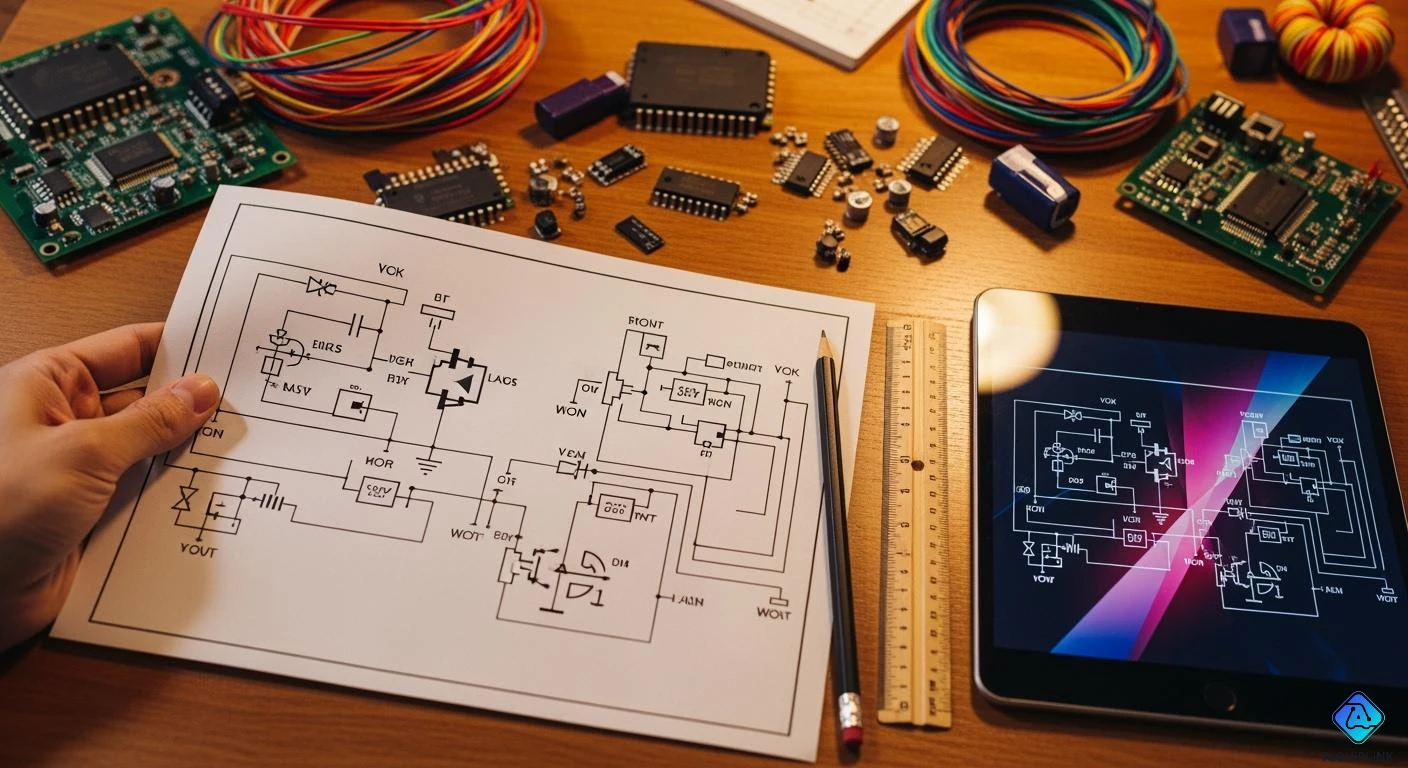
You can read electronic schematics by knowing symbols. You need to follow lines and see how parts connect. Learning the right schematic symbols helps you not get confused. This is important when symbols look alike or are not standard. Most schematics show information from left to right. Sometimes, they go from top to bottom. This makes it easier to see how electricity moves.
Many beginners have problems like:
Not understanding strange or badly drawn symbols
Missing dots that show connections or thinking wires cross when they do not
Not seeing how each part fits in the whole circuit
If you want to get good at reading schematics, use online tutorials and videos. Practice with resources to help you feel sure and get things right.
Key Takeaways
-
Study schematic symbols to see how parts join together. Knowing this stops you from getting confused.
-
Trace the lines in a schematic to follow electricity. Check for dots at crossings to see if wires join.
-
Try online tutorials and work with real schematics to get better. Practicing often makes you feel sure of yourself.
-
Find out component names and values to know their jobs in the circuit. This helps you build and fix things.
-
Begin with easy schematics and slowly go to harder ones. Taking small steps makes learning simple.
What Is a Schematic
Purpose of Schematics
A schematic is a drawing that shows how electronic parts connect. It works like a map for a circuit. Each part, like a resistor or capacitor, has its own symbol. When you look at a schematic, you see the plan for building or fixing a circuit.
Schematics help you in different ways. They let you find mistakes before you build a circuit. They also help you talk with other engineers or technicians. If something does not work, you can use a schematic to find the problem. The table below explains why schematics are important:
| Purpose | Description |
|---|---|
| Minimize Design Errors | Good schematics help you make fewer mistakes in PCB layout. This stops expensive errors. |
| Improve Communication | Schematics help manufacturers, designers, and engineers talk clearly with each other. |
| Simplify Troubleshooting | They give you a guide for finding and fixing problems during testing. |
Tip: Schematics are like a language everyone can use. You can share ideas with others, even if you use different words or tools.
Relationship to Circuits
A schematic does not show the real shape or size of parts. It only shows how parts connect. You see lines for wires and symbols for parts. This helps you see how electricity moves and how the circuit works.
-
A schematic lets you see a circuit in symbols.
-
It shows how signals and power move between parts.
-
You can see what the designer wants the circuit to do.
-
Each symbol and line means something, so it is easy to follow.
Schematics help you when you build a printed circuit board (PCB). You start with a schematic, then put the parts and wires on the board. Many engineers use the same software for both steps. This keeps your design right and helps you not make mistakes. Schematics stay with your project from the start to the end.
| Diagram Type | Purpose | Detail Level | Audience |
|---|---|---|---|
| Block Diagram | Shows the main parts and how they connect in a system. | Simple overview | General users |
| Schematic Diagram | Shows all the details and how each part works in the circuit. | Lots of detail | Professionals |
| Wiring Diagram | Gives wire colors and easy steps for putting things together. | Some detail | Homeowners |
Schematic Symbols
Learning schematic symbols is the first thing you need to do. You must know what each symbol stands for. This helps you see how the circuit works. Standard symbols let everyone read the same diagram. It does not matter where you live or what language you use. Groups like IEEE and IEC make these standards. They help keep things clear and easy to follow.
Tip: Put symbols into groups like resistors, capacitors, semiconductors, and switches. This makes schematics easier to read and understand.
Resistors and Capacitors
Resistors and capacitors are used in almost every circuit. You will see their symbols a lot. The resistor symbol is not the same in American and European schematics. In the U.S., it looks like a zig-zag line. In Europe and other places, it is a rectangle. Capacitors use two straight lines. If the capacitor is polarized, one line may be curved or bold.
| Component | ANSI Symbol (US) | IEC Symbol (Europe) |
|---|---|---|
| Resistor | Zig-zag line | Rectangle |
| Capacitor |
-
Variable capacitors and trimmer capacitors have extra arrows or lines. These show they can change value.
-
Always check which standard the schematic uses.
The difference in symbols matters if you work with diagrams from other countries.
Power and Ground
Power and ground symbols show where the circuit gets voltage. They also show where it goes back to zero volts. You need to spot these symbols to see how current moves.
-
The ground symbol looks like three lines stacked up. The lines get shorter at the bottom.
-
Sometimes, a triangle or parallel lines show ground.
-
Chassis ground uses diagonal lines that touch a base line.
-
Power symbols can look like a line with a circle or a plus sign.
Reading power and ground symbols right stops mistakes that could break your circuit.
Semiconductors
Semiconductors are things like diodes and transistors. Their symbols show the type and polarity. For example, a pointing to a line. The arrow shows which way current can go. Different diodes, like zener or LED, have extra marks or arrows.
| Schematic Symbol | Name | Description |
|---|---|---|
| → | — | Diode |
| → | — with bar | Zener Diode |
| → | — with arrows | LED |
| T-shape | NPN/PNP Transistor | Controls current with a small input signal |
- The shape and arrows in the symbol tell you the type and direction of current.
Switches and Connectors
Switches let current flow or stop. Connectors join parts of a circuit together. You will see many switch symbols. Each one shows how the switch works.
| Symbol Type | Description |
|---|---|
| Open Switch | Breaks the circuit, stops current |
| Closed Switch | Completes the circuit, lets current flow |
| Push Button | Lets current flow only when pressed |
| DIP Switch | Has many small switches in one package |
| Selector Switch | Lets you pick between different paths |
-
Switch symbols use lines and breaks to show if they are open or closed.
-
Some switches, like thermal or limit switches, have extra marks to show how they work.
Grouping symbols by type helps you find and understand each part faster.
How to Read a Schematic
Connections and Lines
When you read electronic schematics, you must pay close attention to the lines that connect each symbol. These lines show how electricity moves from one part to another. Each line stands for a wire or a trace on a circuit board. You can follow these lines to see how current flows through the circuit.
-
Lines that connect two or more symbols mean those parts are linked by a wire.
-
If you see a dot at a crossing, it means the wires connect at that point.
-
If lines cross without a dot, the wires do not connect. Sometimes, one line will curve over another to show no connection.
Tip: Always look for dots at junctions. A missing dot can lead to mistakes when building or fixing a circuit.
You will also see net labels in some schematics. These labels connect points in a circuit without drawing a line between them. This keeps the diagram clean and easy to read. Both physical lines and net labels help you trace the path of signals and power.
Key Steps for Reading Connections
-
Check the names and values next to each symbol.
-
Follow the lines to see how the parts connect.
Circuit Blocks
Complex circuits often use blocks to group parts that work together. Each block has a special job. You can find blocks for power supply, input, processing, memory, output, and connectors. When you break a schematic into blocks, you make it easier to understand.
| Block Name | What It Does |
|---|---|
| Power Supply | Gives voltage to the circuit |
| Input Conditioning | Prepares signals for use |
| Processing Core | Handles main circuit actions |
| Memory Interfaces | Stores and recalls data |
| Output Drivers | Sends signals out |
| Connectors | Links to other devices |
You can spot these blocks by looking for groups of symbols inside boxes or near labels. Each block connects to others with lines or net labels. When you read electronic schematics, start with the power block. Then, move to input, processing, and output blocks. This step-by-step method helps you see how the circuit works as a whole.
Note: Practice with simple circuits first. As you get better, try reading more complex schematics with many blocks.
Reading Direction
Most schematics show the flow of signals from left to right or from top to bottom. This layout helps you follow the path of electricity. Start at the left or top edge of the diagram. Move your eyes across the page, following the lines and blocks.
-
Inputs usually appear on the left or top.
-
Outputs often sit on the right or bottom.
-
Power and ground symbols can appear anywhere, but they often sit at the top (power) and bottom (ground).
If you want to know how to read a schematic, always check the direction of signal flow. This habit helps you avoid confusion and makes troubleshooting easier.
Tip: Use your finger or a pencil to trace the path of a signal. This trick helps you keep track of where you are in the circuit.
Reading schematics gets easier with practice. Start with simple diagrams. Use online resources to learn more. Over time, you will read electronic schematics with confidence.
Interpreting Values and Designators
When you read an electrical schematic drawing, you will see many numbers, letters, and symbols next to each component. These details help you know what each part is, what it does, and where to find it.
Component Names
Each part in a schematic has a unique name. This name usually starts with a letter that tells you the type of component, followed by a number. For example, "R1" means the first resistor, and "C2" means the second capacitor. This system helps you find and talk about parts quickly.
| Identifier | Description |
|---|---|
| P | Spacing of components with more than two leads |
| W | Component lead diameter (or maximum lead width) |
| L | Body length for horizontal installation |
| D | Diameter of the round component |
| T | Thickness of rectangular components |
| H | Height of the vertically mounted component |
| Q | Number of pins for components with more than two pins |
| R | Number of lines in the connector |
| A, B, C | Levels of manufacturing complexity |
You may also see longer names, like RESAD800W52L600D150B. This tells you the resistance, size, and shape of the part.
Values and Units
Values show what a component does in the circuit. For resistors, you see the value in ohms. For capacitors, you see farads. Inductors use henries. These values tell you how the part will behave.
-
Values appear next to the component name, such as "R1 10k" for a 10,000-ohm resistor.
-
Units use symbols like k (kilo), M (mega), and G (giga).
| Prefix | Symbol | Value |
|---|---|---|
| kilo | k | 1,000 |
| mega | M | 1,000,000 |
| giga | G | 1,000,000,000 |

Always check the value and unit before you choose a part for your project.
Reference Designators
Reference designators help you find and identify each part on the schematic and on the real circuit board. You will see them as a letter or two, plus a number, like C3 or D1.
-
Reference designators give each part a unique label.
-
They make it easy to talk about parts with others.
-
You can use them to find parts fast when you build, fix, or test a circuit.
-
They help you match the schematic to the real board.
-
A reference designator shows you where a part sits in the schematic or on the board.
-
It uses a clear system, so you do not get confused.
-
This makes teamwork and troubleshooting much easier.
Reference designators are your map for finding and fixing problems in any circuit.
Learning Resources and Practice
Tutorials and Videos
There are many good resources online for learning how to read electrical schematics. These tutorials use easy words and show clear examples. You can watch videos or follow simple guides. Here are some good choices:
-
Schematics 101 on FriendlyWire
This tutorial teaches the basics of reading schematics. You learn ways to break big designs into smaller parts. -
Electrical Systems: Reading Drawings and Schematics on LinkedIn Learning
This course shows how to read different electrical drawings. You see examples of schematics, wiring diagrams, and ladder diagrams. -
Read electrical schematics on LinkedIn Learning
This tutorial explains how circuit diagrams use symbols. You get to practice reading symbols and connections.
You can pause videos and watch parts again if you need help. Try to use your own schematic while you watch.
Practice Tips
You get better by practicing with real schematics. Start with easy circuits and then try harder ones. Here are some ways to practice:
-
Find symbols and learn what they mean.
-
Look for circuits with single-line, AC schematic, and three-line diagrams.
-
Try DC circuits, AC single-phase circuits, and AC three-phase circuits.
-
Ask yourself questions like:
-
What does a normally open push button symbol mean?
-
What does a circle with a letter inside show?
-
What do odd numbers mean in European schematics?
-
-
Use standard symbols so you do not get mixed up.
Practice following the path of electricity in each schematic. Use your finger or a pencil to trace lines and connections.
You learn faster when you check your mistakes and ask questions. Try to explain each circuit block to someone else. This helps you remember what you learned. If you want to get really good at reading electrical schematics, practice every week and use different resources.
You can read electronic schematics if you learn the symbols. You should follow the lines that connect the parts. Try to understand how circuit blocks work together. Practice with real diagrams as much as you can. Use online resources to help you get better. When you know how to read schematics, you can design electronics. You can also build and fix things with more confidence. Keep learning about new circuits to get smarter. Keep exploring to grow your knowledge.

Written by Jack Elliott from AIChipLink.
AIChipLink, one of the fastest-growing global independent electronic components distributors in the world, offers millions of products from thousands of manufacturers, and many of our in-stock parts is available to ship same day.
We mainly source and distribute integrated circuit (IC) products of brands such as Broadcom, Microchip, Texas Instruments, Infineon, NXP, Analog Devices, Qualcomm, Intel, etc., which are widely used in communication & network, telecom, industrial control, new energy and automotive electronics.
Empowered by AI, Linked to the Future. Get started on AIChipLink and submit your RFQ online today!
Frequently Asked Questions
What is the best way to learn schematic symbols?
Start by looking at symbol charts. Practice finding symbols in real schematics. Watch online tutorials and videos for more help. Group symbols by type to make learning easier.
How do you know if wires connect or cross in a schematic?
Check for a dot where wires meet. A dot means wires connect. If there is no dot, wires only cross. Sometimes, a curved line shows wires do not connect.
Can you use different symbols for the same component?
Yes, you might see different symbols for the same part. ANSI and IEC standards use their own symbols. Always check which standard your schematic uses.
Why do schematics use reference designators?
Reference designators help you find parts fast. You can match parts on the schematic to the real board. This makes building and fixing circuits easier.
Where can you find practice schematics?
You can find practice schematics in electronics textbooks. Online forums and tutorial websites also have them. Search for beginner circuit diagrams or easy projects to start.


.png&w=256&q=75)


