Broadcom PCIe Switch Architecture Explained
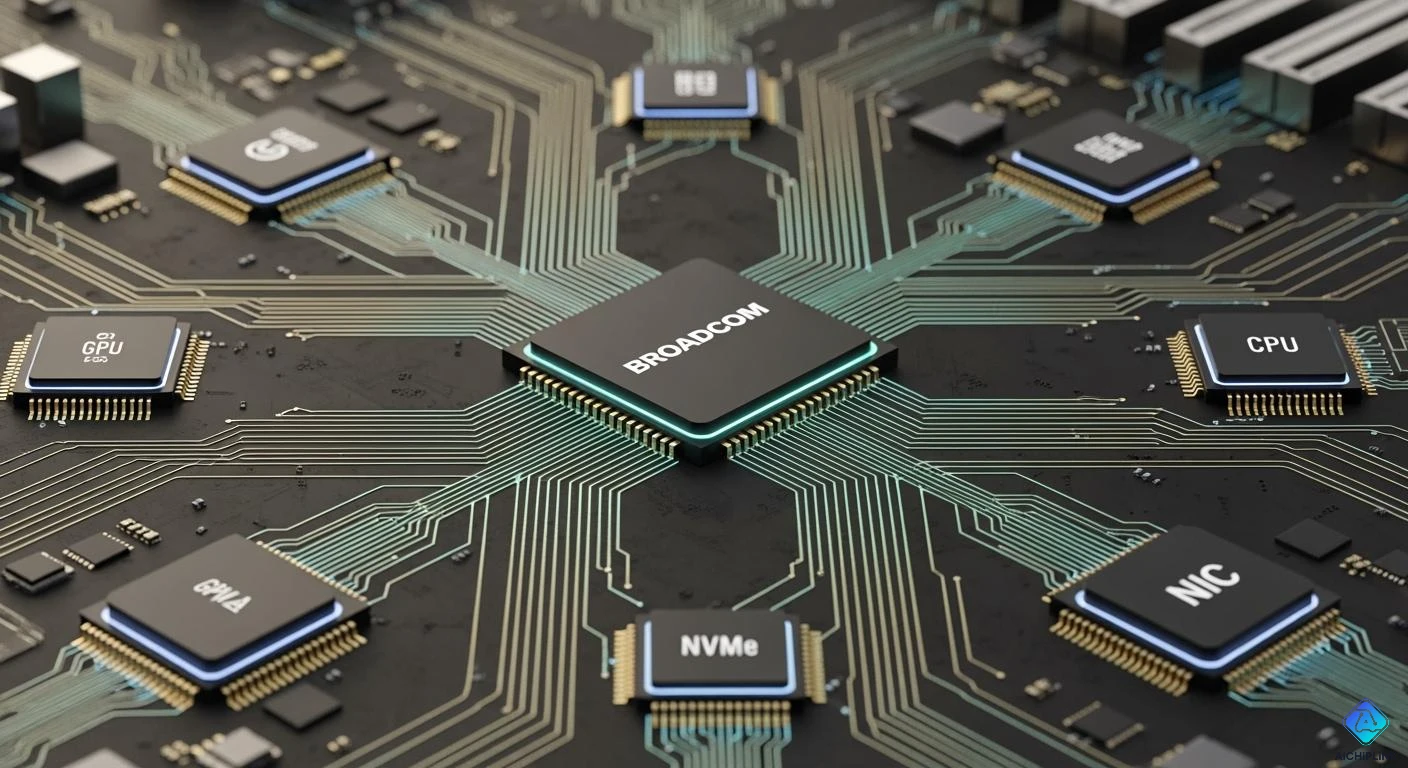
You use many devices that need to talk to each other inside a computer. The Broadcom PCIe Switch helps these devices connect and share data quickly. This switch acts like a smart traffic controller for data. You get faster speeds and smoother performance. > When you want your system to handle lots of tasks, a Broadcom PCIe Switch makes sure everything runs efficiently.
Key Takeaways
- A Broadcom PCIe Switch links many devices in your computer. This helps data move faster and makes your computer work better. The switch works by itself. You do not need extra software or drivers. This makes it easy to set up. The switch gives high bandwidth and low latency. This means things run smoothly, even with many devices. Security features are built in to keep your data safe. They also help your computer work well and stop errors or tampering. The switch lets you add more devices as you need. This makes it simple to grow your system.
What Is a PCIe Switch?
PCIe Switch Basics
A PCIe switch is a device inside your computer. It helps connect many PCI Express (PCIe) devices together. You can think of it like a traffic controller for data. It adds more places to plug in devices. The switch has one main upstream port. This port connects to the computer’s processor or root complex. There are also several downstream ports. You use these to plug in things like graphics cards, storage drives, or network cards.
This device works quietly and you do not notice it. You do not need to install drivers or software for it. The system sees the switch as a group of bridges. These bridges connect different parts of the PCIe network. The switch uses smart logic to send data to the right device fast. This happens by itself and you do not have to do anything. Your computer runs smoothly because of this.
Role in Connectivity
The PCIe switch helps make your system stronger and more flexible. It lets you connect many devices without slowing things down. Here is how it helps:
| How PCIe Switch Helps Connectivity | What It Means for You |
|---|---|
| Creates a high-speed, low-latency network for devices | Your devices talk fast with almost no waiting |
| Supports multiple hosts sharing the same peripherals | You can use things like GPUs or storage better |
| Routes data between many downstream ports | Your system can use more devices without problems |
-
The switch sends data between devices by using their addresses.
-
It looks like several bridges connected to one main bridge.
-
This setup lets your computer handle many devices at once.
Note: When you use a PCIe switch, you can build bigger systems. You can add more storage, graphics cards, or other devices. The switch keeps everything working well and connected.
With a PCIe switch, your system can do more jobs at the same time. It makes your computer faster and ready for new things.
Broadcom PCIe Switch Overview
Design Principles
The Broadcom PCIe Switch is made to be fast, safe, and flexible. Broadcom designs these switches to move lots of data quickly while keeping your system secure and steady. It follows the newest PCIe Gen 6 rules, which means it can send data very fast. Broadcom works with top companies to make sure their switches follow strict rules. This means the switch will work well with many devices and systems.
The Broadcom PCIe Switch is built to cut down delays when moving data. It uses smart paths to send data straight to the right device without extra stops. This gives you low latency, so your system reacts faster. The switch also has built-in security features in the hardware. These keep your data safe from changes and mistakes, so your system runs smoothly.
Key Features
The Broadcom PCIe Switch has many features that make it better than other PCIe switches. These features help you build strong and flexible systems that can grow as you need. Here are some main benefits you get with a Broadcom PCIe Switch:
-
Strong security and reliability, including fixing errors and stopping tampering.
-
Can create special SSD fabrics, letting you build fast and flexible storage.
-
Small and low-power design that fits well in gadgets and edge devices.
-
Supports many hosts sharing the same devices, using resources better.
-
High bandwidth and low latency for smooth and quick data flow.
Here is a table that shows some key performance features of the Broadcom PCIe Switch:
| Feature | Description |
|---|---|
| Bandwidth | Up to 9216 Tb/s (1152 GB/s) for high-performance systems. |
| PCIe Transmission Rate | 32 GT/s of PCIe 5.0 speed between hosts and devices inside racks. |
| Latency | Lower latency thanks to smart PCIe switching. |
| Connectivity Options | Flexible multi-host connections and smart device management. |
| Security Features | Extra security built into the switch design. |
With these features, the Broadcom PCIe Switch helps you build systems that are fast, safe, and easy to grow. Whether you want to connect many devices or make special storage networks, this switch gives you the tools to do it well.
Tip: Choosing a Broadcom PCIe Switch means you get power and flexibility. It works great in data centers, gadgets, and edge computing setups.
Components and Functions
Ports and Lanes
Ports and lanes are the parts that connect devices in the Broadcom PCIe Switch. Ports are like doors where you plug in your devices. Lanes are like highways that move data between those devices. There are different kinds of ports for different jobs:
-
The x8 port type will make up about 34.5% of the market money in 2025. You see these ports a lot in data center servers. They connect fast NVMe SSDs and network interface cards (NICs).
-
The x16 port type will be about 28.2% of the market money. These ports are important for GPU servers. They give the most bandwidth for graphics processing units.
-
An x16 slot with PCIe 5.0 can send 128 GB/s both ways. This speed is needed for high-performance AI accelerators and other powerful devices.
The Broadcom PCIe Switch works with these port types and lanes using PCIe Gen 6 technology. This new standard lets data move up to 64 GT/s and up to 256 GB/s with a ×16 setup. You get faster data movement and better system performance. Your devices talk to each other quickly and easily, so there are fewer slowdowns.
Switching Fabric
The switching fabric is like the brain of the switch. It tells data where to go between ports and lanes. The Broadcom PCIe Switch uses smart technology to keep data moving fast and smooth. Here is a table that shows some important things about this switching fabric:
| Feature | Description |
|---|---|
| SerDes Technology | Uses 32 GT/s PCIe 5.0 SerDes built on advanced 7nm, 5nm, and 3nm process technologies |
| Power Efficiency | Uses less than half the power of older Gen 5.0 switches |
| Performance | Gives better electrical performance than the PCIe standard |
| Security Features | Has attestation, SPDM1.1, telemetry, and diagnostic tools |
| Embedded Analyzer | First embedded analyzer in PCIe switch silicon for real-time trace and debugging |
This fabric sends data straight to the right device without extra stops. It also saves power, so your system stays cool and works well. The analyzer lets you watch data flow and fix problems fast. You get a strong and quick data path for tough jobs.
Management Engine
The management engine is like a boss for the switch. It controls how the switch works and keeps it safe. This engine uses special security steps like attestation and SPDM1.1. These steps check that the switch and devices are safe and not changed by anyone.
You also get tools that watch the switch’s health and how well it works. These tools warn you if something is wrong or strange before it gets worse. This helps your system stay up and running.
With the management engine, you can set up the Broadcom PCIe Switch the way you want. It lets many processors share the same devices easily. This makes it simple to build systems that grow and stay safe as you need more power.
Note: When you put together ports, switching fabric, and management engine in the Broadcom PCIe Switch, you get a strong device. You get fast data, good security, and smart control all in one.
Data Flow and Performance
Packet Routing
When you use a Broadcom PCIe Switch, you get smart packet routing. The switch looks at each data packet and decides where it should go. You do not have to worry about lost or delayed data. The switch uses a direct path for each packet. This means your data moves quickly from one device to another. You can connect many devices, and the switch will keep everything organized.
-
The switch checks the address of each packet.
-
It sends the packet to the right port without extra stops.
-
You get less waiting time and fewer slowdowns.
Tip: Good packet routing helps your computer run faster, especially when you use lots of devices at once.
Bandwidth and Latency
Bandwidth tells you how much data can move at one time. Latency tells you how fast the data gets from one place to another. The Broadcom PCIe Switch gives you high bandwidth and low latency. You can move large files, stream videos, or run games without lag.
| Feature | What It Means for You |
|---|---|
| High Bandwidth | You can transfer lots of data quickly |
| Low Latency | Your devices respond right away |
The switch uses the latest PCIe technology. You get speeds up to 256 GB/s with a ×16 setup. This means you can use powerful devices like GPUs and SSDs together. Your system stays fast, even when you add more devices.
Reliability Features
You want your system to work all the time. The Broadcom PCIe Switch has built-in reliability features. These features protect your data and keep your system running.
-
Error correction checks for mistakes in data.
-
Security tools stop tampering and keep your data safe.
-
Diagnostic tools help you find and fix problems fast.
Note: With these features, you can trust your system to work well, even during heavy use.
The Broadcom PCIe Switch gives you strong data flow, fast performance, and reliable operation. You get a system that is ready for anything.
Scalability and Applications
System Scalability
You might need your system to get bigger later. Broadcom PCIe Switches help you do this. These switches let you add more devices when you need them. Your system can handle more work without getting slow. You can make big groups for AI or powerful computers. Broadcom uses open standards, so many types of devices can connect and work together.
-
Broadcom PCIe Switches work in big setups, like AI clusters.
-
The design uses open standards and fits with many systems.
-
You can grow your network and not worry about slow spots.
-
The Thor Ultra 800G Ethernet NIC helps stop slowdowns as you add more.
Here is a table that shows how Broadcom PCIe Switches help your system grow:
| Feature | Benefit |
|---|---|
| In-house SerDes | 40% more reach and more lanes for bigger systems |
| Flexible Architecture | Uses 50% less power and fits advanced AI setups |
| Advanced Diagnostics | Tools like LINKCAT™ and analyzers make design and testing easier |
| Integrated Software | Software suite makes setup and new launches faster |
Tip: Broadcom PCIe Switches keep your system fast and working well, even as you add more devices.
Use Cases
You can find Broadcom PCIe Switches in many real systems. These switches are used in data centers, cloud platforms, and AI clusters. They help move data fast and keep networks running well. You can use them for fast networking, storage, and connecting lots of devices.
-
Data centers use Broadcom PCIe Switches for better networking and heavy work.
-
AI clusters use these switches for quick data and low waiting times.
-
Cloud systems use them to connect CPUs, GPUs, and storage for better speed.
-
The switches help manage work and save power, making your system smarter and greener.
Here is a table that shows how Broadcom PCIe Switches help in cloud systems:
| Benefit | Description |
|---|---|
| Bandwidth Utilization | Makes the best use of all bandwidth |
| Latency Reduction | Cuts down waiting for real-time jobs |
| System Scalability | Lets your system grow when you need it |
| Multi-device Connectivity | Connects many devices for better speed |
| Data Routing | Keeps data moving smoothly in big networks |
| High-speed Interconnects | Supports fast links between CPUs, GPUs, and storage |
| AI Workload Support | Handles the needs of AI and powerful computing |
Note: With Broadcom PCIe Switches, your system is ready for today and can grow for tomorrow.
The Broadcom PCIe Switch Architecture links many devices fast and safe. It uses smart ports, a strong switching fabric, and a management engine to keep data moving well. Your system gets high speed, low delay, and good security.
| Key Takeaway | Why It Matters |
|---|---|
| Used in 400+ AI server designs | Shows Broadcom’s big role in AI computing |
| Telemetry and diagnostics | Helps you find and fix problems quickly |
| Supports up to 144 PCIe 6.0 lanes | Lets your system grow and stay flexible |
| Offers endpoint and switch scheduled chips | Fits many different needs and setups |
Look ahead, and you will see these trends shaping future systems:
-
PCIe 6.0 with CXL helps share resources in data centers.
-
Advanced security keeps your important apps safe.
-
Special SSD fabrics give flexible, fast storage.
-
Multi-host switches help AI and high-speed computing work well.
-
More data traffic and cloud growth increase PCIe switch use.
-
New PCIe versions double bandwidth, pushing upgrades in many areas.
With Broadcom PCIe Switches, you build fast, steady, and scalable systems ready for tomorrow’s challenges. Your devices connect better, work smarter, and keep your data safe.
🚀 Use this technology to power your next-generation computing solutions!

Written by Jack Elliott from AIChipLink.
AIChipLink, one of the fastest-growing global independent electronic components distributors in the world, offers millions of products from thousands of manufacturers, and many of our in-stock parts is available to ship same day.
We mainly source and distribute integrated circuit (IC) products of brands such as Broadcom, Microchip, Texas Instruments, Infineon, NXP, Analog Devices, Qualcomm, Intel, etc., which are widely used in communication & network, telecom, industrial control, new energy and automotive electronics.
Empowered by AI, Linked to the Future. Get started on AIChipLink and submit your RFQ online today!
Frequently Asked Questions
What does a Broadcom PCIe Switch do?
You use a Broadcom PCIe Switch to connect many devices inside your computer. It helps your devices talk to each other quickly. You get faster data movement and better system performance.
Can you add more devices with a PCIe switch?
Yes, you can. A PCIe switch lets you plug in more devices like SSDs or GPUs. Your system stays fast and does not slow down.
Is a Broadcom PCIe Switch hard to set up?
No, you do not need to install special drivers. Your system sees the switch as part of the hardware. You just plug in your devices and start using them.
Where do you find Broadcom PCIe Switches?
You find Broadcom PCIe Switches in data centers, AI clusters, and cloud systems. They help connect many devices and keep data moving fast.