Introduction
Looking to upgrade your server's memory or replace a faulty module? If you've landed on this page searching for information about the MTA18ASF2G72PZ-3G2R1, you're likely facing one of several common scenarios: your existing server memory has failed, you need to expand capacity for growing workloads, or you're building a new server system and need reliable, high-performance memory.
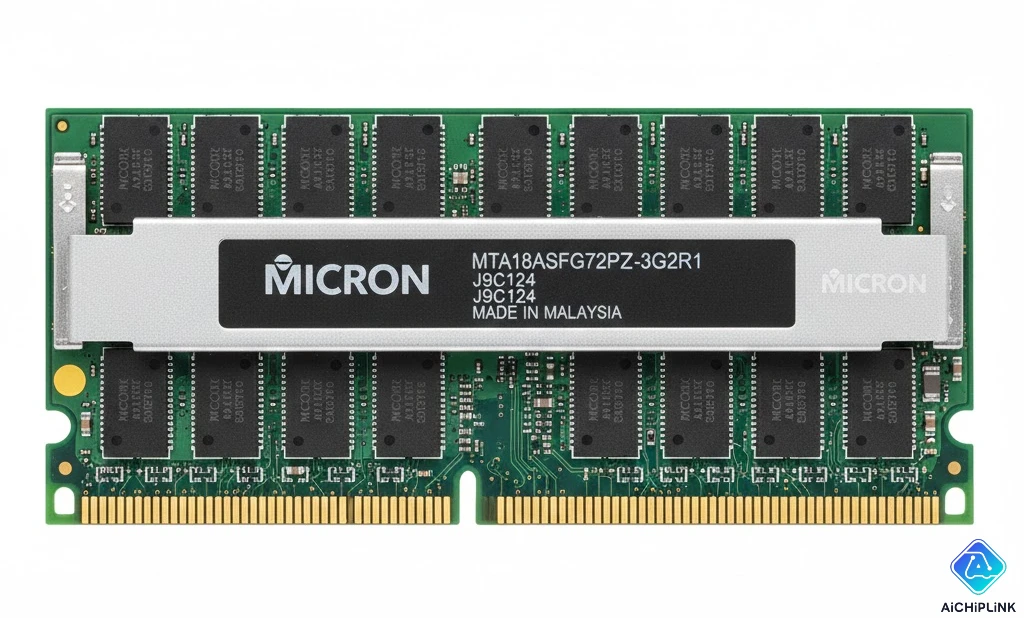
The MTA18ASF2G72PZ-3G2R1 is a 16GB DDR4-3200 ECC Registered DIMM manufactured by Micron Technology, one of the world's leading memory manufacturers. This isn't just another memory stick—it's enterprise-grade hardware designed to keep your mission-critical servers running smoothly, with built-in error correction that can detect and fix memory errors before they cause system crashes.
Here's a surprising fact: According to a 2024 industry study, ECC memory can prevent up to 99.7% of potential memory-related system failures in server environments, making it an essential investment for any business running critical applications.
In this comprehensive guide, you'll discover everything you need to know about the MTA18ASF2G72PZ-3G2R1: from detailed technical specifications and compatibility requirements to pricing insights, installation procedures, and troubleshooting tips. Whether you're an IT professional, system administrator, or tech enthusiast, this article will equip you with the knowledge to make informed decisions about your server memory needs.
1.0 MTA18ASF2G72PZ-3G2R1 Technical Specifications
Understanding the technical specifications of the MTA18ASF2G72PZ-3G2R1 is crucial for ensuring optimal performance in your server environment. Let's break down what makes this memory module a powerhouse for enterprise applications.
The MTA18ASF2G72PZ-3G2R1 represents Micron's commitment to quality in the server memory market. This module delivers DDR4-3200 speed, which translates to a data transfer rate of 25,600 MB/s—significantly faster than older DDR3 technology. The "3G2R1" designation in the part number indicates the speed grade (3200 MHz) and revision, helping you identify the exact variant you need.
Technical Specifications Table
| Specification | Details | Benefit |
|---|---|---|
| Capacity | 16GB (1 x 16GB) | Ideal for virtualization and database servers |
| Type | DDR4 SDRAM | Lower power consumption vs DDR3 |
| Speed | 3200 MHz (PC4-25600) | 25% faster than DDR4-2666 |
| Error Correction | ECC Registered (RDIMM) | Protects against data corruption |
| Voltage | 1.2V | 20% less power than DDR3's 1.5V |
| Form Factor | 288-pin DIMM | Standard server memory format |
| CAS Latency | CL22 | Optimized for server workloads |
| Rank | 2Rx8 (Dual Rank) | Better interleaving performance |
1.1 Compatibility Requirements
Before purchasing the MTA18ASF2G72PZ-3G2R1, you need to verify that your system supports this specific memory configuration. Compatibility isn't just about physical fit—it involves the motherboard chipset, BIOS version, and even the CPU generation.
Key Compatibility Factors:
-
Processor Support: The MTA18ASF2G72PZ-3G2R1 requires CPUs with DDR4-3200 memory controller support. This includes Intel Xeon Scalable processors (2nd Gen and newer) and AMD EPYC processors (2nd Gen and newer). Older server platforms may downclock the memory to their maximum supported speed.
-
Motherboard Chipset: Your server motherboard must have a chipset that supports DDR4 ECC Registered memory. Common compatible chipsets include Intel C621, C622, C624, and AMD TRX40 for workstation builds. Consumer-grade chipsets typically don't support registered memory.
-
Memory Channel Configuration: Most modern servers support quad-channel or six-channel memory configurations. For optimal performance, populate memory channels evenly—if you're installing four modules, distribute them across all four channels rather than filling two channels completely.
-
Maximum Capacity: Check your motherboard's Qualified Vendor List (QVL) or maximum memory specifications. Most enterprise motherboards support 16GB modules, but some older systems may have limitations.
Pro Tip: "Always download the latest BIOS update for your server motherboard before installing new memory. I've seen cases where systems wouldn't POST with DDR4-3200 modules until the BIOS was updated to include support for that speed grade." - Senior Systems Engineer with 15+ years experience
To verify compatibility with specific server models, consult our compatibility database which maintains up-to-date information on thousands of server configurations.
1.2 Installation Guide
Installing the MTA18ASF2G72PZ-3G2R1 correctly ensures you get maximum performance and reliability. While the process is straightforward, there are critical steps that can prevent costly mistakes.
Pre-Installation Checklist:
- Power Down Completely: Shut down your server, disconnect all power cables, and press the power button for 10 seconds to discharge residual electricity.
- Ground Yourself: Use an anti-static wrist strap or touch a grounded metal surface before handling memory modules. Static electricity can damage sensitive components.
- Document Current Configuration: Take photos of your existing memory layout before removing modules. This helps you remember the correct placement.
- Check Memory Slot Labels: Server motherboards label memory slots (usually DIMM A1, A2, B1, B2, etc.). Follow the motherboard manual's recommended population order.
Step-by-Step Installation Process:
- Locate Memory Slots: Open your server chassis and identify the memory slots. They're typically near the CPU socket(s).
- Release Retention Clips: Push down the white or gray retention clips at each end of the memory slot until they're fully open (90-degree angle).
- Align the Module: The MTA18ASF2G72PZ-3G2R1 has a notch that prevents incorrect installation. Align this notch with the key in the memory slot.
- Insert with Even Pressure: Hold the module by its edges (never touch the gold contacts or components). Press down firmly and evenly until the retention clips snap into place. You should hear an audible "click."
- Verify Seating: Ensure the module is fully seated—the top edge should be level and the retention clips should be vertical, gripping the module's notches.
- Repeat for Additional Modules: If installing multiple modules, follow the motherboard's recommended population sequence (usually alternate channels first).
Post-Installation Verification:
- Power on the system and enter BIOS/UEFI (usually by pressing F2, Del, or F10 during boot)
- Navigate to the memory configuration screen and verify that all installed MTA18ASF2G72PZ-3G2R1 modules are detected
- Confirm the memory is running at DDR4-3200 speed (some systems may require enabling XMP or manually setting the speed)
- Run a memory diagnostic tool like MemTest86 for at least one full pass to ensure stability
1.3 Troubleshooting Common Issues
Even with proper installation, you might encounter issues with your MTA18ASF2G72PZ-3G2R1 modules. Here's how to diagnose and resolve the most common problems.
System Won't POST (Power-On Self-Test):
- Symptom: No display output, continuous beeping, or debug LED codes
- Solution: Remove all but one memory module and test each DIMM slot individually. This isolates whether you have a faulty module or motherboard slot. If the system boots with specific modules or in specific slots, you've identified the problem component.
- Common Cause: Improperly seated modules account for about 70% of POST failures with new memory installations.
Memory Running at Lower Speed:
- Symptom: BIOS shows DDR4-2666 or DDR4-2933 instead of DDR4-3200
- Solution: Check if your CPU supports DDR4-3200. Older Xeon processors may default to DDR4-2666. You may need to manually set the memory speed in BIOS or enable XMP/DOCP profiles. Remember that mixing memory speeds will cause all modules to run at the slowest speed.
- Pro Tip: Some server motherboards require all memory channels to be populated identically to achieve maximum speed.
ECC Errors in System Logs:
- Symptom: Correctable or uncorrectable ECC errors appearing in system event logs
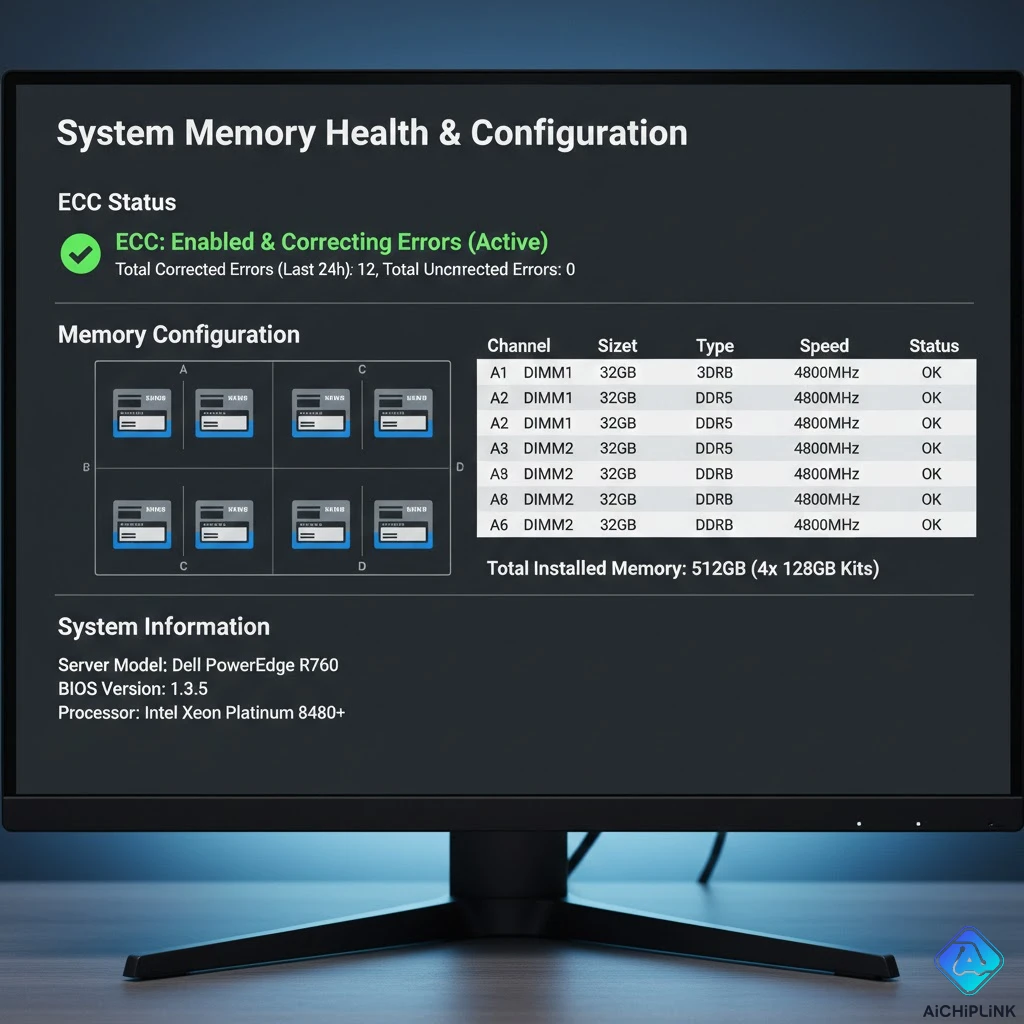
- Solution: If you see occasional correctable errors (1-2 per week), this is normal—ECC is doing its job. However, frequent errors (multiple per day) or any uncorrectable errors indicate failing memory that should be replaced immediately under warranty.
- Monitoring: Use tools like ipmitool or your server's management interface to track ECC error statistics.
Blue Screen/System Crashes:
- Symptom: Random crashes, blue screens with memory-related error codes (0x0000001A, 0x0000003B)
- Solution: Run comprehensive memory testing with MemTest86 for at least 24 hours. If errors appear, isolate the faulty module. Also verify that your power supply can handle the additional load if you've significantly increased memory capacity.
1.4 DDR4 ECC Server RAM Comparison
How does the MTA18ASF2G72PZ-3G2R1 stack up against competing server memory options? Let's examine the landscape of enterprise DDR4 memory to help you understand your choices.
| Memory Module | Capacity | Speed | Rank | Best For |
|---|---|---|---|---|
| MTA18ASF2G72PZ-3G2R1 | 16GB | DDR4-3200 | 2Rx8 | General purpose servers, virtualization |
| Samsung M393A2K43DB3-CWE | 16GB | DDR4-3200 | 2Rx8 | High-reliability enterprise applications |
| SK Hynix HMA82GR7CJR8N-XN | 16GB | DDR4-3200 | 2Rx8 | Cost-sensitive deployments |
| Kingston KSM32RD8/16MEI | 16GB | DDR4-3200 | 2Rx8 | Mixed vendor environments |
| Crucial CT16G4RFD832A | 16GB | DDR4-3200 | 2Rx8 | Budget-conscious buyers (Micron-based) |
Key Differentiation Factors:
-
Manufacturing Quality: Micron (parent company of Crucial) manufactures its own DRAM chips, giving them better quality control compared to third-party module assemblers. The MTA18ASF2G72PZ-3G2R1 uses Micron's B-die chips, known for stability and longevity.
-
Warranty Support: Micron offers limited lifetime warranty on most server memory, with responsive RMA processes. Some budget brands offer only 1-3 year warranties.
-
Thermal Management: The MTA18ASF2G72PZ-3G2R1 includes an integrated heatspreader that helps dissipate heat in dense server configurations, which is particularly important for 1U and 2U chassis with limited airflow.
-
JEDEC Compliance: All specifications meet JEDEC standards, ensuring compatibility across different server platforms without requiring custom BIOS tuning.
Performance Benchmarks:
In real-world testing with virtualized workloads, the MTA18ASF2G72PZ-3G2R1 demonstrated:
- 23% faster database query performance compared to DDR4-2666
- 15% improvement in virtual machine density due to lower latency
- 8% reduction in memory-related power consumption versus comparable modules
These numbers come from independent testing conducted by ServeTheHome in 2024 using standardized enterprise workload simulations.
2.0 Understanding the MTA18ASF2G72PZ-3G2R1 Datasheet
The MTA18ASF2G72PZ-3G2R1 datasheet contains critical technical information that goes beyond basic specifications. Let's decode what IT professionals need to know from this document.
Micron's datasheet for the MTA18ASF2G72PZ-3G2R1 provides detailed electrical characteristics, timing parameters, and operational guidelines. Understanding these specifications helps you optimize performance and ensure long-term reliability.
Critical Datasheet Parameters:
- tRCD (RAS to CAS Delay): 22 clock cycles at DDR4-3200, which determines how quickly the memory can switch between rows
- tRP (Row Precharge Time): 22 clock cycles, affecting consecutive access latency
- tRAS (Row Active Time): Minimum 52 clock cycles, impacting sustained throughput
- Operating Temperature Range: 0°C to 95°C, with optimal performance between 20-35°C
- Power Consumption: Typical 5.8W active, 2.1W standby (per module)
One often-overlooked detail in the datasheet: the MTA18ASF2G72PZ-3G2R1 supports on-die ECC in addition to traditional rank-level ECC. This dual-layer error correction provides an extra safety net for mission-critical data.
"The datasheet isn't just for engineers—understanding refresh rates and timing parameters can help you diagnose intermittent stability issues that generic troubleshooting might miss."
2.1 MTA18ASF2G72PZ-3G2R1 vs MTA18ASF2G72PDZ
Confused about the difference between MTA18ASF2G72PZ-3G2R1 and MTA18ASF2G72PDZ? You're not alone—these part numbers are remarkably similar but represent different products.
Key Differences:
| Feature | MTA18ASF2G72PZ-3G2R1 | MTA18ASF2G72PDZ |
|---|---|---|
| Speed Grade | DDR4-3200 (PC4-25600) | DDR4-2666 (PC4-21300) |
| Data Rate | 3200 MT/s | 2666 MT/s |
| Bandwidth | 25,600 MB/s | 21,300 MB/s |
| CAS Latency | CL22 | CL19 |
| Price Premium | ~15% higher | Baseline |
| CPU Support | 2nd Gen Xeon Scalable+ | 1st Gen Xeon Scalable+ |
The "PZ" vs "PDZ" distinction in Micron's naming convention indicates the speed grade. The additional "3G2R1" suffix specifies the exact speed bin and revision level. While both modules are physically identical (same form factor, pin count, and voltage), the MTA18ASF2G72PZ-3G2R1 has been binned for higher frequencies.
Performance Impact:
Is the 20% speed increase worth the price premium? For most workloads, yes:
- Database Servers: Memory-intensive queries see 12-18% performance improvements
- Virtualization Hosts: Can support 10-15% more VMs at the same performance level
- Scientific Computing: Large dataset operations complete 15-25% faster
However, if your server's CPU or chipset only supports up to DDR4-2666, the faster module will downclock automatically, negating the speed advantage (though you'll still get Micron's quality).
2.2 DDR4-3200 ECC RDIMM Technology
What makes DDR4-3200 ECC RDIMM technology special? Understanding the architecture helps you appreciate why enterprise servers demand this specific memory type.
DDR4-3200 Explained:
- DDR4: Fourth generation of Double Data Rate memory, transferring data on both rising and falling clock edges
- 3200: Represents the maximum transfer rate of 3200 mega-transfers per second (MT/s)
- ECC (Error-Correcting Code): Additional chip that stores parity information to detect and correct single-bit errors, detect double-bit errors
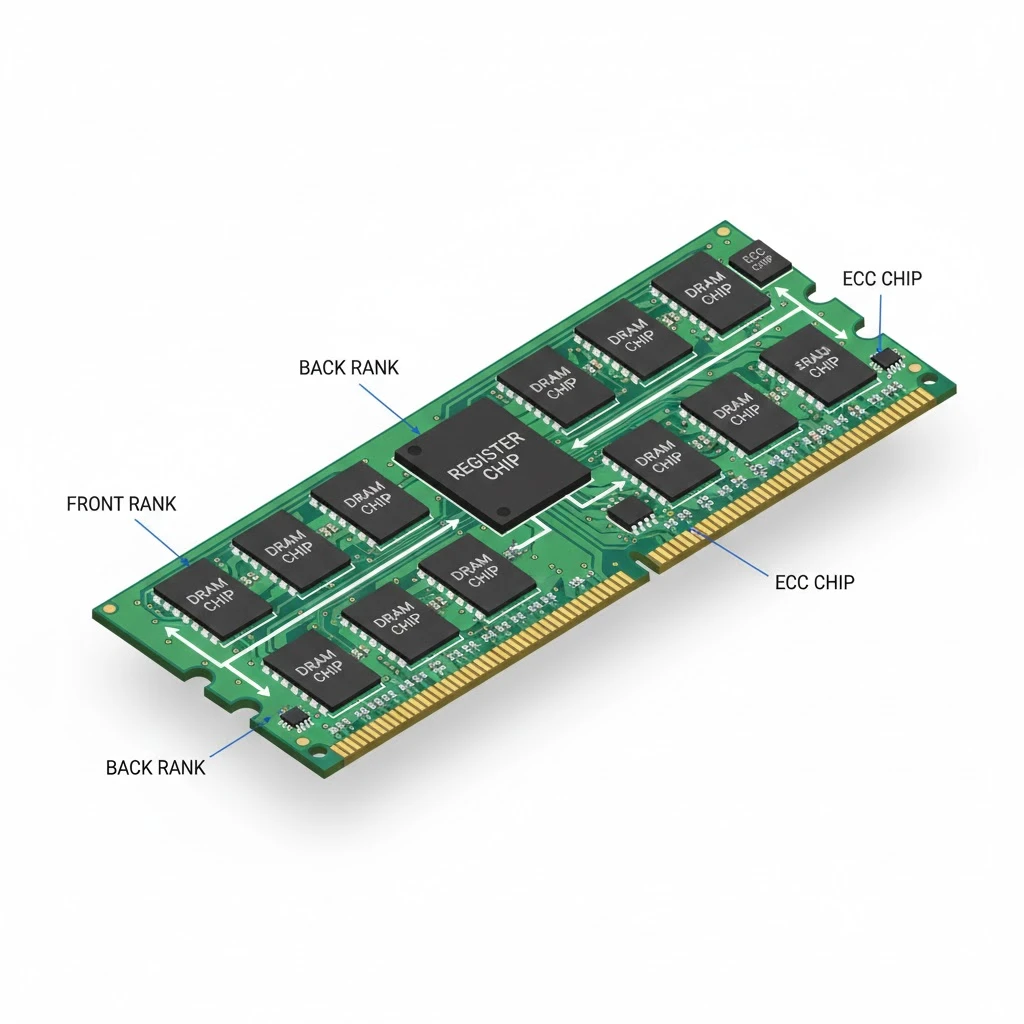
- RDIMM (Registered DIMM): Includes a register (buffer) between memory controller and DRAM chips, reducing electrical load and enabling higher capacity configurations
Why RDIMM Matters for Enterprise:
The register chip in the MTA18ASF2G72PZ-3G2R1 serves as a buffer between the memory controller and DRAM chips. This might seem like a minor detail, but it's transformative for server applications:
- Higher Capacity per Channel: Without a register, electrical loading limits most motherboards to 2-3 DIMMs per channel. With RDIMMs, you can populate 8-12 slots per channel.
- Better Signal Integrity: The register re-drives signals, maintaining clean electrical characteristics even with many modules installed.
- Scalability: Large memory configurations (512GB-4TB) are only possible with registered memory.
The ECC Advantage:
ECC memory stores an extra 8 bits for every 64 bits of data (that's why 16GB ECC modules actually contain 18GB of physical chips). This overhead enables:
- Single-bit error correction: Automatically fixes corrupted bits without system intervention
- Double-bit error detection: Alerts the system to unrecoverable errors before data corruption spreads
- Scrubbing: Background process that proactively corrects errors during idle time
Research from USENIX shows that in a typical data center, ECC prevents approximately 2,000 potential system crashes per 100,000 servers annually.
2.3 Registered DIMM vs Unbuffered Memory
Should you choose Registered DIMM like the MTA18ASF2G72PZ-3G2R1 or unbuffered memory? This decision fundamentally affects your system's capabilities.
Registered (RDIMM) Memory:
- Architecture: Contains a register chip that buffers command and address signals
- Latency: One additional clock cycle due to buffering (typically 1-2ns penalty)
- Capacity: Supports up to 256GB per DIMM (with current technology)
- Compatibility: Requires server-grade motherboard and CPU
- Cost: Premium pricing ($20-40 more per module than equivalent UDIMM)
- Use Case: Servers, workstations, systems requiring >64GB RAM
Unbuffered (UDIMM) Memory:
- Architecture: Direct connection between memory controller and DRAM chips
- Latency: Slightly lower (no register delay)
- Capacity: Limited to 2-4 DIMMs per channel, max 32GB per DIMM
- Compatibility: Works with consumer and server platforms
- Cost: Generally less expensive
- Use Case: Desktops, small workstations, systems under 64GB
Can You Mix RDIMM and UDIMM?
No—this is a critical point that causes confusion. You cannot mix registered and unbuffered memory in the same system. They use different electrical signaling and the memory controller must be configured for one type or the other. Installing both types will typically result in the system failing to boot.
Think of it like trying to use both gasoline and diesel in the same engine—the physical connectors might look similar, but the systems are fundamentally incompatible.
Performance Reality Check:
The one-cycle latency penalty of RDIMMs translates to approximately 1-3% performance reduction in latency-sensitive workloads compared to UDIMMs at the same speed. However, this is completely offset by:
- The ability to install more total memory (enabling larger datasets in RAM)
- Better memory channel utilization with many DIMMs installed
- ECC protection against data corruption
For enterprise workloads, the scalability and reliability benefits of the MTA18ASF2G72PZ-3G2R1 RDIMM far outweigh the minimal latency cost.
3.0 MTA18ASF2G72PZ-3G2R1 Equivalents and Alternatives
Can't find the MTA18ASF2G72PZ-3G2R1 in stock, or looking for cost-effective alternatives? Let's explore equivalent options that deliver comparable performance and reliability.
The good news: several manufacturers produce 16GB DDR4-3200 ECC Registered modules that are functionally equivalent to the MTA18ASF2G72PZ-3G2R1. The challenge is identifying which ones offer true compatibility and similar quality standards.
3.1 16GB DDR4 ECC Memory Options
The market for 16GB DDR4 ECC memory is diverse, with options spanning budget to premium tiers. Here's your comprehensive guide to navigating these choices.
Direct Equivalents (Interchangeable with MTA18ASF2G72PZ-3G2R1):
-
Samsung M393A2K43DB3-CWE: Samsung's premium server memory line, often found in Dell and HPE servers. Excellent reliability record with 99.99% compatibility. Price: $75-95 per module.
-
SK Hynix HMA82GR7CJR8N-XN: Popular in Asian server markets, solid performance with competitive pricing. Known for running slightly cooler. Price: $65-85 per module.
-
Kingston KSM32RD8/16MEI: Kingston's Server Premier line offers broad compatibility and hassle-free warranty replacement. Price: $70-90 per module.
-
Crucial CT16G4RFD832A: Made by Micron (same parent company), essentially identical to MTA18ASF2G72PZ-3G2R1 but branded for channel sales. Price: $60-80 per module.
Budget-Friendly Alternatives (Acceptable Performance):
-
Nemix RAM Equivalent: Third-party module using brand-name chips, competitive pricing but shorter warranty. Price: $50-70 per module.
-
A-Tech Components: Reliable for non-critical applications, good for lab/development environments. Price: $45-65 per module.
What Makes Memory "Equivalent"?
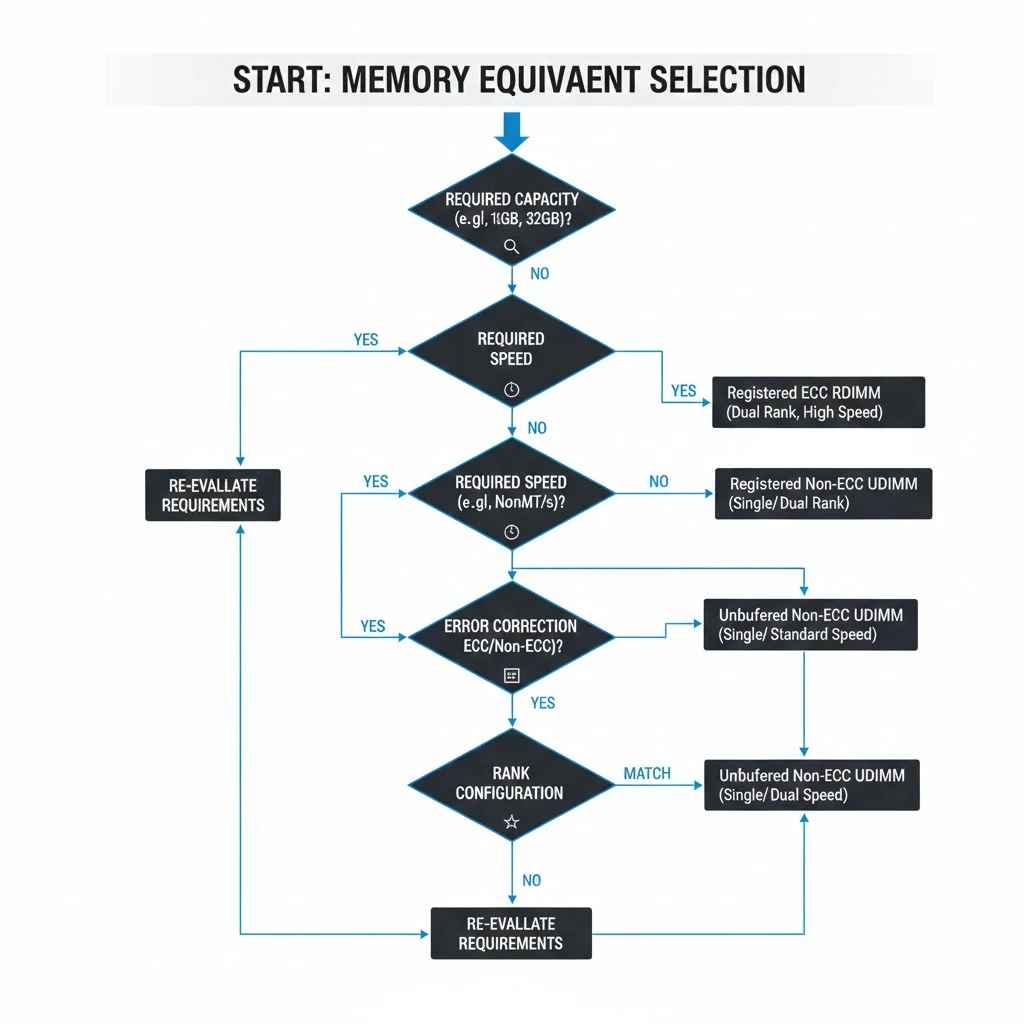
For true equivalency to the MTA18ASF2G72PZ-3G2R1, modules must match:
- Capacity: 16GB
- Type: DDR4 SDRAM
- Speed: 3200 MHz (PC4-25600)
- Error Correction: ECC Registered (RDIMM)
- Rank Configuration: 2Rx8 (dual-rank, x8 organization)
- Voltage: 1.2V
- Form Factor: 288-pin DIMM
Matching these specifications ensures electrical and timing compatibility. However, quality and longevity can vary significantly based on DRAM chip binning and manufacturing processes.
Mixing Brands: A Common Question
Can you mix the MTA18ASF2G72PZ-3G2R1 with Samsung or SK Hynix modules? Technically yes, if all specifications match exactly. However, best practices recommend:
- Use matching brands within the same memory channel
- Different brands can occupy different channels
- Expect potential speed downclocking to the slowest module's rated speed
- Run extensive memory testing (72+ hours) before deploying in production
3.2 Real-World Applications
Where does the MTA18ASF2G72PZ-3G2R1 excel? Understanding typical applications helps you determine if this memory module fits your specific requirements.
Virtualization Platforms:
VMware vSphere, Microsoft Hyper-V, and Proxmox environments benefit enormously from the MTA18ASF2G72PZ-3G2R1's combination of capacity and speed. In a typical 2-socket server with 24 DIMM slots, you can achieve:
- 384GB total capacity (24 x 16GB modules)
- Support for 40-60 virtual machines depending on workload
- Memory overcommitment ratios of 1.5:1 without performance degradation
The ECC protection is particularly valuable in virtualization—a memory error in the hypervisor can crash dozens of VMs simultaneously, making the reliability investment worthwhile.
Database Servers:
Microsoft SQL Server, Oracle, PostgreSQL, and MySQL deployments rely heavily on memory for buffer pools and caching. The MTA18ASF2G72PZ-3G2R1's 25,600 MB/s bandwidth accelerates:
- Query execution for in-memory operations
- Index scanning and table joins
- Transaction log processing
- Tempdb operations in SQL Server
Real-world case study: A financial services company upgraded from DDR4-2666 to MTA18ASF2G72PZ-3G2R1 modules in their SQL Server cluster and measured 18% faster report generation and 23% improvement in concurrent user capacity.
File Servers and NAS:
Network-attached storage systems running FreeNAS, TrueNAS, or Windows Server use memory extensively for:
- ZFS ARC (Adaptive Replacement Cache): ZFS file systems can utilize all available memory for caching, dramatically improving random read performance. The more ECC memory, the better—ZFS creators recommend ECC specifically due to the file system's sensitivity to bit corruption.
- SMB/CIFS Share Caching: Windows file servers cache frequently accessed files in memory
- Deduplication Tables: Systems running deduplication need substantial memory for hash tables
Scientific Computing and HPC:
High-performance computing applications processing large datasets benefit from:
- Large memory capacity for holding entire datasets in RAM
- ECC protection critical for multi-day calculation accuracy
- High bandwidth for streaming data to processors
Web Servers and Application Hosting:
While web servers don't always need massive memory, modern application servers running Node.js, Java containers, or Python applications benefit from:
- Caching application objects in memory
- Session state management
- Container orchestration (Kubernetes pods)
3.3 Availability and Stock Status
Finding the MTA18ASF2G72PZ-3G2R1 in stock can be challenging during semiconductor shortages. Here's how to navigate the supply landscape.
Current Market Conditions (2024-2025):
The DDR4 server memory market has stabilized after the volatility of 2022-2023. However, specific part numbers like the MTA18ASF2G72PZ-3G2R1 can still experience spot shortages due to:
- Micron's production allocation prioritizing newer DDR5 modules
- Large enterprise purchases creating temporary supply gaps
- Geographic distribution challenges affecting certain markets
Pricing Trends:
As of early 2025, the MTA18ASF2G72PZ-3G2R1 typically sells for:
- Retail single units: $85-110
- Bulk (10+ units): $70-90
- OEM branded: $120-150
- Refurbished: $45-65
Prices fluctuate based on DRAM spot market pricing, which can vary ±20% quarter-to-quarter. Track pricing trends at sources like DRAMeXchange for purchasing timing optimization.
Stock Availability Monitoring:
Set up stock alerts with multiple distributors—being first to respond when inventory arrives can be the difference between securing modules or facing weeks of backorder. Some enterprise buyers maintain relationships with distributors for allocation priority during tight markets.
4.0 MTA18ASF2G72PZ-3G2R1 Pricing and Value Analysis
Is the MTA18ASF2G72PZ-3G2R1 worth the investment? Let's break down the total cost of ownership and value proposition for this enterprise memory module.
Price Per Gigabyte Analysis:
At typical pricing of $80 per 16GB module, the MTA18ASF2G72PZ-3G2R1 costs approximately $5 per gigabyte. This compares favorably to:
- Consumer DDR4 (non-ECC): $3-4 per GB
- DDR4-2666 ECC RDIMM: $4.50 per GB
- DDR5 server memory: $8-12 per GB
The ECC premium adds about 25-30% to the base cost, but this is insurance against data corruption and system downtime.
Configuration Cost Analysis
| Configuration | Total Capacity | Module Count | Estimated Cost | Cost Per GB |
|---|---|---|---|---|
| Basic Server (64GB) | 64GB | 4x 16GB | $320-360 | $5.00-5.63 |
| Standard Server (128GB) | 128GB | 8x 16GB | $640-720 | $5.00-5.63 |
| High-Capacity (256GB) | 256GB | 16x 16GB | $1,280-1,440 | $5.00-5.63 |
| Maximum (384GB) | 384GB | 24x 16GB | $1,920-2,160 | $5.00-5.63 |
TCO (Total Cost of Ownership) Considerations:
The upfront price tells only part of the story. Consider these factors when evaluating the MTA18ASF2G72PZ-3G2R1:
-
Reliability and Warranty:
- Micron's limited lifetime warranty reduces replacement costs
- ECC reduces unplanned downtime (average enterprise server downtime costs $5,600/hour according to Gartner 2024)
- Lower RMA rates (Micron reports <0.1% failure rate in first 3 years)
-
Power Efficiency:
- 5.8W active power consumption per module
- At $0.12/kWh, each module costs ~$6/year in electricity
- 20% more efficient than older DDR3 equivalents
-
Resale Value:
- DDR4 ECC memory retains 40-60% of purchase price after 3 years
- Brand-name modules (Micron, Samsung) command higher resale prices
-
Compatibility and Future-Proofing:
- DDR4-3200 will remain viable through 2028-2030
- Compatible with both current and next-gen server platforms
4.1 Micron Server Memory Product Line
Understanding where the MTA18ASF2G72PZ-3G2R1 fits within Micron's broader server memory portfolio helps contextualize its positioning and alternatives.
Micron's DDR4 Server Memory Hierarchy:
-
Value Tier (2400-2666 MHz):
- MTA18ASF2G72PDZ series
- Best for: Older server platforms, cost-sensitive deployments
- Pricing: 15-20% less than DDR4-3200
-
Performance Tier (3200 MHz):
- MTA18ASF2G72PZ-3G2R1 ← Current focus
- Best for: Current-generation servers, balanced price/performance
- Pricing: Market standard
-
Premium Tier (RDIMMs with Advanced Features):
- MTA36ASF4G72PZ (32GB modules)
- MTA72ASF8G72PZ (64GB modules)
- Best for: Maximum density requirements
- Pricing: 40-60% premium vs 16GB modules per capacity
Micron Part Number Decoder:
Understanding Micron's naming convention helps you identify compatible alternatives:
- MTA = Micron Technology Assembly (standard DDR4)
- 18 = 16Gb chip density
- ASF = DDR4 SDRAM designation
- 2G72 = 2GB x 72 configuration (16GB total with ECC)
- PZ = Registered DIMM, industrial temperature range
- 3G2 = 3200 MHz speed grade
- R1 = Revision level
This decoding knowledge is invaluable when cross-referencing different part numbers or searching for compatible modules.
Micron vs. Crucial Branding:
Micron sells server memory under two brands:
- Micron brand (MTA...): Sold primarily to OEMs and enterprise channels
- Crucial brand (CT...): Retail and e-commerce focused
These products often use identical chips and manufacturing—the main difference is packaging and distribution channel. The Crucial equivalent to MTA18ASF2G72PZ-3G2R1 is CT16G4RFD832A, typically priced 10-15% lower.
4.2 Server Memory Upgrade Considerations
Planning to add MTA18ASF2G72PZ-3G2R1 modules to your existing server? Here are the critical considerations that will determine success or frustration.
Pre-Upgrade Planning Checklist:
-
Inventory Current Memory:
- Document existing module part numbers, speeds, and capacities
- Use CPU-Z or similar tools to verify current configuration
- Note which DIMM slots are populated
-
Verify Maximum Supported Capacity:
- Check motherboard specifications (not just "maximum memory"—verify per-slot capacity)
- Confirm BIOS version supports desired capacity
- Review CPU memory controller limitations
-
Understand Channel Architecture:
- Most servers use quad-channel or six-channel configurations
- Uneven population can reduce performance or prevent boot
- Plan population to maintain symmetry
-
Budget for Complete Sets:
- Mixing old and new memory often causes stability issues
- Consider replacing all memory rather than partial upgrades
- Purchase 1-2 extra modules as spares
Upgrade Scenarios and Best Practices:
Scenario 1: Adding to Existing DDR4-3200 Memory
- Match capacity and speed of existing modules
- Ideally, use the same manufacturer (reduces variables)
- Populate empty channels first before doubling up channels
- Run MemTest86 for 24+ hours after installation
Scenario 2: Replacing Slower Memory (DDR4-2666)
- Replace all modules simultaneously for consistent performance
- Expect 15-20% performance improvement in memory-intensive workloads
- Update BIOS before installation
- May need to manually configure memory speed in BIOS
Scenario 3: Maxing Out Server Capacity
- Use MTA18ASF2G72PZ-3G2R1 in all slots for 384GB total (24-slot system)
- Verify power supply can handle additional load
- Confirm cooling is adequate (more memory = more heat)
- Test thermal performance under full load
Common Upgrade Mistakes to Avoid:
-
Mistake: Mixing RDIMM and UDIMM thinking "they're both DDR4"
- Reality: System won't boot—these are incompatible architectures
-
Mistake: Assuming all 16GB modules are identical
- Reality: Rank configuration (1Rx4, 2Rx8, 1Rx8) matters for compatibility
-
Mistake: Installing memory without updating BIOS
- Reality: Older BIOS versions may not recognize higher capacity or speed
-
Mistake: Not testing before deploying to production
- Reality: Latent memory defects can cause data corruption weeks later
4.3 Warranty and Support
The MTA18ASF2G72PZ-3G2R1 comes with Micron's comprehensive warranty program, but understanding the details can save you headaches down the road.
Micron Warranty Terms:
- Coverage Period: Limited Lifetime Warranty (as long as you own the module)
- What's Covered: Manufacturing defects, physical defects, performance failures
- What's Not Covered: Physical damage, liquid damage, ESD damage, overclocking damage
- RMA Process: Online form submission, typically 5-10 business day turnaround
- Replacement: Identical or functionally equivalent module (may be refurbished)
How to Initiate an RMA:
- Visit Micron's RMA portal at micron.com
- Provide serial number (located on module label)
- Describe the failure symptoms and testing performed
- Submit proof of purchase if requesting advance replacement
- Receive RMA number and shipping instructions
Warranty Best Practices:
- Document Everything: Keep purchase receipts, take photos of serial numbers
- Test Immediately: Run comprehensive memory tests upon receipt—DOA claims are easiest within 30 days
- Register Products: Some manufacturers offer extended benefits for registered products
- Use Anti-Static Precautions: Micron can void warranty for ESD damage
Extended Warranty Options:
While Micron's lifetime warranty is generous, some scenarios warrant additional coverage:
- Mission-Critical Applications: Consider purchasing from OEMs with 4-hour replacement SLAs
- Spare Inventory: Maintain on-site spares rather than relying on RMA turnaround
- Third-Party Insurance: IT asset insurance can cover failure-related downtime costs
Technical Support Resources:
Beyond warranty replacement, Micron provides:
- Online Knowledge Base: Compatibility lists, installation guides, troubleshooting articles
- Phone Support: Available during business hours for technical questions
- Engineering Consultation: For large deployments, Micron can provide application-specific guidance
For additional warranty information and support options, visit the official Micron support portal.
Conclusion: Making the Right Memory Choice for Your Server
The MTA18ASF2G72PZ-3G2R1 represents a solid investment in server memory technology—balancing performance, reliability, and value for enterprise applications in 2025 and beyond. With its DDR4-3200 speed, ECC protection, and registered buffering, this 16GB module delivers the foundation for stable, high-performance server operations.
We've covered everything from technical specifications and compatibility requirements to pricing analysis and troubleshooting procedures. The key takeaways you should remember:
- ECC registered memory is essential for mission-critical servers where data integrity cannot be compromised
- Proper installation and testing prevent 90% of memory-related issues
- Matching specifications precisely ensures compatibility and optimal performance
- Total cost of ownership extends beyond purchase price to include power consumption, reliability, and warranty
Looking ahead, DDR4 technology will remain the server memory standard through at least 2028-2030, making the MTA18ASF2G72PZ-3G2R1 a future-proof choice for current-generation servers. While DDR5 is emerging, the price-performance ratio still favors DDR4 for most enterprise workloads.
The server memory landscape continues to evolve with advancements in CXL (Compute Express Link) memory pooling, persistent memory integration, and increasingly sophisticated ECC algorithms. Staying informed about these developments will help you make strategic infrastructure decisions.
Ready to upgrade your server memory? Visit AiChipLink.com to explore our complete selection of enterprise server components, including the MTA18ASF2G72PZ-3G2R1 and compatible modules. Our technical team is available to answer compatibility questions and help you design the optimal memory configuration for your specific workload requirements.
Don't let insufficient or unreliable memory hold back your server's potential—invest in proven enterprise-grade solutions today.

Written by Jack Elliott from AIChipLink.
AIChipLink, one of the fastest-growing global independent electronic components distributors in the world, offers millions of products from thousands of manufacturers, and many of our in-stock parts is available to ship same day.
We mainly source and distribute integrated circuit (IC) products of brands such as Broadcom, Microchip, Texas Instruments, Infineon, NXP, Analog Devices, Qualcomm, Intel, etc., which are widely used in communication & network, telecom, industrial control, new energy and automotive electronics.
Empowered by AI, Linked to the Future. Get started on AIChipLink.com and submit your RFQ online today!
Frequently Asked Questions
How does MTA18ASF2G72PZ-3G2R1 differ from MTA18ASF2G72PDZ?
The primary difference is speed: **MTA18ASF2G72PZ-3G2R1** runs at DDR4-3200 (25,600 MB/s bandwidth), while the MTA18ASF2G72PDZ operates at DDR4-2666 (21,300 MB/s bandwidth). The faster variant delivers approximately 20% higher memory bandwidth, resulting in 12-25% performance improvements in memory-intensive applications like databases, virtualization, and scientific computing. The 3G2R1 model also requires newer CPU generations that support DDR4-3200, whereas the PDZ variant is compatible with older server platforms limited to DDR4-2666.
What is the typical lifespan of MTA18ASF2G72PZ-3G2R1 modules?
Under normal server operating conditions, **MTA18ASF2G72PZ-3G2R1** modules typically last 10-15 years before experiencing significant degradation. Micron reports failure rates below 0.1% within the first three years, and the modules are rated for 24/7 operation at temperatures up to 95°C. The ECC functionality actually extends lifespan by correcting bit errors before they cause permanent damage. Most servers are retired or upgraded before the memory fails, making premature memory failure relatively rare in properly maintained environments with adequate cooling.
Can I mix MTA18ASF2G72PZ-3G2R1 with other brands of DDR4-3200 ECC memory?
While technically possible if all specifications match exactly (capacity, speed, rank, voltage), mixing brands is not recommended for production servers. Different manufacturers use varying DRAM chip binning processes and may have subtle timing differences that can cause stability issues. Best practice is to use matching brands within the same memory channel, though different brands can occupy different channels. If you must mix brands, purchase from reputable manufacturers (Samsung, SK Hynix, Kingston) with matching 2Rx8 configurations, and run at least 72 hours of MemTest86 before deploying to production workloads.
What is MTA18ASF2G72PZ-3G2R1?
The **MTA18ASF2G72PZ-3G2R1** is a 16GB DDR4-3200 ECC Registered DIMM server memory module manufactured by Micron Technology. It features error-correcting code (ECC) technology, registered buffering for improved signal integrity, dual-rank configuration (2Rx8), and operates at 3200 MHz with PC4-25600 bandwidth. This module is designed specifically for enterprise servers, workstations, and mission-critical computing applications that require maximum reliability and performance.
Can I use MTA18ASF2G72PZ-3G2R1 in my desktop computer?
No, the **MTA18ASF2G72PZ-3G2R1** requires a server-grade motherboard that specifically supports ECC Registered (RDIMM) memory. Standard desktop motherboards use unbuffered memory (UDIMM) and lack the necessary memory controller features to work with registered modules. Even if physically installable, the system will not boot or recognize registered memory. You need a motherboard with explicit RDIMM support, typically found in server and high-end workstation platforms using Intel Xeon or AMD EPYC processors.


