In the rapidly evolving landscape of wireless connectivity, the spotlight often shines on the newest standards like Wi-Fi 6E and Wi-Fi 7. However, the backbone of the global wireless infrastructure—spanning millions of enterprise Access Points (APs), ISP gateways, and high-performance Mesh systems—is built upon the robust and mature Wi-Fi 5 (802.11ac Wave 2) standard.
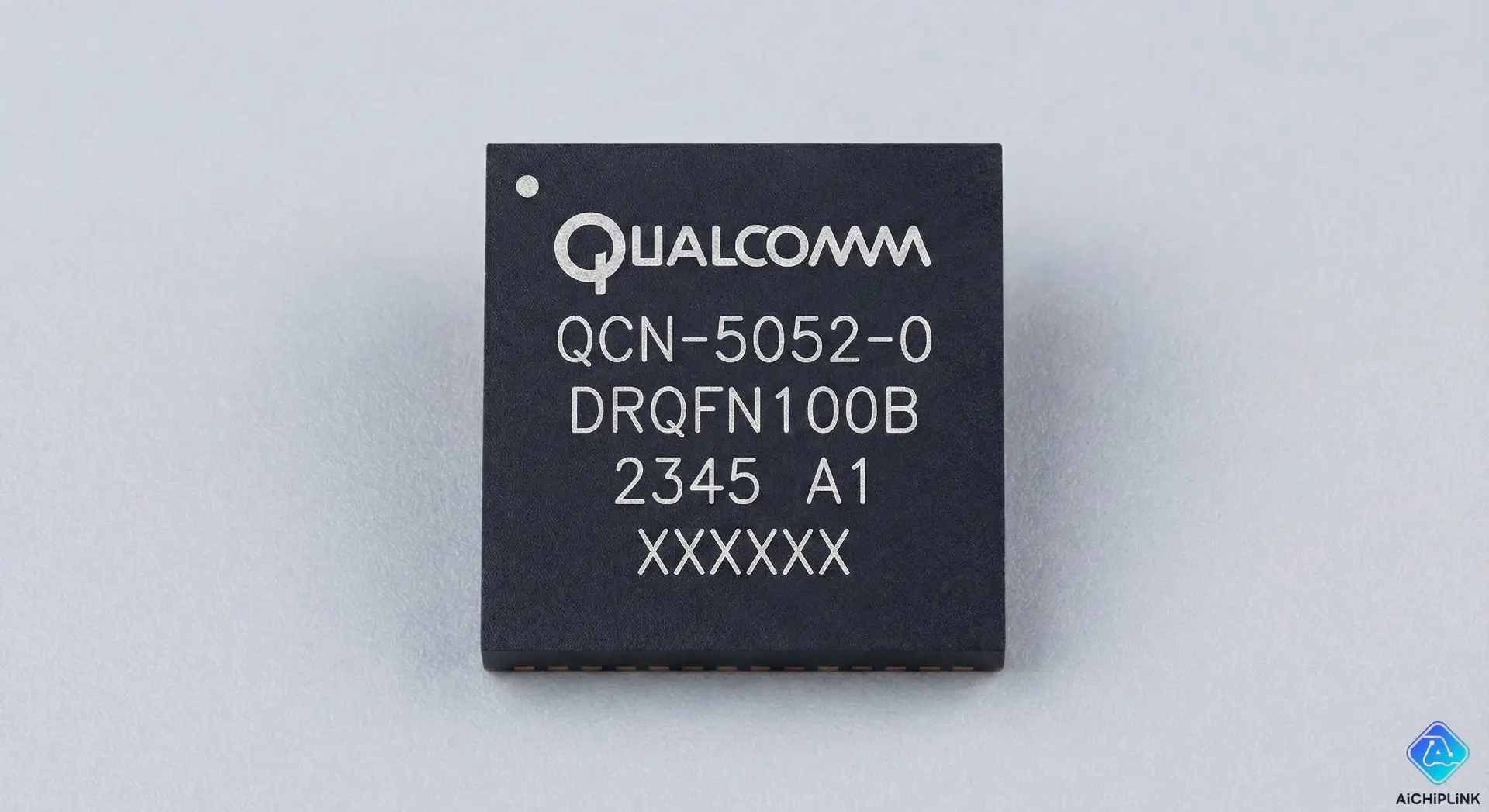
At the heart of many of these devices lies a critical component: the Qualcomm QCN-5052-0-DRQFN100B.
This chip is not merely a legacy component; it is a workhorse radio SoC (System on Chip) that introduced the mass market to technologies like MU-MIMO (Multi-User Multiple-Input Multiple-Output) and explicit beamforming. For hardware engineers designing cost-effective IoT gateways, or repair technicians troubleshooting high-end Mesh nodes (such as the Linksys Velop or Netgear Orbi series), understanding the intricacies of the QCN-5052 is essential.
This comprehensive guide will take you beyond the datasheet, exploring the architecture, the unique challenges of its DRQFN packaging, and its software integration within the OpenWrt ecosystem.
Table of Contents
- QCN-5052-0-DRQFN100B Datasheet & Technical Specifications
- Architecture: Inside 802.11ac Wave 2
- Hardware Design: Mastering the DRQFN100 Package
- Firmware & Software Support (OpenWrt/ath10k)
- Troubleshooting Common Failures
- Conclusion
QCN-5052-0-DRQFN100B Datasheet & Technical Specifications
The QCN-5052 is a dedicated Wi-Fi radio chip designed to offload wireless processing from the main host processor. It typically pairs with Qualcomm’s IPQ series processors (like the IPQ4018, IPQ4019, or IPQ8065) via a high-speed PCIe interface.
Detailed Specifications Table
| Feature | Specification | Notes |
|---|---|---|
| Manufacturer | Qualcomm | |
| Part Number | QCN-5052-0-DRQFN100B | |
| Wi-Fi Standard | 802.11ac Wave 2 | Backward compatible with 802.11a/n |
| Frequency Bands | 2.4 GHz or 5 GHz | Selectable (usually dedicated to one band per chip) |
| MIMO Configuration | 2x2 | 2 Transmit antennas, 2 Receive antennas |
| Spatial Streams | 2 | |
| Channel Width | 20 / 40 / 80 MHz | Supports VHT80 |
| Modulation | 256-QAM | Increases throughput over 64-QAM |
| Max PHY Rate | 867 Mbps | @ 5GHz, 80MHz, 256-QAM |
| Interface | PCIe 2.0 | Connects to Host CPU |
| Package | DRQFN-100 | 100-pin Dual Row QFN |
| Operating Temp | Commercial / Industrial | Depends on suffix |
Understanding the Part Number
Breaking down QCN-5052-0-DRQFN100B-TR-00-0:
- QCN: Qualcomm Connectivity / Networking series.
- 5052: Model identifier indicating a 2x2 MIMO configuration. (Compare to QCN5054 which is 4x4).
- DRQFN100: The physical package type (Dual Row Quad Flat No-leads, 100 pins).
- TR: Tape & Reel packaging (for automated pick-and-place machines).
Price Analysis & Stock Availability
As a mature component, the QCN-5052 is critical for the repair market of premium routers and the production of cost-effective enterprise APs. Supply can be sporadic as manufacturers shift capacity to Wi-Fi 6 chips.
Note: Sourcing specific Qualcomm radio chips for repair or legacy production runs can be difficult. [Check Stock for QCN-5052-0-DRQFN100B at Aichiplink] to find authentic inventory from verified global distributors.
Architecture: Inside 802.11ac Wave 2
To understand why the QCN-5052 remains relevant, one must understand the leap from 802.11n to 802.11ac Wave 2.
The MU-MIMO Revolution
The defining feature of the QCN-5052 is MU-MIMO (Multi-User Multiple-Input Multiple-Output).
- The Old Way (SU-MIMO): In older Wi-Fi standards (SU-MIMO), a router effectively acts like a machine gun, firing data packets at one device at a time, switching between them very quickly. If you had a slow device connected, it would hog the airtime, slowing down everyone else.
- The QCN-5052 Way (MU-MIMO): With Wave 2, the radio can transmit to multiple clients simultaneously. The QCN-5052 can split its spatial streams to talk to two 1x1 smartphones at the exact same moment. This dramatically improves network efficiency in crowded environments like offices or smart homes.
Beamforming: Directing the Signal
The chip supports Transmit Beamforming (TxBF). Instead of broadcasting the Wi-Fi signal in a perfect donut shape (omnidirectional), the QCN-5052 analyzes the feedback from the client device and adjusts the phase of the signal leaving its two antennas.
- Result: The signals constructively interfere exactly where the client device is located, boosting signal strength and range. This is often referred to as "steering" the signal.
The Role in Tri-Band Mesh Networks
In high-end Tri-Band Mesh systems (e.g., Netgear Orbi), manufacturers use three radios:
- Radio 1 (2.4 GHz): For legacy devices and IoT sensors.
- Radio 2 (5 GHz Low Band): For client devices (phones, laptops).
- Radio 3 (5 GHz High Band): A dedicated "Backhaul" to link the mesh nodes together.
The QCN-5052 is frequently used for Radio 2 or Radio 3. Its 2x2 configuration provides a cost-effective but high-performance link (867 Mbps), ensuring that the wireless backbone of the mesh network remains stable without the cost of a full 4x4 radio.
Hardware Design: Mastering the DRQFN100 Package
For hardware engineers and rework technicians, the "DRQFN" aspect of this chip is often the most challenging part.
What is DRQFN?
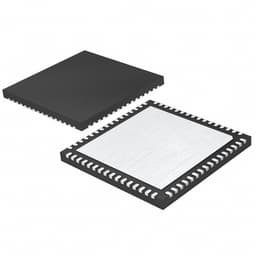
DRQFN stands for Dual-Row Quad Flat No-lead. Standard QFN packages have a single row of metal pads around the perimeter. However, to fit 100 pins into such a small footprint, Qualcomm utilized two concentric rows of pads: an Outer Row and an Inner Row.
- Complexity: This increases the routing density on the PCB and makes visual inspection of solder joints impossible without X-ray equipment.
Soldering & Rework Guide for DRQFN
Successfully soldering the QCN-5052 requires strict process control.
-
Stencil Design:
- Thickness: A 4-mil (0.100mm) or 5-mil (0.127mm) stencil is recommended.
- Aperture: For the thermal ground pad in the center, do not use a single large opening. Instead, use a "window pane" design with 50-60% coverage. This prevents "floating," where excessive solder lifts the chip, causing the outer pins to lose contact.
-
Reflow Profile:
- Soak Zone: 150°C to 200°C for 60-120 seconds to activate the flux.
- Reflow Zone: Peak temperature should reach 240°C-250°C (for Lead-Free SAC305 solder). Time above liquidus (TAL) should be 60-90 seconds.
- Cooling: Rapid cooling is preferred to form a fine grain structure in the solder joint.
-
Rework Tips:
- When replacing this chip using a hot air station, ensure you use a bottom pre-heater set to ~150°C. This minimizes thermal shock and warping of the PCB.
- Use tacky flux to hold the chip in place, as the dual-row pads have very little self-centering capability compared to BGA.
For deeper technical insights on SMT processes, refer to EEPower's Guide to QFN Soldering and Rework.
Thermal Management Considerations
Despite its small size, the QCN-5052 generates significant heat, especially when pushing high throughput with 256-QAM.
- Thermal Vias: The PCB design must include a dense array of thermal vias in the center ground pad to transfer heat to the inner copper layers.
- Heatsinking: Commercial routers almost always bond the top of the chip to a metal EMI shield or a dedicated aluminum heatsink using a thermal interface material (TIM) pad.
Firmware & Software Support (OpenWrt/ath10k)
The QCN-5052 is a favorite in the open-source community due to its compatibility with Linux.
Driver Architecture: ath10k
The chip utilizes the ath10k kernel module, which is the standard mac80211 driver for Qualcomm 802.11ac devices.
- Architecture: Unlike older "SoftMAC" drivers,
ath10krelies on a substantial firmware binary running on the QCN-5052 itself to handle low-level timing and beacon generation. This offloads the host CPU. - Status: It is fully supported in current releases of OpenWrt (23.05 and later), enabling advanced features like WPA3 SAE encryption and 802.11r Fast Transition (Roaming).
Firmware Files and Calibration
To initialize the QCN-5052, the driver requires specific files usually found in /lib/firmware/ath10k/QCA9888/hw2.0/ (or similar path depending on the exact hardware revision):
firmware-5.bin: The main operational code.board-2.bin: Contains Board Data (BDF) which defines the specific RF calibration data, antenna gain settings, and regulatory domain restrictions for the specific router PCB design.cal-pci-xxxx.bin: Often extracted from the device's factory partition (ART partition), containing unique calibration data for that specific silicon die.
Troubleshooting Common Failures
If you are repairing a device with a QCN-5052, watch for these common symptoms:
-
"No 5GHz Signal":
- Check: Run
dmesg | grep ath10kin the console. - Error: "failed to receive board data". This implies a corrupted
caldata partition or a communication failure over PCIe. - Hardware Fix: Check the PCIe coupling capacitors (typically 100nF) near the chip.
- Check: Run
-
"Low Throughput / Unstable Connection":
- Cause: Often caused by overheating or a detached RF shield can causing interference.
- Fix: Replace the thermal pad. Ensure the RF metal can is soldered securely to ground.
-
"Device Bootloops":
- Cause: A short circuit under the DRQFN package (solder bridging) can pull down the main power rail (usually 3.3V or 1.1V).
- Fix: Check resistance on power rails. If shorted, remove the QCN-5052 and re-test.
Conclusion
The Qualcomm QCN-5052-0-DRQFN100B is a testament to the longevity of well-designed silicon. While it may not headline the latest marketing materials for Wi-Fi 7, it remains the silent engine powering the vast majority of reliable, high-speed mesh networks in homes and offices today.
For engineers and technicians, mastering this chip—from its Wave 2 architecture to the precision required to solder its DRQFN package—is a valuable skill in maintaining the world's wireless infrastructure.
Need Replacement Wi-Fi Silicon? Don't let component shortages stall your repair or production line. Visit Aichiplink.com to search for QCN-5052-0-DRQFN100B and other hard-to-find Qualcomm wireless components.

Written by Jack Elliott from AIChipLink.
AIChipLink, one of the fastest-growing global independent electronic components distributors in the world, offers millions of products from thousands of manufacturers, and many of our in-stock parts is available to ship same day.
We mainly source and distribute integrated circuit (IC) products of brands such as Broadcom, Microchip, Texas Instruments, Infineon, NXP, Analog Devices, Qualcomm, Intel, etc., which are widely used in communication & network, telecom, industrial control, new energy and automotive electronics.
Empowered by AI, Linked to the Future. Get started on AIChipLink.com and submit your RFQ online today!
Frequently Asked Questions
Is the QCN-5052 compatible with Wi-Fi 6 (802.11ax)?
No. The QCN-5052 is strictly an **802.11ac Wave 2 (Wi-Fi 5)** chipset. For Wi-Fi 6 designs, Qualcomm offers the **QCN5054** or **QCN9074** series.
Can I replace a QCA9886 with a QCN-5052?
Generally, no. While they serve similar functions (2x2 5GHz radios), they often have different pinouts (QFN vs DRQFN) and require different board data (BDF) files. Direct replacement requires verifying the exact schematic and driver support.
Does it support 160 MHz Channel Width?
Standard implementations of the QCN-5052 are limited to **80 MHz** channel width (VHT80). To achieve 160 MHz speeds, you typically need a 4x4 radio or a newer generation chipset like the QCA9984.
What voltages does the QCN-5052 require?
It typically requires multiple voltage rails supplied by a PMIC (Power Management IC): * **3.3V** for I/O and Power Amplifier supply. * **1.1V** for the Core logic. * Check the specific reference schematic, as power sequencing is critical to prevent latch-up.
Why is there a "B" at the end of DRQFN100B?
The suffix often denotes minor revisions in the package dimensions or lead finish (e.g., Matte Tin vs. NiPdAu). Always verify the mechanical drawing in the datasheet before creating a PCB footprint.
.png&w=256&q=75)